
Game design can involve sketching, prototyping, long hours at a workstation, and reviewing sound and color. These gifts support different parts of that process, from hands-on craft to a more organized desk.
Christmas Gifts for Game Designers
1. Anycubic Kobra S1 Max Combo 3D Printer
For Bringing Game Worlds Into 3D
Anycubic Kobra S1 Max Combo 3D Printer

- 350 × 350 × 350 mm build volume supports larger models and batches of smaller parts.
- ACE 2 Pro enables four-color printing, with expansion support for up to 16 colors.
- Auto-leveling, filament runout detection, and power-loss recovery support long print jobs.
Best For: Designers who want to prototype physical characters, props, or environment pieces.
2. ELABEST X100 Ergonomic Mesh Chair
For a More Flexible Workday
ELABEST X100 Ergonomic Mesh Chair

- Adjustable lumbar support, headrest, flip-up armrests, and reclining back support configurable seating.
- An extendable footrest offers a place to rest during breaks.
- Breathable mesh and height adjustment suit a home office or gaming workspace.
Best For: Someone who spends extended hours at a design workstation.
3. Anker Prime 14-in-1 USB-C Dock
For Connecting a Laptop Workspace
Anker Prime 14-in-1 USB-C Dock

- Combines 14 ports, including dual HDMI, USB-C, USB-A, audio, and Ethernet connections.
- Provides up to 160 W total output and supports charging up to four devices simultaneously.
- Works with compatible USB-C, USB4, or Thunderbolt laptops; check display and operating-system limitations.
Best For: A laptop user who connects displays, storage, and peripherals at a fixed desk.
4. beyerdynamic DT 770 Pro 80 Ohm Headphones
For Focused Audio Sessions
beyerdynamic DT 770 Pro 80 Ohm Headphones

- Closed-back construction provides passive isolation for recording or listening in shared spaces.
- Replaceable velour ear pads and a spring-steel headband are suited to regular sessions.
- Includes a fixed 3 m cable and 1/4-inch adapter; an interface or headphone amp is recommended.
Best For: A designer composing, reviewing, or recording game audio.
5. XPPen Artist 13.3 Pro V2 Pen Display
For Drawing Directly on Screen
XPPen Artist 13.3 Pro V2 Pen Display

- The 13.3-inch display supports up to 60-degree pen tilt for shading and varied strokes.
- Eight shortcut keys and a red dial can be customized for common drawing actions.
- Requires a computer connection; the included stylus is battery-free and has 16,384 pressure levels.
Best For: A concept artist or designer sketching characters, environments, or interface elements.
6. ErGear 48 × 24-Inch Electric Standing Desk
For a Sit-Stand Design Setup
ErGear 48 × 24-Inch Electric Standing Desk

- Electric height adjustment ranges from 28.35 to 46.46 inches.
- Four memory presets save preferred desk heights.
- The 48 × 24-inch top offers a workspace for a computer and design tools.
Best For: Someone who wants to switch between sitting and standing while working.
7. HUANUO FlowLift Dual Monitor Stand
For a Clearer Two-Screen Layout
HUANUO FlowLift Dual Monitor Stand

- Supports two 13–32-inch screens weighing 4.4–19.8 pounds each, with VESA 75 × 75 or 100 × 100 mounting holes.
- Arms tilt, swivel, rotate, and adjust in height; built-in cable management routes wires along the arms.
- Requires a compatible wooden desk and sufficient clearance for its clamp or grommet mount.
Best For: A designer who compares references, tools, or previews across two monitors.
8. DIGIDRAW TW410 Wireless Drawing Tablet
For Portable Sketching and Notes
DIGIDRAW TW410 Wireless Drawing Tablet

- A compact 6 × 4-inch active area and Bluetooth 5.0 support wireless use; wired mode is also available.
- The battery-free stylus offers 16,384 pressure levels on a paper-like matte surface.
- Compatible with Mac, Windows, and Android devices; check the designated driver requirements.
Best For: A student or beginner designer who sketches at a desk or on the go.
9. EMEET NOVA 4K Webcam
For Sharing Work in Progress

- PDAF autofocus and dual microphones support video calls and remote reviews.
- The camera defaults to 1080p; 4K can be selected through compatible camera software or apps.
- A privacy cover, adjustable stand, and tripod thread offer flexible setup options.
Best For: A designer who regularly joins remote team calls or presents work.
10. WALI Four-Tier Desk File Organizer
For Keeping Design Tools in Reach
WALI Four-Tier Desk File Organizer

- Combines four letter trays, a vertical file holder, two pen holders, and a divided drawer.
- Metal mesh trays can hold papers, books, mail, and desk supplies.
- The black desktop organizer is designed for home, office, dorm, or classroom use.
Best For: Someone who wants papers, pens, and small desk supplies organized together.
11. Golden Maple 10-Piece Detail Paint Brush Set
For Painting Small-Scale Details
Golden Maple 10-Piece Detail Paint Brush Set

- Ten brush sizes, from 5/0 through 8, cover a range of fine-detail tasks.
- Suitable for painting miniatures, models, and figurines with acrylic, watercolor, or oil paints.
- Triangular wooden handles and protective tubes support handling and storage.
Best For: A designer who enjoys painting miniatures or model versions of game assets.
12. Extended 31.5 × 15.7-Inch Gaming Mouse Pad
For a More Unified Desktop
Extended 31.5 × 15.7-Inch Gaming Mouse Pad
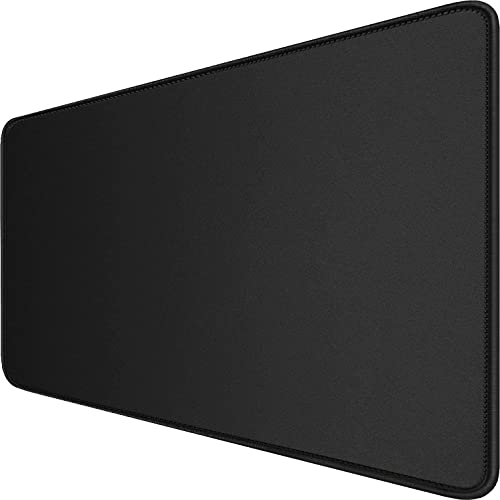
- The extended surface fits a mouse and keyboard, with room for other desk items.
- A smooth surface supports mouse tracking, and a non-slip rubber base grips the desk.
- Stitched edges and a waterproof coating are listed among its features.
Best For: A designer who wants a broad surface for a keyboard, mouse, and sketching tools.
13. JOREST 40-Piece Precision Screwdriver Set
For Small Electronics Adjustments
JOREST 40-Piece Precision Screwdriver Set

- Includes 30 screwdriver bits spanning Phillips, flathead, Torx, tri-wing, pentalobe, and other types.
- The kit also includes spudgers, tweezers, a cleaning brush, and a suction cup.
- The listing names computers, game consoles, controllers, and other small electronics as use cases.
Best For: A hands-on designer who maintains compatible personal electronics or peripherals.
14. JBL 305P MkII Studio Monitor Pair
For Listening to Game Audio on Speakers
JBL 305P MkII Studio Monitor Pair

- The package includes two powered 5-inch studio reference monitors for stereo listening.
- Boundary EQ and HF Trim provide adjustments for room placement and high frequencies.
- XLR and 1/4-inch TRS inputs support compatible audio setups.
Best For: A designer who reviews sound effects, dialogue, or music at a desk.
15. Level Up! The Guide to Great Video Game Design
For Ideas and Design Frameworks
Level Up! The Guide to Great Video Game Design

- Scott Rogers’s second edition covers developing a game idea through production.
- Topics include level design, controls, foes, design documents, and mobile and console games.
- The 560-page English-language book includes examples and illustrated concepts.
Best For: An aspiring or practicing designer who likes learning from a practical reference book.
16. ASUS ProArt PA279CV 27-Inch 4K Monitor
For Reviewing Art in Fine Detail
ASUS ProArt PA279CV 27-Inch 4K Monitor

- The listed 27-inch monitor has a 3840 × 2160 resolution and 60 Hz refresh rate.
- Connectivity includes USB-C with 65 W power delivery, DisplayPort, HDMI, and a USB hub.
- The listing describes factory calibration and 100% sRGB and Rec. 709 color coverage.
Best For: A designer who works with detailed layouts, color, or visual assets.
17. Logitech MX Creative Console
For Custom Creative Shortcuts

- Nine customizable keys and a control dial provide quick access to assigned actions.
- Profiles and keypad pages can be configured for supported creative apps.
- The listed integrations include Photoshop, Illustrator, Premiere Pro, Figma, and DaVinci Resolve.
Best For: A designer who repeats actions across creative software and wants configurable controls.
18. Calibrite Display Pro HL Colorimeter
Choosing a Gift for a Game Designer
Start with the kind of work they enjoy and the part of their setup that causes friction. A designer focused on concept art may make frequent use of the pen display or portable drawing tablet. Someone building physical references could enjoy the 3D printer, while a designer who spends time on mechanics, controls, and level plans may appreciate Level Up! as a book to browse between projects.
Audio gifts suit a different stage of development. Closed-back headphones can help with focused listening or recording in a shared space; studio monitors make sound easier to review at a desk. For color and visual work, a 4K monitor can provide room for detailed assets and interface layouts, while a colorimeter helps profile compatible displays. These are specialized tools, so consider whether the recipient already has a similar setup.
Practical workstation upgrades are often easier to fit into someone’s routine. A standing desk, ergonomic chair, monitor arm, or large desk mat can change how a workspace feels without prescribing a new creative hobby. The dock, organizer, and screwdriver set address everyday connection, storage, and maintenance needs.
Set a Budget That Fits the Gift
For a modest, useful gift, consider the detail brushes, precision screwdriver set, desk organizer, mouse pad, or the game design book. These can be relevant to a designer without requiring a complete workstation change. The portable tablet is another compact creative tool, especially for sketching and notes.
Larger workspace purchases include a webcam, docking station, monitor arm, chair, and standing desk. Displays, calibration equipment, studio monitors, and the 3D printer are more substantial choices that may depend on a recipient’s existing equipment and plans. Think about the full setup: a monitor arm may need compatible displays and a suitable desk, while a dock is useful only if the laptop’s ports and display support match its requirements.
Check Compatibility and Personalization
Before choosing computer accessories, check the devices and software the recipient actually uses. The docking station supports specified USB-C, USB4, or Thunderbolt connections and lists operating-system limitations; its dual-monitor behavior also differs on macOS. The pen display requires a computer connection, and the compact drawing tablet lists Mac, Windows, and Android support. For a monitor arm, verify screen size, weight, VESA mounting holes, desk material, thickness, and underside clearance.
For audio gear, consider where it will be used and what connections are available. The headphones include a 1/4-inch adapter and are recommended with an interface or amp; the JBL monitors use XLR or 1/4-inch TRS inputs. A colorimeter is most useful when the recipient cares about consistent color across supported displays. If you are unsure about compatibility, a desk organizer, book, mouse pad, or brushes may be simpler to personalize around their interests.
Timing and Last-Minute Decisions
For a gift chosen close to Christmas, favor items whose use is easy to understand and whose setup does not require a major workspace rearrangement. A book, brush set, organizer, or precision tool kit makes a straightforward present for someone already interested in game creation. Check the retailer’s current availability and delivery information directly; the supplied product details do not establish shipping dates.
Bigger gifts benefit from earlier planning. A desk, chair, printer, monitor, or speaker pair may need space, assembly, compatible connections, or a conversation about the recipient’s workflow. If you cannot confirm those details, a smaller accessory that supports their current setup can still make a thoughtful Christmas gift. The best Christmas gift ideas for game designers are the ones that fit how they create, test, and share their work.
