
Small upgrades can make a PC gaming setup more comfortable, organized, or personal. These ideas cover desk gear, controls, audio, and storage, with compatibility details to check before gifting.
20 Christmas Gaming Gifts Under $25
1. GARMESE 1TB Portable External SSD
For a Gamer on the Go
GARMESE 1TB Portable External SSD

- Offers 1TB of external storage for game libraries and other files.
- Includes a USB-C cable and USB-C-to-USB-A adapter.
- Listed as compatible with Windows PCs, PS5, and Xbox Series X.
Best For: Gamers who move files between computers or consoles
2. Redragon K585 One-Handed Gaming Keypad
For Dedicated Game Controls
Redragon K585 One-Handed Gaming Keypad
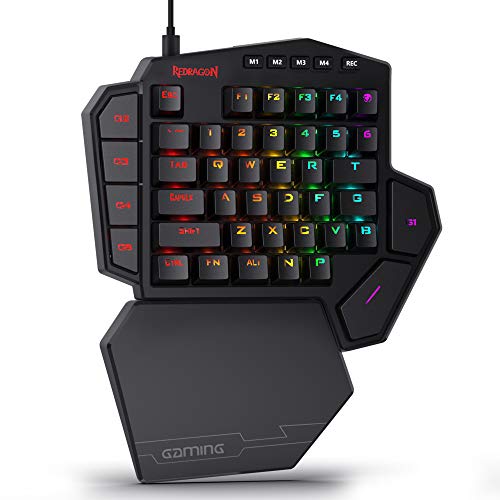
- The 42-key keypad includes seven onboard macro keys and four profiles.
- A USB pass-through port can connect a mouse or headset.
- Its magnetic wrist rest detaches, and the lighting has five modes.
Best For: PC gamers who want a compact keypad for game controls
3. Redragon K671 Mechanical Gaming Keyboard
For a Customizable Desk
Redragon K671 Mechanical Gaming Keyboard

- The wired keyboard has a full 104-key layout and 11 backlight modes.
- Its linear red switches are hot-swappable; four spare switches are included.
- Macro editing supports remapped keys, shortcuts, and combined functions.
Best For: PC gamers who enjoy adjusting keyboard lighting and key functions
4. Redragon K617 60% Compact Gaming Keyboard
For More Mouse Room
Redragon K617 60% Compact Gaming Keyboard
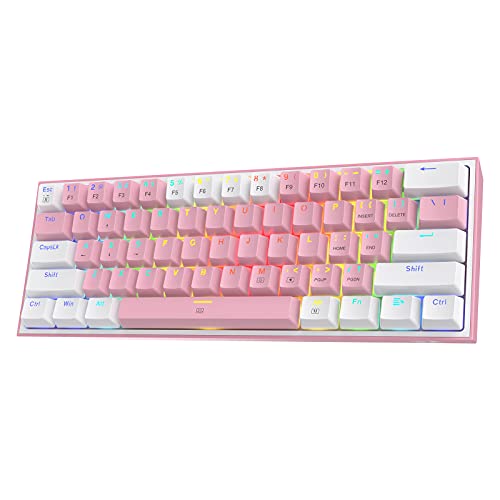
- Its 61-key layout omits a numpad and navigation cluster to save desk space.
- The switch sockets accept compatible 3-pin or 5-pin switches.
- Choose among 20 preset RGB lighting modes.
Best For: PC gamers who want a compact keyboard and extra desk room
5. WALI Adjustable Single Monitor Arm
For a Tidier Gaming Desk
WALI Adjustable Single Monitor Arm

- The arm lifts a monitor off the desktop and includes cable management guides.
- It fits screens with 75 x 75 mm or 100 x 100 mm VESA patterns.
- Check monitor size, weight, VESA pattern, and desk fit before gifting.
Best For: Gamers looking to free up desk space
6. 1080p Webcam with Microphone and Privacy Cover
For Calls and Streams
1080p Webcam with Microphone and Privacy Cover

- The webcam offers 1080p video at 30 frames per second, according to its listing.
- A sliding cover closes over the lens when the camera is not in use.
- It connects by USB and is listed for Windows, Mac, and Linux.
Best For: Streamers and gamers who video chat
7. BENGOO G9000 Over-Ear Gaming Headset
For Voice Chat Sessions
BENGOO G9000 Over-Ear Gaming Headset

- The wired headset has an over-ear fit and an integrated microphone.
- Its listing describes 7.1 surround sound and noise-isolating earcups.
- Check the connection: it uses a 3.5 mm jack and lists platform-specific compatibility.
Best For: Players who use voice chat across listed platforms
8. Guermok HDMI Video Capture Card
For Recording Gameplay
Guermok HDMI Video Capture Card

- The card captures HDMI input to USB-C or USB 3.0 for recording or streaming.
- Listed output options include 1080p at 60 frames per second and 2K at 30.
- Capture software is required; it is not designed to cast directly to a monitor or TV.
Best For: Gamers who record or stream console gameplay
9. Redragon M612 Wired RGB Gaming Mouse
For Adjustable Mouse Controls
Redragon M612 Wired RGB Gaming Mouse

- The wired mouse has 11 programmable buttons and a right-hand design.
- Its five default DPI levels range from 500 to 4,000; software offers settings up to 8,000.
- Five backlight modes add color to a gaming desk.
Best For: PC gamers who want programmable mouse buttons
10. 31.5-Inch Extended Gaming Mouse Pad
For a Full-Desk Surface
31.5-Inch Extended Gaming Mouse Pad
- The 31.5-by-15.7-inch pad can hold a mouse and keyboard together.
- A non-slip rubber base and stitched edges are listed features.
- Its waterproof coating and smooth tracking surface suit desk gaming.
Best For: PC gamers with room for an extended desk pad
11. 24 Silicone Thumb Grips for Controllers
For a Small Controller Refresh
24 Silicone Thumb Grips for Controllers

- The set includes 24 silicone caps in 12 color pairs.
- The listing names PS5, PS4, and Xbox controller compatibility; confirm the model fit.
- The caps stretch over existing thumbsticks and are described as removable.
Best For: Controller players who want color options and added grip
12. Dell SE2426HG 24-Inch Gaming Monitor
For a Bigger Screen Upgrade
Dell SE2426HG 24-Inch Gaming Monitor

- This 23.8-inch display has a 1920-by-1080 resolution and 240 Hz refresh rate.
- It includes two HDMI ports and DisplayPort 1.4 connectivity.
- It is a substantial gift; check desk space and available connections first.
Best For: PC gamers planning a monitor upgrade
13. Kingston NV3 1TB M.2 NVMe SSD
For Internal Storage Expansion

- The 1TB drive uses an M.2 2280 form factor and PCIe 4.0 interface.
- Listed sequential speeds are up to 6,000 MB/s read and 4,000 MB/s write.
- Confirm the recipient's desktop or laptop supports this drive format and interface.
Best For: PC gamers with a compatible system who need more storage
14. N-GEN GAMING High-Back Chair with Footrest
For a More Comfortable Gaming Corner
N-GEN GAMING High-Back Chair with Footrest

- The chair has a reclining backrest, adjustable height, and retractable footrest.
- A neck cushion and lumbar cushion are included, according to the listing.
- It is a large gift; measure the room and check the listed chair dimensions.
Best For: Gamers setting up a dedicated desk chair
15. InnoView 16-Inch Portable Gaming Monitor
For Gaming Away from the Desk
InnoView 16-Inch Portable Gaming Monitor

- The 16-inch display has a 1920-by-1200 resolution and supports up to 144 Hz over USB-C.
- The listing says HDMI supports a maximum refresh rate of 120 Hz.
- It lists compatibility with laptops, Mac, Xbox, PS5, and Steam Deck; adapter not included.
Best For: Gamers who travel or move between rooms
16. USB Monitor Light Bar with Dimmable Lighting
For a Better-Lit Desk
USB Monitor Light Bar with Dimmable Lighting
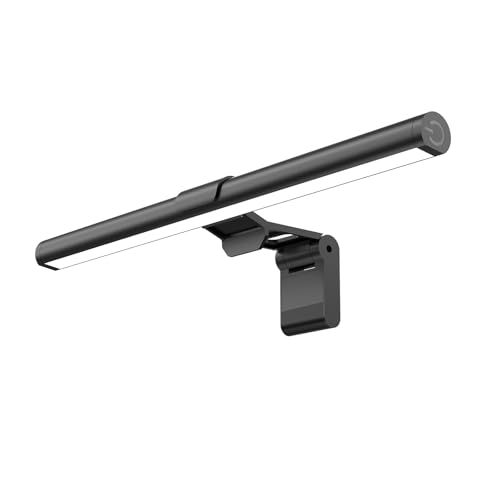
- The 11.8-inch LED bar clips onto a monitor without using desk space.
- It offers three color temperatures and adjustable brightness, with a memory function.
- Power comes from USB, including a computer, adapter, or power bank.
Best For: PC gamers who play at a desk
17. OIVO Dual PS5 Controller Charging Dock
For an Organized PS5 Setup
OIVO Dual PS5 Controller Charging Dock

- The dock is designed to charge two DualSense or Edge controllers at once.
- It connects by USB cable to a PS5, adapter, laptop, or other USB power source.
- LED indicators show charging or full/standby status; RGB lighting has nine modes.
Best For: PS5 players who want a shared charging and storage spot
18. Razer BlackShark V2 X Gaming Headset
For Immersive Game Audio
Razer BlackShark V2 X Gaming Headset

- The wired headset uses a 3.5 mm jack and includes a microphone.
- Its listing describes passive noise cancellation and software-enabled surround sound on Windows 10 64-bit.
- Listed platform support includes PC, Mac, PS4, PS5, and Nintendo Switch.
Best For: Gamers who want over-ear audio and a built-in mic
19. Cable Matters 25-Foot Cat 6 Ethernet Cable
For a Wired Connection
Cable Matters 25-Foot Cat 6 Ethernet Cable
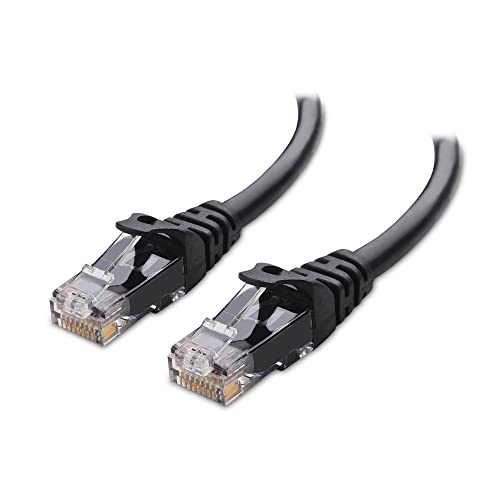
- The 25-foot Cat 6 cable has RJ45 connectors for compatible network devices.
- It is listed as supporting up to 10 Gbps and 550 MHz bandwidth.
- Measure the full route from router to PC before choosing this cable length.
Best For: Gamers who can connect a PC directly to a router
20. 8BitDo Ultimate 2C Wireless Controller
For Controller-Style PC Play
8BitDo Ultimate 2C Wireless Controller

- The wireless controller is listed as compatible with Windows and Android.
- It has Hall Effect joysticks and triggers, plus remappable L4/R4 bumpers.
- Custom button mapping is available without software, according to the listing.
Best For: PC gamers who prefer playing with a controller
Choosing a Gift for a PC Gamer
Start with how the recipient plays. Someone focused on mouse-and-keyboard games may appreciate a programmable mouse, compact keypad, or smaller keyboard that leaves room for broad mouse movement. Controller players may prefer a PC-compatible gamepad or thumb grips, while people who stream, record, or chat can use a webcam, headset, or capture card. For a gift that supports nearly any desk routine, consider the extended mouse pad, monitor light bar, or Ethernet cable.
Look at the setup before choosing a large item. A monitor arm or display needs enough desk space and the right mounting or cable connections. A chair takes significant room, so check dimensions and whether the recipient wants one. Storage drives are useful, but they are more personal: an external SSD connects over USB, while an M.2 NVMe drive must fit inside a compatible computer. For gifts where the recipient already has a preferred keyboard, mouse, or headset, a desk accessory may be easier to match.
Keeping to a $25 Budget
The primary search is “christmas gaming gifts under 25 dollars,” so use the budget as a firm guide when comparing options. Product prices can change, and the supplied details do not establish current prices. Check the current listing before purchasing, including any tax or shipping costs that affect the total. Some items here, such as a gaming monitor, chair, or portable display, are larger upgrade ideas and may exceed this budget; treat them as options only if their current price fits.
For a modest exchange or stocking-sized surprise, the thumb grips, Ethernet cable, or light bar offer a focused use without asking the recipient to replace a main piece of gear. If you are pooling money with other people, a larger peripheral could be more practical. Ask discreetly about what they already own, or look for a specific gap: more storage, a cable that reaches the router, or a cleaner desk surface.
Check Compatibility and Personalization
Before buying, match the item to the recipient’s devices. The 8BitDo controller lists Windows and Android support; the PS5 charging dock is for DualSense and Edge controllers. Headsets may connect through a 3.5 mm jack, while the capture card needs an HDMI source, USB connection, and capture software. For a monitor, verify the computer or console has a suitable video output and cable.
Internal components need extra care. Confirm a computer has an available M.2 2280 slot and supports PCIe NVMe before choosing the Kingston drive. The external SSD has broader listed device compatibility, but ports and console use can still affect the setup. For the monitor arm, check VESA hole spacing, screen weight and size, and whether the desk can take its clamp or grommet mount. These small checks make a technical gift feel thoughtful instead of becoming a return task.
Personalization can come from color, layout, or use. The compact Redragon keyboard has a pink finish; the thumb grips offer multiple color pairs. A programmable keypad or mouse suits someone who enjoys tuning keybinds, while a straightforward webcam or desk mat may better suit a recipient who prefers simple accessories. Consider their existing setup’s colors and available space, but do not assume every gamer wants RGB lighting or customization.
Timing and Last-Minute Decisions
For Christmas, leave time to check compatibility and current listing details before ordering. Large items need room to unpack and set up, while internal storage may require installation help. If timing is tight, choose something that matches a connection or accessory they already use, and confirm the shipping estimate shown by the seller rather than relying on a general promise. If the exact model is uncertain, a gift receipt can give the recipient room to resolve fit questions after the holiday.
A good gaming gift does not need a holiday design. The best choice is an everyday tool that fits the person’s games, desk, devices, and habits. Even a simple cable, surface upgrade, or controller accessory can feel well chosen when it solves a real annoyance in their setup.
