
When you’re setting up a high wattage desktop, choosing the right UPS system is essential for maintaining performance and protecting your equipment. With so many options available, it can be hard to know where to start. From pure sine wave outputs to intelligent monitoring features, the best systems have a lot to offer. Let’s explore the top 10 UPS systems that can power up your setup and keep your work uninterrupted.
CyberPower CP1500PFCLCD UPS Battery Backup and Surge Protector

If you’re running a high wattage desktop, the CyberPower CP1500PFCLCD UPS Battery Backup and Surge Protector is an excellent choice due to its PFC sine wave output, which guarantees compatibility with both active PFC and conventional power supplies. With a capacity of 1500VA/1000W and 12 outlets, including 6 battery backup ports, it’s perfect for your setup. The multifunction color LCD panel keeps you informed about battery status and power conditions. Plus, its compact design fits easily in tight spaces. Users rate it 4.5 stars for reliability, ensuring you won’t face unexpected shutdowns during important tasks.
Best For: Users with high wattage desktops or workstations requiring reliable power backup and compatibility with PFC power supplies.
Pros:
- PFC Sine Wave Output: Ensures compatibility with both active PFC and conventional power supplies.
- Multifunction Color LCD Panel: Provides real-time battery and power condition monitoring for enhanced user awareness.
- Compact Design: Fits easily in tight spaces, making it ideal for various setups.
Cons:
- Battery Life Limitations: Some users report that battery life may not meet expectations under full load.
- Service Quality Concerns: Uncertainty regarding the service quality of CyberPower compared to competitors like APC.
- Generator Compatibility: Caution needed when using with standard portable generators; inverter generators are recommended for best performance.
APC UPS Battery Backup and Surge Protector (BE600M1)

The APC UPS Battery Backup and Surge Protector (BE600M1) is an excellent choice for anyone needing reliable power protection for their computers and small electronics. With a capacity of 600VA and 330 watts, it offers five battery backup outlets and two surge protection-only outlets, ensuring your devices stay powered during outages. Weighing just 7.5 pounds and measuring 10.79 x 4.13 x 5.47 inches, it’s compact and wall-mountable. Plus, the built-in USB charger port makes it easy to charge small devices. With a solid customer rating of 4.5 stars, it’s a trusted option to safeguard your tech investments.
Best For: Individuals and small businesses looking for reliable battery backup and surge protection for computers and small electronics.
Pros:
- Compact and wall-mountable design for easy placement in small spaces.
- Provides multiple battery backup outlets, ensuring essential devices remain powered during outages.
- High customer satisfaction with a rating of 4.5 stars from nearly 36,000 users.
Cons:
- Limited to 600VA / 330W, which may not support high-power devices or larger setups.
- The battery is replaceable but requires purchasing a specific model separately.
- Management software is only compatible with certain operating systems, potentially limiting user access for some.
CyberPower Intelligent LCD UPS System (CP1500AVRLCD3)

Designed for gamers and professionals who rely on high wattage desktops, the CyberPower Intelligent LCD UPS System (CP1500AVRLCD3) offers a robust 1500VA/900W capacity. This mini tower features 12 NEMA 5-15R outlets, including six that provide battery backup and surge protection. With a multifunction color LCD panel, you’ll easily monitor battery and power conditions. It also includes automatic voltage regulation to correct minor fluctuations without switching to battery, extending battery life. Plus, you get USB ports for quick charging and a 3-year warranty, ensuring your equipment is protected and your setup stays powered.
Best For: Gamers and professionals who require reliable power for high wattage desktops and sensitive equipment.
Pros:
- Automatic Voltage Regulation (AVR) helps maintain consistent power without unnecessary battery drain.
- Multifunction color LCD panel provides real-time monitoring of battery and power conditions.
- Three-year warranty and connected equipment guarantee enhance peace of mind for users.
Cons:
- Bulky mini tower design may take up more space compared to other UPS models.
- Limited number of battery backup outlets (only six) might not be sufficient for setups with multiple devices.
- USB charging ports could be limited for users needing to charge multiple mobile devices simultaneously.
APC Back-UPS Pro 1500VA UPS Battery Backup & Surge Protector (BX1500M)

For users running high-wattage desktops, the APC Back-UPS Pro 1500VA (BX1500M) stands out with its impressive 1500VA power capacity, ensuring reliable battery backup for demanding setups. With 10 outlets—five offering battery backup and five providing surge protection—this UPS covers your essential devices. Its Automatic Voltage Regulation (AVR) stabilizes voltage output, while the LCD display keeps you informed about load and battery status. The user-replaceable battery and Energy-Star certification add to its appeal. Rated 4.4 out of 5 stars, it’s a trusted choice for home offices and gaming setups, delivering performance and peace of mind during outages.
Best For: The APC Back-UPS Pro 1500VA (BX1500M) is best for home office users and gamers who require reliable power backup for high-wattage devices.
Pros:
- High Power Capacity: Supports demanding setups with a 1500VA power capacity.
- Automatic Voltage Regulation: Stabilizes voltage output for consistent and clean power.
- User-Friendly Features: LCD display provides real-time battery and load information.
Cons:
- Weight: The unit is heavy, which may make installation or movement difficult.
- Battery Replacement Cost: The user-replaceable battery must be purchased separately.
- Limited Battery Backup Outlets: Only five of the ten outlets offer battery backup, which may not suffice for extensive setups.
GOLDENMATE 1000VA Lithium UPS Battery Backup and Surge Protector

Offering reliable power backup for high wattage desktops, the GOLDENMATE 1000VA Lithium UPS Battery Backup and Surge Protector stands out with its advanced lithium iron phosphate battery technology. With a lifespan exceeding ten years and 5000 charge cycles, you’ll save on replacement costs. It features eight outlets and a pure sine wave output, ensuring your devices remain protected from surges and fluctuations. The intelligent LCD display keeps you informed about battery status, while the built-in Battery Management System enhances safety. Lightweight and compact, this UPS is a smart choice for anyone needing dependable power support in their workspace.
Best For: Individuals and businesses seeking a reliable and long-lasting power backup solution for high wattage desktops and sensitive electronic devices.
Pros:
- Long Lifespan: The lithium iron phosphate battery offers over 10 years and 5000 charge cycles, reducing replacement costs.
- Pure Sine Wave Output: Ensures safe and stable power delivery to sensitive equipment, protecting against surges and fluctuations.
- Intelligent LCD Display: Provides real-time information on battery status and power conditions for easy monitoring.
Cons:
- Weight: At 12.32 pounds, it may be heavier compared to some traditional UPS models.
- Price Point: Higher initial cost compared to lead-acid battery alternatives, though it offers lower total cost of ownership over time.
- Limited Outlets: Eight outlets may not be sufficient for users with numerous devices requiring backup power.
APC UPS Battery Backup Surge Protector (BE425M)
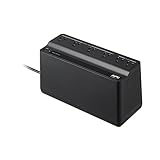
The APC UPS Battery Backup Surge Protector (BE425M) is ideal for users who need reliable power protection for small electronics like WiFi routers during outages. With 425VA and 225W backup power, it guarantees your devices stay operational. Its wall-mountable design saves space while the 6 outlets—4 for backup and 2 for surge protection—cater to various needs. The 5-foot power cord features a right-angle plug for easy connection. Although the battery isn’t user-replaceable, a qualified technician can service it. Plus, with a 3-year warranty and a $75,000 connected-equipment policy, you’re covered for peace of mind.
Best For: Users needing reliable power protection for small electronics like WiFi routers during outages.
Pros:
- Provides 425VA / 225W battery backup power, ensuring devices stay operational during outages.
- Wall-mountable design saves space and enhances accessibility.
- Includes a 3-year warranty and a $75,000 connected-equipment policy for added peace of mind.
Cons:
- Battery is not user-replaceable, requiring a qualified technician for service.
- Limited to 6 outlets, which may not be sufficient for users with multiple devices.
- Requires modest force to engage plugs due to outlet design, which may be inconvenient for some users.
Vertiv Liebert PST5 UPS – 850VA/500W

Designed for users who demand reliable power protection, the Vertiv Liebert PST5 UPS – 850VA/500W is an excellent choice for high wattage desktops. With 8 outlets—4 surge-only and 4 battery & surge—you can efficiently power multiple devices. The widely spaced outlets accommodate transformer-block plugs without hassle. You’ll appreciate the LCD screen that provides real-time notifications, while USB communication guarantees managed shutdowns during outages. This Energy Star certified UPS not only meets eco-friendly standards but also comes with a 3-year warranty, including advanced replacement options. Plus, it safeguards your data lines with surge protection for RJ45 and RJ11 connections.
Best For: Users who need reliable power protection for high wattage desktops and multiple devices.
Pros:
- Energy Star certified for eco-friendly operation and energy savings.
- LCD screen provides real-time notifications and status updates.
- Includes 8 outlets with a flexible configuration to accommodate various plug types.
Cons:
- Limited to 850VA/500W, which may not support larger setups.
- Surge protection for data lines may not cover all scenarios.
- Advanced replacement options may require additional setup time.
GOLDENMATE 1500VA Lithium UPS Battery Backup and Surge Protector

For anyone seeking reliable power protection for high wattage desktops, the GOLDENMATE 1500VA Lithium UPS Battery Backup and Surge Protector stands out with its impressive pure sine wave output. With a robust 1200W capacity, it utilizes a long-lasting LiFePO4 battery, offering over 3,000 charge cycles and a lifespan exceeding 10 years. Its eight NEMA 5-15P outlets provide ample protection against surges and fluctuations. The intelligent LCD display lets you monitor power status in real time, while the built-in Battery Management System guarantees reliable connections. Users appreciate its performance and runtime, making it a top choice for demanding setups.
Best For: Users seeking reliable power protection and long-lasting battery performance for high wattage desktops and critical devices.
Pros:
- Pure sine wave output ensures compatibility with sensitive electronics and provides stable power.
- Long lifespan and high charge cycles (over 10 years and >3,000 cycles) significantly reduce total cost of ownership compared to lead-acid batteries.
- Intelligent LCD display allows for real-time monitoring of battery and power status, enhancing user experience.
Cons:
- Short power and USB cables may limit placement options for connected devices.
- Lack of dedicated software for advanced monitoring and management may be a drawback for some users.
- Temporary mute feature for alarms could be inconvenient during extended use or in specific scenarios.
Tripp Lite 600VA UPS Desktop Battery Backup and Surge Protector
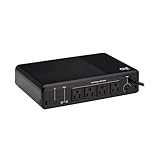
Looking for a reliable way to protect your home office or retail environment? The Tripp Lite 600VA UPS Desktop Battery Backup and Surge Protector is a great choice. With a compact design and wall mounting option, it offers four outlets and a 5ft cord for easy connectivity. This 300W uninterruptible power supply features low-maintenance battery backup, 190 joules of surge protection, and automatically restarts when power returns. Its user-friendly setup, audible alarms, and LED indicators keep you informed. Plus, with a 3-year warranty and user-replaceable battery, you can enjoy peace of mind while powering your essential devices.
Best For: Home office users, small businesses, and retail environments looking for reliable power protection and backup solutions.
Pros:
- Compact design allows for easy placement in various environments, including wall mounting.
- Automatic restart feature ensures devices power back on once electricity is restored, providing uninterrupted service.
- User-replaceable battery and 3-year warranty enhance longevity and user convenience.
Cons:
- Limited surge protection at 190 joules may not be sufficient for high-end equipment.
- Only four outlets may restrict the number of devices that can be connected simultaneously.
- Weight of 4.41 pounds might be cumbersome for frequent relocation.
APC Back-UPS Pro 1000VA UPS Battery Backup & Surge Protector (BX1000M)

The APC Back-UPS Pro 1000VA UPS Battery Backup & Surge Protector (BX1000M) is perfect for users with high wattage desktops who need reliable power protection. With a capacity of 1000VA and 600W, it features eight outlets—four with battery backup and four for surge protection only. You’ll appreciate its Automatic Voltage Regulation, which corrects voltage fluctuations without draining the battery. Plus, it’s Energy-Star certified, ensuring energy efficiency. The user-replaceable battery allows easy maintenance, while Powerchute UPS management software keeps you in control. With a solid 4.5-star rating and a manufacturer’s warranty, you can trust this UPS for your setup.
Best For: Users with high wattage desktops seeking reliable power protection and energy efficiency.
Pros:
- User-replaceable battery ensures easy maintenance and longevity.
- Automatic Voltage Regulation (AVR) corrects voltage fluctuations without battery discharge.
- Energy-Star certified for energy efficiency, reducing electricity costs.
Cons:
- Weight of 15.87 pounds may make it less portable.
- Limited to 600W capacity, which may not support very high-power devices.
- Software compatibility primarily with Windows and Mac OS, potentially limiting functionality for other operating systems.
Factors to Consider When Choosing Ups for High Wattage Desktops
When choosing a UPS for your high wattage desktop, you need to take into account several key factors. Power capacity, outlet configurations, battery types, surge protection, and runtime expectations all play an essential role in ensuring your system stays protected and operational. By understanding these elements, you can make an informed decision that best suits your needs.
Power Capacity Requirements
Choosing the right UPS for high wattage desktops requires careful consideration of power capacity, as you need to make sure it meets the demands of your system and connected devices. First, assess the total power consumption of all your devices; the UPS capacity should exceed this requirement for ideal performance. Aim for a UPS rated at least 1000W or higher to guarantee adequate backup during outages. Also, think about how long you’ll need the backup; a higher capacity UPS offers longer runtime for power-hungry systems. Finally, opt for a UPS with pure sine wave output to protect sensitive equipment and check that it has enough battery backup outlets for each critical device in your setup.
Outlet Configuration Options
Power capacity is just one piece of the puzzle; outlet configuration also plays a significant role in selecting the right UPS for high wattage desktops. First, verify the UPS has enough battery backup and surge-protected outlets for all your devices. Look for models that offer a combination of both types, giving you flexibility for essential devices and peripherals. Make sure the total wattage capacity matches the combined wattage of your gear to avoid overloads and potential damage. Opt for UPS units with widely spaced outlets to accommodate larger power adapters without blocking adjacent plugs. Finally, check for additional outlets for network protection, like RJ45 or coaxial connections, to safeguard against surges through data lines, which is vital for high-performance setups.
Battery Type Differences
Understanding the differences between battery types is essential for selecting the right UPS for high wattage desktops. Lithium batteries, like Lithium Iron Phosphate (LiFePO4), outshine traditional lead-acid batteries in lifespan, lasting over 10 years and providing more than 3,000 charge cycles. In contrast, lead-acid batteries typically last only 3-5 years. Choosing lithium can reduce your total cost of ownership by over 40% due to fewer replacements. Additionally, lithium systems offer a pure sine wave output, ensuring compatibility with sensitive electronics. They’re also lighter and require less maintenance since they’re often sealed, eliminating the need for regular electrolyte checks. Opting for lithium can enhance your setup’s efficiency and longevity considerably.
Surge Protection Features
When it comes to safeguarding your high wattage desktop, surge protection features in UPS systems play a crucial role in preventing potential damage from voltage spikes. These features are designed to absorb excess voltage, ensuring that your sensitive electronics remain unharmed during power fluctuations. Many UPS units come with built-in surge protection, but some models offer additional data line protection, shielding your network and communication lines from surges that can travel through telephone or Ethernet connections. When choosing a UPS, pay attention to the surge protection capability measured in joules; higher ratings indicate better protection against transient voltage events. Selecting a UPS with adequate surge protection is essential for the longevity and reliability of your desktop and its components during power anomalies.
Runtime Duration Expectations
Surge protection features are just one part of ensuring your high wattage desktop remains safe during power irregularities. When choosing a UPS, consider runtime duration, which depends heavily on your load capacity. Higher wattage desktops draw more power, leading to shorter backup times. For instance, a 1500VA UPS typically offers around 30 to 60 minutes of runtime for a standard high-wattage desktop. However, if your system consumes 600W, a 1000VA UPS might only give you 10 to 15 minutes. Additionally, look for models with Automatic Voltage Regulation (AVR) to help maintain voltage levels without tapping into battery reserves. Always consult the UPS’s specifications for accurate runtime estimates based on your specific power needs.
Compatibility With Equipment
Choosing the right UPS for your high wattage desktop isn’t just about power capacity; it’s also about compatibility with your equipment. First, confirm the UPS has a power capacity that exceeds the total wattage of all connected devices. This prevents overload and assures sufficient backup time. Check for PFC sine wave output, which is vital for compatibility with active PFC power supplies. Also, consider the number and type of outlets available—make certain there are enough battery backup and surge-protected outlets for your essential devices. Look for models with Automatic Voltage Regulation (AVR) to maintain consistent voltage levels and protect your equipment from fluctuations. Finally, verify the UPS’s runtime under conditions matching your desktop’s wattage to guarantee reliable backup during outages.
Warranty and Support Details
While evaluating UPS options for your high wattage desktop, it’s essential to take into account warranty and support details. Look for units that offer a warranty duration of 3 to 5 years, which often includes battery support. It’s wise to choose models featuring a connected equipment guarantee, covering damages from power surges up to $500,000. Verify the manufacturer provides easily accessible customer support for troubleshooting and resolving issues promptly. Consider UPS units with user-replaceable batteries, as they can extend the lifespan and reduce long-term maintenance costs. Finally, review user feedback on customer service responsiveness, as this can greatly impact your experience with warranty claims and overall support. Making informed decisions here can save you time and money down the road.
