
Choosing the right enclosure can make a big difference in speed, temperature, and day-to-day reliability. The best UGREEN external SSD enclosures help you turn spare drives into portable storage that’s fast, compact, and easy to use.
Below, we focus on the most useful options for NVMe and SATA drives, so you can match the enclosure to your device, workload, and budget.
Best 10 Ugreen External SSD Enclosures Picks for 2026
Best for Easy Setup
UGREEN Tool-Free 10Gbps NVMe Enclosure

- Tool-free SSD installation
- 10Gbps USB 3.2 Gen 2 support
- Fits 2230/2242/2260/2280 NVMe drives
Best For: People who want a quick, portable NVMe enclosure with simple drive swaps.
Best for High-Speed Thunderbolt Setups
40Gbps M.2 NVMe Enclosure with Heat Dissipation
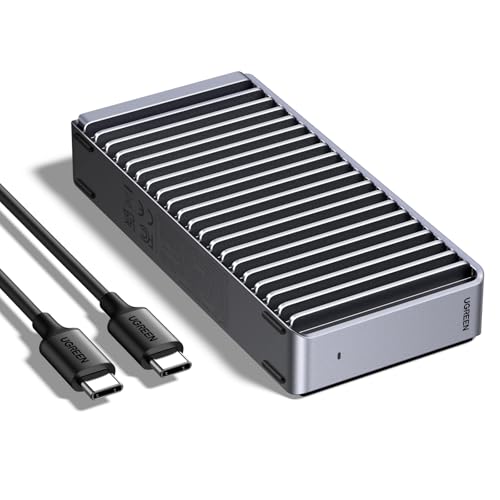
- 40Gbps NVMe performance potential
- Silent fanless aluminum cooling design
- Thunderbolt 4/3 and USB4 compatibility
Best For: Creators and power users who want a fast, quiet NVMe enclosure for modern laptops and desktops.
Best Budget
Sabrent 2.5" SATA to USB 3.0 Enclosure

- Tool-free installation
- UASP SATA III support
- Mac and Windows compatible
Best For: People who want a simple, plug-and-play enclosure for 2.5-inch SATA drives.
Best for Thunderbolt Speed
UGREEN 80Gbps M.2 NVMe Enclosure
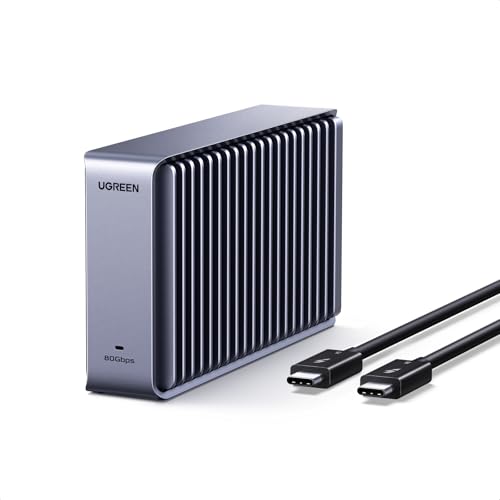
- Up to 7000 MB/s claimed speeds
- Dual-sided aluminum fin cooling
- Supports M.2 2230-2280 drives and up to 8TB
Best For: Users who want a fast Thunderbolt NVMe enclosure for Mac or PC workflows.
Best for 10Gbps NVMe Speed
UGREEN 10Gbps M.2 NVMe Enclosure

- 10Gbps USB 3.2 Gen2 transfer support
- Fits 2230 to 2280 NVMe drives up to 8TB
- Aluminum body with UASP/Trim support
Best For: People who want a fast, compact NVMe enclosure for portable storage and backups.
Best for Everyday Use
UGREEN 2.5" Hard Drive Enclosure
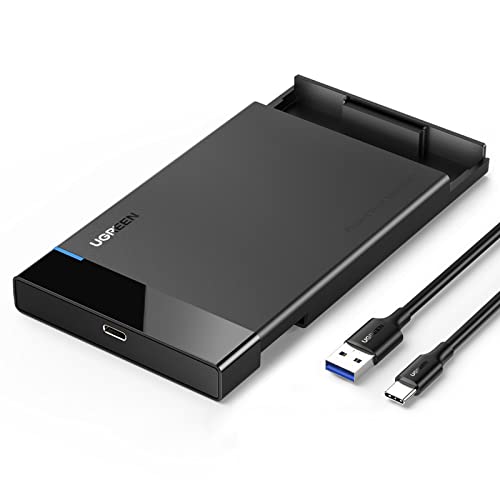
- Up to 6Gbps with UASP acceleration
- Tool-free, plug-and-play installation
- Works with many 2.5-inch SATA SSDs and HDDs
Best For: People who want a simple, portable enclosure for 2.5-inch SATA drives.
Best for 20Gbps Transfers
UGREEN 20Gbps M.2 NVMe SATA Enclosure

- Supports NVMe and SATA M.2 drives
- Up to 20Gbps on compatible ports
- Aluminum body helps manage heat
Best For: Users who want a fast, versatile USB-C enclosure for large M.2 SSDs.
Best with Extra Features
UGREEN USB-C 2.5" SATA Enclosure

- Tool-free installation with plug-and-play use
- USB 3.1 Gen 2 and UASP for fast SATA transfers
- Aluminum case helps with cooling and durability
Best For: People who want a simple enclosure for 2.5-inch SATA SSDs or HDDs.
Best for Simple Plug-and-Play SSD Swaps

- USB 3.0 with UASP for faster transfers
- Fits 7mm/9.5mm 2.5-inch SATA drives
- Plug-and-play support across major OSes
Best For: People who want a simple, reliable enclosure for quick SSD or HDD reuse.
Best for 3.5-Inch HDDs
UGREEN 3.5/2.5 Inch SATA Enclosure

- Supports 3.5-inch and 2.5-inch SATA drives up to 20TB
- UASP support helps deliver faster 5Gbps transfers
- Includes 12V power adapter for stable operation
Best For: Users who want a powered external enclosure for 3.5-inch HDDs, 2.5-inch SATA SSDs, or game console storage.
Best for Easy Setup – UGREEN Tool-Free 10Gbps NVMe Enclosure
If you want one of the easiest ugreen external ssd enclosures to get up and running, this UGREEN model is a smart pick. The tool-free design, broad M.2 NVMe support, and 10Gbps USB 3.2 Gen 2 connection make it a practical choice for quick storage upgrades, backups, and portable work drives.
Best For: Users who want a fast, no-fuss NVMe enclosure for everyday portable storage and drive swapping.
Pros:
- Tool-free installation makes SSD swaps quick and simple
- 10Gbps USB 3.2 Gen 2 support for fast NVMe transfer speeds
- Fits 2230/2242/2260/2280 M.2 NVMe drives up to 8TB
- Aluminum shell and silicone case add portability and protection
Cons:
- Does not support SATA NGFF or mSATA drives
- Top speed depends on using a USB C 3.2 Gen 2 cable and compatible port
For shoppers comparing ugreen external ssd enclosures, this one stands out for convenience first and foremost. It balances speed, compatibility, and simple setup in a compact package that works well for travel and everyday use.
Best for High-Speed Thunderbolt Setups – 40Gbps M.2 NVMe Enclosure with Heat Dissipation
If you want one of the faster ugreen external ssd enclosures-style options for a compact DIY drive, this 40Gbps M.2 NVMe enclosure is built for users who care about speed, thermals, and a quiet setup. The aluminum body with double-sided fin heat dissipation is aimed at keeping performance steadier during longer transfers, while broad compatibility makes it easier to pair with modern laptops and desktops.
Best For: Creators, power users, and Mac/PC owners who want a fast, fanless NVMe enclosure for everyday storage or scratch-disk use.
Pros:
- Up to 40Gbps support for high-performance NVMe SSDs
- Fanless aluminum design helps with silent operation
- Works with Thunderbolt 4/3, USB4, and USB 3.2/2.0 devices
- Compatible with M1/M2 Pro/Max systems for flexible use
Cons:
- SSD is not included, so total cost depends on the drive you choose
- Top speeds require a compatible high-bandwidth port
Overall, this is a strong pick if you want ugreen external ssd enclosures that prioritize speed and cooling over extras. It makes the most sense for buyers who already have a quality NVMe drive and want a simple, quiet enclosure that can keep up with demanding file work.
Best Budget – Sabrent 2.5" SATA to USB 3.0 Enclosure
If you want a simple, tool-free drive case that makes swapping a 2.5-inch SSD or laptop hard drive fast and painless, this Sabrent enclosure is a practical pick. It’s a useful alternative to many ugreen external ssd enclosures when you care more about quick installation and broad compatibility than extra features.
Best For: Users who need a straightforward, plug-and-play enclosure for SATA SSDs or 2.5-inch notebook drives.
Pros:
- Tool-free design makes installation quick and beginner-friendly
- Supports UASP SATA III for better SSD performance
- USB 3.0 support delivers up to 5 Gbps, with backward compatibility
- Works with Mac and Windows without drivers
Cons:
- Only supports 2.5-inch SATA drives, not NVMe SSDs
- Plastic enclosure is simple rather than premium
- USB 2.0 speeds are much slower if you use an older port
For buyers comparing ugreen external ssd enclosures, this Sabrent model stands out as an easy, no-fuss option for repurposing a SATA SSD or old laptop drive. It’s a solid choice when convenience and compatibility matter more than cutting-edge enclosure tech.
Best for Thunderbolt Speed – UGREEN 80Gbps M.2 NVMe Enclosure
If you want one of the faster ugreen external ssd enclosures for a Thunderbolt-equipped Mac or PC, this UGREEN model stands out for its dual-chip design and claimed transfer speeds up to 7000 MB/s. It also adds serious cooling with dual-sided aluminum fins, making it a strong fit for sustained large-file work rather than just casual storage.
Best For: MacBook, Mac mini, and desktop users who want a high-speed external NVMe enclosure for pro workflows, media editing, or fast portable storage.
Pros:
- Dual-chip architecture supports very fast transfers and stable performance.
- Advanced aluminum fin cooling helps manage heat during heavy use.
- Wide M.2 compatibility for 2230 to 2280 drives, plus up to 8TB capacity.
- Works across Thunderbolt 5/4/3, USB4, USB 3.2, and more.
Cons:
- Not compatible with SATA or mSATA SSDs.
- SSD heatsinks are not supported, which limits some drive choices.
- May be overkill if you only need basic everyday storage.
For buyers comparing ugreen external ssd enclosures, this one is aimed at speed and thermal performance first. It makes the most sense if you need a compact enclosure that can keep up with demanding Thunderbolt workflows and large file transfers.
Best for 10Gbps NVMe Speed – UGREEN 10Gbps M.2 NVMe Enclosure
If you want a straightforward way to turn an NVMe drive into portable storage, this UGREEN option is a strong fit among ugreen external ssd enclosures. It focuses on fast USB 3.2 Gen 2 performance, wide M.2 NVMe compatibility, and a compact build that’s easy to carry.
Best For: Users who want a fast, travel-friendly NVMe enclosure for everyday backups, file transfers, and drive cloning.
Pros:
- 10Gbps USB 3.2 Gen2 support for fast NVMe transfer speeds
- Works with 2230/2242/2260/2280 M-Key and B+M key NVMe drives up to 8TB
- RTL9210 chip with UASP/Trim support for better efficiency and stability
- Aluminum shell plus thermal pad helps with heat dissipation
Cons:
- Does not support SATA NGFF or mSATA SSDs
- Needs a USB C 3.2 Gen2 cable to reach full 10Gbps speeds
- Not compatible with SSDs that have a heatsink attached
This is a practical pick if you already own an NVMe drive and want a reliable enclosure without extra frills. For shoppers comparing ugreen external ssd enclosures, it stands out for speed, broad drive-size support, and solid thermal design.
Best for Everyday Use – UGREEN 2.5" Hard Drive Enclosure
If you want one of the simplest ugreen external ssd enclosures for turning a 2.5-inch SATA drive into portable storage, this UGREEN enclosure keeps the setup straightforward. It supports up to 6Gbps with UASP, works with SSDs and HDDs, and is a practical pick for everyday backups, file transfers, and console or router storage.
Best For: Users who want a tool-free, plug-and-play enclosure for a 2.5-inch SSD or HDD.
Pros:
- UASP and SATA III support for up to 6Gbps transfer speeds
- Tool-free, driver-free installation with an LED status indicator
- Includes a 20-inch detachable USB-C to USB-A cable for easy travel use
- Compatible with Windows, macOS, Linux, and many 2.5-inch drives
Cons:
- USB-C to USB-C cable is not included
- Only fits 2.5-inch 7mm/9.5mm SATA drives, not 3.5-inch drives
Overall, this is a solid value option if you need dependable performance without extra setup steps. Among ugreen external ssd enclosures, it stands out for its easy installation, broad compatibility, and travel-friendly design.
Best for 20Gbps Transfers – UGREEN 20Gbps M.2 NVMe SATA Enclosure
If you want a fast, versatile enclosure that works with both NVMe and SATA drives, this pick stands out among ugreen external ssd enclosures. It supports 2230/2242/2260/2280 M.2 SSDs up to 8TB, adds UASP and TRIM support, and uses an aluminum shell to help manage heat during long transfers.
Best For: Users who want a high-speed USB-C enclosure for large SSDs and broad device compatibility.
Pros:
- Supports both NVMe and SATA M.2 SSDs in multiple sizes
- Up to 20Gbps on USB 3.2 Gen 2×2 hosts for very fast transfers
- Aluminum body with thermal pad helps with cooling
- UASP, TRIM, and RTL9220 protection features add stability
Cons:
- Needs a USB 3.2 Gen 2×2 port to hit full 20Gbps speeds
- MacBook Thunderbolt 3/4 users will top out at 10Gbps
For buyers comparing ugreen external ssd enclosures, this model is a strong all-around choice if you care most about speed, compatibility, and simple plug-and-play use. It is especially appealing for desktop and laptop users with a 20Gbps-capable USB-C setup.
Best with Extra Features – UGREEN USB-C 2.5" SATA Enclosure
If you want a simple, no-tool way to turn a spare 2.5" SATA drive into portable storage, UGREEN external ssd enclosures are an easy pick. This aluminum enclosure supports USB 3.1 Gen 2, UASP, and plug-and-play use, so it works well for quick backups, drive cloning, and everyday file transfers without adding a power brick.
Best For: Users who want a fast, tool-free 2.5" SATA enclosure for basic external storage and backups.
Pros:
- Tool-free setup makes installation quick and beginner-friendly
- UASP and USB 3.1 Gen 2 help maximize transfer speeds for SATA drives
- Aluminum shell improves durability and heat dissipation
- Wide compatibility with many 2.5" SATA SSDs and HDDs
Cons:
- Only supports 2.5" SATA drives, not NVMe SSDs
- Performance is limited by the SATA interface, not full USB-C bandwidth
For shoppers comparing ugreen external ssd enclosures, this model stands out more for convenience and reliability than for cutting-edge speed. It is a practical choice if you already have a 2.5" SATA SSD or HDD and want a compact enclosure that is easy to use across Mac, Windows, and consoles.
Best for Simple Plug-and-Play SSD Swaps – UGREEN 2.5" SSD Enclosure
If you want one of the most straightforward ugreen external ssd enclosures for turning a spare 2.5-inch drive into portable storage, this UGREEN model is a solid pick. It keeps setup simple with USB 3.0, UASP support, and broad compatibility for everyday backups, file transfers, and drive recovery.
Best For: Users who want a no-fuss enclosure for quick SSD/HDD installation, reliable transfers, and broad device compatibility.
Pros:
- USB 3.0 with UASP support for faster, more efficient transfers
- Fits 2.5-inch 7mm and 9.5mm SATA SSDs/HDDs up to 6TB
- Tool-free, plug-and-play design works across Windows, macOS, and Linux
- EVA foam and built-in protection help guard the drive during use
Cons:
- Does not include an SSD or HDD
- UASP speed gains depend on a compatible computer
- Requires removing drive screws if your 2.5-inch drive has them
This is a practical, budget-friendly option if you mainly need dependable everyday storage rather than advanced features. Among ugreen external ssd enclosures, it stands out for easy setup and strong cross-platform support.
Best for 3.5-Inch HDDs – UGREEN 3.5/2.5 Inch SATA Enclosure
If you need a simple, powered enclosure for larger drives, this UGREEN option is a practical pick among ugreen external ssd enclosures. It supports 3.5-inch and 2.5-inch SATA SSDs/HDDs, includes UASP for faster transfers, and is built for easy plug-and-play use with broad system compatibility.
Best For: Users who want a powered external enclosure for 3.5-inch HDDs, 2.5-inch SATA SSDs, or game console storage.
Pros:
- Supports 3.5-inch and 2.5-inch SATA drives up to 20TB
- UASP support helps deliver faster 5Gbps transfers
- Includes 12V power adapter for stable operation
- Tool-free, plug-and-play setup with wide OS and console compatibility
Cons:
- Bulkier than USB-only 2.5-inch SSD enclosures
- Requires external power, so it is less portable
- USB 3.0 speed is good, but not as fast as newer USB-C NVMe options
For buyers comparing ugreen external ssd enclosures, this model stands out more for capacity and convenience than ultra-compact portability. It is a solid choice if you want a dependable way to reuse a SATA drive for backups, media storage, or console expansion.
How We Picked the Best Ugreen External SSD Enclosures
We focused on the features that matter most in Ugreen External SSD Enclosures: drive compatibility, supported form factors, transfer interface, heat management, and ease of installation. We also favored models that make sense for common use cases, from everyday backup storage to faster workflow drives.
In practice, the best choice is the one that matches your drive type and your computer’s port speed. A premium enclosure won’t help much if your system can only run it at a lower interface rate.
Quick Comparison
For the fastest portable NVMe performance, look at the higher-bandwidth options designed for Thunderbolt or USB 3.2 Gen 2×2 setups. For general-purpose external storage, 10Gbps models are often the sweet spot. If you’re using a 2.5-inch SATA SSD or HDD, a SATA enclosure is the correct fit and usually offers the best value.
Key Buying Factors for Ugreen External SSD Enclosures
Drive Type and Size
First, confirm whether your drive is M.2 NVMe, M.2 SATA, 2.5-inch SATA, or 3.5-inch SATA. Also check supported lengths such as 2230, 2242, 2260, and 2280. Many compatibility issues come from buying the right brand but the wrong drive format.
Interface Speed
Speed claims only matter if your computer supports them. A 10Gbps enclosure is great for most users, while 20Gbps and 40Gbps models are better for higher-performance workflows. If you are buying Ugreen External SSD Enclosures for large file transfers, make sure your cable and port can actually deliver the advertised rate.
Cooling and Build
Aluminum bodies and fin-style heat sinks help control temperatures during sustained transfers. That matters for NVMe drives, which can throttle when they run hot. For lighter use, a simpler enclosure may be enough, but cooling is worth prioritizing if you move big files often.
Tool-Free Design and Portability
Tool-free installation is convenient if you swap drives often or want a quick setup. Compact cases are best for travel, while larger or powered enclosures are more suitable for desktop storage and HDD use.
Who Should Buy Which Ugreen External SSD Enclosures?
If you want the best balance of price, compatibility, and speed, a 10Gbps NVMe enclosure is the safest all-around pick. If you are editing video, moving large photo libraries, or working with demanding data sets, a 20Gbps or 40Gbps option may be worth the upgrade. If your spare drive is a 2.5-inch SATA SSD or HDD, choose a SATA enclosure instead of an NVMe model. For 3.5-inch drives, pick a powered enclosure built for larger disks.
In short, start with your drive type, then match the enclosure speed to your computer’s port. That approach will help you get the most from any of these UGREEN options.
