
A touchscreen can make scrolling, tapping through presentations, and working in cramped spaces feel more natural. But the right laptop still depends on its screen quality, memory, storage, and operating system—not touch support alone.
These 10 picks cover everyday Windows laptops, a Chromebook, larger-screen options, and a convertible. Use the guide below to narrow them down by how you actually work.
Best 10 Touchscreen Laptops Picks for 2026
Best for Business Productivity

- 16-inch 1920 x 1200 touch display
- Core 7 150U and 16GB DDR5 RAM
- Windows 11 Pro and 1TB SSD
Best For: Office work on a roomy touchscreen
Best for Heavy Multitasking
HP 15.6-inch Ryzen 7 Touchscreen Laptop
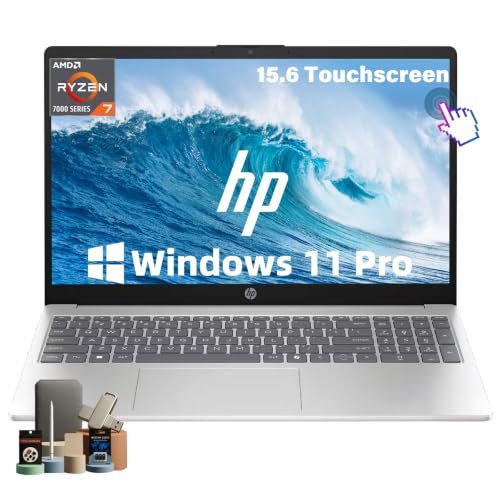
- Ryzen 7 7730U and 32GB RAM
- 15.6-inch Full HD IPS touch display
- 1TB SSD and Windows 11 Pro
Best For: Juggling meetings, spreadsheets, and tabs
Best for Everyday Basics
HP 15.6-inch Ryzen 3 Touchscreen Laptop

- 15.6-inch HD touchscreen
- Ryzen 3 7320U and 8GB RAM
- 256GB SSD and Wi-Fi 6
Best For: Browsing and routine home tasks
Best Compact Chromebook
Lenovo 14-inch Touchscreen Chromebook

- 14-inch Full HD IPS touchscreen
- About 2.9 pounds with Wi-Fi 6
- Chrome OS, 4GB RAM, and 64GB eMMC
Best For: Portable, browser-based work and study
Best Large Screen
HP OmniBook 3 17.3-Inch Touchscreen

- 17.3-inch FHD IPS touch display
- 16GB DDR5 RAM and 1TB SSD
- Backlit keyboard with numeric keypad
Best For: Roomy home or office workstations
Best Basic Bundle
HP 14-Inch HD Touchscreen Notebook

- 14-inch HD touch display
- Wireless mouse included
- One-year Microsoft 365 subscription
Best For: Light schoolwork and everyday documents
Best Everyday FHD Pick
HP 15.6-Inch Core Ultra 5 Touchscreen

- 15.6-inch FHD IPS touch display
- Core Ultra 5 225U and 512GB SSD
- USB-C, HDMI, and Wi-Fi 6
Best For: Daily productivity on a mid-size screen
Best for Long Battery Life
HP OmniBook 3 16-inch Touchscreen

- 16-inch 1920 × 1200 IPS touch display
- Up to 14 hours 15 minutes claimed battery life
- 8GB RAM and 256GB SSD
Best For: Home users seeking a roomy screen and long stated battery life
Best for Everyday Multitasking
Dell Inspiron 15.6-inch Touchscreen

- 13th Gen Core i5-1334U processor
- 15.6-inch FHD IPS touch display at 120Hz
- 512GB SSD plus HDMI and SD reader
Best For: Students and home-office users who value storage and connectivity
Best for Flexible Use

- 360-degree 15.6-inch FHD touch display
- 16GB RAM and 512GB SSD
- Backlit keyboard and webcam privacy shutter
Best For: Everyday users wanting a large convertible screen and 16GB RAM
Best for Business Productivity – Dell 16 Touchscreen Laptop
Among touchscreen laptops for office work, this Dell stands out for its roomy 16-inch, 1920 x 1200 display. The 16:10 screen gives documents and spreadsheets more vertical space, while the Core 7 150U, 16GB of DDR5 RAM, and 1TB SSD support everyday multitasking.
Best For: Professionals who want a large touch display and Windows 11 Pro for daily work.
Pros:
- 16-inch FHD+ touchscreen offers a productivity-friendly 16:10 view.
- Core 7 150U, 16GB RAM, and 1TB SSD suit office apps and file storage.
- Backlit keyboard, numeric keypad, USB-C with DisplayPort and Power Delivery, and HDMI support a flexible desk setup.
Cons:
- At 4.4 pounds, it is less convenient to carry than the smaller models here.
- Integrated graphics are not aimed at graphics-intensive workloads.
Choose this Dell if screen space and business features matter more than a lightweight bag. Its touch display is particularly useful when navigating long documents or working across windows.
Best for Heavy Multitasking – HP 15.6-inch Ryzen 7 Touchscreen Laptop
If you keep many apps and browser tabs open, this HP is one of the touchscreen laptops worth considering. Its Ryzen 7 7730U, 32GB of RAM, and 1TB SSD pair with a 15.6-inch Full HD IPS touch display for a capable everyday workspace.
Best For: Remote workers and students who regularly juggle meetings, spreadsheets, and research.
Pros:
- 32GB RAM provides room for substantial multitasking.
- Full HD IPS touchscreen offers sharper detail than an HD panel.
- Windows 11 Pro, a numeric keypad, and a camera privacy shutter suit work and study.
Cons:
- Integrated Radeon graphics are not a substitute for a dedicated gaming or workstation GPU.
- The 15.6-inch footprint takes more desk and bag space than a 14-inch laptop.
This is the stronger fit when memory capacity is your priority. It also combines a practical port selection with a listed 3.52-pound weight for moving between workspaces.
Best for Everyday Basics – HP 15.6-inch Ryzen 3 Touchscreen Laptop
For everyday browsing, home tasks, and streaming, this HP offers the convenience of a 15.6-inch touch display. Its Ryzen 3 7320U, 8GB of onboard LPDDR5 RAM, and 256GB SSD make it a simpler choice among touchscreen laptops.
Best For: Home users who want touch navigation for routine computing.
Pros:
- Touchscreen supports familiar tap, swipe, and pinch controls.
- 256GB NVMe SSD provides solid-state storage for everyday files.
- Wi-Fi 6, HDMI, USB-A, and USB-C cover common connections.
Cons:
- The 1366 x 768 HD screen is less sharp than Full HD alternatives.
- 8GB onboard RAM and 256GB storage offer less headroom for larger workloads and file collections.
- USB-C supports data transfer only, not charging or external monitors.
Pick this model for straightforward touch-enabled computing, but consider a Full HD option if screen clarity is high on your list.
Best Compact Chromebook – Lenovo 14-inch Touchscreen Chromebook
This Lenovo brings a 14-inch Full HD IPS screen to shoppers seeking compact touchscreen laptops for web-based work. At about 2.9 pounds, it is the lightest option in this group, and Chrome OS provides a straightforward setup for browser-centered tasks.
Best For: Students and cloud-first users who prefer Chrome OS and a portable touchscreen.
Pros:
- 1920 x 1080 IPS touchscreen offers wide viewing angles.
- Compact 14-inch design weighs about 2.9 pounds.
- Wi-Fi 6, a microSD reader, and a webcam privacy shutter add practical flexibility.
Cons:
- 4GB RAM and 64GB eMMC storage limit room for demanding multitasking and local files.
- Chrome OS may not suit anyone who needs Windows-specific software.
It makes sense if most of your work happens in a browser and portability matters. Check that the apps you rely on work with Chrome OS before choosing it over a Windows laptop.
Best Large Screen – HP OmniBook 3 17.3-Inch Touchscreen
Among touchscreen laptops, this HP OmniBook 3 is a practical pick if you want room to work. Its 17.3-inch FHD IPS display pairs with a Ryzen 5 130 processor, 16GB of DDR5 memory, and a 1TB SSD for everyday multitasking.
Best For: Home or office users who prioritize a spacious touch display, ample storage, and a numeric keypad.
Pros:
- 17.3-inch FHD IPS touchscreen with anti-glare finish and 300-nit brightness.
- 16GB DDR5 memory and 1TB NVMe SSD provide room for apps and files.
- Backlit keyboard, numeric keypad, and 1080p camera with privacy shutter support work and calls.
Cons:
- The 17.3-inch size takes more desk and bag space than a smaller notebook.
- Integrated Radeon 660M graphics are not a dedicated graphics option.
Choose this model for its screen space and work-friendly features rather than compactness.
Best Basic Bundle – HP 14-Inch HD Touchscreen Notebook
If you’re comparing touchscreen laptops for basic schoolwork and daily tasks, this 14-inch HP offers an Intel N150 processor, an HD display, and a bundled wireless mouse. A one-year Microsoft 365 subscription is included for getting started with documents and presentations.
Best For: Buyers who want a compact notebook for light tasks with a mouse and Microsoft 365 included.
Pros:
- 14-inch touch display keeps the workspace more compact than larger models.
- Includes a wireless mouse and one year of Microsoft 365.
- Supports Wi-Fi 6 and HP Fast Charge, rated to reach 50% in approximately 45 minutes.
Cons:
- 4GB RAM and 128GB storage leave limited headroom for heavy multitasking or large files.
- 1366 × 768 HD resolution is less sharp than Full HD.
This is the straightforward option for lighter workloads; check whether its memory, storage, and screen resolution meet your needs before choosing it.
Best Everyday FHD Pick – HP 15.6-Inch Core Ultra 5 Touchscreen
This 15.6-inch HP sits between compact and large-screen touchscreen laptops, with a Full HD IPS display and an Intel Core Ultra 5 225U processor. Its 8GB DDR5 memory and 512GB SSD suit everyday work, streaming, and video calls.
Best For: Everyday users who want a Full HD touchscreen, modern connectivity, and a mid-size laptop.
Pros:
- 15.6-inch FHD IPS touchscreen offers 1920 × 1080 resolution and 300-nit brightness.
- Core Ultra 5 225U processor, 512GB SSD, and 8GB DDR5 memory cover routine productivity.
- USB-C with power delivery and DisplayPort, HDMI, Wi-Fi 6, and Bluetooth 5.4 offer flexible connections.
Cons:
- 8GB RAM provides less multitasking headroom than the 16GB OmniBook 3 in this roundup.
- The listed Microsoft 365 Personal subscription lasts 180 days and requires activation.
It’s a balanced choice if display clarity and ports matter more to you than maximum memory; note that the listing says the original seal was opened for upgrades and specifies separate coverage for upgraded parts.
Best for Long Battery Life – HP OmniBook 3 16-inch Touchscreen
Among touchscreen laptops for everyday work, the HP OmniBook 3 stands out for its roomy 16-inch, 1920 × 1200 display and claimed battery life of up to 14 hours and 15 minutes. Its Ryzen 3 7320U, 8GB of memory, and 256GB SSD suit browsing, documents, streaming, and video calls.
Best For: Home users who want a larger touch display and fewer trips to the charger.
Pros:
- 16-inch IPS touch display provides extra vertical space with its 16:10 resolution.
- HP rates battery life at up to 14 hours and 15 minutes; Fast Charge reaches approximately 50% in 45 minutes.
- 1080p webcam, AI noise reduction, Wi-Fi 6, and two USB-C ports support calls and everyday connectivity.
Cons:
- 8GB of onboard RAM and a 256GB SSD may feel restrictive for heavier multitasking or large files.
- The display’s listed 62.5% sRGB coverage makes it a less compelling choice for color-critical work.
This is a sensible pick when screen space and stated battery endurance matter more than generous storage or high-end performance.
Best for Everyday Multitasking – Dell Inspiron 15.6-inch Touchscreen
This Dell Inspiron is one of the touchscreen laptops worth considering for study and routine office tasks. Its 13th Gen Core i5-1334U, 512GB SSD, and 15.6-inch Full HD IPS touch display pair practical performance and storage with a listed 120Hz refresh rate.
Best For: Students and home-office users who want a large touch screen, ample everyday storage, and a built-in SD card reader.
Pros:
- 10-core Core i5 processor and 512GB SSD are well matched to everyday apps and file storage.
- Full HD IPS touchscreen has a listed 120Hz refresh rate and anti-glare finish.
- 1080p webcam, HDMI, USB-C, and SD card reader cover common calls and accessories.
Cons:
- 8GB RAM may limit more demanding multitasking.
- At a listed 4.19 pounds, it is less convenient to carry than smaller laptops.
Choose this model if its Core i5 processor, larger SSD, and port selection are more useful to you than maximum portability.
Best for Flexible Use – YOZISUAN 15.6-inch 2-in-1
For shoppers comparing touchscreen laptops with convertible designs, this YOZISUAN model offers a 360-degree hinge, a 15.6-inch Full HD touch display, 16GB of RAM, and a 512GB SSD. Its Ryzen 3 3200U is best viewed as an option for basic documents, browsing, and streaming.
Best For: Users who want a large convertible touch screen and more memory for everyday tasks.
Pros:
- 360-degree rotating touch display offers more ways to position the laptop.
- 16GB RAM and 512GB SSD provide room for everyday multitasking and files.
- Backlit keyboard, webcam privacy shutter, HDMI, USB-C, and three USB-A ports add practical convenience.
Cons:
- The dual-core Ryzen 3 3200U is not an ideal choice for demanding workloads.
- The supplied battery information does not establish a reliable runtime estimate.
The convertible screen and generous memory are its main draws; weigh those against the older processor before buying.
How We Picked These Touchscreen Laptops
We compared the listed specifications with common buying needs: everyday responsiveness, screen size and resolution, memory and storage, operating system, and whether the design supports tablet-style use. The selection spans budget-friendly configurations through more capable work and multitasking options. Specifications alone cannot establish battery life, display brightness, build quality, or real-world speed, so check independent testing and current seller details before buying.
Quick Comparison: Which Type Fits?
For heavier multitasking, start with the HP 15.6-inch Ryzen 7 model with 32GB RAM or the Dell 16 with a Core 7 150U and 16GB RAM. The HP OmniBook 3 17.3-inch offers more screen space for a desk-based setup, while the 16-inch OmniBook 3 lists a sharper 2K touchscreen. For a conventional 15.6-inch Windows laptop, compare the Dell Core i5-1334U and HP Core Ultra 5 225U models by price and the ports you need.
The Lenovo Chromebook suits buyers comfortable with ChromeOS and cloud-centered work. The HP 14-inch Intel N150 and HP 15.6-inch Ryzen 3 7320U are lower-spec choices for lighter tasks. Choose the listed 15.6-inch 2-in-1 if a 360-degree hinge matters more than having a current-generation processor; confirm its seller, warranty, and exact configuration first.
Key Buying Factors for Touchscreen Laptops
Display and Form Factor
Touch does not guarantee a sharp screen. FHD is generally preferable to HD at 15.6 inches, and a 2K panel may give you more room for text and windows. Check brightness and color coverage if you work near windows or edit images. A standard clamshell is fine for tapping; for tablet-style use, verify that the hinge folds fully back. Larger 16- and 17.3-inch screens offer workspace but can be less convenient to carry.
Memory, Storage, and Software
For a Windows laptop you intend to keep for several years, 16GB RAM is a sensible multitasking target; 8GB can work for basic use, while 4GB calls for modest expectations. A 512GB SSD provides more breathing room than 128GB or 256GB for local files and apps. ChromeOS handles many browser-based tasks well, but check compatibility with any Windows-only software you rely on.
Practical Details
Confirm the keyboard layout, webcam, Wi-Fi, USB-C charging support, video outputs, and warranty on the exact listing. Bundled accessories or subscriptions may be temporary benefits, not reasons to overlook a weaker core configuration.
Who Should Buy Which Touchscreen Laptops?
Choose a 16GB-or-higher Windows configuration for frequent office work and multitasking, a 2K or larger screen if reading space is the priority, or the Chromebook for a browser-first routine. Budget models make more sense for email, classes, and occasional documents than demanding workloads. If touch is mainly for drawing or tablet use, prioritize a verified convertible design and check stylus support separately—neither should be assumed from a touchscreen label.
