
If you need more I/O, capture cards, or specialized expansion for an editing laptop or compact workstation, a Thunderbolt PCIe chassis can be the cleanest upgrade path.
Below, we focus on options that make sense for video editors who need reliable connectivity, practical slot layouts, and the right performance headroom.
Best 10 Thunderbolt Pcie Expansion Chassis for Video Editors Picks for 2026
Best Compact Thunderbolt 3 Pick

- Single PCIe 3.0 x8 slot over Thunderbolt 3
- Compact chassis for cleaner editing desks
- Good fit for capture, storage, or I/O cards
Best For: Editors who need one high-speed PCIe card in a small Thunderbolt 3 chassis.
Best for Thunderbolt 5 Speed
OWC Mercury Helios 5S TB5 PCIe Expansion

- Thunderbolt 5 chassis with 3x 80Gb/s ports
- PCIe 4.0 x4 slot for pro capture and I/O cards
- Over 6000MB/s bandwidth for demanding workflows
Best For: Editors needing fast external PCIe expansion on Thunderbolt 5 systems.
Best Budget
Sonnet Echo Express SEL TB3 PCIe Chassis

- 40Gbps Thunderbolt 3 bandwidth
- Compact enclosure for one low-profile PCIe card
- Includes cable and ThunderLok clip
Best For: Editors who need a compact Thunderbolt 3 PCIe enclosure for one low-profile card.
Best for Silent Capture Rigs
Thunderbolt 4/3 USB4 PCIe Expansion Enclosure
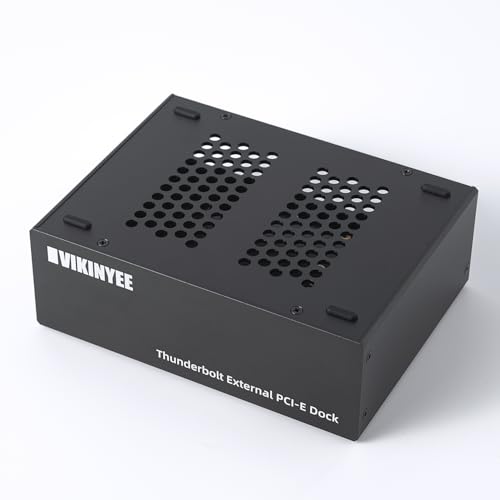
- Quiet passive aluminum design for studio-friendly use
- Works with DeckLink capture, 10GbE, and NVMe adapter cards
- Dual Thunderbolt ports and DP 1.4 add useful flexibility
Best For: Editors who want a silent Thunderbolt enclosure for capture cards, networking, or NVMe expansion.
Best 3-Slot Pick
Sonnet Echo Express SEIIIe TB3 3-Slot Chassis

- Three PCIe 3.0 slots for multiple cards
- Thunderbolt 3 bandwidth up to 2750 MB/s
- Mac-focused enclosure with dual Thunderbolt 3 ports
Best For: Editors who need a compact Thunderbolt 3 enclosure for running multiple PCIe cards on a Mac workstation.
Best for I/O Expansion
StarTech.com Thunderbolt 3 PCIe Enclosure

- Dual PCIe slots for capture, storage, and network cards
- Driverless macOS and Windows compatibility
- Supports 8K/4K display output via TB3/DP 1.4
Best For: Editors who need flexible external PCIe expansion for capture, networking, or storage.
Best for Thunderbolt 5 Bandwidth
Sonnet Echo SE I T5 PCIe Card Enclosure

- Thunderbolt 5 / USB4 with up to 6000 MB/s bi-directional bandwidth
- Fits one full-height, single-width PCIe 4.0 x8 card
- Quiet aluminum enclosure with auxiliary PCIe power
Best For: Video editors and post-production users who need fast external PCIe expansion for one pro card.
Best Dual-Slot Pick
Thunderbolt 3 to 2 PCIe Expansion Chassis

- Two PCIe 3.0 x16 slots for flexible expansion
- Silent all-aluminum enclosure with passive cooling
- Works with Windows, macOS, and Linux drivers
Best For: Editors who need a compact dual-card Thunderbolt expansion chassis.
Best for Dual PCIe Expansion
Thunderbolt 3/4 USB4 PCIe Chassis
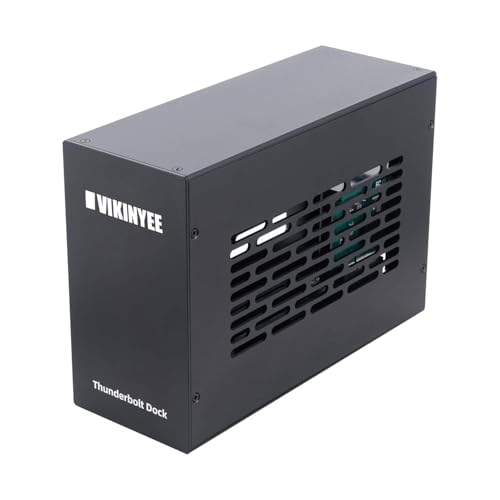
- Dual PCIe slots for capture cards, NICs, and storage
- 40Gbps Thunderbolt with DisplayPort 1.4
- Silent aluminum enclosure with 60W internal PSU
Best For: Editors and creators who need quiet, dual-slot external PCIe expansion on Thunderbolt or USB4 systems.
Best for Dual-Capture Rigs
Dual PCIe Thunderbolt 3/4 Chassis

- Two PCIe slots for capture card plus add-on expansion
- 40Gbps Thunderbolt 3/4 and USB4 connectivity
- Silent fanless aluminum build with 60W internal PSU
Best For: Editors and post-production users who need dual PCIe expansion on a silent external chassis.
Best Compact Thunderbolt 3 Pick – Sonnet Echo Express SE1
If you need a thunderbolt pcie expansion chassis for video editors that keeps a desk clean while still delivering real PCIe bandwidth, the Sonnet Echo Express SE1 is a smart fit. It gives you a single full-performance PCIe 3.0 x8 slot over Thunderbolt 3, so you can add the right capture, storage, or I/O card to a Mac or Windows system without built-in expansion.
Best For: Editors who want a compact, no-fuss chassis for adding one high-speed PCIe card to a Thunderbolt 3 workstation.
Pros:
- Thunderbolt 3 connection with up to 2750 MB/s PCIe bandwidth
- Supports one half-length, full-height, single-width PCIe card
- Small footprint for tighter editing desks and mobile setups
- Second Thunderbolt port supports daisy-chaining and display output
Cons:
- Only one PCIe slot, so it is not ideal for multi-card workflows
- Not intended to be used as a GPU chassis
- Card length and width limits reduce compatibility with larger add-in cards
Overall, this is a focused, space-saving option for editors who only need one expansion card and want strong Thunderbolt 3 performance. For a thunderbolt pcie expansion chassis for video editors, it makes the most sense when simplicity, speed, and a small footprint matter more than multi-slot expandability.
Best for Thunderbolt 5 Speed – OWC Mercury Helios 5S TB5 PCIe Expansion
If you need a thunderbolt pcie expansion chassis for video editors, the OWC Mercury Helios 5S is built for turning a compact MacBook, Mac Studio, or mini into a more capable post-production workstation. With a PCIe 4.0 x4 slot and over 6000MB/s of bandwidth, it can handle high-speed capture, NVMe RAID, fiber/Ethernet, and audio I/O cards without feeling like a bottleneck.
Best For: Editors who want Thunderbolt 5 expansion for pro PCIe cards, especially in space-constrained setups that need fast external I/O.
Pros:
- Three Thunderbolt 5 ports add flexible connectivity and 15W power delivery.
- Supports half-length, full-height, single- or double-width PCIe cards.
- High-bandwidth design suits capture cards, NVMe RAID, and pro networking.
Cons:
- Requires Thunderbolt 5 gear to get the full speed advantage.
- Single-slot design limits you to one PCIe card at a time.
For editors who need serious external expandability, this is a strong thunderbolt pcie expansion chassis for video editors because it combines modern Thunderbolt 5 ports with the PCIe flexibility needed for demanding post workflows.
Best Budget – Sonnet Echo Express SEL TB3 PCIe Chassis
Sonnet Echo Express SEL Thunderbolt 3-to-PCIe Expansion Chassis (1 Low Profile Slot)
Check Price On AmazonIf you need a reliable thunderbolt pcie expansion chassis for video editors, the Sonnet Echo Express SEL is a compact way to add a low-profile PCIe card to a Mac or Windows machine without internal slots. Its Thunderbolt 3 connection gives you plenty of bandwidth for supported capture, storage, or I/O cards, while the small footprint makes it easier to fit into a cramped edit bay.
Best For: Editors who need a compact Thunderbolt 3 PCIe enclosure for a single low-profile card and want full-speed performance in a small desktop setup.
Pros:
- 40Gbps Thunderbolt 3 interface with up to 2750 MB/s of PCIe bandwidth
- Supports popular low-profile, Thunderbolt-compatible PCIe cards at full performance
- Two Thunderbolt 3 ports for daisy-chaining or display connectivity
- Includes a Thunderbolt cable and ThunderLok retainer clip
Cons:
- Only supports one low-profile PCIe card
- Not ideal if you need multiple expansion slots
- Best results depend on choosing a compatible card
For editors who want a straightforward thunderbolt pcie expansion chassis for video editors, this Sonnet model is a strong fit when speed matters more than slot count. It’s especially appealing if you need a compact, dependable enclosure for a single essential card.
Best for Silent Capture Rigs – Thunderbolt 4/3 USB4 PCIe Expansion Enclosure
If you need a thunderbolt pcie expansion chassis for video editors, this VK-G2 enclosure is built around practical capture and storage workflows rather than general desktop expansion. It gives you a PCIe 3.0 x4 slot over 40Gbps Thunderbolt/USB4, plus a quiet all-aluminum body that suits edit bays, studios, and on-set mobile rigs.
Best For: Editors who need a silent Thunderbolt enclosure for DeckLink capture cards, 10GbE networking, or an NVMe adapter on a laptop or mini PC.
Pros:
- Supports PCIe 3.0 x4 cards up to 145mm for capture, networking, or storage
- 100% passive cooling keeps operation silent in editing and recording spaces
- Dual Thunderbolt ports and a DP 1.4 output make daisy-chaining and monitoring easier
- Driverless on macOS, Windows, and Linux for straightforward setup
Cons:
- Only one PCIe card can be installed at a time
- Thunderbolt bandwidth is enough for many workflows, but not a full internal PCIe desktop replacement
- Power is limited compared with larger workstation expansion chassis
For editors who want a thunderbolt pcie expansion chassis for video editors without fan noise, this enclosure hits a smart middle ground: compact, versatile, and well-suited to capture cards and fast networking. It’s most compelling when silence and laptop compatibility matter more than raw expansion headroom.
Best 3-Slot Pick – Sonnet Echo Express SEIIIe TB3 3-Slot Chassis
If you need a thunderbolt pcie expansion chassis for video editors that can host multiple add-in cards at once, the Sonnet Echo Express SEIIIe is a strong utility pick. It gives Mac users three PCIe 3.0 slots over Thunderbolt 3, making it easier to run capture, storage, or I/O cards from a single external enclosure.
Best For: Editors who want a compact Thunderbolt 3 enclosure for running multiple PCIe cards on a Mac workstation.
Pros:
- Three PCIe 3.0 slots let you use multiple high-performance cards simultaneously
- Thunderbolt 3 connection delivers up to 2750 MB/s of PCIe bandwidth
- Supports full-height, half-length cards up to 7.75 inches long
- Includes two Thunderbolt 3 ports plus a 2-year warranty
Cons:
- Designed for Mac systems with Thunderbolt 3, so compatibility is limited
- Not ideal if you only need a single card enclosure
For editors who need flexibility more than flashy extras, this is a practical thunderbolt pcie expansion chassis for video editors. Its three-slot layout and strong Thunderbolt 3 bandwidth make it a smart way to expand a Mac-based workflow without moving to a full tower.
Best for I/O Expansion – StarTech.com Thunderbolt 3 PCIe Enclosure
If you need a practical thunderbolt pcie expansion chassis for video editors, this StarTech enclosure is built around add-on cards rather than GPU acceleration. It gives you two PCIe 3.0 x16 slots, enough bandwidth for capture, storage, and connectivity cards, plus support for 8K/4K display output through TB3/DP 1.4.
Best For: Editors who want to add capture cards, fast networking, or NVMe expansion to a Thunderbolt 3/4 workstation.
Pros:
- Dual PCIe slots make it flexible for capture, I/O, and storage add-ons.
- Driverless compatibility with macOS and Windows keeps setup straightforward.
- Includes a 1m Thunderbolt cable and has active cooling with a built-in fan.
- Supports single-width cards up to 8 inches long with TAA-compliant build.
Cons:
- Does not support GPU graphics cards, so it is not a graphics upgrade solution.
- Per-slot bandwidth is limited compared with full desktop PCIe systems.
- Only fits single-width cards up to 8 inches, which narrows card choices.
For editors who care more about reliable expansion than raw GPU power, this is a focused thunderbolt pcie expansion chassis for video editors that can help streamline capture, storage, and workflow peripherals in one external box.
Best for Thunderbolt 5 Bandwidth – Sonnet Echo SE I T5 PCIe Card Enclosure
If you need a thunderbolt pcie expansion chassis for video editors that can handle demanding capture, storage, or networking cards, this Sonnet enclosure is built for pro workflows. It uses Thunderbolt 5 / USB4 connectivity to give a full-height PCIe card external access without taking up much desk space.
Best For: Editors, colorists, and post-production teams who want high-bandwidth external PCIe expansion for a single full-height card.
Pros:
- Thunderbolt 5 connection with up to 6000 MB/s bi-directional PCIe bandwidth
- Supports half-length and full-height single-width PCIe 4.0 x8 cards
- Auxiliary PCIe power helps run power-hungry pro cards
- Quiet aluminum enclosure with temperature-controlled cooling
Cons:
- Only holds one PCIe card, so it is not ideal for multi-card rigs
- Requires a compatible Thunderbolt 5 / USB4 host for best results
For creators comparing a thunderbolt pcie expansion chassis for video editors, this model stands out for speed, compatibility, and compact build quality. It is especially appealing if you want a straightforward external slot for capture, I/O, or high-speed networking without a bulky tower.
Best Dual-Slot Pick – Thunderbolt 3 to 2 PCIe Expansion Chassis
If you need a thunderbolt pcie expansion chassis for video editors that can host more than one card, this dual-slot enclosure is built for practical post-production setups. It gives laptops and compact desktops a 40Gbps Thunderbolt 3/4 or USB4 path to add capture, networking, or storage cards without a noisy tower.
Best For: Editors who want a compact, silent chassis for DeckLink, capture, or other PCIe add-ons on Mac, Windows, or Linux.
Pros:
- Two PCIe 3.0 x16 slots for flexible card combinations
- Silent aluminum enclosure with passive cooling
- Driverless chassis operation across Windows, macOS, and Linux
- Includes 60W power adapter plus extra 8-pin support for some cards
Cons:
- PCIe cards still need their own device-specific drivers
- 30W slot power may be limiting for higher-draw cards
- Physical card size is restricted to compact installs
For editors building a flexible desktop-class peripheral setup, this thunderbolt pcie expansion chassis for video editors stands out for its dual-slot design and quiet operation. It is a strong fit when you need room for a capture card and a second expansion card in a compact enclosure.
Best for Dual PCIe Expansion – Thunderbolt 3/4 USB4 PCIe Chassis
If you need a thunderbolt pcie expansion chassis for video editors, this VK-K2L enclosure is built for adding pro cards to a laptop or mini PC without turning your desk into a cable mess. It gives you two external PCIe slots over Thunderbolt 3/4 or USB4, making it a practical way to run capture cards, fast networking, or storage add-ins from a portable workstation.
Best For: Editors, streamers, and creators who want a dual-slot Thunderbolt enclosure for capture, networking, or storage cards on Windows, macOS, or Linux.
Pros:
- Two PCIe 3.0 x16 slots for flexible pro-card setups
- 40Gbps Thunderbolt bandwidth with DisplayPort 1.4 output
- Silent all-aluminum build with stable internal power
- Works across Windows, macOS, and Linux
Cons:
- PCIe cards may still require separate drivers
- Size limits can rule out larger full-length cards
- Not every workflow needs the cost or complexity of a chassis
For editors who need reliable external expansion, this is a solid thunderbolt pcie expansion chassis for video editors because it combines dual-slot flexibility, quiet operation, and broad OS support in one enclosure.
Best for Dual-Capture Rigs – Dual PCIe Thunderbolt 3/4 Chassis
If you need a thunderbolt pcie expansion chassis for video editors, this VIKINYEE enclosure is built around a practical workflow: two external PCIe slots over a single Thunderbolt 3/4 or USB4 connection. It’s a strong fit for editors who want to add a capture card, fast networking, or storage expansion to a laptop or mini PC without opening the machine.
Best For: Video editors and post-production users who need two PCIe cards on a portable Thunderbolt, USB4, or Thunderbolt 4 setup.
Pros:
- Dual PCIe slots make it easier to run a capture card and another expansion card at the same time.
- 40Gbps connection is well suited to high-bandwidth editing peripherals and data transfer.
- Fanless aluminum chassis keeps operation silent for studios and edit bays.
- Built-in 60W PSU provides dedicated power for installed PCIe cards.
Cons:
- Does not provide Power Delivery, so it won’t charge your laptop over the same cable.
- Card fit is limited, so you must check dimensions before buying.
- Needs compatible host ports and the right drivers for each installed card.
For editors who need a compact, silent thunderbolt pcie expansion chassis for video editors, this model stands out for its dual-slot flexibility and workstation-friendly design rather than laptop charging extras.
How We Picked the Best Thunderbolt Pcie Expansion Chassis for Video Editors
For Thunderbolt Pcie Expansion Chassis for Video Editors, we prioritized chassis that balance bandwidth, stability, compatibility, and real-world usefulness. The best picks support common editing accessories such as capture cards, audio interfaces, storage adapters, and networking cards without adding unnecessary complexity.
We also looked for clear platform support, sensible slot configurations, and designs that fit both portable and desk-based workflows.
Quick Comparison
In a simple sense, one-slot chassis are best for focused setups like a single capture card or I/O card, while dual- and triple-slot models suit editors who need multiple expansion devices at once. Thunderbolt 5 options offer more future-proof bandwidth, but Thunderbolt 3 and 4 models still make sense if your workflow is already well matched to their limits.
If you edit on a laptop, compatibility and portability matter more than raw expansion count. If you work at a desk with multiple peripherals, larger enclosures can be the better long-term value.
Key Buying Factors for Thunderbolt Pcie Expansion Chassis for Video Editors
Slot Count and Card Height
Choose the number of slots based on the cards you actually use. A single low-profile slot is enough for many capture workflows, but full-height or multi-slot chassis are better if you need room for video I/O, audio, storage, or networking cards together.
Thunderbolt Version and Bandwidth
Thunderbolt 3, 4, and 5 all support external PCIe expansion, but the version affects available bandwidth and overall headroom. Higher-bandwidth connections are helpful when you want to reduce bottlenecks or plan to add faster peripherals later.
Compatibility with Editing Hardware
Check whether the chassis is confirmed for your capture card, GPU-adjacent accessory, RAID controller, or interface. Video editors should verify support for Blackmagic Design, AJA, audio DSP, and other workflow-critical cards before buying.
System and OS Support
Mac, Windows, and sometimes Linux compatibility can vary by enclosure and card type. Make sure the chassis works with your laptop, desktop, or mini PC, and confirm whether the enclosure needs drivers, firmware updates, or specific power handling.
Portability, Power, and Noise
If you travel for shoots or edit on location, prioritize compact chassis with straightforward power requirements. For studio use, cooling and sustained performance may matter more than size.
Who Should Buy Which Thunderbolt Pcie Expansion Chassis for Video Editors?
Choose a compact one-slot model if you mainly need a single capture card or interface for editing. Choose a dual-slot chassis if you want flexibility for monitoring, ingest, and connectivity in one box. Choose a larger multi-slot unit if your post-production setup depends on several expansion cards and you want room to grow.
For editors who want the newest platform and the most future-ready option, Thunderbolt 5 is the safest bet. For most current workflows, a well-matched Thunderbolt 3 or 4 chassis remains a practical and cost-effective choice.
