
A fast external SSD can make a real difference when your Mac’s internal storage fills up or large projects need to travel. Thunderbolt 3 drives offer the bandwidth for demanding file transfers, but capacity, durability, and fallback connections matter just as much.
These five portable SSDs cover compact everyday storage, rugged field use, and higher-capacity project libraries. Here’s how to choose the one that fits your Mac and your work.
Best 5 Thunderbolt 3 Drives for Mac Picks for 2026
Most Pocketable
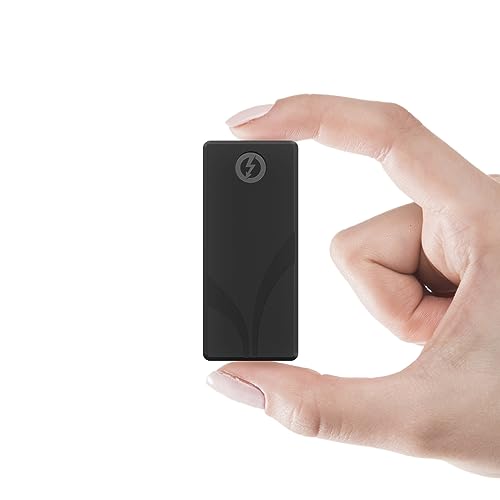
- Up to 2,700 MB/s over Thunderbolt 3
- Pocket-sized, bus-powered 2TB drive
- USB-A cable and silicone sleeve included
Best For: Compact Mac project storage
Rugged Pick
SanDisk Professional PRO-G40 1TB

- Up to 3,000 MB/s Thunderbolt 3 reads
- IP68 dust and water resistance
- Also connects through 10Gbps USB-C
Best For: Fieldwork needing a resistant enclosure
Flexible 2TB Pick

- 2TB with up to 2,700 MB/s over Thunderbolt 3
- USB fallback up to 900 MB/s
- Thunderbolt 3 and USB-A cables included
Best For: Sharing a 2TB drive across Mac and USB systems
Best for Large Projects
SanDisk Professional PRO-G40 4TB
- 4TB, Mac-ready APFS
- Up to 3000MB/s Thunderbolt 3 reads
- IP68-rated rugged enclosure
Best For: Large Mac media projects and field transfers
Best Pocket-Size Rugged Pick
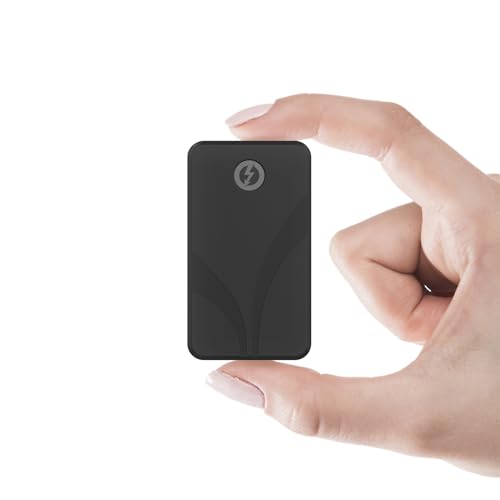
- 2.2oz pocket-size design
- Up to 2700MB/s Thunderbolt 3 reads
- IP67 water and dust protection
Best For: Portable Mac photography and video fieldwork
Most Pocketable – SABRENT Rocket Nano XTRM 2TB
For Mac users comparing thunderbolt 3 drives for mac, the Rocket Nano XTRM packs 2TB into a compact, bus-powered aluminum drive. It offers up to 2,700 MB/s over Thunderbolt 3 and falls back to USB 3.2 Gen 2 at up to 900 MB/s.
Best For: Mac users who want fast project storage that fits in a pocket.
Pros:
- Compact 2.95-inch body weighs 1.69 oz.
- Includes a silicone sleeve and cables for Thunderbolt/USB-C and USB-A connections.
- Three-year coverage can be extended to five years with registration within 90 days.
Cons:
- USB fallback is rated up to 900 MB/s, well below its Thunderbolt 3 maximum.
- The five-year coverage requires registration.
Choose this one when minimizing bag space matters as much as getting Thunderbolt 3 speed; use a compatible Thunderbolt connection to access its top rated performance.
Rugged Pick – SanDisk Professional PRO-G40 1TB
Among thunderbolt 3 drives for mac, the 1TB PRO-G40 stands out for field use. SanDisk Professional rates it for up to 3,000 MB/s reads and 2,500 MB/s writes over Thunderbolt 3, while dual-mode USB-C connectivity gives you another connection option.
Best For: Creators who need portable storage with specified resistance to dust, water, drops, and crushing.
Pros:
- IP68 dust and water resistance, 3m drop resistance, and 4,000lb crush resistance.
- Supports Thunderbolt 3 at 40Gbps and USB-C at 10Gbps.
- Aluminum core helps draw heat away from the drive.
Cons:
- 1TB capacity is less than either 2TB drive in this roundup.
- Its stated 3m drop resistance is specified for a carpeted concrete floor.
The PRO-G40 is the practical choice when enclosure protection takes priority. Its highest advertised speeds require a Thunderbolt 3 connection rather than the 10Gbps USB-C mode.
Flexible 2TB Pick – SABRENT Rocket XTRM Plus
The Rocket XTRM Plus is a 2TB option for shoppers comparing thunderbolt 3 drives for mac who also need USB connectivity. It is rated for up to 2,700 MB/s over Thunderbolt 3 and up to 900 MB/s in USB 3.2 Gen 2×1 fallback mode.
Best For: Mac users who move a 2TB drive between Thunderbolt 3 and USB-equipped systems.
Pros:
- Bus-powered, plug-and-play design supports macOS, Windows, and Linux.
- Aluminum shell helps dissipate heat; removable silicone sleeve adds protection.
- Includes Thunderbolt 3 and USB-A-to-USB-C cables.
Cons:
- USB fallback tops out at a stated 900 MB/s rather than its 2,700 MB/s Thunderbolt 3 rating.
- Extending the two-year limited warranty to five years requires registration.
This is a useful middle ground for carrying substantial project files across different computers. Connect through Thunderbolt 3 when transfer speed is the priority.
Best for Large Projects – SanDisk Professional PRO-G40 4TB
Among thunderbolt 3 drives for mac, the 4TB PRO-G40 is a practical choice when large project files need both fast transfers and room to grow. It arrives formatted for Mac in APFS and also supports USB-C connections.
Best For: Mac users moving large media projects between a desk and the field.
Pros:
- Up to 3000MB/s read and 2500MB/s write over Thunderbolt 3.
- 4TB capacity with Thunderbolt 3 and USB-C 10Gbps compatibility.
- IP68 dust and water resistance, plus stated 3m drop and 4000lb crush resistance.
Cons:
- USB-C mode is limited to a 10Gbps interface rather than Thunderbolt 3’s 40Gbps.
- APFS formatting may need changing for workflows that require a different file system.
The aluminum core is designed to draw heat away during sustained transfers. Choose this one when capacity and a tough enclosure matter as much as peak Thunderbolt speed.
Best Pocket-Size Rugged Pick – SABRENT Rocket Nano XTRM 1TB
If you want thunderbolt 3 drives for mac that take up little bag space, the 1TB Rocket Nano XTRM measures 2.7 by 1.1 by 0.5 inches and weighs 2.2 ounces. Its certified Thunderbolt 3 connection offers up to 2700MB/s peak reads, with USB 3.2 Gen 2 fallback when Thunderbolt is unavailable.
Best For: Photographers and videographers who need a small, weather-resistant drive for fieldwork.
Pros:
- IP67 water and dust protection with a shock-resistant casing.
- Up to 2700MB/s peak reads over Thunderbolt 3; USB fallback offers up to 900MB/s.
- Bus-powered design includes USB-C–to–USB-C and USB-A–to–USB-C cables.
Cons:
- 1TB capacity offers less space than the 4TB PRO-G40.
- USB fallback is slower than its Thunderbolt 3 connection.
Passive aluminum cooling fins and a compact body make it suited to portable editing setups. For Mac users prioritizing pocketability and IP67 protection over maximum capacity, it is the more travel-focused option.
How We Picked the Best Thunderbolt 3 Drives for Mac
We focused on portable SSDs that advertise Thunderbolt 3 speeds and offer distinct choices in capacity, size, and protection. The lineup includes 1TB, 2TB, and 4TB options, along with compact aluminum designs and drives rated for dust and water resistance. Advertised peak speeds are useful for comparison, but they are not guaranteed transfer rates: your Mac, cable, file sizes, drive temperature, and remaining free space can all affect performance.
Quick Comparison
For maximum capacity among these five, the SanDisk Professional 4TB PRO-G40 stands out. Its 1TB counterpart offers the same stated Thunderbolt 3 and 10Gbps USB-C connection options for buyers who need less space. The SABRENT Rocket Nano XTRM 2TB emphasizes a compact form factor and includes both connection cables, while the 2TB Rocket XTRM Plus pairs a rugged aluminum enclosure with USB-C compatibility. If a smaller drive needs extra protection, the 1TB Rocket Nano XTRM Rugged lists IP67 dust and water protection and shock resistance.
Key Buying Factors for Thunderbolt 3 Drives for Mac
Check Your Mac’s Port and the Fallback Speed
A USB-C-shaped port does not automatically support Thunderbolt 3. Confirm your Mac’s port capabilities before buying, especially if you plan to use the drive with another computer. A drive’s USB-C fallback is also worth checking: the listed PRO-G40 models support 10Gbps USB-C, and the Rocket Nano XTRM 2TB lists USB 3.2 Gen 2 operation at up to 900 MB/s. Expect less than Thunderbolt speed when using a USB connection.
Choose Capacity for the Work You Actually Keep
A 1TB drive can suit document libraries, photos, or a rotating set of active projects. Choose 2TB if you regularly move large media folders or want more room between cleanups; 4TB makes more sense for a substantial on-the-go library. Leave free space for working files rather than buying a drive you expect to keep nearly full.
Match Protection and Format to Your Routine
Look at enclosure size and the stated protection rating if the SSD will live in a camera bag or travel often. IP67 and IP68 ratings add reassurance against dust and water under specified conditions, but they do not replace careful handling or backups. For Mac-only use, consider formatting the drive as APFS; if you routinely exchange files with Windows PCs, check the format both systems will read and write before moving important data.
Who Should Buy Which Thunderbolt 3 Drives for Mac?
Pick the compact 2TB Rocket Nano XTRM for portable everyday capacity, or the 2TB Rocket XTRM Plus if you prefer its rugged aluminum build. Choose the 1TB Rocket Nano XTRM Rugged for a smaller, protection-focused option. The 1TB PRO-G40 suits buyers who want its stated IP68 rating and dual connection options without paying for 4TB; step up to the 4TB PRO-G40 when capacity is the priority. Whichever you choose, keep a separate backup of files you cannot replace.
