
Professional tablet computers are built for work that goes beyond casual browsing. From field service and warehouse scanning to mobile office tasks, the best models combine durability, Windows productivity, and dependable battery life.
In this roundup, we focus on rugged and business-ready tablets that make sense for real-world use in 2026, with options for outdoor visibility, barcode workflows, and enterprise management.
Best 10 Professional Tablet Computers Picks for 2026
Rugged Business Tablet

- 1000-nit outdoor-readable display
- 16 GB RAM with 256 GB SSD
- Glove-capable touch and Gorilla Glass
Best For: Field technicians and mobile business users
Industrial Field Tablet
MUNBYN IRT08 Rugged Windows 11 Pro

- MIL-STD-810G rugged build
- 4G LTE plus built-in GPS
- Detachable battery and sunlight-readable screen
Best For: Outdoor crews needing GPS and mobile data
High-Memory Windows Tablet

- 12 GB RAM with 256 GB SSD
- Full HD IPS screen with 500 nits
- USB-C, USB-A, and micro HDMI ports
Best For: Users wanting a versatile Windows tablet for work and daily use
Barcode Scanner Work Tablet

- Honeywell N4680 1D/2D scanner
- IP65 and MIL-STD-810G ruggedness
- 700-nit screen with removable battery
Best For: Inventory, retail, and logistics scanning
Rugged Mobile Workhorse
Dell Latitude 7220 Rugged Extreme Tablet PC
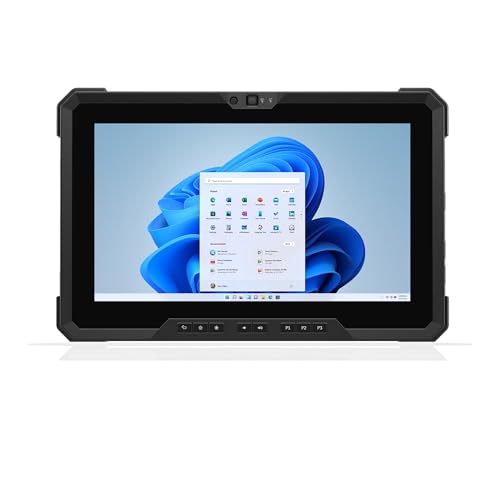
- Core i7 vPro, 16GB RAM, and 512GB SSD for fast work
- 11.6-inch 1000-nit FHD screen for outdoor visibility
- GPS, smart card reader, and MIL-STD-810G rugged build
Best For: Field crews and outdoor professionals needing a durable Windows tablet
Fanless Industrial Touch Hub
All-in-One Industrial Panel PC 15.6-inch

- Fanless Windows 11 Pro panel PC with N5095 processor
- 15.6-inch FHD touchscreen supports wet hands and gloves
- Sealed build with VESA and cabinet mounting options
Best For: Fixed industrial, kiosk, or control-panel deployments
Field-Ready Toughbook
Panasonic Toughbook CF-33 MK1 Rugged Tablet
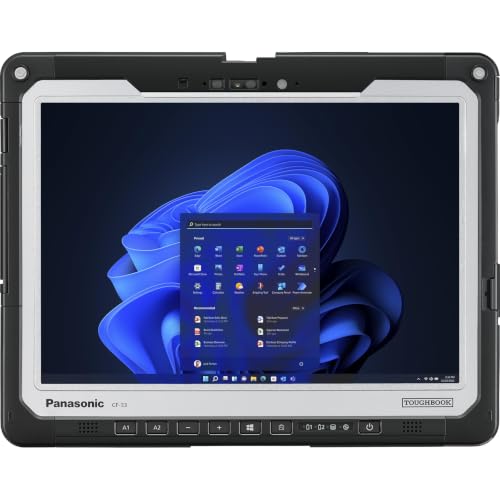
- 12-inch QHD touchscreen with anti-reflective treatment
- 16GB RAM, 256GB SSD, and Windows 11 Pro
- Detachable keyboard base with wide port selection
Best For: Business users needing a rugged, highly connected detachable tablet
Rugged USA-Assembled Pick
Fusion5 10.1" Windows 11 Pro Rugged Tablet

- 12GB RAM and 256GB SSD
- Rugged, shockproof, dustproof build
- 2-year warranty with accidental damage cover
Best For: Field work and users needing rugged Windows protection
Refurbished Business Rugged Choice
Dell Latitude 7220 Rugged Extreme 11.6" Tablet
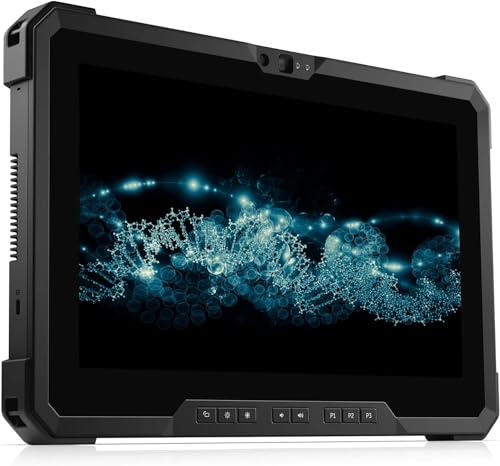
- 8GB RAM and 512GB NVMe SSD
- 11.6-inch FHD anti-glare touchscreen
- Windows 11 Pro with business ports
Best For: Mobile professionals needing a rugged refurbished Windows tablet
Renewed Field-Use Option
Dell Latitude 7212 Rugged Extreme 11.6" Tablet
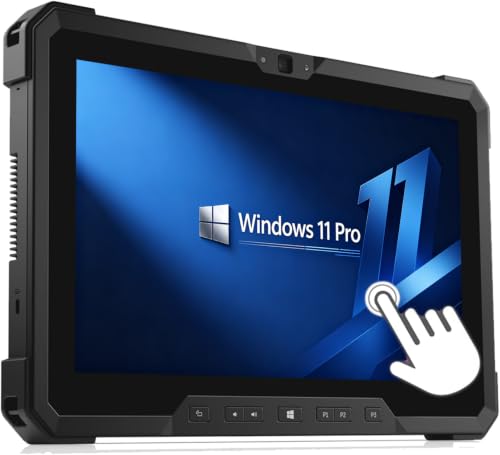
- 8GB RAM and 256GB SSD
- 11.6-inch Full HD touchscreen
- Rugged build for harsh conditions
Best For: Field operators and specialized software users
Rugged Business Tablet – Dell Latitude 7220 11.6" FHD
If you need a dependable professional tablet computers option for fieldwork, the Dell Latitude 7220 Rugged Tablet leans hard into durability and visibility. Its 11.6-inch Full HD, 1000-nit outdoor-readable display, glove-capable touch support, and Gorilla Glass make it a strong fit for demanding mobile work.
Best For: Mobile teams, field technicians, and office-to-outdoor workflows that need a rugged Windows tablet.
Pros:
- 11.6-inch FHD screen with 1000 nits for outdoor readability.
- Glove-capable touchscreen and Gorilla Glass for tougher work conditions.
- 16 GB RAM and 256 GB PCIe NVMe SSD for responsive Windows 11 Pro use.
- Core i5-8365U platform suits business apps and multitasking.
Cons:
- Older 8th Gen Intel processor compared with newer tablet CPUs.
- No NFC included in the chassis configuration.
- Bulky rugged design is less suited to casual everyday tablet use.
This is a practical choice when durability and screen visibility matter more than slim styling. For professional tablet computers in harsh environments, it delivers the core business features most buyers actually need.
Industrial Field Tablet – MUNBYN IRT08 Rugged Windows 11 Pro
The MUNBYN IRT08 is built for professional tablet computers use where a rugged shell, GPS, and mobile connectivity matter. With Windows 11 Pro, 4G LTE, sunlight-readable display support, and a detachable battery, it is aimed at outdoor work and industrial tasks rather than casual entertainment.
Best For: Construction crews, warehouse staff, and outdoor workers who need GPS and cellular connectivity.
Pros:
- Military-tested rugged design with MIL-STD-810G certification.
- 4G LTE, Wi-Fi, Bluetooth 5.1, and GPS for field connectivity and navigation.
- Detachable 5000mAh battery makes replacement easier on the job.
- Sunlight-readable film helps with outdoor viewing.
Cons:
- Intel N5100 is positioned as a modest processor, not a high-end one.
- 8 GB RAM and 128 GB storage are practical, but not expansive.
- Runtime is listed at up to 6.5 hours, so long shifts may need battery planning.
Overall, this is a work-first Windows tablet that emphasizes ruggedness and location tools over premium performance. If your buying priority is a field-ready professional tablet computers model, the MUNBYN checks the right boxes.
High-Memory Windows Tablet – Fusion5 FWIN232 PRO N5 10.1"
The Fusion5 FWIN232 PRO N5 is a flexible professional tablet computers pick for users who want strong memory, modern ports, and a full Windows 11 experience. It combines 12 GB RAM, 256 GB SSD storage, a Full HD touchscreen, and broad connectivity in a slim 10.1-inch format.
Best For: Business users, students, and families who want a fast, versatile Windows tablet with useful ports.
Pros:
- 12 GB RAM and 256 GB SSD support smooth multitasking.
- 10.1-inch Full HD IPS display with 500 nits brightness.
- USB-C, USB-A, micro HDMI, and storage expansion add flexibility.
- 2-year warranty includes accidental damage coverage.
Cons:
- Docking keyboard is sold separately, so laptop-style use costs extra.
- Alder Lake N100 is efficient, but not aimed at heavy workstation workloads.
- Windows 11 Home is less business-focused than Pro editions.
This model stands out for its mix of memory, display quality, and connectivity rather than ruggedness. For shoppers comparing professional tablet computers that can also handle everyday use, it offers a balanced feature set.
Barcode Scanner Work Tablet – Arrvel I17J Rugged Windows
The Arrvel I17J is a specialized choice among professional tablet computers because it combines Windows 11 Pro with a Honeywell N4680 barcode scanner. That makes it a strong fit for inventory, warehouse, retail, and logistics workflows where fast scanning and dependable field use matter.
Best For: Warehouse, retail, and logistics teams that rely on barcode scanning and mobile data capture.
Pros:
- Honeywell N4680 engine scans 1D/2D codes quickly, including damaged labels.
- IP65 sealing and MIL-STD-810G support rugged job-site use.
- 4G LTE, dual-band Wi-Fi, and Bluetooth 5.0 support connected workflows.
- 700-nit display and removable battery suit long work shifts.
Cons:
- 8 GB RAM and 128 GB storage are functional rather than generous.
- Intel N5100 is best for business tasks, not demanding creative work.
- Scanner-focused design is less appealing if you want a general-purpose tablet.
If barcode capture is central to the job, this tablet is more specialized than most competitors. For buyers seeking professional tablet computers built around scanning and field documentation, it is clearly purpose-built.
Rugged Mobile Workhorse – Dell Latitude 7220 Rugged Extreme Tablet PC
If you need professional tablet computers that can handle field work, the Dell Latitude 7220 Rugged Extreme is built for exactly that job. It combines a 10th-gen-class Core i7 vPro platform, 16GB RAM, and a 512GB NVMe SSD with an outdoor-readable 11.6-inch FHD display, so it is suited to mobile workflows where durability and visibility matter.
Best For: Field teams, utility work, and other outdoor or harsh-environment use cases that need a rugged Windows tablet.
Pros:
- Intel Core i7-8665U vPro, 16GB RAM, and 512GB PCIe NVMe SSD support fast multitasking.
- 11.6-inch FHD 1000-nit display is anti-glare, anti-smudge, and glove-capable.
- Built-in dedicated GPS, smart card reader, fingerprint support, and dual cameras add secure mobility.
- MIL-STD-810G construction and a 2.93 lb starting weight help it travel well.
Cons:
- Renewed unit may not suit buyers who want brand-new hardware.
- 11.6-inch screen is compact compared with larger panel-style tablets.
- Stylus is not included.
Overall, this is a strong pick when ruggedness and connectivity matter more than thin-and-light styling. Its mix of outdoor readability, security features, and versatile ports makes it practical for professional use in the field.
Fanless Industrial Touch Hub – All-in-One Industrial Panel PC 15.6-inch
For professional tablet computers in industrial settings, this 15.6-inch all-in-one panel PC focuses on reliability, touch control, and flexible mounting. The Windows 11 Pro system, fanless design, and sealed construction make it a practical option for environments where dust, vibration, or continuous operation are concerns.
Best For: Factory stations, kiosks, and control-panel installations that need a fanless Windows touch system.
Pros:
- Intel Celeron N5095, 8GB RAM, and 128GB storage cover light industrial computing tasks.
- 15.6-inch Full HD IPS touchscreen supports 10-point capacitive touch, wet hands, and gloves.
- Fanless, sealed, and moisture-resistant design is built for harsh environments.
- VESA mounting and cabinet hooks provide flexible installation options.
Cons:
- Celeron N5095 is better suited to basic workloads than heavy computing.
- 128GB ROM is modest if you need larger local storage.
- Industrial panel design is less portable than a true mobile tablet.
This model makes the most sense when you want a touch-first industrial computer rather than a travel-ready tablet. Its strength is dependable operation, broad I/O, and installation flexibility in fixed workspaces.
Field-Ready Toughbook – Panasonic Toughbook CF-33 MK1 Rugged Tablet
If you are comparing professional tablet computers for business mobility, the Panasonic Toughbook CF-33 MK1 stands out as a rugged detachable system with a high-resolution 12-inch display. With an Intel Core i5-7300U, 16GB RAM, and a 256GB SSD, it is designed for users who need a portable Windows 11 Pro tablet with serious connectivity options.
Best For: Mobile business users who want a rugged detachable tablet with a keyboard base and broad port support.
Pros:
- 12-inch QHD 2160 x 1440 touchscreen offers sharp detail and anti-reflective treatment.
- 16GB RAM and 256GB SSD provide solid everyday business performance.
- Detachable tablet and keyboard base include USB, HDMI, Ethernet, VGA, serial, and SDXC ports.
- Windows 11 Pro, Wi-Fi 5, Bluetooth, and optional cellular support fit mobile work.
Cons:
- Core i5-7300U is older than newer business-class processors.
- Tablet plus keyboard base is bulkier than a single-piece slate.
- Renewed condition and 90-day warranty may not suit every buyer.
For buyers who value expandability and a rugged business design, this Toughbook is a dependable choice. It is less about sleek consumer styling and more about practical field usability and port access.
Rugged USA-Assembled Pick – Fusion5 10.1" Windows 11 Pro Rugged Tablet
If you want professional tablet computers that are built for tougher day-to-day use, the Fusion5 FWIN232 PRO N5 is designed as a rugged Windows 11 Pro option with modern performance and practical field-ready features. It combines a 10.1-inch Full HD touchscreen, Intel 13th Gen Alder Lake N100 power, and ample memory/storage for work apps, remote tasks, and mobile productivity.
Best For: Field work, industrial use, classrooms, and users who want a rugged Windows tablet with strong warranty coverage.
Pros:
- 12GB RAM and 256GB SSD support smoother multitasking and fast loading.
- Rugged, shockproof, and dustproof design suits harsher environments.
- 10.1-inch Full HD IPS touchscreen with up to 500 nits brightness.
- 2-year full warranty includes coverage for up to 2 accidental damage incidents.
Cons:
- 10.1-inch screen may feel small for users wanting a larger work display.
- Best suited to Windows workflows, not lightweight mobile entertainment.
Overall, this Fusion5 model stands out for buyers who value durability, warranty protection, and a practical Windows tablet setup over consumer-style extras. Its balanced hardware and rugged build make it a sensible choice for professional tablet computers used on the move.
Refurbished Business Rugged Choice – Dell Latitude 7220 Rugged Extreme 11.6" Tablet
Among professional tablet computers, the Dell Latitude 7220 Rugged Extreme Tablet PC is a practical renewed option for buyers who need enterprise-friendly Windows 11 Pro features in a durable touchscreen format. It pairs an 11.6-inch Full HD anti-glare display with an Intel Core i5-8365U processor, 8GB RAM, and a 512GB NVMe SSD for responsive everyday work.
Best For: Mobile professionals who want a refurbished rugged Windows tablet with solid storage and business-ready ports.
Pros:
- 8GB RAM and 512GB NVMe SSD provide quick boot times and workable multitasking.
- 11.6-inch FHD anti-glare touchscreen is easier to use in bright conditions.
- Includes useful ports like USB-C, USB-A, micro-SD, and mini serial RS-232.
- Windows 11 Pro adds enterprise-grade security and management tools.
Cons:
- Refurbished unit comes with a 90-day warranty rather than a full new-device warranty.
- 250-nit display brightness is modest compared with brighter rugged tablets.
This Latitude 7220 is a strong fit if you want rugged business functionality without paying for a brand-new system. Its mix of storage, port selection, and Windows 11 Pro makes it a sensible choice for field-ready professional tablet computers.
Renewed Field-Use Option – Dell Latitude 7212 Rugged Extreme 11.6" Tablet
The Dell Latitude 7212 Rugged Extreme Touchscreen Tablet is built for buyers who need a dependable Windows 11 Pro tablet for demanding field work and specialized tasks. With an Intel Core i5-7300 processor, 8GB of memory, a 256GB SSD, and an 11.6-inch Full HD touchscreen, it offers a straightforward rugged setup for mission-critical use.
Best For: Field operators, specialized software users, and buyers who want a renewed rugged business tablet with essential performance.
Pros:
- 8GB RAM and 256GB SSD provide practical responsiveness for multitasking and file access.
- 11.6-inch 1920×1080 touchscreen is sized well for maps, data entry, and field viewing.
- Rugged design is positioned for harsh conditions and direct-sunlight readability.
- Multiple ports include USB 3.1, USB-C, micro-SD, and micro-SIM support.
Cons:
- Older Intel Core i5-7300 platform may not suit buyers wanting newer-generation performance.
- Renewed product may ship in ordinary packaging with a compatible, non-original charger.
This model makes sense for buyers who prioritize rugged reliability and essential Windows capability over newer hardware. For targeted professional tablet computers in the field, the Latitude 7212 remains a functional and practical option.
How We Picked These Professional Tablet Computers
We prioritized models that are practical for business environments: rugged construction, Windows 11 Pro support, responsive processors, enough memory for multitasking, and storage that can handle apps, files, and offline workflows. We also considered screen readability, port selection, mobility, and whether a device is better suited to general office use or heavy-duty field work.
Quick Comparison
Most buyers will find these tablets split into three groups: fully rugged field devices, semi-rugged Windows tablets for mixed indoor-outdoor use, and industrial panel-style units for fixed installations. Fully rugged models are the safest choice for harsh environments, while lighter Windows tablets can be a better fit if portability matters more than drop protection.
Key Buying Factors for Professional Tablet Computers
Durability and Environment
Look for rugged certifications, reinforced frames, and display protection if the tablet will be used around dust, vibration, moisture, or frequent transport. For outdoor and field use, brightness and glove-friendly touch support can matter as much as raw specs.
Performance and Storage
A modern Intel processor, at least 8GB of RAM, and SSD storage are the practical baseline for business use. Heavier multitasking, remote desktops, and inventory software benefit from 12GB to 16GB of RAM and larger SSD capacity.
Software Compatibility
Windows 11 Pro is a major advantage for Professional Tablet Computers because it supports common business applications, device management tools, and security features. If your workflow depends on legacy software, confirm compatibility before buying.
Connectivity and Accessories
Check for USB-C, docking options, LTE or GPS if needed, and support for barcode scanners, keyboards, or mounts. The right accessory ecosystem can be more important than a slight spec upgrade.
Who Should Buy Which Professional Tablet Computers?
If you need maximum toughness for demanding field conditions, choose a rugged tablet from Dell or Panasonic. If your work centers on mobile office tasks, inspections, or general Windows productivity, a lighter 10.1-inch model may be enough. For warehouses, retail, and inventory-heavy operations, a tablet with a built-in barcode scanner can save time and reduce errors. If you need a fixed workstation-style touch interface, an industrial panel PC is the better fit.
In short, the best choice depends on where and how the tablet will be used. Focus on durability, software support, and the right features for your workflow rather than specs alone.
