
The best professional drawing display tablets give digital artists a direct, natural-feeling workspace without sacrificing color accuracy, pen control, or workflow speed. The right model depends on more than screen size: pressure response, lamination, shortcut controls, resolution, and computer compatibility all matter.
This roundup compares 10 strong options across compact, mid-size, large-format, and premium categories so you can choose a display tablet that fits your creative work, desk space, and budget.
Best 10 Professional Drawing Display Tablets Picks for 2026
Reliable Starter Pick
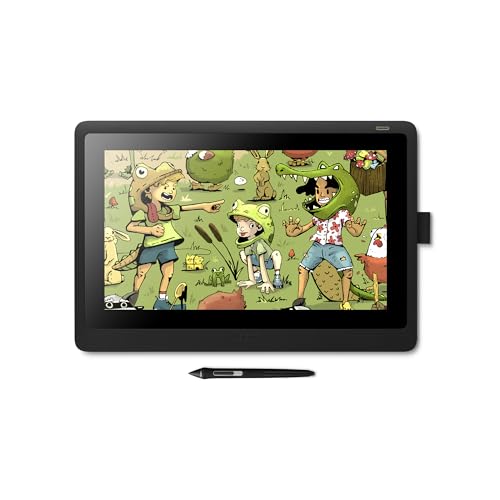
- 15.6-inch Full HD anti-glare display
- Pro Pen 2 with tilt and 8,192 pressure levels
- Includes replacement nibs and 3-in-1 cable
Best For: Students, hobbyists, and developing artists
Feature-Rich Portable Choice
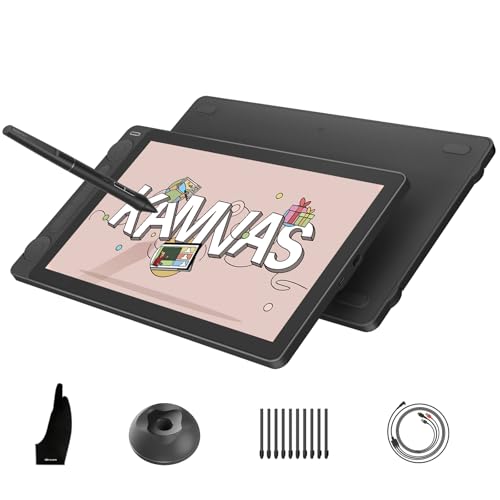
- 13.3-inch full-laminated Canvas Glass 2.0
- 16,384-level PenTech 4.0 stylus
- Dual dials and five programmable press keys
Best For: Portable, color-conscious artists and designers
Professional Studio Flagship

- 17-inch 4K display with 120Hz refresh rate
- Pro Pen 3 with adjustable grips and balance
- Eight ExpressKeys plus 10-point multi-touch
Best For: Professional animation, VFX, game art, and 3D studios
Wide-Gamut Value Option

- 15.4-inch Full HD display with 143% sRGB
- 16,384-level battery-free stylus with eraser
- Eight hotkeys and shortcut wheel
Best For: Color-focused artists and designers seeking broad compatibility
Professional Color Accuracy
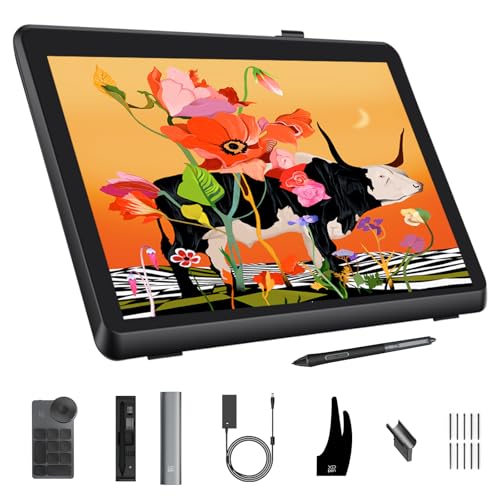
- Calman Verified color with Delta E<1
- 21.5-inch 2.5K display with 99% Adobe RGB
- 16K pen and 40-key wireless keydial
Best For: Professional creators needing a large, color-critical workspace
Balanced Mid-Size Workflow

- 15.6-inch full-laminated 1080p display
- 120% sRGB and 92% AdobeRGB gamut volume
- Six keys, touch bar, and battery-free pen
Best For: Artists wanting a capable mid-size display with ergonomic accessories
Compact Shortcut Control

- 11.6-inch laminated anti-glare display
- Red Dial plus eight customizable keys
- 8,192-pressure battery-free pen with tilt
Best For: Compact creative work, annotation, and remote teaching
Best Beginner-Friendly Pick
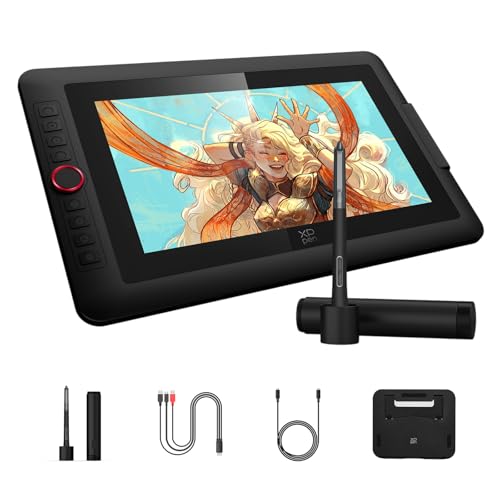
- 16,384 pressure levels with an X3 Pro battery-free stylus
- Red Dial plus eight customizable shortcut keys
- Full-laminated 13.3-inch Full HD display
Best For: Beginners and hobbyists seeking approachable controls
Best Large 4K Professional Display

- 18.4-inch 4K UHD display with 1.07 billion colors
- Calman-verified color with broad sRGB, Adobe RGB, and Display P3 coverage
- Dual 16,384-pressure styluses and wireless shortcut keyboard
Best For: Color-critical professional work on a spacious canvas
Best Ergonomic Mid-Size Option

- 16,384 pressure levels with 60-degree tilt support
- Full-laminated 14-inch anti-glare screen with 16:10 aspect ratio
- Includes foldable stand, wireless remote, and wrist rest
Best For: Artists wanting a compact, comfortable professional setup
Reliable Starter Pick – Wacom Cintiq 16
For creators seeking professional drawing display tablets without an especially complex control layout, the Wacom Cintiq 16 offers a straightforward pen-display setup. Its 15.6-inch Full HD screen, anti-glare glass, and Pro Pen 2 provide a familiar drawing experience for students, hobbyists, and developing artists.
Best For: Students, creative hobbyists, and artists who want a dependable Wacom pen display for drawing, design, or animation.
Pros:
- Pro Pen 2 includes tilt recognition, 8,192 pressure levels, and virtually lag-free tracking.
- Full HD display provides uniform brightness and true-to-life color quality.
- Includes replacement nibs, a nib-removal tool, and a 3-in-1 connectivity cable.
Cons:
- Requires a Windows or Mac computer and is not a standalone tablet.
- Offers two pen switches but no built-in ExpressKeys or dial controls.
- Its 15.6-inch Full HD display is less advanced than the 4K professional models in this roundup.
The Cintiq 16 is a practical entry point into screen-based drawing. It emphasizes Wacom’s pen feel and simple workflow, making it a sensible choice when dependable essentials matter more than premium resolution or extensive hardware controls.
Feature-Rich Portable Choice – HUION Kamvas 13 Gen 3
The HUION Kamvas 13 Gen 3 is one of the more control-focused professional drawing display tablets for creators who work across different locations. Its full-laminated Canvas Glass 2.0, 16,384-level pen, dual dials, and compact 13.3-inch design combine portability with detailed workflow customization.
Best For: Artists, designers, editors, and students who need a portable pen display with strong color coverage and physical controls.
Pros:
- PenTech 4.0 provides 16,384 pressure levels, 2g initial activation force, tilt auto-alignment, and three pen buttons.
- Factory-calibrated display covers 99% sRGB/Rec.709 and 90% Adobe RGB, with stated ΔE<1.5 accuracy.
- Two dials and five press keys support quick adjustments for brushes, opacity, zoom, and other functions.
- Thin 11.7mm profile, 865g weight, and symmetrical design suit mobile and left- or right-handed use.
Cons:
- Must be connected to a compatible computer, laptop, or supported Android device to work.
- The smaller 13.3-inch screen may feel limiting for users who prefer a larger canvas.
- Compatibility depends on the required USB and display specifications of the host device.
With unusually extensive color and control features for its size, the Kamvas 13 Gen 3 is a strong fit for creators who value portability and efficient shortcuts. Confirm your computer or Android device supports the listed connection requirements before buying.
Professional Studio Flagship – Wacom Cintiq Pro 17
For demanding studio work, the Wacom Cintiq Pro 17 stands out among professional drawing display tablets with a 4K display, 120Hz refresh rate, multi-touch, and customizable creative controls. It is designed for graphic design, animation, VFX, game art, and 3D projects where screen detail and responsive interaction are priorities.
Best For: Professional artists and studios working on animation, VFX, game art, 3D modeling, and detailed design projects.
Pros:
- 17-inch Ultra HD 4K display with a 120Hz refresh rate is designed for detailed, low-latency work.
- Pro Pen 3 offers 8,192 pressure levels, three side switches, customizable grips, and adjustable balance.
- Eight ExpressKeys, on-screen menus, and improved multi-touch support customizable workflows.
- Includes an Easy Stand, pen tray, ten replacement nibs, and extra pen components.
Cons:
- Requires connection to a compatible desktop or laptop.
- Its professional feature set may be more than casual artists need.
- The display is larger and heavier than the compact options in this roundup.
The Cintiq Pro 17 is the premium choice here for creators who can use its 4K resolution, high refresh rate, touch gestures, and extensive customization. Its capabilities are best justified by professional or highly detailed creative workflows.
Wide-Gamut Value Option – UGEE UE16
The UGEE UE16 gives creators a large 15.4-inch workspace and extensive color options at a practical feature level. Among professional drawing display tablets, it is particularly notable for its stated 143% sRGB gamut, four color modes, full lamination, and shortcut wheel for users who want vivid color and tactile controls.
Best For: Artists and designers who want a wide-gamut Full HD pen display with physical shortcuts and broad operating-system compatibility.
Pros:
- 15.4-inch Full HD full-laminated screen offers 143% sRGB coverage and four color-space modes.
- Battery-free stylus provides 16,384 pressure levels, 60-degree tilt support, two pen buttons, and a pressure-sensitive eraser.
- Eight shortcut keys and a scroll wheel provide tactile access to common drawing functions.
- Supports Windows, macOS, Android, Chrome OS, and Linux, along with several mainstream creative applications.
Cons:
- Requires connection to a compatible computer or other supported device.
- Its 1920×1080 resolution is lower than the 4K Wacom Cintiq Pro 17.
- The 3-in-1 cable is packed separately, so the parcel should be checked carefully for all accessories.
The UE16 is a versatile option for users who prioritize strong color range, a roomy screen, and hardware shortcuts over ultra-high resolution. Its broad compatibility also makes it useful for creators who move between different operating systems.
Professional Color Accuracy – XPPen Artist Pro 22 Gen 2
For artists who need professional drawing display tablets with a large, color-accurate workspace, the XPPen Artist Pro 22 Gen 2 is built for detailed illustration, photography, and graphic design. Its 21.5-inch 2.5K display, Calman verification, and wide color coverage support demanding creative workflows.
Best For: Professional artists, photographers, and graphic designers who prioritize display size and color precision.
Pros:
- Calman Verified color accuracy with Delta E<1 and 99% Adobe RGB coverage.
- 2.5K resolution, 137 PPI, and a 21.5-inch workspace provide clear, detailed visuals.
- 16K pressure sensitivity, 60° tilt, felt nibs, and ±0.4mm accuracy support precise drawing.
- Includes a wireless keydial with 40 customizable keys and a physical dial.
Cons:
- Its large 21.5-inch format requires more desk space than smaller displays.
- This is a connected drawing display rather than a standalone tablet.
- The optional ACS15 height-adjustable stand is not included.
With its professional-grade color performance, high-resolution screen, ergonomic stand, and extensive shortcut controls, this model is a strong choice for creators who want a spacious primary display. Confirm that your computer meets the supported operating-system requirements before buying.
Balanced Mid-Size Workflow – HUION Kamvas Pro 16
The HUION Kamvas Pro 16 is a practical option among professional drawing display tablets for artists who want a portable 15.6-inch screen, strong color coverage, and dedicated shortcut controls. Its full-laminated display and included adjustable stand make it suitable for illustration, painting, and design.
Best For: Artists and designers seeking a mid-size pen display with vivid color, shortcut controls, and an included stand.
Pros:
- 15.6-inch full-laminated 1080p display with anti-glare glass and a lightly textured drawing surface.
- 120% sRGB and 92% AdobeRGB color gamut volume support vibrant artwork.
- Six customizable express keys and a touch bar streamline common actions.
- Battery-free pen includes 8,192 pressure levels, 60° tilt recognition, and two programmable buttons.
Cons:
- It must be connected to a computer or laptop and is not standalone.
- Its 1920×1080 resolution is lower than some larger professional displays.
- The included 3-in-1 cable may be less convenient than a single-cable setup.
The Kamvas Pro 16 balances useful professional features with a manageable footprint. It is especially appealing if you value color-rich output, an included adjustable stand, and quick access to shortcuts without moving to a larger display.
Compact Shortcut Control – XPPen Artist12 Pro
For buyers comparing compact professional drawing display tablets, the XPPen Artist12 Pro offers an 11.6-inch full-laminated screen in a space-conscious design. Its zero-parallax drawing surface, Red Dial, and eight customizable keys make it useful for digital art, annotation, and remote teaching.
Best For: Students, traveling artists, and remote educators who need a compact connected pen display with physical controls.
Pros:
- Fully laminated anti-glare display minimizes visual gaps and supports precise cursor placement.
- Red Dial and eight customizable express keys provide quick access to zoom and brush controls.
- Battery-free stylus offers 8,192 pressure levels and 60° tilt support.
- Supports Windows, macOS, ChromeOS, and Linux, along with major creative software.
Cons:
- The 11.6-inch screen provides less workspace than 15.6-inch and larger models.
- Its 1920×1080 display lists 72% NTSC color coverage, which is more modest for color-critical work.
- It requires connection to a desktop or laptop and is not standalone.
The Artist12 Pro is a sensible choice when desk space, portability, and shortcut access matter more than a large canvas or top-tier color gamut. Its compact size and remote-learning features also broaden its usefulness beyond drawing.
Best Beginner-Friendly Pick – XPPen Artist 13.3 Pro V2
For shoppers comparing professional drawing display tablets, the XPPen Artist 13.3 Pro V2 offers a practical balance of responsive pen performance, straightforward controls, and a compact Full HD screen. Its Red Dial and customizable keys can help streamline common drawing and navigation tasks.
Best For: Beginners, junior illustrators, and hobbyists who want an approachable pen display for digital art, animation, photography, and design.
Pros:
- 16,384 pressure levels and an X3 Pro battery-free stylus support precise, smooth lines.
- Red Dial and eight customizable keys provide quick access to brush size, zoom, navigation, and other functions.
- Full-laminated, anti-glare IPS display offers 125% sRGB coverage, Full HD resolution, and a 178-degree viewing angle.
- Supports Windows, macOS, Chrome OS, Android devices with compatible USB-C, and Linux.
Cons:
- It is not standalone and must be connected to a computer or laptop.
- The included stand is designed for tablets up to 13.3 inches, limiting its use with larger displays.
The Artist 13.3 Pro V2 is a sensible entry point for artists who value simple setup and tactile controls without giving up advanced pressure sensitivity. Its smaller Full HD workspace may be less suitable for users who need a large, high-resolution canvas.
Best Large 4K Professional Display – XPPen Artist Pro 19 Gen2
Among professional drawing display tablets, the XPPen Artist Pro 19 Gen2 stands out for its expansive 18.4-inch 4K UHD workspace, broad color coverage, and included dual styluses. It is built for detailed editing, layered artwork, and color-sensitive creative work.
Best For: Professional illustrators, photographers, web designers, and film or animation creators who need a large, high-resolution canvas.
Pros:
- 4K UHD resolution provides detailed viewing for large artwork, layers, and precise edits.
- Calman-verified color accuracy with 99.8% sRGB, 96% Adobe RGB, and 98% Display P3 coverage.
- Includes X3 Pro Roller and Slim styluses, both offering 16,384 pressure levels and 60-degree tilt support.
- Wireless shortcut keyboard, VESA compatibility, reversible USB-C connections, and HDMI input add workspace flexibility.
Cons:
- Its large 18.4-inch format may require more desk space than smaller pen displays.
- It is a drawing display rather than a standalone tablet and requires a compatible computer or tablet connection.
Choose the Artist Pro 19 Gen2 when screen size, resolution, and color management are priorities. Its feature set is especially compelling for demanding workflows, although users with limited workspace may prefer a more compact model.
Best Ergonomic Mid-Size Option – XPPen Artist Pro 14 Gen2
The XPPen Artist Pro 14 Gen2 is one of the more versatile professional drawing display tablets for artists who want a portable 14-inch workspace with strong color performance. Its full-laminated anti-glare screen, foldable stand, wrist rest, and shortcut remote support longer creative sessions.
Best For: Digital artists, animators, 3D modelers, and students who want a compact professional display with ergonomic accessories.
Pros:
- 16,384 pressure levels, 60-degree tilt support, and an X3 Pro battery-free stylus enable detailed line work.
- Full-laminated anti-glare display reduces parallax, while the 16:10 aspect ratio and 178-degree viewing angle improve usability.
- 99% sRGB coverage, 123% sRGB color gamut area ratio, and stated ΔE below 2.2 support accurate color work.
- Built-in foldable stand, wireless shortcut remote, and X-Edge wrist rest improve workflow comfort.
Cons:
- It must connect to a computer or laptop and is not a standalone drawing tablet.
- Some compatible Android devices require USB 3.1 DP 1.2 support.
The Artist Pro 14 Gen2 is a strong middle ground between portability and professional control. It also switches into drawing-tablet mode with a long press of the power button, giving users flexibility when the screen is not needed.
How We Picked the Best Professional Drawing Display Tablets
We focused on features that have the greatest effect on professional illustration, design, animation, photo editing, and 3D workflows. Our comparison considers display size and resolution, color coverage, pen pressure levels, tilt support, screen lamination, refresh rate, anti-glare treatment, shortcut controls, connectivity, and overall workspace value.
Because specifications vary by model and region, confirm the current manufacturer listing before buying. Check included cables, operating-system support, power requirements, and whether a stand or adjustable arm is sold separately.
Quick Comparison
| Best For | What to Prioritize | Recommended Size |
|---|---|---|
| Travel and small desks | Compact footprint, USB-C, low power needs | 11–14 inches |
| General illustration | Full lamination, accurate color, shortcut keys | 15–16 inches |
| Detailed professional work | Higher resolution, wide color gamut, ergonomic stand | 19–22 inches |
| Premium studio use | 4K resolution, high refresh rate, touch, advanced pen | 17 inches or larger |
Key Buying Factors for Professional Drawing Display Tablets
Screen Size and Resolution
A 13- or 14-inch display is easier to transport, while a 15- to 16-inch model offers a practical balance of drawing area and desk space. Larger 19- to 22-inch tablets provide room for broad strokes and detailed timelines. Full HD is generally adequate on smaller screens; 2.5K or 4K produces sharper text and artwork on larger panels.
Color and Surface Quality
Look for a wide-gamut display when color-sensitive work matters, but remember that gamut claims are not the same as calibration accuracy. A laminated screen reduces the gap between the pen tip and the cursor. Anti-glare coatings can make long sessions more comfortable, especially under studio lighting.
Pen Performance and Controls
Battery-free pens, tilt recognition, high pressure sensitivity, and low initial activation force help with expressive linework. Pressure-level numbers alone do not guarantee a better experience, so driver stability and real-world pen feel are equally important. Built-in keys, dials, and touch bars can speed up repetitive commands.
Compatibility and Ergonomics
Confirm support for your operating system and creative applications before purchase. Also check the connection layout, included power adapter, cable length, and stand options. A comfortable viewing angle is essential for Professional Drawing Display Tablets used for several hours at a time.
Who Should Buy Which Professional Drawing Display Tablets?
- Choose a compact 11- to 14-inch model if portability, a smaller workspace, or occasional on-location work matters most.
- Choose a 15- to 16-inch model for the best all-purpose balance of drawing room, price, and desk efficiency.
- Choose a 19- to 22-inch model if you work primarily at a studio desk and want a spacious canvas for illustration, animation, or design.
- Choose a premium 4K or high-refresh model if you need maximum clarity, smoother motion, touch controls, or a more advanced long-term studio setup.
Before ordering, match the tablet to your software, workspace, monitor setup, and preferred drawing posture. A slightly smaller tablet with better ergonomics and reliable drivers can be a smarter professional choice than a larger model with features you will rarely use.
