
In today’s fast-paced digital world, having the right portable USB hub can greatly enhance your laptop’s functionality. With so many options available in 2025, it’s essential to find a hub that meets your specific needs. From high-speed data transfers to versatile charging capabilities, these hubs are designed to keep you connected and productive. Let’s explore the top contenders that stand out in this crowded market and discover which one might be the perfect fit for you.
Lention USB C Multiport Hub with 4K HDMI and 4 USB 3.0 Ports

If you’re a MacBook Pro or Air user looking to enhance your device’s connectivity, the Lention USB C Multiport Hub with 4K HDMI and 4 USB 3.0 ports is an excellent choice. This hub supports a variety of devices, including iMac and Surface Pro, and features a 3.3-foot cable for flexibility. With four USB 3.0 ports, you can transfer data at speeds up to 5Gbps. The HDMI port supports 4K@30Hz, but you might notice refresh rate limitations. Overall, it’s praised for its design and functionality, making it ideal for connecting multiple peripherals while keeping your workspace tidy.
Best For: MacBook Pro and Air users who need to connect multiple peripherals while maintaining an organized workspace.
Pros:
- Versatile compatibility with various devices, including MacBook, Surface Pro, and Chromebook.
- Long 3.3-foot cable allows for flexible desktop layout and reduced clutter.
- High-speed data transfer with four USB 3.0 ports and stable power delivery.
Cons:
- HDMI port supports only 4K@30Hz, which may cause eye strain for some users.
- Some durability concerns reported after several months of use.
- Lack of warranty options noted by users as a drawback.
Aluminum 7 in 1 USB C Hub with USB 3.0
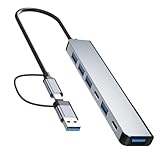
The Aluminum 7 in 1 USB C Hub is an excellent choice for professionals and students who need versatile connectivity on the go. With two USB-C ports and five USB-A ports, it easily connects all your devices. You’ll enjoy fast transfer speeds of up to 5Gb/s through the USB 3.0 port. Plus, the USB-C PD port delivers up to 60W for quick laptop charging. Crafted from durable aluminum, this hub dissipates heat effectively. Weighing just 2.12 ounces, it’s lightweight and portable. Backed by a 12-month warranty, you can rely on its performance for all your connectivity needs.
Best For: Professionals and students seeking versatile and portable connectivity solutions for their USB-C devices.
Pros:
- Fast Transfer Speeds: USB 3.0 port offers up to 5Gb/s transfer rates for efficient data transfer.
- Power Delivery: USB-C PD port supports up to 60W for quick laptop charging, enhancing productivity on the go.
- Durable Build: Aluminum alloy construction ensures durability and effective heat dissipation.
Cons:
- Mixed Customer Feedback: Average rating of 3.9 stars indicates variability in user satisfaction regarding durability and usability.
- Requires External Power: Fast charging through the USB-C PD port necessitates an external power supply, which may not always be available.
- Limited USB 3.0 Ports: Only one USB 3.0 port available, which may be insufficient for users requiring multiple high-speed connections.
Anker 4-Port USB 3.0 Hub (Ultra-Slim Data Hub)

For anyone constantly on the go, the Anker 4-Port USB 3.0 Hub (Ultra-Slim Data Hub) is a game-changer. Weighing just 1.76 ounces and measuring 27.68 x 1.18 x 0.39 inches, it’s perfect for travel. You can expand a single USB port into four, allowing seamless connections to multiple devices without needing drivers. With SuperSpeed data transfer up to 5Gbps, transferring HD movies takes mere seconds. While it won’t charge your devices, it powers peripherals effectively. Plus, its sleek, user-friendly design fits any workspace, making it a reliable choice backed by an impressive 4.7-star rating from over 133,000 users.
Best For: Those who need a portable and efficient USB hub to connect multiple devices while traveling or working in a compact space.
Pros:
- SuperSpeed data transfer of up to 5Gbps allows for rapid file transfers, including HD movies.
- Compact and lightweight design makes it easy to carry and perfect for travel.
- Plug-and-play functionality means no drivers are required, ensuring easy setup with various devices.
Cons:
- Not designed for charging devices, which may limit its use for some users.
- USB bandwidth limitations may occur when using multiple hubs simultaneously.
- No lights or indicators may make it less user-friendly in certain environments.
Acer USB Hub 4 Ports, Multiple USB 3.0 Hub

Ideal for those who need to connect multiple devices on the go, the Acer USB Hub 4 Ports offers four USB 3.0 ports with impressive data transfer speeds of up to 5Gbps. Weighing just 1.6 ounces and featuring a slim design, it fits easily into your bag. You can plug in peripherals like flash drives, mice, and keyboards without a hassle, thanks to its plug-and-play functionality. The built-in GL3510 chip guarantees stable connections while the LED indicator keeps you informed. Compatible with a wide range of devices, this hub is a reliable choice for enhancing your laptop’s connectivity.
Best For: Those needing to connect multiple USB devices efficiently while traveling or working from various locations.
Pros:
- Compact and lightweight design makes it easy to carry and store.
- Fast data transfer speeds of up to 5Gbps allow for quick file transfers.
- Plug-and-play functionality eliminates the need for additional drivers, ensuring ease of use.
Cons:
- Power supply required for stable operation, especially with high-draw devices.
- Some users reported functionality issues, necessitating careful use of the power supply.
- USB-C port is for power only, limiting its versatility for charging or data transfer.
Anker USB C Hub, 5-in-1 USBC to HDMI Hub

Compact and versatile, the Anker USB C Hub, 5-in-1 USBC to HDMI Hub is perfect for laptop users who need to expand their connectivity options without adding bulk. With a 4K HDMI port and three USB ports—two USB-A and one USB-C—you’ll enjoy fast data transfer speeds up to 5 Gbps. Plus, it supports 85W power delivery, ensuring your devices stay charged. Weighing just 1.44 ounces and measuring 4.78 x 1.59 x 0.45 inches, it’s travel-friendly. Compatible with popular laptops like MacBook and Dell XPS, it’s a reliable choice backed by an 18-month warranty. Upgrade your connectivity effortlessly!
Best For: Users needing a compact and efficient USB-C hub to expand connectivity options for their laptops or devices.
Pros:
- Compact design makes it easy to carry while traveling.
- Fast data transfer speeds up to 5 Gbps via USB-C and USB-A ports.
- Supports 85W power delivery, keeping devices charged while in use.
Cons:
- Some users experience occasional HDMI connection problems.
- The cord length may be inadequate for some setups.
- Charger not included for full power delivery functionality.
USB 3.0 Hub, 4 Port USB Hub Splitter

The USB 3.0 Hub, a 4 Port USB Hub Splitter, is perfect for anyone needing to expand their device connectivity without sacrificing performance. This portable adapter effortlessly converts one USB port into four, allowing simultaneous use without overheating. With a plug-and-play design, you won’t need to install any drivers. It supports data transfer speeds up to 5Gbps, making it ideal for quick file transfers and peripheral connections. Compatible with various devices, including laptops and gaming consoles, it’s a versatile choice. Plus, with a customer rating of 4.6 stars, you can trust its reliability and performance for your connectivity needs.
Best For: Individuals looking to expand their USB connectivity for devices such as laptops, consoles, and peripherals without compromising on speed or performance.
Pros:
- Plug-and-play design allows for easy setup without the need for drivers.
- Supports high-speed data transfer rates up to 5Gbps, ensuring efficient file transfers.
- Compact and portable design makes it easy to take on the go.
Cons:
- Maximum output current of 900mA means it is not suitable for charging devices.
- Limited to USB 3.0 speeds; older devices may experience slower transfer rates.
- Some users may prefer additional ports for even more connectivity options.
Mosirui 9-in-1 USB-C Docking Station

For professionals on the go, the Mosirui 9-in-1 USB-C Docking Station stands out with its impressive array of ports, making it a top choice for enhancing productivity. Weighing just 8.4 ounces, this docking station packs a 4K HDMI port, multiple USB ports, and dual SD/TF card readers into a compact design. With a 100W Power Delivery feature, it guarantees your devices stay charged while you work. Compatible with popular laptops like MacBook, Dell, and HP, it offers high-speed data transfer rates up to 5Gbps. Users praise its sturdy build and ease of use, making it perfect for anyone needing versatile connectivity.
Best For: Professionals and creatives who require versatile connectivity options and high-speed data transfer on the go.
Pros:
- Sturdy build quality and compact design for portability.
- Multiple ports including 4K HDMI and dual SD/TF card readers for enhanced productivity.
- Fast charging capability with 100W Power Delivery for keeping devices powered during use.
Cons:
- Some users report issues with USB-C ports not functioning properly.
- Compatibility problems may arise with specific laptop USB-C standards.
- Customer support may be needed for troubleshooting device-specific concerns.
Dual USB C USB A 3.0 Hub with 4 Ports

If you often find yourself juggling multiple devices while working on your laptop, the Dual USB C USB A 3.0 Hub with 4 ports is an ideal solution. This hub features two USB-C and two USB-A 3.0 ports, all supporting impressive transfer speeds of 5Gbps. You can use all four ports simultaneously, boosting your efficiency. Its ultra-slim design makes it perfect for portability, whether you’re connecting flash drives, printers, or gaming consoles. Compatible with a wide range of operating systems, this hub is plug-and-play, meaning you won’t need to download any drivers. Just connect and enjoy seamless connectivity!
Best For: Those who need to connect multiple devices to their laptop efficiently and conveniently.
Pros:
- All ports support high-speed USB 3.0 with a transfer rate of 5Gbps.
- Compact and lightweight design makes it highly portable for on-the-go use.
- Plug-and-play functionality eliminates the need for driver installations, enhancing user convenience.
Cons:
- Does not support PD charging or monitor connectivity.
- Limited to USB 3.0 speeds; cannot utilize faster USB standards.
- Not suitable for users needing more than four ports simultaneously.
USB Hub 3.0, 7-Port Splitter with Individual Switches

Transforming a single USB port into seven, the ONFINIO USB Hub 3.0 is perfect for anyone juggling multiple devices at once. With individual on/off switches for each port, you can easily manage your connections without hassle. This compact hub supports data transfer speeds up to 5Gbps, making it ideal for quick file transfers. Its 3.2ft cable adds flexibility, while its lightweight design guarantees portability. Compatible with a range of devices, from laptops to gaming consoles, it’s a reliable choice. Just plug it in, and you’re ready to connect, enhancing your workspace with ease.
Best For: Individuals seeking to expand their connectivity options while managing multiple USB devices efficiently.
Pros:
- Versatile connectivity with seven ports and individual on/off switches for easy management of devices.
- High data transfer speeds of up to 5Gbps, ideal for quick file transfers and HD movie downloads.
- Compact and portable design with a 3.2ft cable, making it perfect for travel and workspace organization.
Cons:
- Some users experience occasional disconnections or quirks with device recognition.
- Indicator lights may be excessively bright, which can be distracting in low-light environments.
- Build quality could be improved for sturdiness, as some users reported concerns about durability.
Acer 7 in 1 USB C Hub Multi-Port Adapter

The Acer 7 in 1 USB C Hub Multi-Port Adapter is an ideal choice for professionals and students who need versatile connectivity on the go. This compact hub expands your USB-C port into seven essential connections, including a 4K HDMI output, two USB 3.1 ports, a USB-C port, a Type-C PD charging port, and both MicroSD and SD card slots. You’ll enjoy fast data transfer speeds of up to 5Gbps and the convenience of plug-and-play functionality. With a sturdy aluminum design for durability, this hub is perfect for your MacBook, Acer, or other USB-C devices, making it a reliable travel companion.
Best For: Professionals and students needing versatile connectivity for their USB-C devices while on the go.
Pros:
- Compact and lightweight design for easy portability.
- Supports 4K HDMI output for high-quality video streaming and presentations.
- Fast data transfer speeds of up to 5Gbps with multiple USB ports.
Cons:
- Requires USB-C port to support PD protocol for optimal performance.
- Occasional connection issues with external monitors after power cycles.
- Can get warm during extended use, although it remains within safe limits.
Factors to Consider When Choosing Portable USB Hubs for Laptops
When choosing a portable USB hub for your laptop, you need to take into account several key factors. Think about port availability, transfer speeds, and whether the hub offers power delivery capability. Also, don’t forget to check the build quality and compatibility with your devices to guarantee a seamless experience.
Port Availability
Choosing the right portable USB hub for your laptop involves careful consideration of port availability, as it directly impacts your ability to connect multiple devices efficiently. First, think about the number of ports you need; options range from basic 4-port models to those with 7 or more connections. Next, evaluate the types of ports available—look for a mix of USB-A and USB-C to guarantee compatibility with various devices. Also, consider specialized ports like HDMI for video output or SD card readers for added versatility. Finally, check for features like individual power switches for each port, which give you greater control over connected devices and help prevent power wastage.
Transfer Speeds
Port availability sets the stage, but transfer speeds are what truly enhance your experience with a portable USB hub. USB hubs typically support various transfer speeds, with USB 3.0 offering up to 5Gbps, far surpassing older USB 2.0’s 480Mbps. When choosing a hub, pay attention to the number of USB 3.0 ports available, as this lets you connect multiple high-speed devices without sacrificing performance. Some hubs mix USB 3.0 and USB 2.0 ports, so make certain you know which ones support higher speeds for your needs. Remember, the more devices you connect, the more bandwidth is shared, which can slow things down. Finally, use cables that support USB 3.0 to avoid bottlenecks and guarantee peak data transfer speeds.
Power Delivery Capability
Power delivery capability is an important feature that can transform your experience with portable USB hubs for laptops. This functionality allows your hub to charge devices while transferring data simultaneously, which is incredibly convenient. Many hubs support power delivery outputs ranging from 60W to 100W, vital for high-demand devices like laptops. To maximize charging efficiency, verify your devices are compatible with USB Power Delivery. By using a hub with this capability, you can reduce cable clutter, as one connection handles both charging and data transfer, keeping your workspace tidy. When choosing a USB hub, always check the power delivery specifications to match the power needs of your devices, preventing any potential charging issues down the line.
Build Quality
When it comes to portable USB hubs for laptops, build quality is essential for guaranteeing durability and longevity. You want a hub that can handle frequent handling and travel-related impacts without breaking down. Look for materials like aluminum alloys, which are strong and help dissipate heat, keeping the hub cool during use. A well-constructed hub features sturdy ports to minimize wear from repeated connections, enhancing its lifespan. Opt for compact and lightweight designs, as they make it easier to carry without adding extra weight to your bag. Additionally, consider features like individual on/off switches and LED indicators for a better user experience, but make sure the design doesn’t compromise portability with excessive bulk.
Compatibility With Devices
A sturdy build alone won’t guarantee a seamless experience with your portable USB hub; compatibility with your devices plays a significant role. First, verify the hub works with your device’s operating systems—Windows, macOS, Linux, or Chrome OS—to avoid functionality issues. Next, check if it supports the USB type required by your devices, like USB-A or USB-C, for peak performance. Look for hubs that provide the necessary data transfer speeds; USB 3.0 hubs typically offer up to 5Gbps. If you own a newer laptop model, confirm the hub meets its specific USB-C functionalities and power delivery needs, especially if your laptop requires higher wattage for charging. Compatibility is key for a hassle-free experience.
Size and Portability
Choosing the right portable USB hub for your laptop hinges on its size and portability, especially if you’re frequently on the move. Aim for a compact design weighing under 8 ounces, as it guarantees easy transport without weighing you down. A slim profile around 0.4 to 0.6 inches thick will fit comfortably in your laptop bag without adding unnecessary bulk. Look for hubs with cable lengths of about 3 feet or less to keep things tidy while you work. Prioritize user convenience with plug-and-play functionality, so you won’t need to fuss with additional drivers. Finally, consider hubs that offer multiple port types, like USB-A and USB-C, maximizing compatibility while maintaining a lightweight, portable form factor.
Price and Warranty
Finding the right balance between price and warranty is essential when selecting a portable USB hub for your laptop. Start by comparing prices across various models to guarantee you’re getting the best value for the features you need, as prices can vary considerably based on the number of ports and functionality. Remember, a higher price doesn’t always mean better quality, so read user reviews and ratings to evaluate reliability. Look for warranties ranging from 12 to 18 months, which offer peace of mind against defects. Some manufacturers even provide extended support options, a plus if you prioritize long-term use. Finally, consider the hub’s power delivery capabilities; higher wattage support can enhance charging efficiency but may come at a premium.
