
When it comes to setting up a reliable RAID array, choosing the right NAS hard drives is essential. You need options that offer solid performance and impressive durability. In this guide, we’ll cover the top contenders that excel in both speed and reliability. From Toshiba’s N300 to Seagate’s IronWolf series, each drive has unique features tailored for your storage needs. Let’s explore what makes these drives stand out in the competitive landscape.
Toshiba N300 8TB Internal Hard Drive
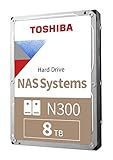
If you’re looking for a reliable hard drive for your small office or home office NAS, the Toshiba N300 8TB Internal Hard Drive is an excellent choice. With a 7200 RPM speed and a generous 512 MB cache, it processes data efficiently. This 3.5-inch SATA drive is built for 24/7 operation, ensuring you can rely on it for continuous use in demanding environments. Plus, its high workload rating of up to 180TB/year and integrated RV sensors help protect against rotational vibrations, enhancing its reliability. Overall, the Toshiba N300 combines performance and durability, making it perfect for your RAID array needs.
Best For: The Toshiba N300 8TB Internal Hard Drive is best for small office and home office environments that require a reliable and high-performance NAS storage solution.
Pros:
- High-speed performance with 7200 RPM for efficient data processing.
- Large 512 MB cache enhances data retrieval and storage efficiency.
- Designed for 24/7 operation, making it suitable for continuous use in demanding scenarios.
Cons:
- As a 3.5-inch drive, it may not be compatible with all portable devices.
- Higher power consumption compared to lower RPM drives may lead to increased energy costs.
- Limited warranty period may not provide long-term assurance for some users.
Western Digital 10TB WD Red Plus NAS Internal Hard Drive

The Western Digital 10TB WD Red Plus NAS Internal Hard Drive stands out as an excellent choice for small to medium businesses seeking reliable and efficient storage solutions for their NAS applications. With its 7200 RPM speed, SATA 6 Gb/s interface, and 512 MB cache, it guarantees fast data transfer rates. Designed for 24/7 use, this drive supports a workload of up to 180 TB/year, making it ideal for heavy data management. Plus, its NASware firmware enhances compatibility with NAS systems. Backed by a 3-year limited warranty, it’s specifically tested for reliability, outperforming standard desktop drives in demanding environments.
Best For: Small to medium businesses requiring reliable storage solutions for NAS applications.
Pros:
- High performance with 7200 RPM speed and 6 Gb/s data transfer rate for efficient data management.
- Designed for 24/7 operation, ensuring reliability in demanding environments.
- NASware firmware enhances compatibility with NAS systems, optimizing performance.
Cons:
- Limited to NAS applications, may not be suitable for general desktop use.
- Higher cost compared to standard desktop hard drives.
- No SSD benefits, such as faster access times and lower power consumption.
Seagate IronWolf 4TB NAS Internal Hard Drive (ST4000VNZ06/006)
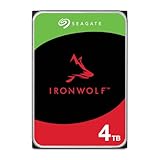
Designed specifically for multi-user environments, the Seagate IronWolf 4TB NAS Internal Hard Drive (ST4000VNZ06/006) stands out as an excellent choice for those managing up to 8-bay NAS systems. With a 5400 RPM speed and a 64MB cache, it’s optimized for enhanced file-sharing performance. This purpose-built drive minimizes noise and vibration, ensuring reliable operation with no lag or downtime. Plus, the integrated IronWolf Health Management system helps monitor drive health, promoting longevity with a 1 million hours MTBF. Backed by a three-year warranty and Rescue Data Recovery Services, it’s a dependable option for your RAID array.
Best For: Users managing multi-user NAS systems with up to 8-bay configurations seeking reliable and efficient storage solutions.
Pros:
- Optimized for enhanced file-sharing performance in multi-user environments.
- Integrated IronWolf Health Management system for proactive drive health monitoring.
- Low noise and vibration levels, ensuring a quieter operational experience.
Cons:
- 5400 RPM speed may not be ideal for users requiring high-performance data access.
- Limited to 4TB capacity, which may not meet the needs of users looking for larger storage options.
- The three-year warranty may be shorter compared to some competitors offering longer coverage.
Seagate IronWolf 8TB NAS Internal Hard Drive (ST8000VNZ04/N004)

For those managing a multi-user environment with up to 8-bay NAS systems, the Seagate IronWolf 8TB NAS Internal Hard Drive (ST8000VNZ04/N004) stands out as an excellent choice. With a 7200 RPM speed and a 256MB cache, it delivers impressive data transfer rates of up to 180MB/s. This drive’s design minimizes noise and vibration, ensuring smooth performance without lag. Plus, the integrated IronWolf Health Management system allows for easy monitoring of drive health. With a five-year warranty and 1 million hours MTBF, you can trust this hard drive for long-term reliability in your RAID setup.
Best For: Users managing multi-user environments with up to 8-bay NAS systems looking for reliable and high-performance storage solutions.
Pros:
- Optimized for NAS with enhanced file-sharing performance and reduced wear and tear.
- Integrated IronWolf Health Management system for easy monitoring of drive health.
- Five-year limited warranty and includes a three-year Seagate Rescue Data Recovery service.
Cons:
- Slightly higher power consumption compared to lower RPM drives.
- May require additional setup for RAID configurations.
- 7200 RPM drives can generate more noise compared to lower RPM alternatives.
Western Digital 4TB WD Red Plus NAS Internal Hard Drive (WD40EFPX)

If you’re looking for a reliable hard drive tailored for Network Attached Storage (NAS) systems, the Western Digital 4TB WD Red Plus is an excellent choice. With a 5400 RPM speed and SATA 6 Gb/s interface, it delivers solid performance. This 3.5″ HDD supports up to 8 bays, making it perfect for small to medium business setups. Its NASware firmware enhances compatibility, while a workload rate of up to 180 TB/year guarantees durability in 24/7 environments. Plus, with a 3-year limited warranty and an MTBF of 90TB/year, you can trust its reliability for your data storage needs.
Best For: Small to medium businesses looking for a reliable and efficient NAS hard drive to support their data storage needs.
Pros:
- High Capacity: Offers up to 14TB of storage, ideal for extensive data requirements.
- Durable Performance: Designed for 24/7 operation with a high workload rate of up to 180 TB/year.
- Enhanced Compatibility: NASware firmware ensures seamless integration with NAS systems.
Cons:
- Speed Limitations: Operates at 5400 RPM, which may be slower compared to higher RPM drives.
- Limited to NAS Use: Primarily designed for NAS, not suitable for standard desktop use.
- Temperature Sensitivity: MTBF may decrease if operated above 40°C, requiring careful thermal management.
Western Digital 8TB WD Red Plus NAS Internal Hard Drive HDD

The Western Digital 8TB WD Red Plus NAS Internal Hard Drive HDD stands out as an excellent choice for small to medium-sized businesses and SOHO customers seeking reliable storage solutions. With a 5640 RPM speed and a robust 256 MB cache, it guarantees smooth performance for your NAS environment. Designed for systems with up to 8 bays, it supports RAID configurations and handles up to 180 TB/year in user data. Its NASware firmware enhances compatibility with various setups, giving you peace of mind. Plus, the 3-year limited warranty adds extra assurance for your investment. Get ready to elevate your storage experience!
Best For: Small to medium-sized businesses and SOHO customers looking for reliable NAS storage solutions.
Pros:
- High capacity of 8TB, ideal for extensive data storage needs.
- Designed for NAS systems, supporting RAID configurations for data redundancy.
- Comes with a 3-year limited warranty for added peace of mind.
Cons:
- Speed of 5640 RPM may be slower compared to SSD alternatives.
- Limited to compatibility with NAS systems, not suitable for general desktop use.
- Heavier weight of 1.58 pounds may be a consideration for installation in some systems.
Western Digital 4TB WD Red Plus NAS Internal Hard Drive
Designed specifically for NAS systems, the Western Digital 4TB WD Red Plus NAS Internal Hard Drive is an ideal choice for small to medium businesses seeking reliable data storage. With a 5400 RPM speed and a SATA 6 Gb/s interface, this 3.5″ HDD delivers solid performance. Its 256 MB cache enhances data transfer efficiency, while NASware firmware guarantees compatibility across various setups. Supporting up to eight bays, it handles a workload rate of 180 TB/year, making it perfect for 24/7 environments. Backed by a 3-year warranty, it’s built to last, offering peace of mind for your critical data.
Best For: Small to medium businesses looking for a reliable and efficient internal hard drive for their NAS systems.
Pros:
- Optimized for NAS: Specifically designed for NAS systems with NASware firmware for enhanced compatibility.
- High Capacity: Offers 4TB of storage, with options available up to 14TB, suitable for various data storage needs.
- Reliable Performance: Built for 24/7 operation with a workload rate of 180 TB/year and a 3-year warranty for peace of mind.
Cons:
- 5400 RPM Speed: Slower speed compared to higher RPM drives, which may impact performance for certain applications.
- Limited to 8 Bays: Designed to support up to eight bays, which may not be sufficient for larger setups.
- Temperature Sensitivity: MTBF may decrease significantly at temperatures above 40°C, potentially affecting longevity in warmer environments.
Western Digital 10TB WD Red Plus NAS Internal Hard Drive
For small to medium businesses looking for reliable storage solutions, the Western Digital 10TB WD Red Plus NAS Internal Hard Drive stands out with its robust performance. Operating at 7200 RPM with a SATA 6 Gb/s interface, it guarantees fast data transfer rates and efficient handling of workloads up to 180 TB per year. This drive, specifically designed for NAS systems, features NASware firmware for enhanced compatibility and reliability. With a 3-year limited warranty, you can trust its durability. If you’re seeking dependable storage for your NAS applications, this drive is an excellent choice for your business needs.
Best For: Small to medium businesses seeking reliable and high-performance storage solutions for NAS applications.
Pros:
- Designed specifically for NAS systems, ensuring optimal compatibility and performance.
- High workload support of up to 180 TB per year, suitable for continuous data transfer needs.
- Comes with a 3-year limited warranty, providing peace of mind regarding durability and reliability.
Cons:
- May be overkill for home users or very small businesses with minimal storage needs.
- Higher price point compared to standard desktop drives, which may not be justified for all users.
- Limited capacity options at the lower end, starting from 1TB, which may not suit all requirements.
BUFFALO LinkStation 220 4TB NAS Network Attached Storage

If you’re looking for a reliable and user-friendly solution for centralized storage and backup, the BUFFALO LinkStation 220 4TB NAS is an excellent choice. It connects seamlessly to your router, providing shared network storage for both Windows and macOS. You’ll enjoy subscription-free personal cloud features for managing your videos, music, and photos, along with automated backups for multiple devices. With SSL encryption, your data remains secure. The NAS ships in RAID 1 for 2TB of usable space, but you can switch to RAID 0 for the full 4TB. Plus, you get 24/7 support and a 2-year warranty.
Best For: Users seeking a reliable and user-friendly network storage solution for centralized backup and file management without subscription fees.
Pros:
- Subscription-free personal cloud capabilities for easy management of media files.
- Automated backup support for multiple devices, enhancing data security and convenience.
- Comes with 24/7 US-based support and a 2-year warranty, including hard drives.
Cons:
- Limited to 2TB usable capacity in RAID 1 configuration unless switched to RAID 0.
- Compatibility issues with macOS versions 26 and later, requiring a different model.
- Closed system may limit functionality with third-party applications.
TERRAMASTER D4-320 External Hard Drive Enclosure

The TERRAMASTER D4-320 External Hard Drive Enclosure stands out with its impressive USB 3.2 Gen2 interface, delivering data transfer speeds of up to 10Gbps. This 4-bay enclosure supports a maximum capacity of 120TB, accommodating both 3.5-inch and 2.5-inch SATA HDDs and SSDs. You’ll appreciate its tool-free design for easy installation and hot-swappable functionality, allowing you to replace drives without powering down. Plus, the intelligent cooling system and noise-reducing features guarantee quiet operation. Compatible with Windows, Mac, and Linux, it’s a versatile choice that simplifies your storage solution while offering reliable performance.
Best For: Users looking for a reliable and high-capacity external hard drive solution for both personal and professional storage needs.
Pros:
- High Data Transfer Speeds: Offers up to 10Gbps with USB 3.2 Gen2 for fast data access and transfer.
- Hot Swappable Design: Allows for easy drive replacement without needing to power down the device.
- Quiet Operation: Features a cooling system and noise reduction technology for a quieter user experience.
Cons:
- Plastic Build: Made from plastic, which may not be as durable as metal enclosures.
- Not NAS Compatible: Functions as Direct Attached Storage (DAS) and cannot be used for network storage.
- Limited to SATA Drives: Only supports SATA HDDs and SSDs, excluding other drive types.
Factors to Consider When Choosing NAS Hard Drives for RAID Arrays
When you’re choosing NAS hard drives for RAID arrays, several key factors come into play. You’ll want to evaluate drive capacity, RPM speed, and cache size, as each impacts performance and storage efficiency. Additionally, understanding workload ratings and RAID compatibility can help you make the best choice for your needs.
Drive Capacity Options
Choosing the right drive capacity for your NAS RAID array is essential for meeting both current and future storage needs. Drive capacities typically range from 1TB to 14TB, allowing you to pick the size that aligns with your requirements. If you have extensive data, like media libraries or business backups, larger drives, such as 10TB or 12TB, are ideal. For home users or small businesses with moderate needs, 4TB drives may suffice. Remember, the total usable capacity in a RAID array corresponds to the smallest drive, so it’s wise to use uniform sizes for best performance. Also, consider future expansion; starting with larger drives can save you the hassle and cost of replacing smaller ones later.
RPM Speed Considerations
Selecting the right drive capacity sets the stage for performance, but RPM speed plays a significant role in how efficiently your NAS RAID array operates. Higher RPM drives, like 7200 RPM, provide faster data access and transfer rates compared to 5400 RPM options. If you’re running demanding applications that need quick data retrieval, 7200 RPM drives are generally your best bet. They achieve greater throughput, making them ideal for RAID configurations that process large data volumes simultaneously. Keep in mind that while higher RPM speeds boost performance, they may also increase power consumption and heat generation. Make certain your NAS environment can handle the cooling requirements that come with these faster drives to maintain reliability during continuous operation.
Cache Size Importance
While you might focus on drive capacity and RPM speed, cache size is equally vital in optimizing the performance of NAS hard drives in RAID arrays. A larger cache, like 512 MB instead of 256 MB, can greatly enhance data processing speeds, particularly in high-demand environments. Drives designed for NAS applications often incorporate increased cache sizes to manage multiple simultaneous requests typical in RAID setups. This temporary data storage reduces latency during transfers, which is essential for applications needing quick access to large datasets. With a higher cache, your RAID system can experience better overall performance, minimizing bottlenecks during read and write operations. So, when selecting NAS hard drives, don’t overlook the importance of cache size.
Workload Ratings Explained
When evaluating NAS hard drives for RAID arrays, understanding workload ratings is essential for ideal performance and reliability. Workload ratings, usually measured in terabytes per year (TB/year), indicate how much user data a hard drive can handle annually without sacrificing performance. Most NAS drives boast a rating of up to 180 TB/year, which suits small to medium business operations. These ratings are calculated by considering the amount of data transferred and the drive’s power-on hours. Drives with higher workload ratings are built for intense usage, making them ideal for RAID setups where data is accessed frequently. Choosing drives with suitable workload ratings is vital for maintaining data integrity and ensuring longevity, especially in environments with 24/7 operation.
RAID Compatibility Features
To guarantee ideal performance in your RAID setup, it’s crucial to take into account various RAID compatibility features when choosing NAS hard drives. Look for drives with specific firmware, like NASware technology, which enhances reliability during RAID operations. Confirm the drives support a workload rate of up to 180 TB/year, aligning with your RAID configuration for maximum performance. Selecting hard drives with similar specifications—speed, cache, and capacity—will help maintain balanced performance and prevent bottlenecks. Additionally, consider drives with vibration resistance features, such as integrated RV sensors, to enhance stability. Finally, opt for drives supporting hot-swapping, allowing you to replace drives without downtime, confirming your data remains accessible at all times.
Warranty and Support
Considering the warranty and support options is essential when you’re choosing NAS hard drives for RAID arrays. A longer warranty, typically ranging from 3 to 5 years, often indicates the manufacturer’s confidence in the product’s reliability. This peace of mind is vital for safeguarding your critical data. You should also look for robust support services, such as 24/7 customer assistance and data recovery options, which can minimize downtime during drive failures. Understanding warranty terms, especially regarding data recovery and replacement drives, can greatly affect your overall cost of ownership. Don’t forget to check the manufacturer’s support reputation and the availability of firmware updates, as these can enhance drive performance and compatibility within your RAID setup.
