
When you’re tackling video editing on your Mac Studio, the right external SSD can make all the difference. With so many options available, it’s essential to find a setup that boosts your workflow without compromising on performance. From speedy transfers to rugged designs, the best SSDs cater to various needs. Curious about which models stand out and how they can enhance your editing efficiency? Let’s explore the top choices that can elevate your projects.
SanDisk 1TB Extreme Portable SSD (SDSSDE61-1T00-G25)

If you’re a video editor seeking reliable and high-speed storage, the SanDisk 1TB Extreme Portable SSD (SDSSDE61-1T00-G25) is an excellent choice. With read speeds up to 1050MB/s and write speeds of 1000MB/s, it guarantees smooth editing sessions. This durable SSD boasts an IP65 rating for water and dust resistance, and it can withstand drops from up to 3 meters. It features 256-bit AES hardware encryption for added security and is compatible with both Windows and macOS. Plus, with a 5-year warranty and rave reviews, you can trust this SSD to keep your projects safe and efficient.
Best For: Video editors and creative professionals seeking fast, reliable, and portable storage solutions.
Pros:
- High-speed performance with read speeds up to 1050MB/s and write speeds of 1000MB/s for efficient editing.
- Durable design featuring IP65 water and dust resistance and drop protection up to 3 meters.
- Enhanced security with 256-bit AES hardware encryption for protecting sensitive files.
Cons:
- Requires software download for full compatibility with macOS.
- Higher price point compared to traditional external hard drives.
- Performance may vary based on host device and usage conditions, potentially affecting speed.
Samsung T7 Portable SSD, 1TB External Solid State Drive

The Samsung T7 Portable SSD, 1TB External Solid State Drive, is perfect for video editors who need speed and reliability on the go. With lightning-fast read/write speeds of up to 1,050/1,000 MB/s, it nearly doubles the performance of its predecessor, the T5. Its compact design, combined with shock resistance and a durable aluminum unibody, guarantees it can withstand your busy lifestyle. Plus, it supports Ultra High Resolution (4K 60fps) video recording, making it ideal for your editing projects. With extensive compatibility across devices, this SSD is a must-have for optimizing your video editing workflow effortlessly.
Best For: The Samsung T7 Portable SSD is best for video editors and creative professionals who require high-speed data transfer and reliability while on the go.
Pros:
- Lightning-fast read/write speeds of up to 1,050/1,000 MB/s, enhancing productivity.
- Compact and durable design with shock resistance, making it suitable for travel.
- Extensive compatibility with various devices, perfect for diverse applications.
Cons:
- Higher price point compared to traditional external hard drives.
- Limited write endurance may be a concern for heavy users.
- No built-in encryption or security features without additional software.
Lexar ES3 1TB External SSD

For video editors seeking a reliable and high-speed storage solution, the Lexar ES3 1TB External SSD stands out with its impressive read speeds of up to 1050MB/s and write speeds of up to 1000MB/s. Utilizing USB 3.2 Gen 2, it guarantees rapid file transfers, though performance may dip without this standard. Its sleek, durable design weighs just 42g and measures 10.5mm thick, making it easy to carry around. Compatible with a variety of devices, including the iPhone 15 series and gaming consoles, it also features Lexar DataShield™ 256-bit AES encryption for secure data protection.
Best For: Video editors and gamers who need fast, portable storage with robust data protection.
Pros:
- High-speed performance with read speeds up to 1050MB/s and write speeds up to 1000MB/s for quick file transfers.
- Compact and lightweight design makes it easy to carry, weighing only 42g and measuring 10.5mm thick.
- Data protection through Lexar DataShield™ 256-bit AES encryption ensures secure storage of sensitive files.
Cons:
- Performance may decrease if not connected using USB 3.2 Gen 2, potentially affecting transfer speeds on some systems.
- Incompatibility with iPhone 14 and older models may limit usage for some users.
- Dependence on cable for connectivity, which could be a drawback for users preferring wireless options.
Samsung T9 Portable SSD 2TB

Designed for video editors on the go, the Samsung T9 Portable SSD 2TB delivers lightning-fast read speeds of up to 2,000MB/s, making it an excellent choice for those needing quick access to large video files. Its compact 2.5-inch form factor and lightweight design guarantee portability without sacrificing performance. With USB 3.2 Gen 2×2 support, you’ll experience exceptional efficiency during your editing sessions. Dynamic Thermal Guard technology maintains ideal temperatures, enhancing reliability. Plus, the included Magician Software allows for firmware updates and health monitoring. Backed by a 5-year warranty, it’s a dependable addition to your video editing arsenal.
Best For: Video editors and content creators who need fast, reliable access to large files while on the go.
Pros:
- High-speed performance with read speeds up to 2,000MB/s for efficient file transfers and editing.
- Compact and lightweight design allows for easy portability without compromising on storage capacity.
- Dynamic Thermal Guard technology ensures optimal operating temperatures, enhancing reliability during heavy use.
Cons:
- Requires USB 3.2 Gen 2×2 support to achieve maximum speeds, which may not be available on all devices.
- Price point may be higher compared to traditional external hard drives, which could deter budget-conscious buyers.
- Limited to 5-year warranty, which may not be as extensive as some competitors offer.
Corsair EX400U Survivor 1TB USB4 External SSD

When you need lightning-fast transfer speeds for video editing, the Corsair EX400U Survivor 1TB USB4 External SSD stands out as a top choice. With read speeds up to 4,000 MB/sec and write speeds reaching 3,600 MB/sec, it guarantees your data moves quickly. The rugged, IP55-rated design protects against dust and water, making it perfect for on-the-go use. Plus, its plug-and-play functionality means you can get started immediately without any complicated setup. Compatible with PC, Mac, and iPad, this SSD performs exceptionally with USB4 or Thunderbolt 4 hosts, assuring your editing workflow stays smooth and efficient.
Best For: Professionals and creatives who require high-speed data transfer for video editing and other intensive tasks while needing a durable and portable storage solution.
Pros:
- High-speed performance: Offers read speeds up to 4,000 MB/sec and write speeds up to 3,600 MB/sec, ideal for large file transfers.
- Rugged design: IP55-rated protection against dust and water makes it suitable for use in various environments.
- Ease of use: Plug-and-play functionality with no drivers or setup required, allowing for immediate use.
Cons:
- Price point: May be more expensive compared to standard external SSDs without the same speed or durability features.
- Limited maximum performance: Optimal speeds require a USB4 or Thunderbolt 4 connection, which may not be available on all devices.
- Capacity constraints: At 1TB, it may not be sufficient for users with extensive storage needs.
Corsair EX400U 2TB USB4 Portable External SSD

The Corsair EX400U 2TB USB4 Portable External SSD stands out with its impressive read speeds of up to 4,000MB/s, making it an ideal choice for video editors who need rapid access to large files. With a write speed of up to 3,600MB/s, you’ll experience seamless data transfers. Its compact 2.5-inch form factor and lightweight design (just 0.2 pounds) make it easy to carry. Plus, the USB4 connectivity guarantees compatibility with various devices, including Thunderbolt 4. The plug-and-play setup simplifies your workflow, while the included Corsair SSD Toolbox allows for in-depth control over your storage.
Best For: Video editors and professionals who require fast data transfer speeds for large files.
Pros:
- High read and write speeds of up to 4,000MB/s and 3,600MB/s facilitate efficient workflows.
- Compact and lightweight design (2.5 inches, 0.2 pounds) makes it portable and easy to carry.
- Broad compatibility with USB4, Thunderbolt 4, and various operating systems enhances versatility.
Cons:
- Higher price point compared to traditional external hard drives may be a drawback for budget-conscious users.
- Limited warranty of 3 years might not be sufficient for users seeking long-term reliability.
- Potential overheating during extended use, as reported by some users, could affect performance.
Lexar 1TB ES5 Magnetic External SSD
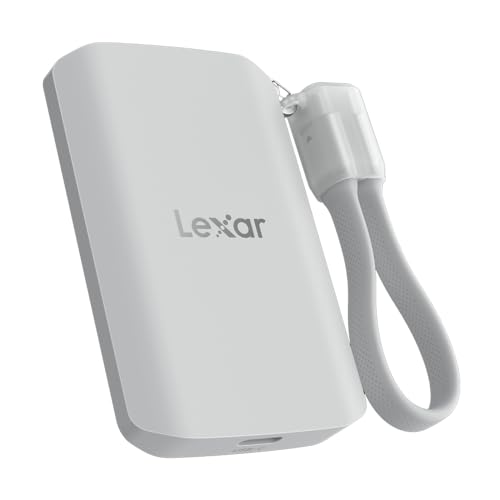
If you’re a video editor looking for speed and reliability, the Lexar 1TB ES5 Magnetic External SSD is an excellent choice. With read and write speeds of up to 2000MB/s, it handles demanding projects effortlessly. It’s compatible with MagSafe, USB-C smartphones, and both PC and Mac systems, making it versatile. Capture stunning visuals with support for Apple ProRes at 4K120FPS and Samsung Pro Video at 8K 30FPS. Its stylish design features a magnetic attachment and an IP65 rating for dust and water resistance, ensuring durability. Plus, the Lexar App provides easy backup and storage expansion, optimizing your workflow.
Best For: Video editors and content creators seeking high-speed and reliable external storage solutions.
Pros:
- Up to 2000MB/s read and write speeds for efficient handling of large files and projects.
- IP65 rated for dust and water resistance, ensuring durability in various environments.
- Compatible with multiple devices including MagSafe, USB-C smartphones, PCs, and Macs.
Cons:
- Performance may be lower on non-USB 3.2 Gen 2×2 systems, limiting speed on older devices.
- Magnetic attachment capability requires an additional metal ring accessory for optimal use.
- Limited to specific formats for high-resolution video recording, which may not suit all users’ needs.
Crucial X10 4TB Portable SSD
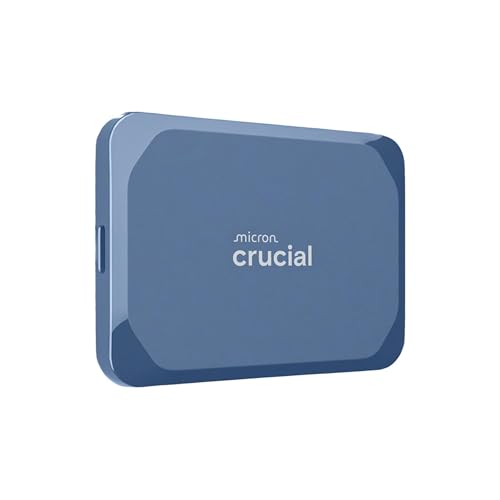
For creators on the go, the Vital X10 4TB Portable SSD stands out as an essential tool in your video editing arsenal. With lightning-fast read speeds of up to 2,100MB/s, it’s perfect for storing high-resolution videos, photos, and backups. Its compact design makes it incredibly portable, while IP65-rated dust and water resistance guarantees durability in tough conditions. You’ll appreciate the drop protection up to 9.8 ft, allowing you to work confidently anywhere. Compatible with a range of devices, it connects easily via USB-C or USB-A, streamlining your workflow. Plus, it comes with useful software and a 3-year warranty for peace of mind.
Best For: Creators, students, and PC gamers who need a reliable and high-speed storage solution for their files on the go.
Pros:
- Lightning-fast read speeds of up to 2,100MB/s, significantly outperforming traditional hard drives.
- Durable design with IP65-rated dust and water resistance, plus drop protection up to 9.8 ft (3 meters).
- Wide compatibility with multiple devices, including Windows, Mac, and gaming consoles, ensuring easy file transfers.
Cons:
- Higher price point compared to traditional hard drives, which may not be justified for casual users.
- Limited write speed performance may not match read speeds for all users, especially with large file transfers.
- Potential overkill for users with minimal storage needs who may not require 4TB of capacity.
Lexar 2TB Professional Go Portable SSD

Looking for a reliable and portable SSD that can keep up with your video editing demands? The Lexar 2TB Professional Go Portable SSD is an excellent choice. It boasts impressive read speeds of up to 1050MB/s and write speeds of 1000MB/s, making data transfers swift and efficient. Its compact design is perfect for on-the-go editing, while rugged features like dust and water resistance guarantee durability. Plus, with four USB Type-C ports, you can easily connect peripherals. Compatible with various devices, including iPhones, this SSD also comes with a five-year warranty, giving you peace of mind during your projects.
Best For: Video editors and content creators who need a fast, portable, and durable storage solution for high-resolution footage.
Pros:
- Fast performance with read speeds up to 1050MB/s and write speeds of 1000MB/s for efficient data transfers.
- Rugged design with IP65 rating for dust and water resistance, plus drop resistance up to 1 meter.
- Versatile connectivity with four USB Type-C ports to connect multiple peripherals and devices.
Cons:
- Compatibility issues may arise with iPhone 17 due to updated power requirements.
- Limited storage capacity at 2TB may not be sufficient for users with extensive data needs.
- Lightweight design may make it feel less robust compared to heavier alternatives, potentially leading to concerns about durability over time.
CORSAIR EX300U 1TB Portable External USB-C SSD

The CORSAIR EX300U 1TB Portable External USB-C SSD stands out as an ideal choice for video editors who need fast and reliable storage on the go. With its USB 3.2 Type-C Gen 2 connection, you’ll enjoy transfer speeds up to 1,100MB/sec, making file management a breeze. This compact SSD is compatible with multiple operating systems, ensuring flexibility in your workflow. Plus, its MagSafe-compatible magnetic ring allows easy attachment to your mobile devices. Designed for durability, it’s perfect for travel, fitting snugly in your pocket. Optimize your editing experience and keep your projects moving seamlessly with this powerful external SSD.
Best For: Video editors and professionals who need fast, reliable, and portable storage solutions for on-the-go workflows.
Pros:
- High-speed performance: Transfer and edit files quickly with read and write speeds up to 1,100MB/sec.
- Wide compatibility: Works seamlessly with Windows, macOS, iOS, iPadOS, and Android devices.
- Compact and durable design: Easy to carry in your pocket and tough enough for travel.
Cons:
- Performance varies by capacity: Actual speeds may differ based on the capacity of the SSD.
- Limited to USB Type-C devices: Older devices without USB Type-C ports may require adapters.
- MagSafe feature may not be useful for all users: The magnetic ring may not appeal to those who don’t use MagSafe-compatible devices.
Factors to Consider When Choosing Mac Studio External SSD Setups for Video Editing
When you’re picking an external SSD for your Mac Studio, consider several key factors. Speed and performance metrics are essential for smooth video editing, while durability guarantees your drive withstands the rigors of travel. Don’t forget to check compatibility, storage capacity, and design to suit your workflow.
Speed and Performance Metrics
Speed plays a pivotal role in video editing, especially when selecting external SSDs for your Mac Studio. Look for SSDs offering read speeds up to 4,000MB/s and write speeds around 3,600MB/s to boost your workflow efficiency. The interface type matters too; opt for USB 3.2 Gen 2 or USB4 connections to achieve higher data transfer rates. If you’re using high-resolution formats like 4K or 8K, choose SSDs that support PCIe NVMe technology, which can provide nearly double the speeds of traditional SATA drives. Sustained read and write speeds around 1,000MB/s are essential for handling large video files, ensuring smooth editing and playback, especially during intensive tasks. Prioritize these metrics for an ideal editing experience.
Durability and Protection Features
In video editing, having a fast external SSD is just part of the equation; durability and protection features are equally important. Look for SSDs with a minimum IP65 rating for water and dust resistance, ensuring your data stays safe in various environments. It’s essential to evaluate models that offer drop protection, ideally up to 3 meters, for added security during transport and use. Rugged designs and heavy-duty housings can withstand daily impacts, protecting your investment. Additionally, thermal management features help maintain ideal temperatures during intensive editing sessions. Finally, check the warranty options—longer warranties can give you peace of mind about the SSD’s durability and reliability, making it a smart choice for your video editing needs.
Compatibility With Devices
Choosing an external SSD for your Mac Studio setup involves more than just speed; compatibility is crucial to confirm seamless workflows. First, verify the SSD works with macOS, as some models may need specific software for full functionality. Look for drives supporting USB-C or USB 3.2 Gen 2 interfaces for ideal data transfer speeds during video editing. Confirm that the SSD can handle high-resolution formats like 4K or 8K, which require robust performance specs. If you plan to use the SSD across multiple devices, check for any compatibility limitations, especially with iPhones or gaming consoles. Finally, consider SSDs that offer backward compatibility with older USB standards for easy connectivity throughout your editing setup.
Storage Capacity Options
When setting up your Mac Studio for video editing, storage capacity plays a pivotal role in ensuring you have enough space for your projects. For high-resolution video files, especially 4K and 8K, a minimum of 1TB is recommended. You’ll find external SSDs ranging from 1TB to 4TB, giving you the flexibility to choose based on your needs. If you work on multiple projects simultaneously or need extensive backups, consider opting for 2TB or 4TB capacities. Keep in mind future storage requirements as video projects tend to grow in size and complexity. Also, remember that higher-capacity SSDs often deliver improved performance for large file transfers, enhancing your overall editing experience.
Portability and Design Considerations
To effectively manage your video editing workflow, considering portability and design is essential. When selecting an external SSD, prioritize a compact and lightweight design. This makes transporting your drives hassle-free, especially on the go. Look for rugged options with dust and water resistance (IP65 rating or higher), which can endure harsh environments during outdoor shoots. Also, choose drives with plug-and-play functionality for quick connections without the need for extra drivers. The form factor matters too; smaller, thinner models fit conveniently in bags or pockets. Finally, opt for SSDs weighing less than 200 grams to enhance portability during extended editing sessions. These factors will guarantee your editing experience remains efficient and stress-free.
