
Choosing the right Linux workstation for CUDA development is about more than raw CPU speed. You need the right GPU path, enough memory for large models, and storage that can keep datasets moving without bottlenecks.
Below, we’ve narrowed the field to eight standout systems that suit everything from compact AI prototyping to serious workstation-class development and training.
Best 8 Linux Workstations for Cuda Development Picks for 2026
Best for Local AI Model Workloads
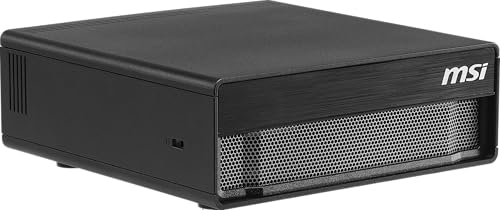
- 128GB unified memory for large local models
- DGX OS offers a Linux-based AI dev environment
- 4TB Gen5 SSD speeds up model and dataset access
Best For: Developers and researchers who want a compact Linux AI workstation for local model training and inference.
High-Performance CUDA Workstation
NOVATECH AI Workstation i9 RTX 5080

- RTX 5080 with 16GB VRAM for CUDA and AI workloads
- 64GB DDR5 RAM plus 2TB NVMe SSD for heavy projects
- Liquid cooling and 850W PSU for sustained performance
Best For: Developers and researchers needing a powerful CUDA-ready Linux desktop for AI and simulation.
Best AI Supercomputer Pick
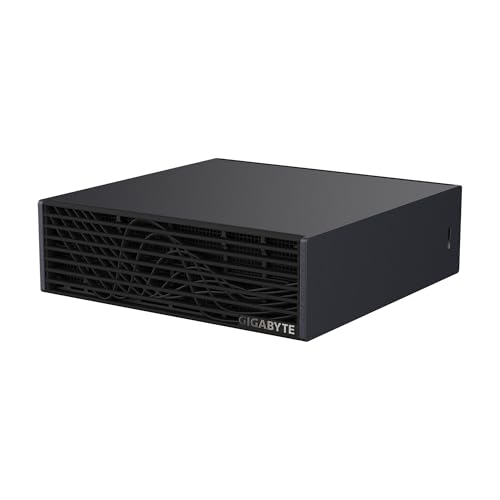
- Blackwell-based AI performance for local model work
- 128GB unified memory suits large CUDA-adjacent workloads
- Compact desktop design with 4TB fast NVMe storage
Best For: Developers and researchers who want a compact, AI-first Linux system for local model development.
Best Compact AI Workstation

- Core Ultra 9 285H with 32GB DDR5 and 1TB SSD
- Supports Linux and Ubuntu for development use
- USB4 and quad-display support in a tiny chassis
Best For: Developers who want a quiet, space-saving Linux mini PC for coding, multitasking, and light AI work.
Best for Local AI Training
NVIDIA DGX Spark 2 Pack Desktop Supercomputer
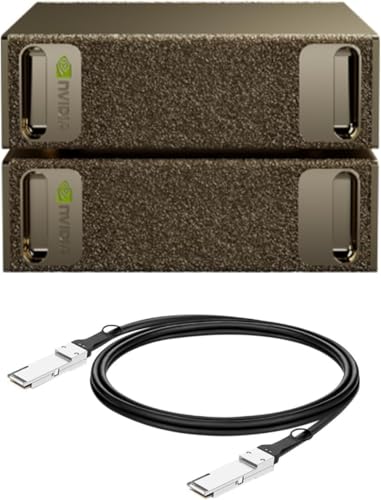
- Up to 1 petaFLOP of AI performance for local development
- 128GB unified memory per unit for larger models and datasets
- Built around the NVIDIA AI software stack for CUDA workflows
Best For: Developers and research teams who need a compact CUDA-ready AI workstation for local fine-tuning and testing.
Best Edge AI Starter
NVIDIA Jetson Orin Nano Super Dev Kit

- Up to 40 TOPS with an Ampere GPU
- Dual MIPI CSI connectors for camera projects
- Strong NVIDIA software stack for robotics and vision
Best For: Edge AI, robotics, and vision developers who want a compact Jetson prototyping kit.
Best for Heavy CUDA Workloads
Sentinel Threadripper PRO 9995WX Workstation

- 96-core Threadripper PRO for massive parallel compute
- RTX PRO 6000 with 96GB VRAM for large CUDA jobs
- 384GB ECC RAM and Gen5 SSD for big workflows
Best For: Developers and ML teams running large CUDA projects, training jobs, and workstation-heavy creative workloads.
Best for Local AI Model Workloads – MSI EdgeXpert AI Mini Desktop
If you want one of the more capable linux workstations for cuda development in a compact desktop form, the MSI EdgeXpert stands out for local model work, fast storage, and a Linux-based NVIDIA DGX OS setup. It is aimed at developers who care more about AI throughput, unified memory, and edge deployment than traditional workstation expandability.
Best For: Developers, researchers, and teams running large local AI models, inference jobs, and Linux-based CUDA-adjacent workflows in a space-saving system.
Pros:
- 128GB unified memory is well suited for large models and data-heavy AI workflows
- DGX OS provides an Ubuntu Linux-based environment tuned for AI development
- Fast 4TB Gen5 NVMe storage helps with quick model loading and local datasets
- Compact design reduces clutter without sacrificing serious AI performance
Cons:
- Arm-based platform may not fit every existing CUDA or x86 software stack
- More specialized for AI work than general-purpose workstation upgrades
- Premium hardware means it is unlikely to be a value pick
This is a strong choice if your priority is running large AI workloads locally on Linux, but buyers should confirm application compatibility before treating it as a universal option among linux workstations for cuda development.
High-Performance CUDA Workstation – NOVATECH AI Workstation i9 RTX 5080
If you want one of the more capable linux workstations for cuda development, this NOVATECH tower is built around a Core i9-14900K and RTX 5080, giving you plenty of headroom for training, testing, and multi-tasking. It leans hard into compute-first workloads, with enough RAM and fast SSD storage to keep large projects responsive.
Best For: Developers and researchers who need a fast CUDA-capable desktop for AI, ML, simulation, and GPU-accelerated workflows on Linux.
Pros:
- RTX 5080 with 16GB VRAM is a strong fit for CUDA and AI workloads
- 64GB DDR5 RAM and 2TB NVMe SSD help with large datasets and active projects
- Core i9-14900K delivers high CPU throughput for preprocessing and mixed workloads
- Liquid cooling and 850W Gold PSU support sustained performance under load
Cons:
- Not a compact or low-power workstation
- May be more machine than needed for lighter development tasks
- Linux setup details are not explicitly listed, so driver and OS compatibility may need verification
For buyers comparing linux workstations for cuda development, this NOVATECH model stands out for raw GPU and CPU performance rather than workstation minimalism. It is a good match if you want a ready-to-run desktop with serious headroom for deep learning and GPU compute.
Best AI Supercomputer Pick – GIGABYTE AI TOP Atom
For teams building linux workstations for cuda development, the GIGABYTE AI TOP Atom stands out as a compact desktop system built around NVIDIA’s Blackwell platform and a large unified memory pool. It is aimed at local model work, fast iteration, and AI-centric development rather than a traditional general-purpose tower.
Best For: Developers and researchers who want a desk-friendly, high-memory AI system for local LLM work, fine-tuning, and CUDA-adjacent workflows that benefit from NVIDIA’s software stack.
Pros:
- 1 petaFLOP-class AI performance with Blackwell Tensor Cores
- 128GB unified memory helps with large models and memory-heavy workloads
- 4TB PCIe 5.0 NVMe SSD gives you plenty of fast local storage
- Compact form factor makes it easier to fit on a development desk
Cons:
- It is specialized for AI workflows, not a broad-purpose Linux tower
- Higher-end platform cost may be overkill for lighter CUDA projects
- Arm-based design may not match every x86 software expectation
This is a strong niche choice if your priority is local AI experimentation on linux workstations for cuda development, especially when unified memory and NVIDIA tooling matter more than maximum general-purpose flexibility.
Best Compact AI Workstation – GEEKOM IT15 AI Mini PC
If you want a small desktop that can still handle demanding Linux workstations for cuda development, the GEEKOM IT15 is worth a look for its strong CPU, fast DDR5 memory, and flexible display/output options. It’s not a true NVIDIA-CUDA box, but it can still serve as a capable compact Linux workstation for coding, multitasking, AI-assisted workflows, and general development tasks.
Best For: Developers who want a quiet, space-saving Linux mini PC for coding, multitasking, and light AI or GPU-accelerated work.
Pros:
- Intel Core Ultra 9 285H with 32GB DDR5 and 1TB Gen 4 SSD for fast everyday dev work
- Supports Linux and Ubuntu, making it easy to set up a compact workstation
- USB4, dual HDMI, and 8K quad-display support for a multi-monitor desk setup
- Quiet cooling and 24/7-rated build suit office or lab environments
Cons:
- Uses Intel Arc graphics, so it’s not ideal if you specifically need NVIDIA CUDA GPU support
- Mini PC graphics and thermals are better for development than heavy sustained rendering or training
For linux workstations for cuda development, the IT15 makes the most sense as a compact host for coding, testing, and general AI workflows, while users who need full CUDA acceleration will still want an NVIDIA-based machine or an eGPU plan.
Best for Local AI Training – NVIDIA DGX Spark 2 Pack Desktop Supercomputer
For builders comparing linux workstations for cuda development, the NVIDIA DGX Spark 2 Pack stands out as a compact desktop system built to handle AI-heavy workflows locally. Its Grace Blackwell architecture, 128GB of unified memory per unit, and tight integration with the NVIDIA AI software stack make it a strong fit when you want to prototype, fine-tune, and validate models without immediately relying on remote infrastructure.
Best For: Developers and research teams who want a local CUDA-ready AI workstation for rapid experimentation, model testing, and deployment prep.
Pros:
- Grace Blackwell hardware delivers up to 1 petaFLOP of AI performance for demanding local workloads.
- 128GB unified memory per unit helps with larger models and faster iteration on desktop.
- Designed to integrate with the NVIDIA AI software stack for smoother local-to-production workflows.
- Compact, energy-efficient design suits desk-side deployment instead of rack space.
Cons:
- Premium pricing makes it better suited to serious development teams than casual users.
- It is specialized for AI and CUDA-oriented work, so it may be overkill for general workstation tasks.
As a result, this is one of the more specialized linux workstations for cuda development if your priority is local AI experimentation at serious scale rather than a traditional all-purpose desktop. It makes the most sense when software compatibility, memory capacity, and fast iteration matter more than cost efficiency.
Best Compact Linux AI Dev Box – ASUS NUC 14 Pro Mini Desktop
If you want linux workstations for cuda development in a small, quiet footprint, this ASUS NUC 14 Pro is a practical pick for CPU-heavy coding, containers, and general ML tooling. It is not a native CUDA workstation, but the 64GB of RAM, 2TB SSD, Thunderbolt 4, and portable mini-PC design make it a strong Linux dev platform for workflows that pair with an external GPU setup.
Best For: Developers who want a compact Linux workstation for local coding, multitasking, and an external-GPU-friendly setup.
Pros:
- 64GB DDR5 RAM and 2TB SSD give you plenty of headroom for large projects and containers
- Thunderbolt 4 and Type-C connectivity help with fast peripherals and external expansion
- Very small form factor fits cleanly on a desk, in a lab, or in a tight office
- Intel Ultra 7 platform is strong for everyday Linux development workloads
Cons:
- Integrated Intel Arc graphics are not a replacement for an NVIDIA CUDA GPU
- May require an external GPU enclosure to make sense for CUDA-specific work
- Mini-PC cooling and power limits are less ideal than a full tower for sustained GPU training
For linux workstations for cuda development, this is best viewed as a compact host machine rather than a full CUDA training box. If your workflow centers on coding, testing, remote training access, and occasional local acceleration through an external GPU, it offers a tidy and capable Linux foundation.
Best Edge AI Starter – NVIDIA Jetson Orin Nano Super Dev Kit
If you want a compact NVIDIA platform for prototyping, the Jetson Orin Nano Super Developer Kit is a smart pick for linux workstations for cuda development that lean into edge AI, robotics, and vision workloads. It brings an Ampere GPU, a 6-core ARM CPU, and up to 40 TOPS in a small reference kit that’s ready for cameras, sensors, and modern AI models.
Best For: Developers building entry-level edge AI, robotics, and vision prototypes who want a Jetson platform with strong software support.
Pros:
- Up to 40 TOPS and an Ampere GPU for modern AI inference
- Great connector set, including dual MIPI CSI camera inputs
- Works with NVIDIA’s AI stack, including Isaac, DeepStream, and Riva
- Compact dev kit that simplifies starting Jetson-based projects
Cons:
- Not a general-purpose desktop workstation for heavy local training
- 8GB module is limiting for larger models and multitasking
- Best suited to edge deployment workflows rather than big server-scale CUDA jobs
Overall, this kit makes sense when you want a low-friction path into embedded CUDA and AI development rather than a full desktop replacement. For linux workstations for cuda development focused on robotics or smart camera apps, it offers the right mix of hardware, expandability, and NVIDIA software support.
Best for Heavy CUDA Workloads – Sentinel Threadripper PRO 9995WX Workstation
If you need one of the most capable linux workstations for cuda development, this Sentinel tower is built around brute-force compute and generous memory headroom. The 96-core Threadripper PRO CPU, RTX PRO 6000 GPU with 96GB of VRAM, and 384GB of ECC DDR5 make it a strong fit for large models, parallel builds, and GPU-heavy research.
Best For: Developers, ML teams, and creators who need an ultra-powerful workstation for CUDA training, rendering, and large-scale multitasking.
Pros:
- 96-core Threadripper PRO CPU gives it serious compile, simulation, and multitasking muscle
- RTX PRO 6000 with 96GB VRAM is excellent for large CUDA datasets and demanding AI workloads
- 384GB ECC RAM and fast Gen5 SSD storage help keep big projects responsive
- Workstation-class build and warranty support suit long-duty development setups
Cons:
- Windows 11 Pro ships preinstalled, so Linux users should plan for a fresh install
- Very expensive for anyone who does not need this level of GPU and memory capacity
- Large tower design is overkill for compact desks or portable setups
For linux workstations for cuda development, this is a heavyweight option that prioritizes raw throughput, memory capacity, and pro-grade GPU resources over portability or value. If your workflow involves big models, long training runs, or heavy parallelism, it is one of the most capable desktop-class choices here.
How We Picked These Linux Workstations for Cuda Development
We focused on systems that make sense for real CUDA workflows: strong GPU capability, enough system memory for modern AI tooling, fast NVMe storage, and a hardware profile that fits Linux-friendly development. We also favored machines that offer practical upgrade paths, useful connectivity, and configurations suited to iterative experimentation rather than just benchmark numbers.
Quick Comparison
If you need a compact desktop for local prototyping, the mini AI systems are the easiest to place on a desk or lab bench. If your work involves larger models, heavier preprocessing, or multi-user throughput, a high-core workstation with expansive RAM and pro-class graphics is the safer choice. The most capable options in this roundup lean toward workstation towers and specialized AI systems, while the mini PCs and developer kits are better for edge inference, learning, and lightweight builds.
Key Buying Factors for Linux Workstations for Cuda Development
GPU Support and CUDA Compatibility
CUDA development depends on NVIDIA hardware, driver support, and a Linux stack that behaves predictably. Confirm the GPU architecture, available VRAM or unified memory, and whether the system is intended for local development, inference, or heavier training. For many users, the GPU matters more than the CPU once compilation and data prep are under control.
Memory Capacity
Large models, containers, notebooks, and preprocessing pipelines consume memory quickly. For Linux Workstations for Cuda Development, 32GB is a practical minimum for entry-level work, 64GB is a more comfortable baseline, and 128GB or more is preferable for larger datasets, multiple services, and advanced experimentation.
Storage Speed and Capacity
Fast PCIe Gen4 or Gen5 NVMe storage improves dataset loading, project builds, and checkpoint handling. Capacity matters too: AI workloads can fill drives fast, so 2TB is a sensible starting point and 4TB or more is ideal if you keep multiple model versions locally.
Thermals, Power, and Form Factor
Compact systems are convenient, but sustained CUDA work generates heat. A liquid-cooled tower or a purpose-built AI desktop can hold performance longer under load. Consider noise, power delivery, and chassis airflow if you expect long training sessions.
Who Should Buy Which Linux Workstations for Cuda Development?
Choose a mini PC or developer kit if you want a quiet, space-saving platform for learning, edge inference, container testing, or remote development. Pick a mainstream AI desktop if you need a balanced machine for coding, model iteration, and general productivity. Go with a high-end workstation tower if your workloads involve large datasets, heavy multitasking, or the need for maximum RAM and expansion headroom. For labs and teams, multi-pack AI desktops can simplify standardization and deployment.
The best choice depends on whether you value portability, simplicity, or raw headroom. If your CUDA workflow is growing quickly, it usually pays to buy the system you can outgrow the slowest.
