
If you’re a creator looking for a laptop that combines power and performance, the 2025 landscape offers some impressive options. With Intel Core Ultra processors packing 8 to 16 cores, these machines are designed to handle your demanding tasks. From stunning OLED displays to ample RAM and storage, you’ll find the right fit for your creative needs. Let’s explore the top models that can elevate your workflow to the next level.
ASUS Vivobook S16 AI PC Laptop (16″, 32GB RAM, 1TB SSD)
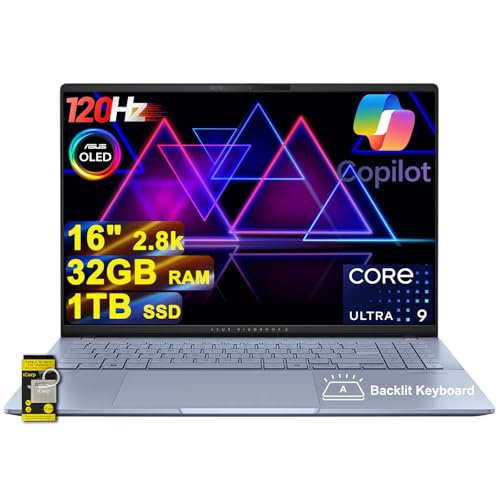
If you’re a creator seeking power and performance, the ASUS Vivobook S16 AI PC Laptop stands out with its impressive 16-inch 2.8k OLED display. With a resolution of 2880×1800 and a 120Hz refresh rate, your visuals will pop. The 32GB DDR5 RAM and 1TB SSD guarantee smooth multitasking and ample storage for your projects. Powered by the Intel 16-core Ultra 9 285H processor and integrated Intel Arc 140T GPU, you’ll experience exceptional processing speed. Plus, it features a sleek design, RGB backlit keyboard, and a FHD IR privacy camera, making it perfect for both work and play.
Best For: Creators and professionals seeking a powerful laptop for multitasking and high-quality visuals.
Pros:
- High-resolution 2.8k OLED display with a 120Hz refresh rate for stunning visuals.
- Ample memory and storage with 32GB RAM and 1TB SSD for seamless performance and plenty of project space.
- Versatile connectivity options including multiple Thunderbolt and USB ports for enhanced productivity.
Cons:
- Integrated graphics may not perform as well in high-end gaming compared to dedicated GPUs.
- Weight of 3.31 lbs could be heavier for users looking for ultra-portable devices.
- Limited warranty period may raise concerns for long-term durability.
ASUS Vivobook S 14 Laptop (16GB RAM, 1TB SSD)

The ASUS Vivobook S 14 Laptop is an exceptional choice for creators and designers, thanks to its powerful Intel Octa-core Ultra 5 processor and vibrant 14″ WUXGA OLED display. Weighing just 2.87 lbs and measuring 0.63 inches thick, it’s portable enough for on-the-go professionals. With 16GB of DDR5 RAM and a 1TB SSD, you’ll experience lightning-fast performance and ample storage for your projects. The Harman/Kardon speakers and Dolby Atmos enhance your audio experience, while the RGB backlit keyboard adds a stylish touch. Plus, with versatile ports like Thunderbolt 4, staying connected is a breeze.
Best For: Creators, designers, and business professionals seeking a powerful and portable laptop for their projects.
Pros:
- Lightweight and portable: Weighs only 2.87 lbs, making it easy to carry for on-the-go use.
- Vibrant display: 14″ WUXGA OLED screen with 600nits HDR peak brightness for stunning visuals.
- Strong performance: Equipped with an Intel Octa-core Ultra 5 processor, 16GB RAM, and 1TB SSD for fast and efficient multitasking.
Cons:
- Integrated graphics: May not be sufficient for high-end gaming or intensive graphical tasks.
- Limited upgradeability: RAM is soldered and may not be upgradable in the future.
- Price point: Might be on the higher side compared to entry-level laptops with similar specifications.
HP EliteBook X G1i Laptop 14″ Touchscreen
Designed specifically for creators and business professionals, the HP EliteBook X G1i Laptop 14″ Touchscreen stands out with its impressive 500nits brightness and 100% sRGB color gamut. You’ll appreciate the stunning 14″ WUXGA IPS display that enhances your visual experience. Powered by the Intel 8-core Ultra 7 258V Processor and 32GB RAM, this laptop handles demanding tasks effortlessly. With a 1TB SSD, you’ll enjoy ample storage and quick access to your files. Its integrated Intel Arc 140V Graphics and anti-glare touchscreen provide excellent performance. Plus, you get versatile connectivity options and a backlit keyboard for comfortable typing in any environment.
Best For: Creators and business professionals seeking a high-performance laptop with an exceptional display and versatile connectivity options.
Pros:
- Stunning 14″ WUXGA IPS touchscreen with 500nits brightness and 100% sRGB color gamut for vibrant visuals.
- Powerful Intel 8-core Ultra 7 258V Processor and 32GB RAM, ensuring smooth multitasking and performance for demanding tasks.
- Versatile connectivity options, including Thunderbolt 4 and Wi-Fi 7, making it suitable for a variety of peripherals and high-speed internet access.
Cons:
- Integrated graphics may not meet the needs of users requiring high-end gaming or intensive graphic design capabilities.
- Potentially higher price point compared to similar laptops without the same level of performance and features.
- Limited upgrade options for RAM and storage, as they are soldered on the motherboard.
Acer Swift 16 AI Laptop (16″ 3K OLED, Intel 8-core, 16GB DDR5, 1TB SSD)

Creators seeking a powerful and visually stunning laptop will find the Acer Swift 16 AI Laptop to be an exceptional choice. With its 16″ 3K OLED touchscreen, you’ll enjoy breathtaking visuals and a 100% DCI-P3 color gamut that brings your creations to life. The Intel 8-core Ultra 7 Series processor and 16GB of DDR5 RAM guarantee lightning-fast performance, while the 1TB SSD provides ample storage for your projects. Connectivity is a breeze with Thunderbolt 4 and USB-A ports, and features like a backlit keyboard and fingerprint reader enhance usability. It’s designed for creators, making your workflow seamless and efficient.
Best For: Creators, designers, and business professionals looking for a powerful and visually stunning laptop.
Pros:
- High-resolution 3K OLED touchscreen provides vibrant colors and exceptional detail for creative work.
- Powerful Intel 8-core processor and 16GB DDR5 RAM ensure fast and efficient performance for multitasking.
- Ample connectivity options including Thunderbolt 4 and USB-A ports for versatile device connection.
Cons:
- Limited upgradeability as the RAM and storage may not be user-replaceable.
- Potentially high price point compared to other laptops in the market.
- Weight may be a concern for users looking for ultra-portable devices.
Acer Aspire 14 AI Portable Laptop 14
If you’re a digital artist or content creator seeking a powerful yet portable option, the Acer Aspire 14 AI Portable Laptop is a standout choice. With a 14″ WUXGA touchscreen display and an Intel Octa-core Ultra 5 processor, it offers impressive speed and graphics performance. You’ll appreciate the 16GB DDR5 RAM and 1TB SSD, ensuring smooth multitasking and ample storage for your projects. Its lightweight design, weighing just 3.09 lbs, makes it easy to take anywhere. Plus, with Wi-Fi 6E and Bluetooth 5.3, staying connected is a breeze. This laptop is built for creators who demand both power and portability.
Best For: Digital artists and content creators seeking a powerful, portable laptop for multitasking and storage.
Pros:
- High-performance Intel Octa-core Ultra 5 processor for fast processing speeds.
- Ample 16GB DDR5 RAM and 1TB SSD for smooth multitasking and large project storage.
- Lightweight design (3.09 lbs) and Wi-Fi 6E for excellent portability and connectivity.
Cons:
- Integrated graphics may not meet the needs of high-end gaming or advanced graphic design.
- Limited warranty information available, requiring user inquiry for specifics.
- Average Best Sellers Rank may indicate less popularity compared to other models.
ASUS Vivobook S16 AI PC Laptop (16″ OLED, 32GB RAM, 2TB SSD)
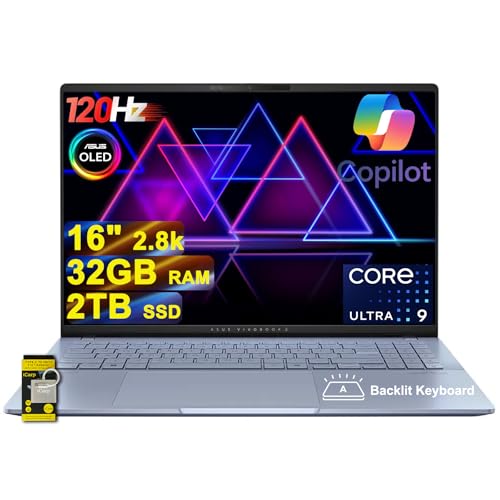
The ASUS Vivobook S16 AI PC Laptop stands out with its stunning 16″ 2.8k OLED display, making it an excellent choice for graphic designers, video editors, and content creators who demand vibrant visuals and color accuracy. Powered by an Intel 16-core Ultra 9 285H processor and equipped with 32GB of RAM, this laptop handles multitasking with ease. With a massive 2TB SSD, you’ll have ample storage for your projects. Connectivity is a breeze with multiple Thunderbolt 4 ports and Wi-Fi 7. Plus, the premium audio from Smart Amp and Harman/kardon enhances your media experience. It’s a creator’s dream!
Best For: The ASUS Vivobook S16 AI PC Laptop is best for graphic designers, video editors, and content creators who require high-performance hardware and vibrant displays for their work.
Pros:
- Stunning 16″ 2.8k OLED display offers exceptional color accuracy and brightness, ideal for creative tasks.
- Powerful Intel 16-core Ultra 9 285H processor and 32GB of RAM ensure smooth multitasking and efficient performance.
- Generous 2TB SSD storage provides ample space for large files and projects.
Cons:
- Integrated Intel Graphics may not meet the needs of gamers or those requiring high-end graphics performance.
- Relatively heavy compared to other ultrabooks, which may affect portability.
- Price point may be higher than entry-level laptops, making it a significant investment for some users.
Dell 16 Plus Laptop (DB16250)
Designed for professionals who demand top-tier performance, the Dell 16 Plus Laptop (DB16250) stands out with its expansive 16.0-inch 2.5K display, making it ideal for multitasking and handling complex tasks. Powered by an Intel Core Ultra 9 processor and 32GB of LPDDR5X memory, it delivers exceptional speed. The 2TB SSD provides ample storage for your projects. With Intel Arc Graphics, you’ll enjoy stunning visuals, while the built-in FHD+ webcam guarantees clear video calls. Its sleek aluminum body is durable, and military-grade testing enhances reliability. Plus, you’re covered with a 1-year onsite service warranty for peace of mind.
Best For: Professionals seeking high-performance computing for multitasking and complex data handling.
Pros:
- Expansive Display: The 16.0-inch 2.5K screen enhances productivity and visual clarity.
- High Performance: Equipped with an Intel Core Ultra 9 processor and 32GB memory for fast processing.
- Durable Design: Military-grade testing ensures reliability and longevity of the laptop.
Cons:
- Weight: At 4.12 pounds, it may be heavier compared to other laptops in its category.
- Price Point: Higher-end specifications may come with a premium price, not ideal for budget-conscious consumers.
- Limited Battery Life Information: Specific battery performance details are not provided, which may be a concern for users needing long-lasting power.
HP 17.3″ AI Laptop (Intel Core Ultra 7, 32GB RAM, 1TB SSD)

For creators who demand high performance and versatility, the HP 17.3″ AI Laptop stands out with its Intel Core Ultra 7 processor and 32GB of RAM. This powerhouse handles multitasking effortlessly, ensuring your creative workflows remain smooth and efficient. The stunning 17.3″ HD+ touchscreen features an anti-glare coating, providing an immersive experience whether you’re browsing or streaming. With a 1TB SSD, you’ll enjoy fast boot times and seamless app performance. Plus, Realtek Wi-Fi 6 and Bluetooth 5.4 offer speedy connectivity. The full-size backlit keyboard and HP True Vision camera enhance your user experience, making video calls clear and comfortable.
Best For: Creators and professionals who require high performance, multitasking capabilities, and a large touchscreen for their work.
Pros:
- Powerful performance with Intel Core Ultra 7 processor and 32GB RAM for seamless multitasking.
- Immersive 17.3″ HD+ touchscreen with anti-glare coating enhances browsing and streaming experiences.
- Fast connectivity options through Realtek Wi-Fi 6 and Bluetooth 5.4 for stable wireless connections.
Cons:
- Larger form factor may not be as portable compared to smaller laptops.
- Potentially higher price point due to advanced specifications and features.
- Limited battery life could be a concern for users needing extended usage without charging.
Acer Aspire 14 AI Portable Laptop

Creatives looking for a powerful yet portable device will find the Acer Aspire 14 AI Portable Laptop an excellent choice. With its 14″ WUXGA matte touchscreen, you’ll enjoy vibrant visuals while working on projects. The Intel Octa-core Ultra 5 226V processor, combined with 16GB RAM and a 1TB SSD, guarantees smooth multitasking and ample storage for your creative files. Connectivity options, including USB-C 4 and Wi-Fi 6E, keep you connected. Plus, the backlit keyboard and FHD webcam enhance your productivity. Whether you’re designing or editing, this laptop is designed to elevate your creative workflow.
Best For: Creatives and professionals seeking a powerful, portable laptop for design, editing, and multitasking.
Pros:
- High-performance Intel Octa-core processor and 16GB RAM for smooth multitasking.
- 1TB SSD provides ample storage for large creative files.
- Vibrant 14″ WUXGA matte touchscreen enhances the visual experience.
Cons:
- Limited upgrade options due to integrated GPU.
- Battery life may vary under heavy workloads.
- Weight may be slightly heavier compared to ultra-portable laptops.
Lenovo IdeaPad Flex 5i 2-in-1 Laptop
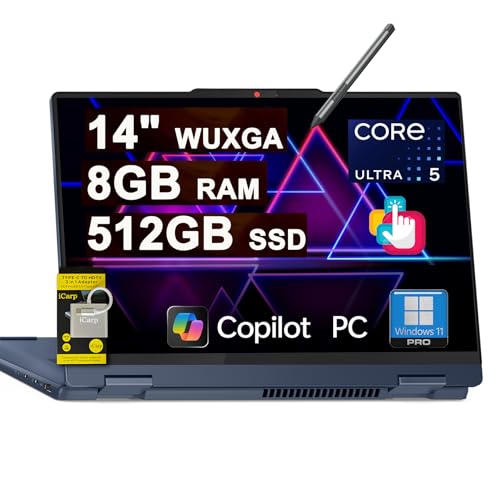
The Lenovo IdeaPad Flex 5i 2-in-1 Laptop stands out as an excellent choice for creators who value versatility and performance. With its 14″ WUXGA touchscreen display and Windows 11 Professional, you’ll enjoy vibrant visuals and smooth multitasking. Powered by an Intel 12-core Ultra 5 225U processor and 8GB of RAM, it handles demanding tasks effortlessly. The 512GB SSD guarantees quick access to your projects. Connectivity options like USB-C and HDMI keep you equipped for any situation. Plus, the included Lenovo Digital Pen 2 enhances your creative workflow, while the backlit keyboard and Dolby audio elevate your overall experience.
Best For: Creators and professionals seeking a versatile, high-performance laptop for multitasking and creative work.
Pros:
- Versatile 2-in-1 design allows for both laptop and tablet functionality, enhancing usability.
- Powerful Intel 12-core processor and 8GB RAM ensure smooth performance for demanding applications.
- Includes Lenovo Digital Pen 2 for enhanced creativity and precision in tasks.
Cons:
- Integrated graphics may not be sufficient for intensive gaming or high-end graphic design.
- Limited upgrade options for RAM and storage may restrict future performance enhancements.
- Glossy touchscreen may be prone to glare in bright environments, affecting visibility.
Factors to Consider When Choosing Intel Core Ultra Laptops for Creators
When you’re choosing an Intel Core Ultra laptop for your creative work, performance specifications are essential. You’ll also want to take into account display quality and size, as well as graphics capabilities, to guarantee your projects look their best. Don’t forget about RAM, storage needs, and connectivity options that can enhance your workflow.
Performance Specifications Overview
Choosing the right Intel Core Ultra laptop involves understanding key performance specifications that directly impact your creative workflow. Look for multi-core processors, like 8-core or 16-core options, which enhance multitasking for demanding tasks. Clock speeds can reach up to 3.3 GHz, ensuring efficient performance during intensive applications. Integrated Intel Arc graphics improve visual performance, essential for graphics-heavy projects. For RAM, aim for configurations between 16GB to 32GB DDR5 to guarantee smooth operation and quick app access. Storage is equally important; high-speed SSDs of 1TB or more will provide rapid boot times and swift data retrieval, keeping your productivity flowing. By considering these specs, you’ll find a laptop that meets your creative needs effectively.
Display Quality and Size
After evaluating performance specifications, determining display quality and size becomes vital for a creator’s laptop. Aim for a display resolution of at least 1920×1200 to guarantee clear, detailed visuals for your design work. Opt for OLED technology, which delivers deep blacks and vibrant colors, essential for accurate color representation in graphic design and video editing. A brightness level of 600 nits or higher is ideal, enhancing visibility in various lighting conditions, whether you’re indoors or outdoors. Additionally, consider a refresh rate of 120Hz for smoother animations and video playback, beneficial for editing. Finally, an aspect ratio of 16:10 or wider provides extra vertical space, allowing you to display more content simultaneously, boosting your productivity.
Graphics Capabilities Importance
Graphics capabilities play a pivotal role in your creative workflow, influencing everything from rendering speeds to the quality of your visual output. For tasks like video editing, 3D modeling, and graphic design, the right graphics power is essential. While integrated graphics in Intel Core Ultra processors can handle many applications, dedicated graphics cards excel in demanding scenarios. The performance you get, measured in GPU Tops or Intel Arc specifications, directly affects how smoothly you can manage complex visual computations and real-time rendering. Additionally, consider your laptop’s display specifications, such as resolution and color accuracy; these factors guarantee you can accurately visualize your work. Advanced features like HDR support and higher refresh rates further enhance your creative experience, providing greater detail and smoother visuals.
RAM and Storage Needs
For creators, having the right amount of RAM and storage can greatly enhance your workflow. A minimum of 16GB of RAM is essential for multitasking and handling resource-intensive applications, but if you’re into video editing or 3D rendering, aim for 32GB or more. Opt for solid-state drives (SSDs) over traditional hard drives, as their faster read and write speeds improve boot times and application loading. You’ll want at least 1TB of storage to accommodate high-resolution media files and design assets. Laptops with DDR5 RAM offer better performance, making them ideal for demanding tasks. Additionally, consider models with expandability options for RAM and storage, allowing you to adapt as your project needs evolve.
Connectivity Options Available
When choosing an Intel Core Ultra laptop, connectivity options can greatly impact your creative workflow. Look for a variety of ports, including multiple Thunderbolt 4 and USB-A 3.2 connections, to support versatile peripherals. High-speed wireless options like Wi-Fi 6E or Wi-Fi 7 can enhance your experience with cloud-based applications and large file transfers. Integrated card readers, such as MicroSD slots, make accessing media files quick and easy—essential for photographers and videographers. HDMI 2.1 ports allow for high-resolution output to external displays, letting you work on larger screens or connect to projectors for presentations. Plus, Bluetooth technology helps streamline your creative process by connecting to various wireless devices like printers and headphones.
Battery Life Considerations
Battery life is a critical factor for creators who often find themselves working on-the-go, as it directly influences your ability to maintain productivity without interruption. When choosing an Intel Core Ultra laptop, consider the battery capacity, measured in watt-hours (Wh). A laptop with a 75Wh battery generally lasts longer than those with lower capacity. Energy-efficient processors in Intel’s Ultra series also optimize power consumption, enhancing battery life during demanding tasks. Look for fast charging features to minimize downtime between sessions. Additionally, be mindful of display technology; OLED panels typically consume more power than standard LCDs, so you’ll want to balance display quality with battery endurance to guarantee you can work efficiently wherever you are.
Design and Portability Factors
Choosing the right design and portability features is essential for creators who need to work efficiently on the go. When selecting an Intel Core Ultra laptop, consider weight; models typically range from 2.87 lbs to 4.12 lbs, influencing how easily you can travel with it. Dimensions also matter, as sizes vary from 8.74 x 12.22 x 0.63 inches to 9.87 x 14.05 x 0.67 inches, impacting how well it fits in your bag or workspace. A slim profile, ideally around 0.63 inches, enhances handling and storage. Look for durable materials with military-grade testing for reliability. Features like touchscreens and backlit keyboards improve usability, especially in low-light conditions, making your creative tasks more efficient and enjoyable.
Operating System Differences
While selecting an Intel Core Ultra laptop, the operating system plays an important role in enhancing your creative workflow. Creators often prefer Windows 11 Professional for its advanced features, like enhanced security and remote desktop capabilities, which are essential for managing creative projects. This version also offers better software compatibility, as many design and video editing tools are optimized for Windows, particularly the Professional edition. In contrast, Windows 11 Home lacks enterprise features such as BitLocker encryption, critical for sensitive work. Additionally, Professional versions usually provide superior resource management for tasks like rendering and graphic design. Staying updated with the latest OS features can greatly boost your productivity and guarantee compatibility with cutting-edge creative tools.
