
If you’re looking to boost your gaming setup, Thunderbolt 5 external GPU enclosures might just be the solution you need. These devices not only enhance graphics performance but also provide fast data transfer speeds. With various options available, from the Razer Core X V2 to compact alternatives, you’ll want to contemplate the unique features each offers. Let’s explore the top contenders that could transform your gaming experience.
Razer Core X V2 External Graphics Enclosure (eGPU)

If you’re a creative professional or gamer looking to supercharge your laptop’s performance, the Razer Core X V2 External Graphics Enclosure (eGPU) is an excellent choice. This powerful device supports PCIe 4.0 graphics cards and connects via next-gen Thunderbolt 5 technology, offering bandwidth up to 80 Gbps. You’ll enjoy enhanced performance for demanding applications and AAA games. Its modular design allows for easy GPU and power supply swaps, and setup is a breeze with the included Thunderbolt 5 cable. Just remember, you’ll need to purchase your graphics card and power supply separately to access its full potential.
Best For: Creative professionals and gamers looking to enhance their laptop’s graphics performance with an external graphics solution.
Pros:
- Supports PCIe 4.0 graphics cards, enabling high-performance gaming and creative applications.
- Easy installation and modular design allow for quick GPU and power supply swaps without the need for tools.
- Utilizes Thunderbolt 5 technology, offering impressive bandwidth of up to 80 Gbps for smooth and efficient performance.
Cons:
- Graphics card and power supply are sold separately, increasing overall cost.
- Incompatible with Mac devices using M1 or later chipsets, limiting options for Apple users.
- Requires Thunderbolt 4/5 or USB 4 laptops, which may exclude some devices.
Compact eGPU Enclosure with Thunderbolt 3/4 Compatibility

The Compact eGPU Enclosure with Thunderbolt 3/4 compatibility is ideal for professionals and gamers seeking an easy way to enhance their laptop’s graphics performance. It’s compatible with Windows 10 & 11 and select MacOS devices, ensuring seamless integration. With a robust 600W power supply, it supports high-performance graphics cards, including a variety of AMD options for Mac users. The enclosure features a compact aluminum design and includes extra ports for connecting peripherals. Plus, it comes with all necessary accessories for setup. This enclosure provides a reliable solution for anyone looking to boost their graphics capabilities without sacrificing portability.
Best For: Professionals and gamers looking to enhance their laptop’s graphics performance with a compact and portable solution.
Pros:
- Compatible with a range of Windows 10 & 11 devices and select MacOS systems for versatile use.
- Robust power supply supports high-performance graphics cards with ample wattage for both host and GPU.
- Compact design allows for easy transport and efficient use of space, making it ideal for on-the-go users.
Cons:
- Limited compatibility with Nvidia cards on MacOS, restricting options for Mac users.
- Not officially compatible with MacBook Bootcamp, which may limit usability for some users.
- Maximum graphics card size limitations may restrict users with larger or more powerful GPUs.
StarTech.com Thunderbolt 3 PCIe Expansion Chassis

Designed for creative professionals and gamers seeking enhanced graphics performance, the StarTech.com Thunderbolt 3 PCIe Expansion Chassis provides a powerful solution for expanding your laptop or desktop’s capabilities. With a single PCIe 3.0 x16 slot, you can integrate various cards like video capture or NVMe drives effortlessly. It supports 4K/5K at 60Hz through its dedicated DisplayPort output. The toolless design allows for quick installation, and the built-in fan guarantees peak cooling. Plus, with a 40Gbps bandwidth and compatibility with Thunderbolt 3/4 devices, it’s perfect for multitasking and accessing large files. Enjoy a seamless upgrade for your setup!
Best For: Creative professionals and gamers seeking to enhance their system’s graphics performance and expand capabilities.
Pros:
- High bandwidth of up to 40Gbps, ensuring fast data transfer and performance.
- Toolless design for easy installation of various PCIe cards, enhancing versatility.
- Supports 4K/5K resolution at 60Hz, perfect for high-quality display needs.
Cons:
- Fan noise may be a concern for some users, potentially affecting quiet work environments.
- Compatibility issues may arise with certain USB-C hosts, limiting usability.
- Limited features on specific setups, which may not meet all user needs.
RIITOP eGPU Enclosure USB4.0 for Thunderbolt 4 Graphics Card

Looking to boost your laptop or gaming rig’s graphics performance? The RIITOP eGPU Enclosure USB4.0 for Thunderbolt 4 is your perfect solution. This 40Gbps enclosure enhances graphics capabilities for thin laptops, gaming rigs, and NUCs, supporting NVIDIA RTX 50 Series and AMD RX 7000 Series GPUs. Installation is straightforward: secure your graphics card, connect the power supply, and link your monitor. With compatibility across Windows, Linux, and Mac OS (for AMD only), you’ll experience top-tier performance. Just make sure you have a Thunderbolt 4 or USB4 port and the right power supply to get started. Upgrade your gaming experience today!
Best For: Gamers and professionals looking to enhance their graphics performance on thin laptops, gaming rigs, or NUCs.
Pros:
- Supports high-performance NVIDIA RTX 50 Series and AMD RX 7000 Series GPUs for superior graphics.
- Simple installation process with all necessary components included in the package.
- Compatible with multiple operating systems, including Windows, Linux, and Mac OS (AMD only).
Cons:
- Requires a Thunderbolt 4 or USB4 port, limiting compatibility with older devices.
- NVIDIA GPUs are not supported on Mac OS.
- Graphics card and power supply are not included, requiring separate purchase.
eGPU Enclosure Thunderbolt 3/4 Dock (MK-L18)

If you’re a gamer or a creative professional seeking to enhance your graphics performance, the eGPU Enclosure Thunderbolt 3/4 Dock (MK-L18) is a standout choice. This sleek black enclosure from Maskedfish supports most NVIDIA and AMD graphics cards, including the latest RTX and RX series. With a certified JHL7440 controller, you’ll experience PCIe 4.0 x16 speeds for fast data transfer. Assembly takes just about 10 minutes, making setup a breeze. Plus, it’s compatible with various operating systems and devices. Enjoy stable performance for your games, but be mindful of potential compatibility issues with specific setups.
Best For: Gamers and creative professionals looking to significantly enhance their graphics performance with a versatile and easy-to-set-up external GPU solution.
Pros:
- Quick assembly time of approximately 10 minutes for hassle-free setup.
- High-speed data transfer capabilities with PCIe 4.0 x16, ensuring optimal performance.
- Wide compatibility with NVIDIA/AMD graphics cards and various operating systems and devices.
Cons:
- Potential compatibility issues with specific hardware combinations may lead to bandwidth drops.
- Some users report unclear instructions regarding specific setup components like jumpers.
- Performance can vary based on power profiles and the quality of Thunderbolt cables used.
PCIE 3.0 x16 eGPU Dock with Thunderbolt 4 Cable

The PCIE 3.0 x16 eGPU Dock with Thunderbolt 4 Cable is perfect for gamers and creators seeking to enhance their graphics performance without upgrading their entire system. This dock supports NVIDIA and AMD GPUs, offering compatibility with Windows, Linux, and various consoles. You can connect any GPU from the RTX 5090 to the GTX 450, ensuring excellent performance across different applications. With transfer speeds up to 22Gbps, it’s ideal for gaming, video editing, and AI art. Plus, the flexible power input options make setup a breeze. Included is a high-quality Thunderbolt 4 cable, ensuring superior connectivity and stability.
Best For: Gamers and creators looking to boost their graphics performance without needing a full system upgrade.
Pros:
- Compatible with a wide range of NVIDIA and AMD GPUs, from RTX 5090 to GTX 450.
- High transfer speeds of up to 22Gbps, ideal for demanding applications like gaming and video editing.
- Flexible power input options for easy setup and compatibility with various systems.
Cons:
- Intel graphics are not recommended, limiting options for some users.
- Some consoles may require BIOS updates for USB4 functionality, complicating setup for those devices.
- Performance may vary depending on the specific GPU and system configuration.
StarTech.com Thunderbolt 3 PCIe Expansion Chassis (2TBT3-PCIE-ENCLOSURE)

For those needing a versatile and efficient solution for expanding their system’s capabilities, the StarTech.com Thunderbolt 3 PCIe Expansion Chassis (2TBT3-PCIE-ENCLOSURE) stands out with its dual PCI Express slots. It supports Thunderbolt 3/4 devices and accommodates single-width cards up to 8 inches long, offering a combined bandwidth of 32Gbps. With a tool-less design, you can easily install cards, while the built-in fan guarantees peak cooling. It’s compatible with macOS, Windows, and Linux, making it a flexible choice. However, keep in mind it doesn’t support GPU graphics cards. Enjoy reliable performance backed by a two-year warranty.
Best For: Users seeking to expand their system’s capabilities with versatile PCIe cards, particularly for video capture, networking, and storage applications.
Pros:
- Dual PCIe slots allow for a range of card integrations, enhancing functionality.
- Tool-less design makes installation quick and straightforward, without the need for additional tools.
- Wide compatibility with macOS, Windows, and Linux operating systems ensures flexibility across different setups.
Cons:
- Does not support GPU graphics cards, limiting options for graphics-intensive tasks.
- Fan noise may be noticeable, which could be distracting in quiet environments.
- PCIe lane configuration operates in x4 mode, which may not meet the expectations of some users looking for full x16 performance.
eGPU Enclosure Dock Compatible with Thunderbolt 3/4

Designed specifically for gamers and professionals who need enhanced graphics performance, the eGPU Enclosure Dock compatible with Thunderbolt 3/4 and USB4 offers an ideal solution. This dock supports NVIDIA and AMD PCIe graphics cards, ensuring you get top-tier performance for gaming, AI tasks, and 3D modeling. With its JHL7440 controller, it delivers workstation-grade capabilities. You’ll enjoy universal compatibility with various devices, including laptops and gaming rigs. Plus, connectivity options like a 10Gbps USB A port and a TB4 port allow for seamless integration of additional devices. Just remember not to insert the CPU cable into the PCIe-8PIN port!
Best For: Gamers and professionals seeking enhanced graphics performance for demanding tasks like gaming, AI training, and 3D modeling.
Pros:
- Universal compatibility with Thunderbolt 3/4 and USB4 devices for versatile use.
- Supports high-performance NVIDIA RTX 50 Series and AMD RX 7000 Series GPUs.
- Equipped with multiple connectivity options, including a 10Gbps USB A port and a TB4 port.
Cons:
- Does not include an ATX power supply or graphics card, requiring additional purchases.
- Incorrectly inserting the CPU cable into the PCIe-8PIN port triggers power-off protection, which can be inconvenient.
- Performance may be limited by the specifications of the connected device.
Mini eGPU Enclosure Compatible with Thunderbolt 3/4

Offering compatibility with Thunderbolt 3 and 4, the Mini eGPU Enclosure is an excellent choice for gamers and content creators seeking to enhance their laptop performance. It supports NVIDIA and AMD PCIe graphics cards, guaranteeing you can run demanding applications smoothly. The enclosure provides 85W power delivery, making it ideal for laptops. Setup is straightforward, with users reporting quick installation for various GPUs. It includes additional ports for connecting more devices, but maintain good ventilation to prevent overheating. While some users noted minor stability issues, overall feedback highlights its effectiveness in boosting graphics performance.
Best For: Gamers and content creators looking to enhance their laptop’s graphics performance with a compact and powerful eGPU solution.
Pros:
- Compatible with both NVIDIA and AMD graphics cards, ensuring versatility for different user preferences.
- Easy installation process, allowing users to set up various GPUs quickly without hassle.
- Includes additional ports for connecting multiple devices, enhancing usability and connectivity options.
Cons:
- Some users report stability issues with GPU support, leading to potential performance loss.
- Loose internal screws and GPU wobbling have been noted, raising concerns about long-term durability.
- Inadequate documentation and support, particularly for Linux compatibility, may frustrate some users.
Aluminum External GPU Enclosure Compatible with Thunderbolt 3/4
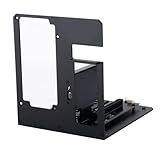
The Aluminum External GPU Enclosure compatible with Thunderbolt 3/4 is an ideal choice for gamers and creative professionals seeking to enhance their system’s graphical power. Supporting NVIDIA and AMD PCIe graphics cards, it enables 40Gbps data transfer with PCIe 4.0 x4, ensuring a stable speed experience. Weighing just 1.2 pounds and featuring an open design, it allows easy assembly without size limitations. However, it’s worth noting that customer feedback is mixed, with some reporting durability issues. This enclosure is compatible with Windows 10/11, but not with Mac OS, so check your device specifications before purchasing.
Best For: Gamers and creative professionals looking to boost graphical performance with an external GPU solution.
Pros:
- Supports NVIDIA/AMD PCIe graphics cards for enhanced performance.
- Enables 40Gbps data transfer with PCIe 4.0 x4 for a stable speed experience.
- Lightweight and open design allows for easy assembly without size limitations.
Cons:
- Mixed customer feedback regarding durability and build quality.
- Not compatible with Mac OS, limiting its usability for Mac users.
- Some users reported failures after short usage periods, making it a less reliable long-term solution.
Factors to Consider When Choosing External GPU Enclosures Thunderbolt 5
When you’re choosing a Thunderbolt 5 external GPU enclosure, consider factors like compatibility with your devices and the performance you need. Pay attention to power supply requirements and the overall design, as these can impact your setup. Finally, ease of installation can save you time and frustration, making it a vital aspect to evaluate.
Compatibility With Devices
Choosing the right external GPU enclosure is essential for ensuring compatibility with your devices, especially as Thunderbolt technology evolves. First, check if the enclosure matches your laptop or device’s Thunderbolt version; some only support Thunderbolt 3 or 4, while others are built for Thunderbolt 5. Next, verify that it supports the specific graphics card you plan to use, as compatibility can vary between NVIDIA and AMD models. Don’t forget to evaluate power supply requirements; certain enclosures need specific ATX or SFX power supplies that might not be included. Additionally, confirm the enclosure’s compatibility with your operating system, whether it’s Windows, Linux, or macOS, and look for extra connectivity options to maximize your setup’s functionality.
Performance and Bandwidth
Understanding compatibility is just the starting point; performance and bandwidth play a considerable role in the effectiveness of your external GPU enclosure. Thunderbolt 5 technology boasts an impressive bandwidth of up to 80 Gbps, essential for high-performance gaming and graphics tasks. When choosing an enclosure, pay attention to the PCIe version it supports—PCIe 4.0 offers double the bandwidth of PCIe 3.0, considerably boosting performance. Opt for enclosures with dual PCIe slots for increased throughput and enhanced multitasking capabilities. Don’t overlook active cooling solutions like built-in fans, as they prevent thermal throttling during demanding workloads. Remember, the type of Thunderbolt connection you use also affects overall graphics rendering and computation speed, with Thunderbolt 5 providing the highest potential.
Power Supply Requirements
While exploring external GPU enclosures for Thunderbolt 5, power supply requirements are vital to ascertain your setup runs smoothly. Most enclosures need an ATX or SFX power supply that meets the wattage demands of your graphics card, often recommending a minimum of 450W. Look for models with dedicated power delivery options, like 85W for host charging, which helps maintain stability during heavy loads. Check for flexible power input options, accommodating connectors like CPU (4+4-pin), Molex, or PD 3.0 for added compatibility. It’s imperative to confirm your power supply not only fits the enclosure but also delivers enough power to the GPU and any peripherals you plan to connect, especially if you’re overclocking.
Design and Build Quality
When selecting an external GPU enclosure for Thunderbolt 5, design and build quality play an essential role in ensuring peak performance and longevity. Look for a durable construction, often made from aluminum alloy, which can withstand wear while effectively dissipating heat. Compact dimensions are important for easy storage and portability, and many enclosures fit various GPU sizes without added bulk. Incorporating effective cooling solutions, like built-in fans or open designs, is critical to prevent overheating during intense tasks. A toolless design simplifies GPU and power supply swaps, enhancing your convenience for upgrades. Finally, pay attention to the internal layout for stability and support; inadequate support can lead to performance loss or potential damage over time.
Installation Process Ease
Choosing an external GPU enclosure for Thunderbolt 5 not only hinges on design and build quality but also on how easy it is to install. Look for enclosures with a modular design that allows you to swap out graphics cards and power supplies without needing tools—thumbscrews make this a breeze. Many models even come with a Thunderbolt cable, simplifying your setup by eliminating extra wiring. Users often finish the installation in under 10 minutes, thanks to clear instructions. Just remember to connect all monitors directly to the external GPU for the best performance, and check for any specific hardware requirements to guarantee a smooth installation. This attention to ease can greatly enhance your gaming experience.
Cooling and Thermal Management
Effective cooling is crucial for maintaining peak performance in external GPU enclosures. Without it, thermal throttling can occur, reducing your graphics card’s performance during intense gaming or rendering tasks. Look for enclosures with built-in fans, like a 120 mm fan, that automatically activate under heavy loads to keep temperatures ideal. Proper airflow design is also essential; verify the enclosure has adequate ventilation to dissipate heat effectively. Some enclosures feature advanced thermal management systems, including heat sinks and temperature sensors, to monitor and control internal temperatures. Don’t forget to take into account the ambient environment where you’ll use the enclosure; higher external temperatures can impact cooling efficiency and your GPU’s overall performance. Choose wisely to enhance your gaming experience!
