
As you look for the best creator laptops tailored for AI workloads in 2026, you’ll find a range of powerful options that balance performance with efficiency. From the innovative Acer Aspire AI to the stunning ASUS Vivobook S16, each model offers unique features designed to enhance your creative process. But which laptop truly stands out for your specific needs? Let’s explore the top contenders and what makes them essential for creators like you.
Acer Aspire AI Laptop for Business & Creators

The Acer 2026 Aspire AI Laptop is a game-changer for business professionals and creators who demand high performance and portability. With its Intel Core Ultra 7 processor and 32GB of RAM, you’ll effortlessly multitask on applications and browser tabs. The 1TB SSD guarantees lightning-fast boot times, while the Intel Arc 140V graphics accelerates your creative projects in Lightroom and Premiere. Its 14-inch touchscreen enhances your editing experience, making it intuitive and responsive. Weighing just 3.09 lbs, you can take it anywhere, and with long battery life, it supports your full workdays, whether at home or on the go.
Best For: Business professionals, remote workers, students, and content creators seeking reliable performance and portability.
Pros:
- AI-Powered Efficiency: Supports advanced features for real-time video effects and AI editing tools.
- High-Performance Specs: Equipped with an Intel Core Ultra 7 processor, 32GB RAM, and 1TB SSD for seamless multitasking and fast loading times.
- Ultra-Portable Design: Weighs just 3.09 lbs and has a slim profile, making it easy to carry for on-the-go productivity.
Cons:
- Integrated Graphics Limitations: While Intel Arc 140V is modern gaming-capable, it may not match dedicated GPUs for high-end gaming or intensive graphic applications.
- Windows 11 Home Limitations: Some users may prefer Pro features for enhanced security and business functionalities.
- Touchscreen Vulnerability: The touchscreen may be prone to fingerprints and scratches, requiring careful handling or a protective cover.
HP OmniBook 5 16″ Laptop with AMD Ryzen AI 7
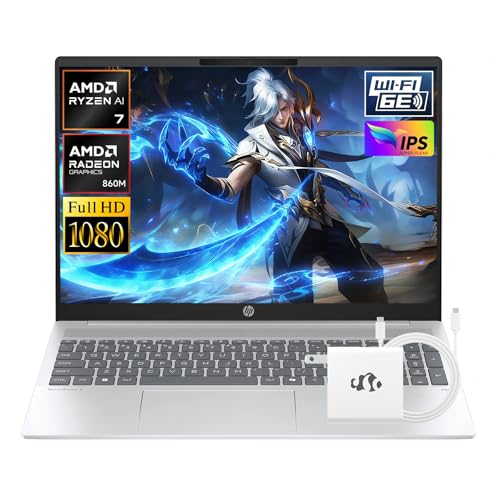
For professionals and students engaged in demanding AI workloads, the HP OmniBook 5 16″ Laptop with AMD Ryzen AI 7 stands out with its powerful 8-core processor that reaches speeds up to 5.0 GHz. With 16GB LPDDR5x RAM and AMD Radeon 860M integrated graphics, it handles heavy software effortlessly. The vibrant 16″ FHD display enhances your media consumption, while the lightweight design makes it easy to carry around. Enjoy seamless connectivity with WiFi 6E and multiple USB ports. Plus, the extended battery life of up to 15 hours guarantees you stay productive throughout the day.
Best For: Professionals and students engaged in demanding AI workloads and heavy software tasks who need a powerful, portable laptop.
Pros:
- High-performance processor: The AMD Ryzen AI 7 350 offers robust processing power with 8 cores and speeds up to 5.0 GHz.
- Extended battery life: With up to 15 hours of use, it supports all-day productivity without frequent recharging.
- Lightweight and portable: At just 3.97 LB, it’s easy to carry for classes or business trips.
Cons:
- Integrated graphics: The AMD Radeon 860M may not satisfy gamers or professionals needing high-end graphics performance.
- Limited storage capacity: 512GB SSD might be insufficient for users with extensive data or software needs.
- Higher price point: Premium features may come with a higher cost compared to basic laptops.
Acer Aspire Go 15 AI Ready Laptop (AG15-21P-R5YG)
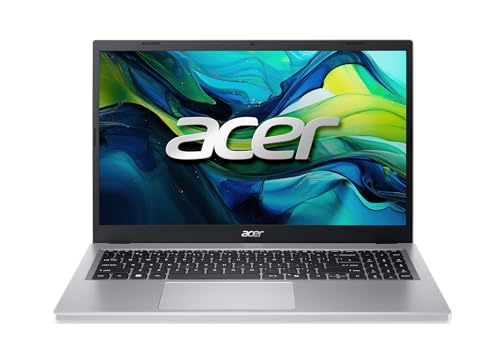
Acer Aspire Go 15 AI Ready Laptop (AG15-21P-R5YG) stands out as an excellent choice for students and professionals who need a reliable machine for AI workloads. With its 15.6″ FHD IPS display, AMD Ryzen 3 processor, and 8GB of LPDDR5 memory, you’ll experience exceptional performance. The Windows 11 Copilot enhances your productivity, while AcerSense offers intuitive device management. Enjoy seamless connectivity with Wi-Fi 6 and Bluetooth 5.1, plus versatile ports for all your peripherals. At just 3.81 pounds, this sleek silver laptop combines portability and power, making it perfect for work or study on the go.
Best For: Students and professionals seeking a reliable and portable laptop for AI workloads and everyday tasks.
Pros:
- Exceptional performance with AMD Ryzen 3 processor and 8GB LPDDR5 memory.
- Lightweight design at 3.81 pounds, making it easy to carry for work or study.
- Enhanced connectivity options with Wi-Fi 6, Bluetooth 5.1, and versatile ports.
Cons:
- Limited storage capacity of 128GB PCIe SSD may require external storage solutions.
- Integrated graphics may not meet the needs of heavy gaming or graphic-intensive applications.
- Operating system limited to Windows 11 Home in S Mode, which restricts app installations to Microsoft Store only.
ASUS Vivobook S16 AI PC Laptop
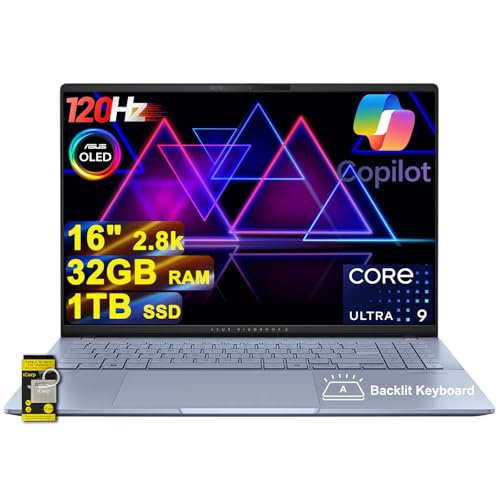
Designed for creators and professionals diving into AI workloads, the ASUS Vivobook S16 AI PC Laptop stands out with its impressive 16-inch 2.8k OLED display. With a resolution of 2880×1800 and a 120Hz refresh rate, every detail pops. Powered by an Intel 16-core Ultra 9 285H processor, it handles complex tasks effortlessly, supported by 32GB of RAM and a 1TB SSD for ample storage. Connectivity isn’t an issue, featuring two Thunderbolt 4 ports and Wi-Fi 7. Plus, the 1-zone RGB backlit keyboard and Harman/Kardon audio enhance your creative experience, making it a perfect companion for AI projects.
Best For: Creators and professionals seeking a high-performance laptop for AI workloads and multimedia tasks.
Pros:
- Stunning 2.8k OLED display with a 120Hz refresh rate and 100% DCI-P3 color gamut for vibrant visuals.
- Powerful Intel 16-core Ultra 9 285H processor combined with 32GB RAM, ensuring smooth multitasking and performance.
- Extensive connectivity options, including Thunderbolt 4 and Wi-Fi 7, facilitating fast data transfer and connectivity.
Cons:
- Higher price point may not be suitable for budget-conscious users.
- Weight and portability might be a concern for users needing a lightweight device for travel.
- Limited upgradeability due to soldered components, restricting future enhancements.
Dell 15 Touchscreen Laptop (DC15250)

The Dell 15 Touchscreen Laptop (DC15250) stands out as an exceptional choice for content creators and professionals tackling demanding AI workloads. Powered by an Intel Core i7-1355U and equipped with 20GB DDR4 RAM, it effortlessly handles complex multitasking. The 15.6” FHD touchscreen, featuring anti-glare coating, guarantees comfortable extended use. With a spacious 1TB M.2 PCIe NVMe SSD, you’ll enjoy fast app launches and ample storage for all your high-res media. Windows 11 Pro enhances security, while the integrated AI assistant streamlines your workflow. Plus, its ultra-thin design and robust connectivity options make it perfect for on-the-go productivity.
Best For: Content creators and professionals who require a powerful and portable laptop for demanding tasks and multitasking.
Pros:
- High-performance Intel Core i7-1355U processor and 20GB DDR4 RAM enable seamless multitasking and heavy workloads.
- 15.6” FHD touchscreen with anti-glare coating provides a comfortable viewing experience for extended use.
- 1TB M.2 PCIe NVMe SSD offers fast app launches and ample storage for high-resolution media and large project files.
Cons:
- Limited ports may require additional dongles for connecting multiple devices.
- Weight and thickness may not appeal to some users looking for ultra-portable options.
- Price point may be higher compared to entry-level laptops with less powerful specifications.
ASUS Vivobook S16 AI PC Laptop

For creators who demand high performance, the ASUS Vivobook S16 AI PC Laptop stands out with its powerful Intel Core Ultra 9 processor and an impressive 32GB of LPDDR5X memory. The stunning 16″ 2.8K OLED display delivers vibrant visuals at a peak brightness of 600 nits, perfect for detailed projects. Weighing only 3.31 pounds, it’s portable yet robust, featuring a 1TB SSD for ample storage. With Wi-Fi 7 and multiple USB ports, connectivity is seamless. Plus, the RGB backlit keyboard and Dolby Atmos audio enhance your creativity. This laptop truly combines performance with style, making it a top choice for creators.
Best For: Creators and professionals who require high performance and vibrant display for intensive tasks and projects.
Pros:
- Powerful Intel Core Ultra 9 processor with 16 cores for exceptional multitasking and performance.
- Stunning 16″ 2.8K OLED display offering vibrant colors and high brightness, ideal for creative work.
- Lightweight design at 3.31 pounds, making it easily portable for on-the-go use.
Cons:
- Integrated graphics may not meet the needs of high-end gaming or graphic-intensive applications compared to dedicated GPUs.
- Limited upgrade options for RAM and storage due to soldered components.
- Higher price point may not be suitable for budget-conscious buyers.
NIMO 15.6″ FHD Gaming Laptop

With its powerful AMD Ryzen 7 8745HS processor and expandable 16GB DDR5 RAM, the NIMO 15.6″ FHD Gaming Laptop is an excellent choice for creators and designers who need to tackle demanding AI workloads. The Radeon 780M graphics and dual M.2 PCIe SSD slots guarantee quick data access and smooth visuals for 3D rendering and complex simulations. Weighing less than 1.7kg and featuring a 180° lay-flat hinge, it’s designed for portability and flexibility. With a robust battery life and fast charging, you’ll stay productive on the go, making it perfect for students, programmers, and gamers alike.
Best For: Creators, designers, programmers, students, and gamers who require high performance for demanding tasks.
Pros:
- Powerful performance with AMD Ryzen 7 8745HS processor and expandable 16GB DDR5 RAM for multitasking and heavy workloads.
- Portability with a lightweight design (less than 1.7kg) and a 180° lay-flat hinge for easy usage in various settings.
- Long battery life of up to 15.5 hours and fast charging capability, allowing for extended productivity on the go.
Cons:
- Integrated graphics may not perform as well as dedicated graphics cards in high-end gaming or graphics-intensive applications.
- Limited storage with a base 256GB SSD, which may require upgrades for users with large libraries or files.
- Potential heat generation during intensive tasks, which could affect performance and comfort during use.
HP 14″ Laptop for Business and Student Use

Ideal for business professionals and students alike, the HP 14″ Laptop 2025 combines portability and performance in a sleek, rose gold design. Weighing just 3.24 lbs, it fits easily into your bag. Powered by a Quad-Core Intel N150 processor and 16GB of RAM, it handles multitasking effortlessly. Its 628GB storage guarantees you won’t run out of space anytime soon. The 14-inch HD display provides clear visuals, while the HP True Vision webcam enhances your video calls. With Windows 11 Pro and a suite of accessories included, this laptop is perfect for your educational or professional needs. Enjoy up to 9 hours of battery life!
Best For: Business professionals and students seeking a portable and powerful laptop for multitasking and productivity.
Pros:
- Lightweight and portable design at just 3.24 lbs, making it easy to carry.
- High-performance with a Quad-Core Intel N150 processor and 16GB of RAM for efficient multitasking.
- Comes with accessories including a 6-in-1 USB-C Docking Station Hub, enhancing connectivity options.
Cons:
- Limited display resolution at 1366 x 768 may not satisfy users seeking high-definition visuals.
- Integrated graphics may not support heavy gaming or graphic-intensive applications.
- Battery life of up to 9 hours may not be sufficient for all-day use without charging.
HP Flagship 14″ HD Student & Business Laptop
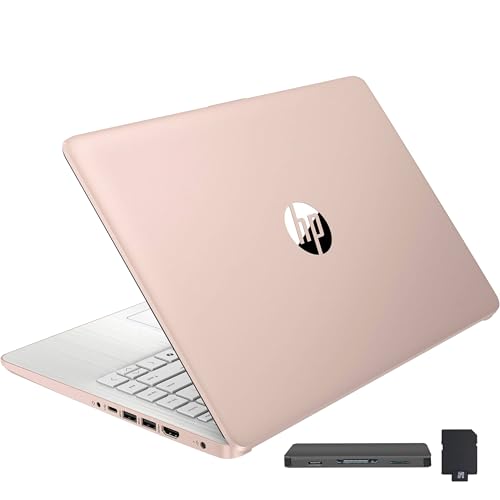
The HP Flagship 14″ HD Student & Business Laptop stands out as an excellent choice for students and professionals seeking a reliable device for everyday tasks and AI workloads. Weighing just 3.24 lbs, its sleek pale rose gold design is both portable and stylish. Powered by a 13th Gen Intel N150 processor and 4GB DDR4 RAM, it handles multitasking with ease. Enjoy fast connectivity with Wi-Fi 6 and Bluetooth 5.4. Plus, the included 1-Year Office 365 subscription and AI Copilot Key enhance your productivity. With a solid warranty and positive reviews, this laptop is a smart investment for your academic or professional journey.
Best For: Students and professionals looking for a portable and reliable laptop for everyday tasks and productivity enhancements.
Pros:
- Lightweight and stylish design makes it easy to carry around.
- Fast connectivity with Wi-Fi 6 and Bluetooth 5.4 ensures reliable performance.
- Includes a 1-Year Office 365 subscription and AI Copilot Key for enhanced productivity.
Cons:
- Limited RAM (4GB) may restrict performance on more demanding applications.
- Integrated graphics may not be suitable for intensive gaming or graphic design tasks.
- Display resolution (1366 x 768 pixels) may not meet the expectations for users seeking higher visual fidelity.
Acer Chromebook Plus 515 Laptop (CB515-2HT-33M4)

Packed with robust features, the Acer Chromebook Plus 515 (CB515-2HT-33M4) stands out as an excellent choice for students and professionals diving into AI workloads. Its 15.6″ Full HD touch display and Intel Core i3-1305U processor deliver impressive speed, making multitasking seamless. With 8GB of LPDDR5X memory and a 256GB SSD, you’ll enjoy fast access to your files. Plus, the up to 10-hour battery life guarantees you can work all day without interruption. Chrome OS, built-in Google apps, and enhanced security features create a reliable environment, while ports like USB Type-C and HDMI offer great connectivity options.
Best For: The Acer Chromebook Plus 515 is best for students and professionals seeking a powerful and portable device for multitasking and AI workloads.
Pros:
- Fast Performance: Powered by the Intel Core i3-1305U, it offers impressive speed for seamless multitasking.
- Long Battery Life: With up to 10 hours of battery life, it allows for extended use without needing to recharge.
- Robust Connectivity: Features multiple ports including USB Type-C and HDMI, ensuring versatile connectivity options.
Cons:
- Limited Gaming Performance: While it supports GeForce NOW, it may not handle high-end gaming natively.
- Weight: At 3.7 pounds, it may be heavier than some other ultraportable laptops.
- Subscription Requirements: Access to certain software like Microsoft 365 and Adobe Photoshop requires additional subscriptions.
Factors to Consider When Choosing Creator Laptops for AI Workloads
When you’re choosing a creator laptop for AI workloads, several key factors come into play. You’ll want to contemplate processing power, graphics capabilities, and how much RAM you need for efficient multitasking. Don’t forget about storage speed and display quality, as these can greatly impact your workflow.
Processing Power Requirements
Choosing the right processing power is vital for optimizing AI workloads in creator laptops. Look for multi-core processors like Intel’s Ultra series or AMD’s Ryzen AI, as they efficiently handle complex computations. Aim for high clock speeds above 4.0 GHz, which facilitate faster processing of AI algorithms and reduce latency. For multitasking and managing large datasets, a minimum of 16GB RAM is recommended; however, 32GB or more is ideal for intensive AI tasks. Remember that SSD storage, particularly NVMe with at least 512GB capacity, is essential for rapid data access and effective storage management. This combination guarantees smooth operation across multiple applications, allowing you to focus on your creative projects without interruptions.
Graphics Capabilities Importance
While processing power lays the foundation for handling AI workloads, graphics capabilities play a pivotal role in enhancing overall performance. Integrated GPUs can greatly accelerate tasks like image processing and real-time rendering, making your workflow more efficient. However, opting for a dedicated graphics card provides even higher performance levels, enabling faster model training and inference in AI applications. Modern GPUs, equipped with tensor cores, optimize deep learning processes by efficiently handling matrix operations, which can dramatically improve neural network training times. Additionally, high memory bandwidth in dedicated graphics solutions guarantees better management of large datasets and complex models, minimizing processing bottlenecks. For creators, leveraging GPU acceleration enhances user experiences in graphics-intensive applications such as 3D modeling and simulations.
RAM and Multitasking Efficiency
To guarantee seamless multitasking during AI workloads, having adequate RAM is essential. A minimum of 16GB RAM is recommended, allowing you to run multiple applications and processes simultaneously without significant slowdowns. If you’re tackling more data-intensive tasks like machine learning model training or large dataset manipulation, consider laptops with 32GB or more RAM for enhanced performance. High-speed RAM, such as LPDDR5X, can further improve data transfer rates, boosting your multitasking efficiency during complex computations. Systems with more RAM can handle background tasks better, ensuring smoother performance when using resource-heavy applications like video editing software and AI-driven tools. Efficient RAM management is vital, as insufficient memory can lead to reliance on slower storage solutions, negatively impacting overall performance.
Storage Speed Considerations
When it comes to creator laptops for AI workloads, storage speed plays a pivotal role in your overall productivity. High-speed storage, like PCIe NVMe SSDs, is essential for handling large files and applications, drastically reducing boot times and speeding up application launches. With data transfer rates reaching up to 7000 MB/s, you’ll gain rapid access to your projects and media files, which is vital for maintaining workflow efficiency. Faster storage not only enhances data processing and model training but also supports multitasking with multiple applications and extensive datasets. The responsiveness of your laptop during intensive tasks, such as video editing or graphic design, heavily relies on storage speed, making this a key factor in your decision-making process.
Display Quality and Size
Display quality and size are significant factors in choosing a creator laptop for AI workloads. A higher resolution, like 2.8K or Full HD (1920×1080), provides sharper images essential for graphic design and video editing. Look for displays with brightness levels of 600 nits or more to enhance visibility in various lighting conditions, especially outdoors. Color accuracy is important, so opt for a laptop with a color gamut of 100% DCI-P3 to guarantee true representation in your work. Touchscreen capabilities can boost your workflow efficiency, allowing for intuitive interactions with creative software. Finally, a larger display size, such as 16 inches, gives you more screen real estate for multitasking and managing multiple applications, which is critical for handling complex AI data.
Connectivity Options Available
As you consider display quality and size for your creator laptop, connectivity options shouldn’t be overlooked. Look for laptops with the latest Wi-Fi 6E or Wi-Fi 7 technology to guarantee fast, stable internet connections, which are vital for handling large AI datasets and cloud-based applications. Multiple USB ports, including USB Type-C and USB 4, are important for connecting various peripherals like external drives and displays, enhancing your productivity. HDMI 2.1 support allows for high-resolution output to external monitors, facilitating extensive visualizations. Integrated Bluetooth 5.3 or higher enables seamless connectivity with wireless devices, optimizing your workflow. Finally, consider laptops with Ethernet ports for reliable wired connections, particularly in environments where Wi-Fi may be unstable.
Portability and Battery Life
To maximize your productivity on the go, you’ll want a creator laptop that balances portability and battery life. Look for models weighing less than 4 pounds, making it easy to transport without straining your back. A slim profile of around 0.7 inches or less enhances portability while still delivering the performance you need for AI workloads. Aim for laptops that offer at least 10 hours of battery life, allowing you to work uninterrupted throughout the day. Fast-charging capabilities are a bonus, helping you recharge quickly and minimize downtime during busy schedules. A lightweight design paired with robust battery life is essential for moving seamlessly between home, cafes, and client sites, ensuring you stay productive wherever you are.
