
Compact 3D scanners make it easier to digitize parts, props, models, and prototypes without giving up too much accuracy or portability. The best options balance scan quality, tracking stability, and a workflow that matches your projects.
Below, we focus on compact 3D scanners that are practical for home workshops, small studios, and mobile use, so you can choose the right tool for your budget and skill level.
Best 10 Compact 3D Scanners Picks for 2026
Wireless Outdoor Pick

- WiFi 6 and USB-C connectivity
- 190g body with outdoor scanning support
- Dual modes plus RGB color capture
Best For: portable scanning with wireless flexibility and color capture
Budget Beginner Pick
- 0.07mm accuracy with NIR light
- Markerless tracking and anti-shake
- Best for 40mm to 1200mm objects
Best For: entry-level users scanning small to medium objects on a budget
Color Detail Pick
- 20-micron calibration accuracy
- 18 fps scanning with 9-axis IMU
- Full-color capture with many export formats
Best For: portable color scanning with stronger precision and speed
Entry-Level Medium Pick

- 0.07mm accuracy and 0.10mm resolution
- Markerless AI visual tracking
- JMStudio combines scan and editing
Best For: beginner-friendly medium-format scanning with guided software
Portable Anti-Shake Scanner

- 105g ultralight, travel-ready design
- Anti-shake tech helps steady handheld scans
- Handles dark and metallic objects without spray
Best For: Portable scanning, beginners, and compact 3D capture
Smart Lightweight Scanner

- 0.05mm accuracy with 0.1mm resolution
- AI tracking and built-in data processing
- 250g lightweight and quiet design
Best For: Detailed handheld scanning for printing and display projects
High-Speed Color Scanner

- Dual blue light and NIR for broad object support
- Up to 0.02mm accuracy and 60fps scanning
- 24-bit color capture with anti-shake tracking
Best For: Fast, detailed scanning across small to large objects
Compact Starter Pick

- 0.1mm accuracy with dual scan modes
- Full-color RGB texture capture
- Portable power from Android or a 5V bank
Best For: Portable full-color scanning for makers and 3D printing users
Wireless Upgrade Pick
Creality CR-Scan Ferret Pro WiFi6

- WiFi 6 for faster wireless scanning
- 0.1mm accuracy with anti-shake tracking
- Works across PC, Android, and iOS
Best For: Portable wireless scanning with smoother tracking and broad device support
Travel-Friendly Bundle Pick

- 105g scanner with travel-ready accessories
- Wireless scanning for Windows, Mac, Android, and iOS
- 0.1mm accuracy with full-color output
Best For: Beginners who want a portable all-in-one wireless scanning kit
Wireless Outdoor Pick – Revopoint INSPIRE 2
If you want a compact 3D scanner that is easy to move between desktop and field work, the Revopoint INSPIRE 2 is built for flexible scanning. Its WiFi 6 connection, lightweight 190g body, and support for outdoor scans up to 20,000 lux make it a practical choice for portable 3D capture.
Best For: Users who need a lightweight, wireless scanner for outdoor-friendly scanning, 3D printing, and detailed color capture.
Pros:
- WiFi 6 and USB-C support for flexible wireless or wired workflows
- Handles reflective or dark surfaces with 11 infrared laser lines, without scanning spray
- Dual scanning modes plus optical zoom help adapt to different object sizes and materials
- Built-in RGB camera captures full-color textures for realistic models
Cons:
- Revo Design scan-to-CAD software is sold separately and Windows-only
- Needs capable devices for best performance, especially on desktop workflows
- Outdoor scanning is stated for shaded or semi-bright conditions rather than full sun
Overall, INSPIRE 2 stands out among compact 3D scanners for portability and versatility, especially if you want one scanner that can move from indoor tabletop work to more demanding field use.
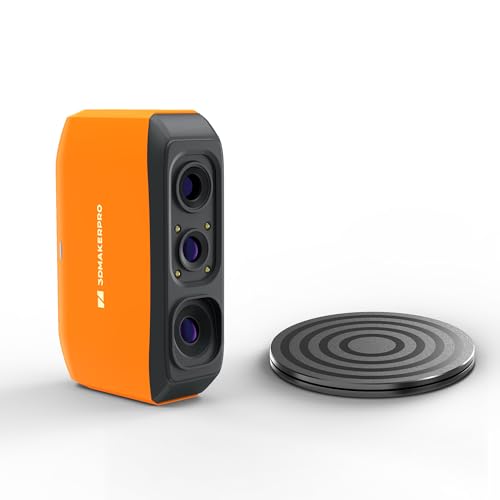
Budget Beginner Pick – 3DMakerpro Fox
The 3DMakerpro Fox is a compact 3D scanner aimed at entry-level users who want a straightforward way to digitize small to medium objects. It uses NIR light, markerless tracking, and anti-shake help to keep scanning approachable, but the notes make clear that good results still take patience and some 3D workflow know-how.
Best For: Beginners, DIY makers, and STEM users who want an affordable scanner for small to medium objects and can handle a learning curve.
Pros:
- Up to 0.07mm accuracy with NIR scanning for detailed captures
- Markerless tracking and anti-shake support simplify handheld scanning
- Works with objects from 40mm to 1200mm, covering miniatures to larger parts
- JMStudio handles scanning, editing, fusion, and export formats like OBJ, STL, and PLY
Cons:
- Results require patience and a learning curve, especially for 3D printing
- Dedicated GPU is strongly recommended for smooth performance
- Best suited to users with at least some CAD or mesh refinement familiarity
As compact 3D scanners go, the Fox is appealing for accessible entry-level scanning, but it is best chosen by buyers who are ready to learn the software and workflow rather than expecting instant results.
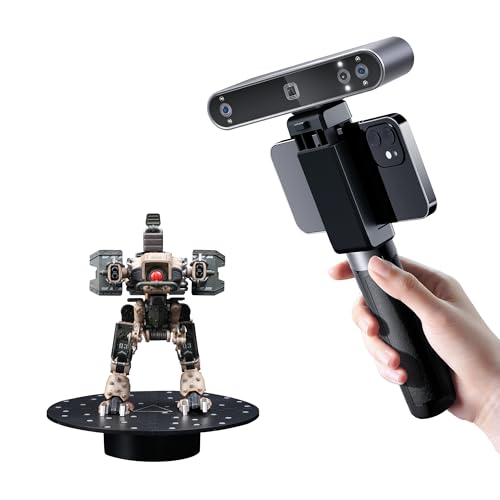
Color Detail Pick – Revopoint POP3 Plus
The Revopoint POP3 Plus is a compact 3D scanner built for users who want better precision, faster scanning, and full-color results in a portable format. With Wi-Fi 6 or USB-C connectivity, a 190g body, and support for medium-sized objects, it fits well into a mobile 3D printing or design workflow.
Best For: Makers and designers who want a lightweight scanner with full-color capture, improved precision, and broad workflow compatibility.
Pros:
- Improved accuracy and precision, with calibration keeping it within 20 microns
- Up to 18 fps scanning and a 9-axis IMU help stabilize handheld capture
- HD RGB camera, pixel mapping, and Flash LED lighting enable lifelike full-color scans
- Exports in many common formats, including PLY, OBJ, STL, 3MF, GLTF, and FBX
Cons:
- Revo Scan is only compatible with x86_64 architecture
- Revo Design is a separate tool for scan-to-CAD workflows
- Best suited to medium-sized objects rather than very tiny parts
If you want one of the more capable compact 3D scanners for color-rich capture and easier day-to-day use, the POP3 Plus offers a strong balance of portability, software support, and detail.
Entry-Level Medium Pick – 3DMakerpro Fox Medium-Format
The 3DMakerpro Fox is an entry-level compact 3D scanner for medium-format scanning, aimed at beginners and hobbyists who want a practical path into 3D digitization. It emphasizes 0.07mm accuracy, markerless AI visual tracking, and software that combines scanning and post-processing in one workflow.
Best For: Beginners and hobbyists who want a medium-format scanner with guided software and markerless tracking.
Pros:
- 0.07mm accuracy and 0.10mm resolution for detailed model capture
- Markerless AI visual tracking can relock onto the object after fast movement
- JMStudio combines scanning, editing, and optimizing in one process
- Designed as an accessible medium-format option for practical project work
Cons:
- Still aimed at entry-level users, so it may require learning and practice
- Package weight and dimensions suggest a more desk-based setup than true pocket portability
- Not described with the broader object-size range or export detail of the other Fox listing
This version of the Fox fits buyers who want a guided, beginner-friendly path into compact 3D scanners for medium-format objects, with enough tracking help to keep scans moving forward.
Portable Anti-Shake Scanner – Creality CR-Ferret SE
If you want a compact 3D scanner that is easy to move around and forgiving in hand-held use, the Creality CR-Ferret SE is built for that kind of workflow. Its anti-shake technology helps steady scans, while the 105g body makes it simple to carry between a desk, workshop, or job site.
Best For: Users who want a lightweight, beginner-friendly scanner for portable 3D capture and everyday modeling.
Pros:
- Anti-shake precision helps reduce hand tremor interference during scanning.
- Scans dark, black, and metallic objects without spray or markers.
- 24-bit full-color capture with a built-in 2MP color camera.
- Ultralight 105g design is easy to pack and carry.
Cons:
- Best suited to users who value portability over advanced pro-grade speed specs.
- Smaller form factor may feel less substantial than heavier desktop-focused scanners.
The CR-Ferret SE stands out if your priority is simple, grab-and-go scanning with dependable handling. For compact 3D scanners, it offers a practical mix of portability, color capture, and easier scanning of difficult surfaces.
Smart Lightweight Scanner – 3DMakerpro Moose Lite
The 3DMakerpro Moose Lite is a strong pick if you want a compact 3D scanner with detailed capture and software that helps streamline the process. It combines AI visual tracking, blue light scanning, and lightweight construction, making it easier to move from scanning to editing in one workflow.
Best For: Makers who want a lightweight handheld scanner for detailed small-to-medium object scanning and printing prep.
Pros:
- 0.05mm accuracy and 0.1mm resolution for detailed models.
- AI visual tracking and point-cloud processing help simplify scanning.
- Supports scan ranges from 15mm to 1500mm.
- Lightweight 250g build and quiet operation make it easy to use anywhere.
Cons:
- Designed around medium-object workflows, so it may not be the most specialized option for very large scans.
- Relies on software-based workflow management, which may take some setup time for first-time users.
For buyers comparing compact 3D scanners, the Moose Lite is appealing because it balances portability with fine-detail capture. It is especially practical if you want a scanner that fits into a small workspace but still supports serious model prep.
High-Speed Color Scanner – Creality CR-Scan Raptor
If you need a compact 3D scanner that does more than basic handheld capture, the Creality CR-Scan Raptor brings together speed, color, and wide object support. Its dual blue light and NIR system is designed for everything from small parts to large objects, while anti-shake tracking and autofocus help keep scans stable.
Best For: Users who want a versatile handheld scanner for fast, detailed scans across a wide range of object sizes.
Pros:
- Dual blue light and NIR scanning supports small, medium, and large objects.
- Up to 0.02mm accuracy with 0.1mm fine-detail resolution.
- Fast scanning performance up to 60fps with marker-free support for feature-rich objects.
- 24-bit full-color scanning with built-in lighting for richer texture capture.
Cons:
- Recommended system requirements are higher than many entry-level scanners.
- May be more scanner than casual users need if portability and simplicity are the main priorities.
The Raptor is the most performance-focused option in this group, especially if you want compact 3D scanners that can handle diverse objects without sacrificing detail. It is a smart choice when speed, accuracy, and color realism all matter in the same workflow.
Compact Starter Pick – Creality CR-Scan Ferret
If you want a compact 3D scanner for everyday 3D printing and general object capture, the Creality CR-Scan Ferret is built around portability, color scanning, and broad device support. It combines dual scanning modes with up to 0.1mm accuracy, so it can handle both larger objects and finer details without feeling overcomplicated.
Best For: Makers who want a portable, full-color scanner for PC or Android-based scanning workflows.
Pros:
- Up to 0.1mm accuracy with 0.16mm resolution for detailed scans.
- Dual-mode scanning supports wide-range capture and finer detail work.
- Built-in RGB camera captures full-color textures for more realistic models.
- Low power design can run from a 5V power bank or compatible Android devices.
Cons:
- Mobile scanning support is limited by device type and model compatibility.
- Requires fairly specific system requirements on Windows, Mac, Android, and iOS.
Overall, this is a practical entry point if you want a compact scanner that balances accuracy, color capture, and portability. The latest firmware improvements also make it more appealing for users who want smoother tracking and better results on smaller objects.
Wireless Upgrade Pick – Creality CR-Scan Ferret Pro WiFi6
For buyers comparing compact 3D scanners, the Creality CR-Scan Ferret Pro stands out for wireless convenience and smoother workflow. It keeps the same 0.1mm accuracy target while adding WiFi 6 transmission, anti-shake tracking, and outdoor-capable scanning, making it a strong step up if you want less cable clutter.
Best For: Users who want a portable wireless scanner with strong tracking and cross-platform support.
Pros:
- Up to 0.1mm accuracy and 0.16mm resolution for detailed models.
- WiFi 6 transmission is designed for faster, more stable wireless scanning.
- Anti-shake tracking and one-shot 3D imaging help maintain scan stability.
- Supports outdoor scanning in ambient light up to 30,000 lux.
Cons:
- Best results still require avoiding reflective, transparent, and very dark surfaces.
- Performance depends on meeting the stated system requirements for each platform.
If wireless flexibility matters most, this model is a compelling compact option. It adds the kind of stability and mobile-friendly features that make scanning easier for both newer users and anyone moving between PC, Android, and iOS devices.
Travel-Friendly Bundle Pick – Creality Ferret Pro Kit
If you’re shopping compact 3D scanners and want a ready-to-go package, the Creality Ferret Pro kit adds portability and convenience to the core Ferret Pro platform. It’s aimed at beginners and hobbyists who want wireless scanning, full-color capture, and a bundle of accessories that make it easier to start scanning right away.
Best For: Beginners and traveling makers who want an all-in-one wireless scanning kit.
Pros:
- Lightweight 105g design makes it easy to carry and scan on the go.
- Includes accessories like a WiFi box, tripod, power bank, phone holder, and carrying case.
- Up to 0.1mm accuracy with 24-bit full-color scanning.
- Supports wireless scanning across Windows, macOS, Android, and iOS.
Cons:
- Not suitable for very small or highly detailed items like jewelry or precision parts.
- Best scan results still depend on avoiding reflective, transparent, or very dark surfaces.
This is the most convenience-focused option in the group, especially if you value a bundled setup over buying accessories separately. It’s a solid compact pick for creators who want portability, wireless freedom, and a beginner-friendly path into 3D scanning.
How We Picked the Best Compact 3D Scanners
We prioritized scanners that are genuinely easy to handle, quick to set up, and versatile enough for common maker workflows. Key factors included accuracy claims, capture speed, tracking stability, color scanning support, object-size flexibility, and whether the scanner is better suited to beginners or more advanced users.
We also looked for models that offer a sensible balance between portability and performance. With Compact 3D Scanners, a smaller device is only useful if it still produces consistent results on real-world objects like tools, figurines, mechanical parts, and medium-size prototypes.
Quick Comparison
If you want the shortest path to the right choice, think in terms of use case: entry-level scanners are usually easiest for casual users and small projects, mid-range models are better for hobbyists who want improved detail, and higher-performance units suit users who need finer accuracy or more demanding surface capture. Full-color scanning is helpful for replicas and display models, while stronger tracking and anti-shake features matter most when scanning by hand.
Key Buying Factors for Compact 3D Scanners
Accuracy and Detail
Accuracy matters most when you plan to 3D print replacement parts, fit scanned objects into assemblies, or recreate fine features. Higher stated precision is useful, but real-world performance depends on lighting, surface texture, and how well the scanner tracks the object.
Object Size Range
Some Compact 3D Scanners are best for small parts, while others handle medium and larger objects more comfortably. Check the supported capture range before buying so you do not end up with a scanner that is too limited for your intended projects.
Tracking and Ease of Use
Stable tracking can make a bigger difference than raw specs for beginners. Anti-shake tools, faster frame rates, and good software can reduce failed scans and help you move around the object more naturally.
Color and Surface Capture
Full-color scanning is useful for visual models, collectibles, and presentation pieces. If your priority is dimensionally accurate meshes for 3D printing, color is nice to have but not essential.
Connectivity and Workflow
Some Compact 3D Scanners are wired for maximum reliability, while others add wireless convenience for field use or cleaner desktop setups. Choose the connection type that best fits where and how you scan most often.
Who Should Buy Which Compact 3D Scanners?
Beginners should look for a scanner with forgiving tracking, simple software, and a straightforward learning curve. Makers and hobbyists who scan often may prefer a model with stronger precision and better handling of different object sizes. If you need better visual output for display pieces, prioritize full-color capture. If you care most about 3D printing fit and dimensional accuracy, put precision and tracking ahead of color features.
In short, the best Compact 3D Scanners are the ones that match your workflow, not just the ones with the biggest spec sheet. Choose based on what you scan most, how much setup you want to tolerate, and how much post-processing you are willing to do.
