
A monitor can make an image look polished on-screen while hiding color shifts that become obvious in print. A good print-work display gives you a consistent starting point—but it cannot replace a calibrated workflow and appropriate paper profiles.
These 10 options span compact Full HD screens, roomy 1440p models, and sharper 4K displays. The right choice depends on the size of your workspace, the files you edit, and how you connect and calibrate your monitor.
Best 10 Color Accurate Monitors for Print Work Picks for 2026
Versatile sRGB Pick
ASUS ProArt PA278QV 27-Inch QHD

- Calman Verified; Delta E < 2
- 100% sRGB and Rec. 709 coverage
- Adjustable stand and varied inputs
Best For: sRGB design and photo-editing setups
Large-Canvas Pick
ViewSonic VP3256A-4K 32-Inch ColorPro

- 32-inch 4K IPS workspace
- Delta E < 2 and Pantone Validated
- USB-C with up to 100W charging
Best For: detailed sRGB layouts on a spacious 4K screen
Wider-Gamut QHD Pick

- 100% sRGB; 95% DCI-P3
- Calman Verified; Delta E < 2
- 120Hz refresh and adjustable stand
Best For: mixed sRGB and wider-gamut digital projects
Docking-Friendly Pick
ViewSonic VP2768A 27-Inch ColorPro
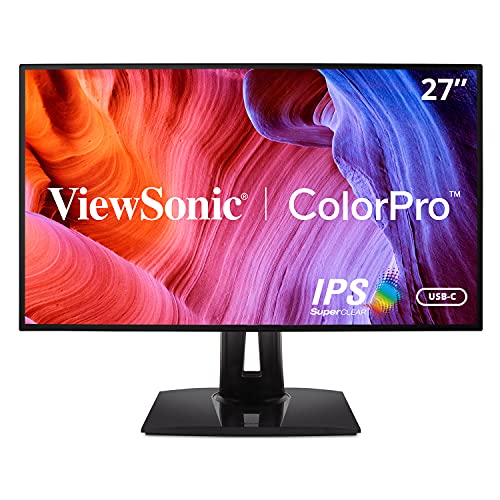
- 100% sRGB; Delta E < 2
- Pantone Validated QHD panel
- 90W USB-C, Ethernet, and daisy chaining
Best For: laptop-based sRGB design workstations
Best Wide-Gamut Pick
ASUS ProArt PA279CRV 27-Inch 4K

- 99% Adobe RGB and DCI-P3 coverage
- Factory calibrated to Delta E < 2
- 96W USB-C and adjustable stand
Best For: Print-focused editing with 4K detail and wide-gamut color
Best sRGB Workflow Pick
ViewSonic VP2756A-2K 27-Inch QHD
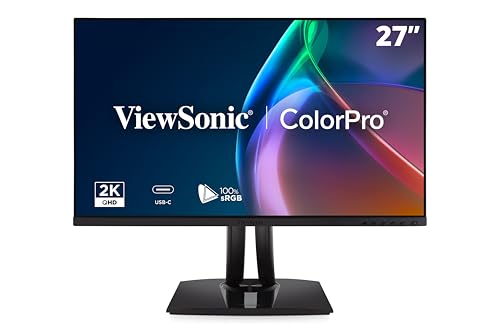
- 100% sRGB; Pantone Validated
- Factory calibrated to Delta E < 2
- 90W USB-C docking and 120Hz
Best For: sRGB-based design with Pantone-referenced colors and laptop docking
Best Renewed Option
ASUS ProArt PA279CRV 27-Inch 4K
- 99% Adobe RGB and DCI-P3 coverage
- 4K; factory calibrated to Delta E < 2
- Renewed with 90-day limited warranty
Best For: Considering a renewed wide-gamut 4K monitor for print editing
Best for Pantone Workflows
ViewSonic VP2468a ColorPro (Renewed)
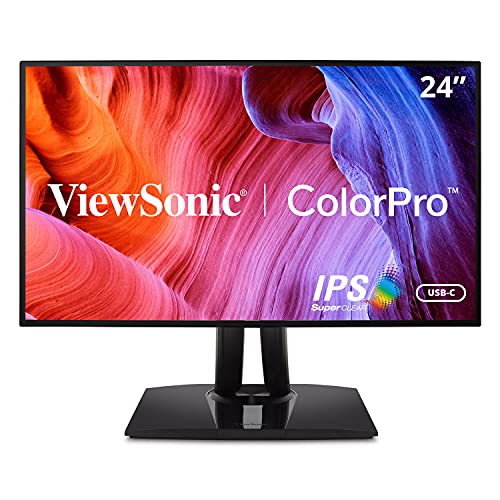
- Pantone Validated; hardware calibration support
- 100% sRGB; stated Delta E below 2
- 65W USB-C charging and RJ45
Best For: Pantone-focused design at a compact laptop desk
Best New ProArt Option

- Calman Verified; stated Delta E below 2
- 100% sRGB and Rec. 709 coverage
- 65W USB-C and DisplayPort daisy-chaining
Best For: A new, factory-calibrated sRGB desktop setup
Best Renewed ProArt Option

- Calman Verified; calibration report included
- 100% sRGB; stated Delta E below 2
- 65W USB-C and adjustable stand
Best For: An sRGB-focused workstation with renewed-unit trade-offs
Versatile sRGB Pick – ASUS ProArt PA278QV 27-Inch QHD
The ASUS ProArt PA278QV is a practical choice among color accurate monitors for print work when your workflow centers on sRGB files. Its 27-inch QHD IPS panel is factory calibrated, Calman Verified, and rated for Delta E < 2 accuracy.
Best For: Designers and photo editors who want an adjustable sRGB monitor with flexible connections.
Pros:
- 100% sRGB coverage and an included color pre-calibration report.
- DisplayPort, HDMI, DVI-D, Mini DisplayPort, and a USB hub accommodate varied setups.
- Height, tilt, swivel, and pivot adjustments support comfortable editing.
Cons:
- QHD provides less detail than a 4K display.
- The stated gamut coverage focuses on sRGB and Rec. 709 rather than a specified print-oriented Adobe RGB gamut.
It offers a strong foundation for sRGB design and proofing, but confirm your required print color space before relying on it for wider-gamut work.
Large-Canvas Pick – ViewSonic VP3256A-4K 32-Inch ColorPro
If you want more room to inspect layouts, the ViewSonic VP3256A-4K brings a 32-inch 4K IPS panel to a shortlist of color accurate monitors for print work. It is factory calibrated to Delta E < 2, covers 100% sRGB and Rec. 709, and is Pantone Validated.
Best For: Designers handling detailed layouts who want a large 4K workspace and single-cable laptop connectivity.
Pros:
- 32-inch 4K resolution leaves room for detailed artwork and editing panels.
- Uniformity functions help maintain consistent color and luminance across the screen.
- USB-C carries video and data while providing up to 100W power delivery.
Cons:
- The 32-inch screen requires more desk space than a 27-inch alternative.
- The supplied specifications do not state Adobe RGB coverage.
Its combination of space, stated color accuracy, and convenient docking suits an sRGB-based design desk; check gamut requirements for print workflows beyond sRGB.
Wider-Gamut QHD Pick – ASUS ProArt PA278QV2 27-Inch
The ASUS ProArt PA278QV2 stands out among color accurate monitors for print work with its stated 100% sRGB and 95% DCI-P3 coverage. This 27-inch QHD IPS display is Calman Verified and factory calibrated for Delta E < 2 accuracy.
Best For: Creators who combine sRGB design with wider-gamut digital media work.
Pros:
- 100% sRGB and 95% DCI-P3 coverage offer flexibility across creative projects.
- 120Hz variable refresh rate provides smoother on-screen motion.
- Adjustable stand, DisplayPort, HDMI, and a four-port USB hub support a flexible workstation.
Cons:
- Its 2560 × 1440 native resolution is less detailed than 4K.
- DCI-P3 coverage does not establish Adobe RGB coverage for print-specific needs.
Choose it if you value calibrated QHD color and a faster refresh rate, while verifying that its stated gamuts fit your print-production requirements.
Docking-Friendly Pick – ViewSonic VP2768A 27-Inch ColorPro
The ViewSonic VP2768A is worth considering among color accurate monitors for print work if your editing desk also needs laptop docking. Its 27-inch QHD IPS panel is factory calibrated for 100% sRGB and Rec. 709 coverage with Delta E < 2 accuracy, and the display is Pantone Validated.
Best For: Laptop-based designers who want an sRGB editing screen with built-in networking and charging.
Pros:
- USB-C delivers up to 90W charging, with RJ45 Ethernet for wired networking.
- DisplayPort daisy-chain support can simplify a multi-monitor setup.
- Height, tilt, swivel, and rotation adjustments make positioning easier.
Cons:
- QHD is less sharp than 4K for inspecting fine details.
- No Adobe RGB coverage figure is provided in the supplied specifications.
This is a convenient choice for an sRGB-focused workstation, though print buyers needing a specified wider gamut should confirm coverage separately.
Best Wide-Gamut Pick – ASUS ProArt PA279CRV 27-Inch 4K
For shoppers comparing color accurate monitors for print work, the ASUS ProArt PA279CRV combines 4K detail with 99% Adobe RGB coverage, a particularly relevant specification for print-oriented editing. It is factory pre-calibrated to Delta E < 2 and Calman Verified.
Best For: Print-focused creatives who want wide-gamut color, 4K resolution, and a one-cable laptop connection.
Pros:
- 99% Adobe RGB and 99% DCI-P3 coverage.
- 27-inch 4K IPS panel with factory calibration and an included calibration report.
- USB-C with 96W Power Delivery, a USB hub, and DisplayPort daisy-chain support.
- Height, tilt, swivel, and pivot adjustments; five-year warranty requires online registration for the two-year extension.
Cons:
- 60Hz refresh rate is less suited to buyers prioritizing high-refresh motion.
- Factory calibration does not eliminate the need to check color against your own print workflow.
Its Adobe RGB coverage makes this the strongest print-oriented specification set of the three listings, while the USB-C connection and adjustable stand suit a working desk.
Best sRGB Workflow Pick – ViewSonic VP2756A-2K 27-Inch QHD
The ViewSonic VP2756A-2K is worth considering among color accurate monitors for print work when your projects use sRGB or Pantone-referenced colors. It offers 100% sRGB coverage, Pantone Validation, and factory calibration to Delta E < 2, but the supplied specifications do not state Adobe RGB coverage.
Best For: Designers working primarily in sRGB who value Pantone Validation and USB-C docking.
Pros:
- 100% sRGB and Rec.709 coverage with factory Delta E < 2 calibration.
- Pantone Validated for workflows using Pantone Matching System colors.
- 90W USB-C connection carries video, data, and audio while charging a laptop.
- Adjustable stand and DisplayPort daisy-chain support.
Cons:
- 2560 × 1440 resolution provides less detail than the 4K ASUS models.
- No Adobe RGB coverage figure is supplied for evaluating wide-gamut print needs.
This is a practical choice for sRGB-centered design desks, especially when single-cable laptop connectivity matters. For Adobe RGB-heavy print editing, verify that its gamut fits your requirements before buying.
Best Renewed Option – ASUS ProArt PA279CRV 27-Inch 4K
This renewed ASUS ProArt PA279CRV brings relevant specifications to a search for color accurate monitors for print work: 99% Adobe RGB coverage, 4K resolution, and factory pre-calibration to Delta E < 2. Because it is a renewed listing, check the unit’s condition and included accessories before ordering.
Best For: Buyers considering a renewed 4K, wide-gamut display for print-oriented editing.
Pros:
- 99% Adobe RGB and 99% DCI-P3 coverage on a 27-inch 4K IPS panel.
- Calman Verified, factory pre-calibrated to Delta E < 2, with a calibration report listed among the included items.
- USB-C with 96W Power Delivery, plus DisplayPort, HDMI, and a USB hub.
Cons:
- Renewed listing carries a 90-day limited warranty rather than the new model’s longer stated coverage.
- The listed Adobe Creative Cloud promotion ended August 31, 2024.
The display specifications are compelling for print work, but the shorter warranty makes condition and current color performance especially important to assess on this renewed unit.
Best for Pantone Workflows – ViewSonic VP2468a ColorPro (Renewed)
The renewed ViewSonic VP2468a is a practical option among color accurate monitors for print work when your designs use Pantone colors. Its 24-inch IPS panel is factory calibrated for 100% sRGB and Rec. 709 coverage with a stated Delta E below 2.
Best For: Designers who want Pantone-validated color and a one-cable laptop desk setup.
Pros:
- Pantone Validated and supports hardware calibration.
- USB-C provides up to 65W charging; RJ45 adds wired networking.
- Adjustable height, tilt, swivel, and rotation.
Cons:
- Full HD resolution limits workspace compared with higher-resolution displays.
- Renewed unit has a 90-day limited warranty.
Its color credentials and built-in docking features make it a strong fit for a compact design station. Factor the renewed warranty and 1080p workspace into the decision.
Best New ProArt Option – ASUS ProArt PA247CV
The ASUS ProArt PA247CV is worth considering among color accurate monitors for print work if you want a new 23.8-inch display with documented factory calibration. It is Calman Verified, with 100% sRGB and Rec. 709 coverage and a stated Delta E below 2.
Best For: Buyers who want a factory-calibrated sRGB monitor with USB-C laptop connectivity.
Pros:
- Includes a color pre-calibration report.
- USB-C supports DisplayPort video and up to 65W Power Delivery.
- DisplayPort daisy-chaining supports a multi-monitor setup.
Cons:
- Full HD resolution offers limited room for large layouts and tool panels.
- The stated five-year warranty requires online registration for the two-year extension.
This is a straightforward choice for sRGB-based design work, especially with a USB-C laptop. For print matching, use the included calibration information as a starting point rather than assuming every printer and paper will match the screen.
Best Renewed ProArt Option – ASUS ProArt PA247CV (Renewed)
ASUS ProArt Display PA247CV 23.8” Monitor, 1080P Full HD, 100% sRGB/Rec. 709, IPS (RENEW) (Renewed)
Check Price On AmazonThis renewed ASUS ProArt PA247CV brings factory-calibrated color to a 23.8-inch Full HD screen. Among color accurate monitors for print work, it suits buyers seeking stated 100% sRGB coverage, Calman Verified calibration, and Delta E below 2 while considering a renewed unit.
Best For: Buyers comfortable with a renewed monitor who want sRGB-focused design features and adjustable ergonomics.
Pros:
- Includes a calibration report and covers 100% sRGB and Rec. 709.
- USB-C supports video and up to 65W Power Delivery.
- Height, tilt, swivel, and pivot adjustments help tailor the workstation.
Cons:
- Renewed unit carries a 90-day limited warranty.
- 1080p resolution may feel cramped for detailed layouts.
It retains the PA247CV’s useful color and connectivity specifications, but the shorter renewed warranty is the key trade-off. Check that its condition and price make sense for your workflow.
How We Picked the Best Color Accurate Monitors for Print Work
We prioritized displays aimed at creative work, then compared the details that matter for print preparation: screen size and resolution, stated color support, calibration options, connectivity, and overall value. Manufacturer color claims are a useful starting point, not a guarantee of print matching. Check the exact model’s specifications before buying, especially if hardware calibration or a particular color gamut is essential to your workflow.
Quick Comparison: Which Type Fits Your Desk?
24-inch Full HD: The ASUS ProArt PA247CV and ViewSonic VP2468a suit smaller desks and lower budgets. The VP2468a also lists hardware calibration support; confirm that its requirements fit your setup. Renewed PA247CV listings may cost less, but inspect the seller’s condition and return terms.
27-inch 1440p: The ASUS ProArt PA278QV and PA278QV2, ViewSonic VP2768A, and VP2756A-2K offer more room for images and editing panels without stepping up to 4K. Compare their ports rather than assuming similarly named models are interchangeable.
27- to 32-inch 4K: The ASUS ProArt PA279CRV offers finer detail in a 27-inch format, while the ViewSonic VP3256A-4K gives you a larger canvas. A renewed PA279CRV is another route to 4K if its warranty and condition make sense.
Key Buying Factors for Color Accurate Monitors for Print Work
Color Management Comes First
For dependable soft proofs, use a colorimeter to profile your display and recalibrate it regularly. Set an appropriate brightness for your room and viewing conditions; an overly bright screen can lead to prints that seem too dark. Use a color-managed application and the correct ICC profile for your printer, ink, and paper. Monitor accuracy alone cannot compensate for the wrong print profile or inconsistent lighting.
Choose the Resolution You Can Use
Full HD is workable for basic layouts but leaves less room for a large image alongside tools. At 27 inches, 1440p is a practical middle ground; 4K makes fine detail easier to inspect and provides a sharper interface. A 32-inch 4K screen offers more physical space, provided your desk has enough depth.
Check Gamut, Ports, and Condition
sRGB-oriented work and wider-gamut print workflows have different needs. Verify a model’s stated coverage and whether it supports the calibration method you intend to use. If you connect a laptop, check USB-C video support and power delivery against your computer’s requirements; USB-C capability varies across these models. For renewed units, confirm the return window, warranty, and screen condition.
Who Should Buy Which Color Accurate Monitors for Print Work?
Choose a 24-inch model for occasional print work or a tight desk, a 27-inch 1440p display for a balanced everyday editing setup, and a 27- or 32-inch 4K option when detail and workspace are priorities. If print color is business-critical, reserve part of your budget for calibration and consistent print-viewing light rather than spending everything on the screen.
