
A good ultrawide gaming monitor can deliver a wider field of view and a more immersive desktop without the premium price of flagship displays. This roundup compares 10 affordable 34-inch options, including fast 200Hz models, high-resolution UWQHD screens, and lower-cost 2560×1080 alternatives.
Focus on the specifications that matter most for your games and graphics card: native resolution, refresh rate, panel technology, adaptive sync support, ergonomics, and available inputs. The best choice depends on whether you prioritize competitive responsiveness, cinematic image quality, or everyday versatility.
Best 10 Budget Ultrawide Gaming Monitors Picks for 2026
High-Refresh Value
KOORUI 34-Inch 200Hz Ultrawide

- 3440×1440 VA panel with a 1000R curve
- Up to 200Hz over DisplayPort
- HDR 400 and broad color coverage
Best For: PC gamers seeking immersive, high-refresh ultrawide performance
Everyday Ultrawide Pick

- Flat 34-inch 3440×1440 VA display
- Up to 115Hz with FreeSync
- Built-in speakers and eye-care mode
Best For: Work, multitasking, and casual gaming on one large display
Competitive Curved Choice
AOC CU34G4H 34-Inch 200Hz Ultrawide

- 3440×1440 VA panel with a 1500R curve
- Up to 200Hz over DisplayPort
- 0.3ms MPRT and Adaptive-Sync
Best For: Fast-paced PC gaming with a spacious curved display
Feature-Packed Budget Pick
Sceptre 34-Inch 165Hz Curved Ultrawide

- 3440×1440 curved display with up to 165Hz
- 1ms MPRT and FreeSync Premium
- Built-in speakers and blue-light filter
Best For: Value-focused gaming and productivity setups needing versatile features
Best Curved Budget Pick
Sceptre 34-inch 100Hz Ultrawide
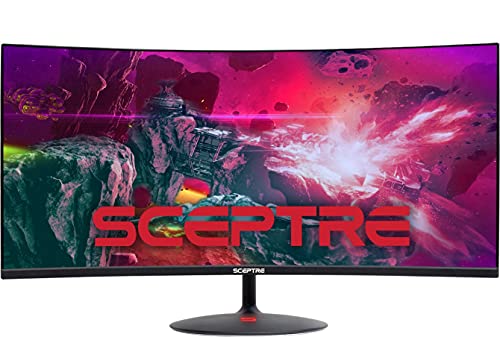
- 34-inch 1500R curved 21:9 display
- Up to 100Hz with Adaptive Sync
- Three HDMI ports, DisplayPort, and built-in speakers
Best For: Affordable immersive gaming and entertainment setups
Best Feature-Rich Pick

- 3440×1440 IPS display with 165Hz refresh rate
- FreeSync, 120% sRGB, 8-bit color, and 380cd/m² brightness
- PIP/PBP plus two HDMI 2.0 and two DisplayPort 1.4 inputs
Best For: Higher-resolution gaming, streaming, and multi-source multitasking
Immersive Value Pick

- 3440x1440 resolution with a 1500R curve
- 180Hz refresh rate and AMD FreeSync
- 127% sRGB, HDR10, and multiple video inputs
Best For: Gamers wanting an immersive, color-rich 34-inch ultrawide
High-Refresh Feature Pick

- 200Hz UWQHD Fast VA display
- AI gaming tools and VRR support
- HDMI 2.1, DisplayPort, and PIP/PBP
Best For: Fast-paced gaming and multitasking on a feature-rich ultrawide
Contrast-Focused Budget Pick
Gawfolk 34-Inch 200Hz Ultrawide

- 3440x1440 resolution with a 1500R curve
- 200Hz refresh rate with FreeSync and G-Sync
- 4000:1 contrast and 120% sRGB coverage
Best For: Gamers seeking strong contrast and high refresh at a budget price
High-Refresh Value – KOORUI 34-Inch 200Hz Ultrawide
For shoppers comparing budget ultrawide gaming monitors, the KOORUI 34E6UC stands out with a 34-inch 3440×1440 VA display, a 1000R curve, and up to a 200Hz refresh rate over DisplayPort. Its wide color coverage, adaptive-sync support, and adjustable stand make it a feature-rich option for gaming and multitasking.
Best For: PC gamers who want high refresh rates, an immersive curve, and strong image features at a value-oriented price.
Pros:
- 3440×1440 resolution with a highly immersive 1000R curve
- Up to 200Hz refresh rate through DisplayPort, with FreeSync and G-Sync support
- DCI-P3 95%, 125% sRGB, 400-nit brightness, and HDR 400
- Height, tilt, and swivel adjustments plus PIP/PBP functionality
Cons:
- The full 200Hz refresh rate requires DisplayPort; HDMI supports up to 120Hz
- Its deep 1000R curve may not suit users who prefer flat or gently curved screens
The KOORUI combines an unusually fast refresh rate with a high-resolution ultrawide panel and useful ergonomic features. It is especially compelling for PC-focused gaming setups, though buyers should confirm their graphics output and desk space can accommodate the aggressive curve.
Everyday Ultrawide Pick – Sceptre 34-Inch Prime 115Hz
The Sceptre E345W-QU120 is a practical choice among budget ultrawide gaming monitors, pairing a 34-inch flat 3440×1440 VA panel with up to 115Hz through DisplayPort. Built-in speakers, two HDMI ports, two DisplayPort inputs, and eye-care features also make it well suited to mixed work and entertainment setups.
Best For: Users who want a large ultrawide for productivity, casual gaming, streaming, and everyday multitasking.
Pros:
- 34-inch 21:9 UWQHD resolution provides ample horizontal workspace
- Up to 115Hz via DisplayPort and AMD FreeSync support
- 103% sRGB color coverage for vibrant general-purpose visuals
- Built-in speakers, audio out, and Blue-Light Shift technology
Cons:
- Its 5ms response time and 115Hz ceiling are less gaming-focused than faster alternatives
- The flat panel lacks the wraparound feel of curved ultrawide models
This Sceptre emphasizes versatility rather than maximum competitive-gaming performance. Its connectivity, integrated audio, and comfortable viewing features make it a sensible option when one monitor needs to handle office work and gaming without adding separate speakers.
Competitive Curved Choice – AOC CU34G4H 34-Inch 200Hz Ultrawide
The AOC CU34G4H is a strong contender in the budget ultrawide gaming monitors category, offering a 34-inch 3440×1440 VA panel with a 1500R curve and up to 200Hz over DisplayPort. Its 0.3ms MPRT specification, Adaptive-Sync support, and adjustable stand target fast-paced PC gaming.
Best For: Gamers who prioritize smooth motion, a high refresh rate, and an adjustable curved ultrawide display.
Pros:
- Sharp 3440×1440 resolution on an expansive 34-inch 21:9 panel
- Up to 200Hz through DisplayPort and 100Hz via HDMI
- 0.3ms MPRT response specification with Adaptive-Sync
- Height-adjustable, tilting, and swiveling stand with HDR Ready support
Cons:
- Reaching 200Hz requires a DisplayPort connection
- HDR is listed as HDR Ready rather than a full HDR 400 specification
The CU34G4H balances high-resolution ultrawide immersion with gaming-oriented speed. Its 1500R curve is less aggressive than a 1000R design, while the ergonomic stand and multiple inputs make it easier to integrate into a serious desktop gaming setup.
Feature-Packed Budget Pick – Sceptre 34-Inch 165Hz Curved Ultrawide
For buyers seeking budget ultrawide gaming monitors with a strong mix of gaming and general-use features, the Sceptre C345B-QUT168 offers a 34-inch 3440×1440 curved display, 1ms MPRT, and AMD FreeSync Premium. Its wide 21:9 format adds workspace for games, editing, and productivity.
Best For: Gamers and content-focused users who want high-resolution ultrawide space, fast response, and built-in audio.
Pros:
- 3440×1440 WQHD resolution delivers detailed images and extra horizontal space
- Up to 165Hz listed refresh rate with AMD FreeSync Premium
- 1ms MPRT response specification helps reduce visible motion blur
- Built-in speakers, blue-light filter, and rear LED lighting
Cons:
- Brightness is listed at 280 cd/m², below some brighter HDR-oriented options
- The included warranty is limited to one year
The C345B-QUT168 is a well-rounded value option for users who want more than basic ultrawide functionality. It combines detailed resolution, a fast refresh rate, built-in speakers, and a moderate R1500 curve, making it flexible for both gaming and everyday desktop use.
Best Value IPS Pick – Gawfolk 34-inch 120Hz Ultrawide
For shoppers comparing budget ultrawide gaming monitors, the Gawfolk offers a useful balance of screen space, IPS viewing quality, and smooth gaming performance. Its 34-inch, 2560×1080 display uses a 21:9 aspect ratio and reaches 120Hz, making it suitable for both games and everyday multitasking.
Best For: Gamers and home-office users who want a spacious flat ultrawide with IPS color and a higher-than-basic refresh rate.
Pros:
- 34-inch 21:9 IPS panel provides 2560×1080 resolution and 178-degree viewing angles.
- 120Hz refresh rate, 2ms response time, and FreeSync support are suited to fluid gameplay.
- HDMI and DisplayPort inputs support PCs, laptops, and gaming consoles.
- Frameless design, tilt adjustment, and 75×75mm wall-mount support add setup flexibility.
Cons:
- 2560×1080 resolution is less detailed than ultrawides using 3440×1440.
- The flat screen may be less immersive than a curved alternative.
- Only one HDMI port is listed.
The Gawfolk is a practical budget choice when you prioritize IPS viewing angles, 120Hz gaming, and a broad desktop over maximum pixel density. It is especially appealing for mixed gaming and productivity setups.
Best Curved Budget Pick – Sceptre 34-inch 100Hz Ultrawide
The Sceptre C345W-2560UN is one of the more straightforward budget ultrawide gaming monitors for shoppers who prefer a curved display. Its 34-inch 1500R panel, 21:9 format, Adaptive Sync, and refresh rate of up to 100Hz create a broad, immersive screen for games, movies, and general desktop use.
Best For: Gamers who want an affordable curved ultrawide with Adaptive Sync, a frameless design, and multiple HDMI connections.
Pros:
- 34-inch 1500R curved screen provides an immersive 21:9 viewing experience.
- Up to 100Hz refresh rate and Adaptive Sync help reduce tearing and stuttering.
- Three HDMI ports and one DisplayPort offer flexible connectivity.
- Built-in speakers, blue-light reduction, tilt adjustment, and wall-mount support add convenience.
Cons:
- 2560×1080 resolution provides less detail than 3440×1440 ultrawide displays.
- The listed 5ms response time is slower than some gaming-focused alternatives.
- Refresh-rate details vary in the supplied specifications, which list both up to 100Hz and 85Hz for certain inputs.
This Sceptre makes sense if immersion and connectivity matter more than the highest refresh rate or resolution. Its curved panel and built-in speakers also suit a simple gaming and entertainment setup.
Best Feature-Rich Pick – CRUA 34-inch 165Hz UWQHD
Among budget ultrawide gaming monitors, the CRUA stands out for combining a sharper UWQHD resolution with a fast 165Hz refresh rate. Its 34-inch IPS panel delivers 3440×1440 detail, while FreeSync, PIP/PBP, multiple video inputs, and built-in speakers make it useful for both gaming and multitasking.
Best For: PC gamers, streamers, and multitaskers who want higher-resolution ultrawide gaming plus dual-source viewing features.
Pros:
- 3440×1440 UWQHD resolution provides sharper detail and more workspace than 2560×1080 models.
- 165Hz refresh rate and AMD FreeSync support smooth, fast-moving gameplay.
- IPS panel offers 178-degree viewing angles, 120% sRGB coverage, 8-bit color, and 380cd/m² brightness.
- PIP/PBP, two HDMI 2.0 ports, two DisplayPort 1.4 inputs, and built-in speakers support flexible setups.
Cons:
- Higher UWQHD resolution may require more graphics-card performance to drive high frame rates.
- The supplied notes do not specify the monitor’s response time or stand height adjustment.
- Its feature set may be more than needed for basic office or casual gaming use.
The CRUA is the strongest all-rounder here for buyers who want more than an entry-level ultrawide. It offers the best combination of resolution, refresh rate, color coverage, and connectivity, provided your gaming hardware can take advantage of it.
Immersive Value Pick – 34-Inch 180Hz WQHD Ultrawide
For shoppers comparing budget ultrawide gaming monitors, the DJiEX Q34B4E combines a 34-inch 1500R curved display with sharp 3440×1440 resolution and a 180Hz refresh rate. Its wide color coverage and HDR10 support also make it suitable for entertainment and everyday productivity.
Best For: Gamers who want an immersive 34-inch UWQHD screen with strong color coverage and a high refresh rate.
Pros:
- 3440×1440 resolution on a spacious 21:9 curved display
- 180Hz refresh rate with AMD FreeSync for smoother gameplay
- 127% sRGB coverage, 8-bit color, HDR10, and a 3000:1 contrast ratio
- Two HDMI 2.0 ports, two DisplayPort 1.4 ports, and 100x100mm wall-mount compatibility
Cons:
- The listed 180Hz refresh rate applies through DisplayPort
- The VA panel and 350 cd/m² brightness may not suit shoppers seeking a brighter premium display
The DJiEX is a well-equipped value option when resolution, immersion, and refresh rate matter most. Its one-year manufacturer warranty adds useful reassurance for budget-conscious buyers.
High-Refresh Feature Pick – SANSUI 34-Inch 200Hz UWQHD
The SANSUI ES-G34C5 is a compelling choice among budget ultrawide gaming monitors, offering a 34-inch 1500R UWQHD panel with a 200Hz refresh rate. It adds gaming-focused features such as AI crosshair, sniper scope, VRR support, and picture-in-picture or picture-by-picture modes.
Best For: Fast-paced gamers who want a 200Hz ultrawide with built-in gaming tools and flexible multitasking features.
Pros:
- 3440×1440 resolution and up to 200Hz refresh rate
- Fast VA panel with advertised 1ms response time and FreeSync support
- AI blue-light reduction, AI crosshair, AI PQ, sniper scope, and night vision features
- HDMI 2.1 ports, DisplayPort 1.4, PIP/PBP, and VESA compatibility
Cons:
- No built-in speakers
- The stand offers tilt adjustment but no listed height adjustment
- Brightness is listed at 300 cd/m²
With its 200Hz ceiling and unusually broad feature set, the SANSUI stands out for competitive-minded buyers who can take advantage of the necessary connection and system performance. Its 30-day money-back and replacement policy plus lifetime technical support are additional positives.
Contrast-Focused Budget Pick – Gawfolk 34-Inch 200Hz Ultrawide
The Gawfolk GFTY989 offers the core features many buyers seek in budget ultrawide gaming monitors: a 34-inch 1500R curve, 3440×1440 resolution, and a 200Hz refresh rate. Its 4000:1 contrast ratio, adaptive sync, and flicker-free design make it a practical fit for gaming and general desktop use.
Best For: Gamers who prioritize deep VA-panel contrast, a high refresh rate, and broad device compatibility.
Pros:
- 3440×1440 UWQHD resolution with a 21:9 curved format
- 200Hz refresh rate with FreeSync and G-Sync adaptive-sync support
- 4000:1 contrast ratio, 120% sRGB, 8-bit color with FRC, and 310-nit brightness
- Flicker-free operation, low-blue-light mode, and HDMI, DisplayPort, and 3.5mm audio connectivity
Cons:
- The default refresh rate is 60Hz and requires changing display settings
- HDMI supports up to 100Hz according to the supplied notes; DisplayPort is needed for up to 200Hz
- The stand and warranty details are less extensive than some competing models
The Gawfolk is especially appealing when contrast and high-refresh gaming are more important than premium ergonomics. Plan to use DisplayPort and adjust the system settings to get the most from its 200Hz capability.
How We Picked These Budget Ultrawide Gaming Monitors
We selected monitors that offer a 21:9 ultrawide format, gaming-oriented refresh rates, and pricing aimed at value-conscious buyers. The list includes 34-inch curved and flat-style options across UWQHD 3440×1440 and Full HD ultrawide 2560×1080 resolutions. We also considered panel type, advertised response time, color coverage, built-in speakers, ports, and useful multitasking features such as picture-in-picture or picture-by-picture.
Specifications can vary by input, preset, and firmware, so treat response-time claims as manufacturer figures rather than guaranteed real-world performance. Confirm current pricing, adaptive-sync compatibility, stand adjustment, and warranty details before ordering.
Quick Comparison
- Best overall balance: A 34-inch UWQHD display with 165Hz to 200Hz refresh and a VA or IPS panel.
- Best for competitive play: A 180Hz or 200Hz model, provided your graphics card can drive high frame rates.
- Best for image quality: Choose 3440×1440 for sharper text and a more detailed gaming picture than 2560×1080.
- Best lower-cost option: A 2560×1080 monitor can reduce GPU demands while preserving the ultrawide experience.
- Best for mixed use: Look for strong sRGB coverage, DisplayPort, multiple HDMI inputs, and a height-adjustable stand.
Key Buying Factors for Budget Ultrawide Gaming Monitors
Resolution and Graphics-Card Load
3440×1440 is the preferred resolution for a sharp 34-inch image, but it requires substantially more GPU power than 2560×1080. Match the monitor to your graphics card and the games you play. A lower-resolution model may deliver smoother frame rates on entry-level hardware.
Refresh Rate and Response Performance
Refresh rates from 120Hz to 200Hz make motion feel smoother than 60Hz. Higher numbers are most valuable in racing, shooters, and esports, but only when your system can produce enough frames. Check for adaptive sync support to reduce tearing and stuttering.
Panel Type, Contrast, and HDR
VA panels commonly provide deeper contrast and better black levels, while IPS panels often offer more consistent viewing angles and color behavior. Budget HDR labels do not guarantee high-impact HDR; check brightness, local dimming, and color gamut rather than relying on the label alone.
Ports and Ergonomics
DisplayPort is typically important for the highest refresh modes, while HDMI is useful for consoles and additional devices. Verify which ports support the advertised resolution and refresh rate. A height-adjustable stand, VESA compatibility, and a sensible curve can improve long-session comfort.
Who Should Buy Which Budget Ultrawide Gaming Monitors?
Competitive PC gamers should favor a 165Hz-to-200Hz UWQHD model with reliable adaptive sync and low-latency performance. Single-player and simulation gamers will usually prefer 3440×1440, especially if they value sharper scenery and a wider field of view. Owners of midrange or older GPUs may get better results from 2560×1080 at 100Hz to 120Hz or from a high-refresh model run at reduced settings. Work-and-play users should prioritize IPS viewing consistency, useful connectivity, speakers only if convenient, and a stand or VESA mount that suits their desk.
