
As you navigate the fast-evolving landscape of AI workstation laptops, it’s essential to pinpoint the models that truly excel in power and performance. In 2026, several contenders stand out, designed for professionals like you who demand top-tier specifications. From advanced processors to high-capacity SSDs, these devices cater to intensive tasks. But which ones will rise above the rest? Let’s explore the top options available this year.
Lenovo ThinkPad P14s Gen 6 Mobile Workstation

If you’re a professional seeking a powerful and portable AI workstation, the Lenovo ThinkPad P14s Gen 6 Mobile Workstation is designed for you. With its AMD Ryzen AI 7 PRO 350 processor, 32GB DDR5 RAM, and 1TB SSD, this device guarantees smooth performance for demanding tasks. The 14” WUXGA display offers exceptional brightness and color accuracy, perfect for detailed work. Weighing just 2 kg, it’s ultra-portable. Plus, with AI capabilities for real-time workload optimization and an impressive battery life of up to 8 hours, you’ll stay productive wherever you go. Enjoy seamless connectivity through multiple ports and Wi-Fi 7.
Best For: Professionals seeking a powerful and portable workstation for demanding tasks that require AI capabilities and exceptional performance.
Pros:
- High-performance AMD Ryzen AI 7 PRO 350 processor with dedicated AI capabilities for optimized workflows.
- Ultra-portable design at just 2 kg, making it easy to carry for on-the-go productivity.
- Exceptional display quality with 500 nits brightness and 100% sRGB color accuracy for detailed visual work.
Cons:
- Integrated graphics may not meet the needs of users requiring high-performance gaming or intensive graphic design.
- Limited to a maximum of 96GB RAM, which may be insufficient for extremely memory-intensive applications.
- Battery life of up to 8 hours may not be adequate for all-day use without access to charging.
Lenovo ThinkPad P16s Gen 4 Mobile Workstation Laptop
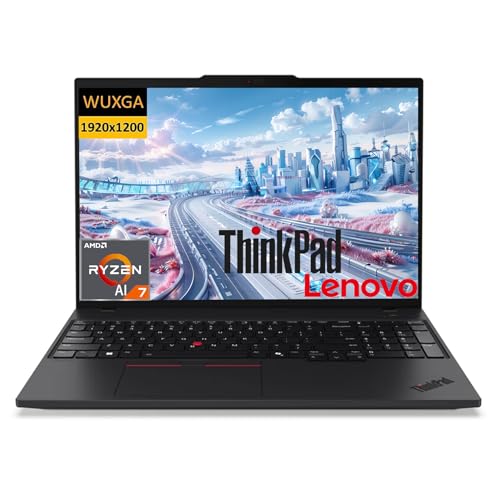
The Lenovo ThinkPad P16s Gen 4 Mobile Workstation Laptop stands out as an exceptional choice for AI professionals and creatives who demand power and flexibility. With its AMD Ryzen AI 7 PRO 350 processor and 64GB DDR5 RAM, you’ll experience seamless multitasking and robust performance. The 16-inch WUXGA touch display offers vibrant visuals, while the 1TB PCIe Gen 4 SSD guarantees rapid file access. Security is a priority with features like a fingerprint reader and camera privacy shutter. Weighing just 3.77 pounds, it’s perfect for on-the-go productivity, and the rapid charge support keeps you powered throughout the day.
Best For: AI professionals and creatives seeking a powerful and portable mobile workstation for demanding tasks.
Pros:
- Exceptional processing power with AMD Ryzen AI 7 PRO 350 and 64GB DDR5 RAM for seamless multitasking.
- High-quality 16-inch WUXGA touch display that provides vibrant visuals and an immersive experience.
- Robust security features including a fingerprint reader and physical camera privacy shutter for enhanced data protection.
Cons:
- The weight of 3.77 pounds may be heavier compared to other ultra-portable laptops.
- Limited native storage upgrade options beyond the 1TB PCIe Gen 4 SSD might not suit users needing vast amounts of data storage.
- The price point may be higher than entry-level laptops, making it less accessible for budget-conscious buyers.
Lenovo ThinkPad P16 Business Mobile Workstation Laptop

For professionals demanding high performance, the Lenovo ThinkPad P16 Business Mobile Workstation Laptop stands out with its powerful Intel Core i7 processor boasting 20 cores and 28 threads. With 32GB of ultra-fast DDR5 RAM and a 1TB PCIe M.2 SSD, multitasking and data access are seamless. The stunning 16″ UHD+ display enhances your visual experience, while the NVIDIA RTX 2000 Ada graphics elevate your creative projects. Weighing 6.5 lbs, it’s portable yet robust, featuring multiple connectivity options, including Thunderbolt 4. Plus, with Windows 11 Pro and ThinkShield security, your data’s protected while you work efficiently.
Best For: Professionals seeking a high-performance mobile workstation for demanding tasks like graphic design, video editing, and data analysis.
Pros:
- Powerful Intel Core i7 processor with 20 cores for exceptional multitasking performance.
- Stunning 16″ UHD+ display and NVIDIA RTX 2000 Ada graphics for enhanced visual and creative work.
- Ample connectivity options, including Thunderbolt 4, for versatile data transfer and peripheral support.
Cons:
- Weighs 6.5 lbs, which may be heavier than some other portable laptops.
- Higher price point compared to standard laptops, making it less accessible for casual users.
- Limited to a maximum of 64GB RAM, which may not meet the needs of some extreme users.
Lenovo ThinkPad P14s Mobile Workstation Laptop
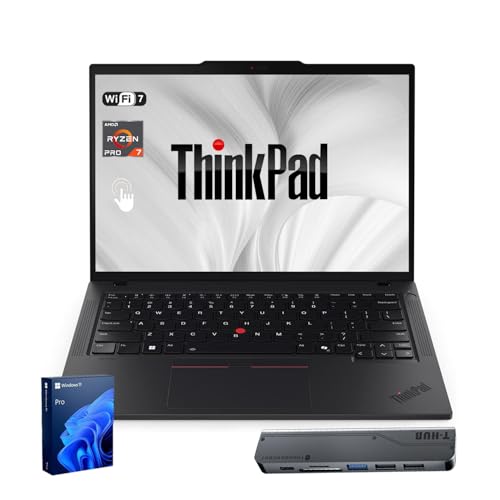
Engineered for professionals who demand high performance on the go, the Lenovo ThinkPad P14s Mobile Workstation Laptop stands out with its powerful AMD Ryzen AI 7 PRO 350 processor. With 48GB DDR5 RAM and a 1TB PCIe M.2 SSD, it handles multitasking effortlessly. The 14” WUXGA touchscreen display offers vibrant visuals and anti-glare protection, while its lightweight design (3.06 lbs) makes it easy to carry. You’ll appreciate the extensive connectivity options, including Thunderbolt 4 and Wi-Fi 7. Plus, with a backlit keyboard and decent battery life, this laptop is ready to tackle demanding tasks wherever you are.
Best For: Professionals in need of a high-performance mobile workstation for demanding tasks and multitasking on the go.
Pros:
- Powerful AMD Ryzen AI 7 PRO 350 processor with 8 cores for exceptional performance.
- Lightweight design at 3.06 lbs, making it highly portable for travel.
- Extensive connectivity options, including Thunderbolt 4 and Wi-Fi 7, for versatile usage.
Cons:
- Battery life of approximately 5 hours may not be sufficient for all-day use without charging.
- Limited display brightness at 400 nits may not be ideal for outdoor use.
- Higher price point may not be suitable for casual users or light tasks.
Lenovo ThinkPad P16s Gen 4 Laptop

Combining cutting-edge technology with robust performance, the Lenovo ThinkPad P16s Gen 4 Laptop stands out as an ideal choice for professionals in AI and creative fields. Powered by the AMD Ryzen AI 7 PRO 350 processor, it delivers impressive speeds up to 5.00 GHz. With 32 GB of DDR5 RAM and a 1 TB SSD, you’ll experience seamless multitasking and ample storage. The stunning 16” WQUXGA OLED touchscreen, along with Copilot+ AI features, enhances your productivity. It’s lightweight, durable, and equipped with versatile connectivity options, ensuring you’re ready for any challenge in today’s fast-paced work environment.
Best For: The Lenovo ThinkPad P16s Gen 4 Laptop is best for professionals in AI and creative fields seeking powerful performance and advanced features for multitasking and productivity.
Pros:
- High-performance AMD Ryzen AI processor enables fast processing speeds up to 5.00 GHz.
- Stunning 16” WQUXGA OLED touchscreen provides vibrant visuals and an immersive viewing experience.
- Robust connectivity options including Thunderbolt 4 and HDMI 2.1 allow for versatile device connections.
Cons:
- Weight of approximately 4 lbs may be heavier than some competitors, making it less portable.
- Integrated graphics may not satisfy high-end gaming or intensive graphic design needs.
- Higher price point compared to entry-level laptops, which may not fit all budgets.
Dell Precision 3591 Mobile Workstation Laptop

The Dell Precision 3591 Mobile Workstation Laptop stands out as an exceptional choice for professionals who demand top-tier performance on the go. With its 15.6″ FHD display and Intel 16-Core Ultra 7 processor, you’ll tackle demanding applications effortlessly. The NVIDIA RTX 1000 graphics and 64GB DDR5 RAM guarantee seamless multitasking. Plus, the 2TB PCIe NVMe SSD offers rapid storage access. You can connect up to three external monitors at 4K resolution, enhancing your workflow. With robust durability and features like Wi-Fi 6E, a backlit keyboard, and a fingerprint reader, this laptop balances power and portability perfectly.
Best For: Professionals who require high-performance computing and portability for demanding applications and multitasking.
Pros:
- Robust performance with Intel 16-Core Ultra 7 processor and NVIDIA RTX 1000 graphics for demanding applications.
- Ample 64GB DDR5 RAM and 2TB PCIe NVMe SSD for seamless multitasking and rapid storage access.
- Versatile connectivity options, supporting up to three external monitors in 4K resolution.
Cons:
- May be heavier and bulkier compared to standard laptops due to its workstation design.
- Higher price point may not be suitable for casual users or those with lighter computing needs.
- Battery life may be limited under heavy workloads due to powerful components.
HP ZBook Power 16 G11 Mobile Workstation Laptop

For professionals in engineering, design, and AI workloads, the HP ZBook Power 16 G11 Mobile Workstation Laptop stands out as a powerhouse of performance and reliability. Its 16″ FHD+ display and durable all-aluminum chassis meet MIL-STD 810H standards, ensuring longevity. You’ll appreciate the Intel Core Ultra 7 processor and NVIDIA RTX A500 graphics, enabling smooth multitasking and fast rendering. With 32GB DDR5 RAM and a 1TB SSD, handling large datasets becomes effortless. Additionally, extensive connectivity options and a 5MP IR webcam enhance functionality. Running on Windows 11 Pro, this workstation is perfect for demanding creative and technical tasks.
Best For: Professionals in engineering, design, and AI workloads seeking a high-performance mobile workstation.
Pros:
- Robust Performance: Equipped with Intel Core Ultra 7 and NVIDIA RTX A500 graphics for smooth multitasking and accelerated rendering.
- High Build Quality: Durable all-aluminum chassis that meets MIL-STD 810H standards for enhanced durability.
- Versatile Connectivity: Extensive connectivity options including Thunderbolt 4 and HDMI 2.1, allowing for multiple external monitors.
Cons:
- Weight: May be heavier compared to standard laptops, which can affect portability.
- Price Point: Premium features come with a higher price tag, which may not fit all budgets.
- Battery Life: While the 83Wh battery supports high productivity, heavy usage may require more frequent charging.
Lenovo ThinkPad P14s Mobile Workstation Laptop
Ideal for professionals who demand powerful performance on the go, the Lenovo ThinkPad P14s Mobile Workstation Laptop boasts an impressive AMD Ryzen AI 7 PRO 350 processor. With 8 cores and a max frequency of 5.0GHz, it handles demanding tasks effortlessly. The 14” WUXGA touchscreen display offers 400 nits of brightness, ensuring vibrant visuals. You’ll appreciate the 64GB DDR5 RAM and 2TB SSD, providing ample storage and speed. Connectivity options include Thunderbolt 4, USB-A, and HDMI ports. Weighing just 3.06 lbs, this sleek, TÜV-certified laptop is perfect for your on-the-move productivity needs, making it a top choice for 2026.
Best For: Professionals seeking a high-performance mobile workstation that combines power, portability, and advanced connectivity options.
Pros:
- Exceptional processing power with AMD Ryzen AI 7 PRO 350, ideal for demanding applications.
- Generous 64GB DDR5 RAM and 2TB SSD ensure fast performance and ample storage for large files.
- Lightweight design at 3.06 lbs and TÜV Low Blue Light certification make it perfect for on-the-go use.
Cons:
- Limited color gamut (45% NTSC) may not meet the needs of professional graphic designers.
- Integrated AMD Radeon Graphics may not satisfy gamers or those requiring high-end graphics performance.
- The price point may be higher than some users are willing to spend for a mobile workstation.
Dell Precision 7000 7680 Mobile Workstation Laptop

Packed with cutting-edge technology, the Dell Precision 7000 7680 Mobile Workstation Laptop is a powerhouse designed specifically for professionals in design, engineering, and video editing. With its Intel Core i7-13850HX processor, boasting 20 cores and speeds up to 5.3 GHz, you’ll experience lightning-fast performance. The 64GB of DDR5 RAM and 1TB SSD storage guarantee you’ll handle large projects with ease. Plus, the NVIDIA RTX 2000 Ada 8GB GPU delivers stunning graphics. The 16-inch FHD+ display supports multiple 4K monitors, and with robust connectivity options, you’ll stay connected and productive. Enjoy peace of mind with Dell’s ProSupport warranty until 2029.
Best For: Professionals in design, engineering, and video editing who require high-performance computing and graphics capabilities.
Pros:
- High-performance hardware with a powerful Intel Core i7 processor and NVIDIA RTX 2000 GPU, ideal for demanding tasks.
- Large RAM and storage capacity of 64GB DDR5 and 1TB SSD, allowing efficient multitasking and ample space for large files.
- Versatile connectivity options including multiple Thunderbolt and USB ports, enabling easy connection to various peripherals and external displays.
Cons:
- Higher price point compared to standard laptops, which may not be suitable for budget-conscious users.
- Weight and portability may be less favorable for users needing a lightweight laptop for travel.
- Limited battery life during intensive tasks, which may require frequent charging when on the go.
Dell Precision 3590 Mobile Workstation Laptop
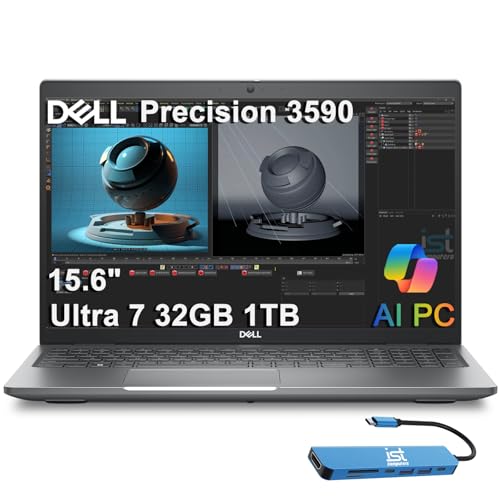
The Dell Precision 3590 Mobile Workstation is a powerhouse tailored for professionals who demand high performance in a portable form. Weighing just 3.58 lbs, it boasts a 15.6″ FHD display with 400 nits brightness, ensuring crisp visuals wherever you work. Powered by an Intel Core Ultra 7 processor and 32GB of DDR5 RAM, you’ll breeze through demanding tasks. With a 1TB PCIe NVMe SSD, storage is ample. Connectivity options include multiple Thunderbolt 4 ports and support for up to three external monitors. Plus, with AI features like Copilot and security measures such as a fingerprint reader, it’s built for efficiency and safety.
Best For: Professionals who require a high-performance mobile workstation for demanding applications and multitasking.
Pros:
- Exceptional performance with Intel Core Ultra 7 processor and 32GB DDR5 RAM.
- Ample storage with a 1TB PCIe NVMe SSD for quick access to files.
- Multiple connectivity options, including Thunderbolt 4 ports and support for up to three external monitors.
Cons:
- Integrated graphics may not meet the needs of users requiring high-end graphics performance.
- The weight of 3.58 lbs might be heavier compared to other ultraportable laptops.
- Limited upgrade options due to the soldered RAM in some configurations.
Factors to Consider When Choosing AI Workstation Laptops
When choosing an AI workstation laptop, you need to contemplate several key factors. Processor performance, memory capacity, and graphics capabilities all play an essential role in how well your laptop can handle demanding tasks. Additionally, don’t overlook storage type and connectivity options, as they can greatly impact your workflow.
Processor Performance and Cores
Choosing the right processor for your AI workstation laptop can greatly affect your performance, especially when tackling demanding workloads. Look for processors with higher clock speeds, as they execute more cycles per second, enhancing performance in intensive applications. Pay attention to the number of cores; more cores mean better multitasking since they allow parallel processing of tasks, which is essential for AI workloads. Additionally, consider processors with neural processing units (NPUs) designed to accelerate AI tasks. A higher thread count is also beneficial, enabling your laptop to handle more simultaneous operations. Finally, advanced technologies like Turbo Boost can dynamically increase clock speeds, providing the extra power needed during demanding tasks, ensuring your laptop runs smoothly under pressure.
Memory Capacity and Speed
Memory capacity and speed play an essential role in the performance of your AI workstation laptop, especially as you tackle large datasets and complex computations. Look for options ranging from 32GB to 96GB to efficiently manage these demands. Higher memory speeds, like DDR5 at 5600 MHz, can boost data transfer rates, enhancing system responsiveness during AI tasks. Many laptops support dual-channel configurations, which can double your memory bandwidth, further improving performance in memory-intensive applications. Upgrading memory capacity will also enhance your multitasking abilities, allowing you to run multiple AI models or applications simultaneously without slowdowns. For peak performance, choose a laptop that meets or exceeds the memory requirements of your intended AI workloads.
Graphics Capabilities and Support
Graphics capabilities are vital for any AI workstation laptop, as they directly impact your ability to perform complex calculations and rendering tasks. Look for dedicated GPUs like NVIDIA RTX or AMD Radeon graphics cards, which can greatly enhance performance. Many workstations now include AI-driven neural processing units (NPUs) that optimize workload management and automate repetitive tasks, leveraging both integrated and dedicated graphics. Pay attention to memory bandwidth and GPU performance, measured in teraflops, as these factors boost the efficiency of machine learning models. For demanding workloads, multi-GPU configurations facilitate distributed computing, speeding up processing across large datasets. Additionally, support for high-resolution displays, like 4K, guarantees your graphical outputs are clear and detailed, vital for data analysis and design tasks.
Storage Type and Size
When working with advanced AI applications, the type and size of storage in your workstation laptop can greatly affect performance. Opt for SSDs (Solid State Drives) over traditional HDDs (Hard Disk Drives) to benefit from faster read/write speeds, enhancing system responsiveness and boot times. For AI workloads, you’ll need larger storage capacities, ideally between 1TB to 4TB, to manage extensive datasets without constant data management interruptions. Consider PCIe NVMe SSDs, as they offer higher bandwidth and lower latency, essential for data-intensive tasks. Also, check for upgradeability; many workstations allow future expansion to accommodate growing project needs. Fast storage solutions with read speeds exceeding 3000 MB/s can markedly reduce loading times and improve data processing efficiency.
Connectivity Options Available
As you explore options for AI workstation laptops, keep in mind that connectivity plays an essential role in your overall productivity. Look for multiple USB ports, both USB-A and USB-C, along with HDMI, Ethernet, and audio combo jacks, as these will facilitate diverse peripheral connections. Advanced models often include Thunderbolt ports, enabling high-speed data transfer rates of up to 40Gbps and supporting multiple external monitors. Wi-Fi 6E or Wi-Fi 7 can markedly enhance your wireless connectivity for data-intensive tasks. Don’t overlook Bluetooth technology, either; it allows seamless connections to wireless devices like keyboards and audio equipment. Finally, integrated security features, such as fingerprint readers and camera privacy shutters, bolster your data protection while using these connectivity options.
Battery Life and Portability
While tackling demanding AI tasks, it’s essential to evaluate battery life and portability in your workstation laptop choice. Look for models that offer up to 8 hours of usage, ensuring you stay productive while on the go. Lightweight designs, some as light as 2 kg, make it easier to carry your laptop for remote work. Rapid charge support can greatly reduce downtime, letting you recharge quickly during breaks. Compact dimensions, with some laptops under 0.75 inches thick, are ideal for mobile professionals. Don’t forget about efficient power management features that optimize battery performance, allowing you to maximize your operational hours without sacrificing processing power. Choose wisely to enhance your workflow and mobility.
