
As 2025 draws near, the demand for powerful 8K video editing PCs continues to rise. You need a machine that can handle the complexities of high-resolution content creation effortlessly. With cutting-edge processors and advanced graphics, these top models are built for professionals like you. But what features should you prioritize? Let’s explore the best options available and find the perfect powerhouse for your creative projects.
CPU Solutions VidCore Editing PC (HD 4K, 8K, 3D Modeling Workstation)
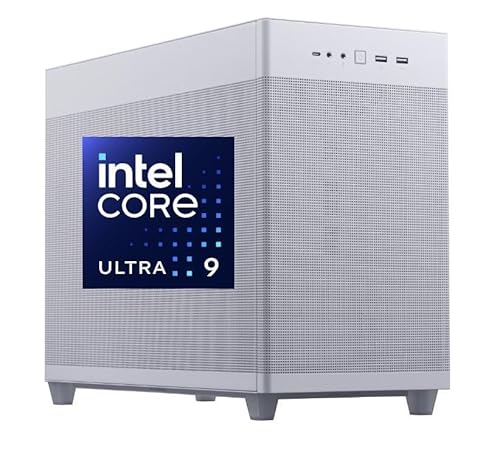
If you’re a professional video editor or a 3D modeler looking for a powerhouse to handle 8K content with ease, the CPU Solutions VidCore Editing PC is your go-to choice. Featuring a 15th Gen Intel Core Ultra 9 processor with 24 cores and Turbo Boost up to 5.7 GHz, it delivers exceptional performance. With 128GB DDR5 RAM and a 2TB PCIe NVMe M.2 SSD, your workflow remains fast and efficient. The Quadro RTX 4000 graphics card supports stunning resolutions, and its cooling system guarantees peak performance. Plus, a 3-year warranty gives you peace of mind for all your creative projects.
Best For: Professionals in video editing and 3D modeling who require high performance for handling 8K content.
Pros:
- Exceptional processing power with a 15th Gen Intel Core Ultra 9 and 24 cores.
- Ample memory and storage with 128GB DDR5 RAM and a 2TB PCIe NVMe M.2 SSD for fast workflows.
- High-quality graphics support with Quadro RTX 4000, enabling stunning resolutions.
Cons:
- The weight of 35 pounds may make it less portable.
- Price point may be high for casual users or hobbyists.
- Limited to four monitor outputs, which may not suffice for users needing more extensive multi-monitor setups.
CPU Solutions VidCore 8K Video Editing PC

The CPU Solutions VidCore 8K Video Editing PC stands out as an exceptional choice for professional video editors and content creators seeking top-tier performance. With its Core Ultra 9 285K processor boasting 24 cores and a turbo boost of up to 5.7 GHz, you’ll tackle demanding tasks effortlessly. The GeForce RTX 5080 with 16GB of memory supports stunning 8K and 3D editing, while 128GB DDR5 RAM and a 2000GB PCIe NVMe SSD guarantee speedy multitasking. Plus, the all-in-one liquid cooler and 850W Gold Certified power supply maintain stable performance during long editing sessions. Windows 11 Pro comes pre-installed, ready for action.
Best For: Professional video editors and content creators looking for high-performance hardware for 4K, 8K, and 3D editing.
Pros:
- Exceptional processing power with 24 cores and a turbo boost of up to 5.7 GHz for effortless multitasking.
- High-end graphics capabilities with the GeForce RTX 5080, ideal for demanding video projects.
- Comes with a robust 850W Gold Certified power supply and effective all-in-one liquid cooling for stable performance during extended use.
Cons:
- The high price point may not be suitable for casual users or hobbyists.
- Limited portability due to its size and components, making it less ideal for on-the-go editing.
- Requires sufficient workspace and proper cooling environment to ensure optimal performance.
CPU Solutions VidCore Ultra 9 Video Editing PC

Designed for professional video editors and creators, the CPU Solutions VidCore Ultra 9 Video Editing PC stands out with its powerhouse 15th Gen Intel Core Ultra 9 processor. With 24 cores and speeds reaching 5.7 GHz, you’ll experience lightning-fast performance. Its Quadro RTX 2000 ADA graphics card, boasting 16GB of dedicated memory, guarantees stunning visuals and supports up to four high-resolution monitors. The sleek design houses a robust cooling system, keeping your machine cool during long editing sessions. Plus, with a 2TB NVMe SSD and bloatware-free Windows 11 Pro, it’s optimized for your productivity and creativity.
Best For: Professional video editors and creators looking for high-performance computing power and stunning graphics capabilities.
Pros:
- Lightning-fast performance with a 15th Gen Intel Core Ultra 9 processor and 24 cores.
- Exceptional graphics support from the Quadro RTX 2000 ADA, enabling stunning visuals across multiple high-resolution monitors.
- Robust cooling system designed for long editing sessions, ensuring optimal performance without overheating.
Cons:
- Higher price point compared to entry-level video editing PCs, which may not be suitable for casual users.
- Limited upgrade options due to the specific hardware configuration, potentially restricting future enhancements.
- Heavyweight design may not be ideal for users seeking a portable editing solution.
NOVATECH AI Workstation Desktop PC

For video editors and content creators seeking top-tier performance, the NOVATECH AI Workstation Desktop PC stands out with its powerful Intel Core i9-14900K processor and RTX 5080 graphics card. With 64GB of DDR5 RAM and a 2TB high-speed NVMe SSD, you’ll experience lightning-fast data processing and storage. Its liquid cooling system guarantees peak performance during intense tasks like 3D rendering and video editing. Engineered for elite 4K/8K content creation, it supports advanced AI workloads and machine learning. Plus, with lifetime technical support and a 3-year warranty, you can focus on your creativity without worrying about your workstation.
Best For: Video editors, content creators, and data scientists looking for high-performance hardware for 4K/8K content creation and advanced AI workloads.
Pros:
- Extreme performance for machine learning, 3D rendering, and real-time video editing.
- Liquid cooling system ensures optimal performance during intensive tasks.
- Lifetime technical support and a 3-year warranty provide peace of mind for users.
Cons:
- High price point may be a barrier for casual users or entry-level professionals.
- Weight of 45 pounds can make it less portable compared to other desktops.
- Limited USB 2.0 ports may be insufficient for users with multiple peripheral devices.
CPU Solutions Express 4K to 8K Video Editing PC Desktop Workstation
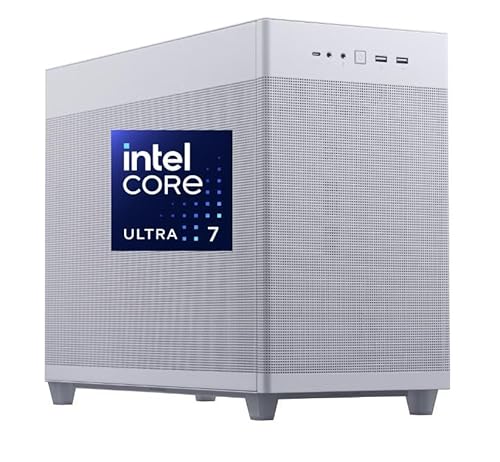
With its powerful 15th Core Ultra 7 processor and 64GB of expandable DDR5 RAM, the CPU Solutions Express 4K to 8K Video Editing PC Desktop Workstation is perfect for professionals who demand top-tier performance in video editing. You’ll appreciate the lightning-fast 2000GB NVMe SSD, delivering read speeds up to 5.0GB/s, ensuring smooth workflows. The NVIDIA Quadro RTX 2000ADA graphics card with 16GB ECC memory supports stunning visuals at a max resolution of 7680 x 4320. Plus, its robust cooling system and mesh design maintain peak performance during intensive tasks, making it a reliable choice for your video editing needs.
Best For: Professionals in video editing who require high-performance computing capabilities for 4K to 8K projects.
Pros:
- Exceptional Performance: Equipped with a powerful 15th Core Ultra 7 processor and 64GB DDR5 RAM, ensuring smooth and efficient video editing.
- High Storage Speed: The 2000GB NVMe SSD with rapid read/write speeds of up to 5.0GB/s enhances workflow efficiency.
- Superior Graphics: Features an NVIDIA Quadro RTX 2000ADA graphics card with 16GB ECC memory, supporting stunning visuals at high resolutions.
Cons:
- Heavy Weight: Weighing 45 pounds, it may be less portable and difficult to move.
- Low Customer Ratings: Currently holds a low rating of 1.0 out of 5 stars, indicating potential issues with user satisfaction.
- Limited Expandability on Graphics: The graphics card, while powerful, may not be easily upgradable compared to other options in the market.
CPU Solutions VidCore 8K Video Editing PC

The CPU Solutions VidCore 8K Video Editing PC stands out as an exceptional choice for professional content creators who demand top-tier performance and efficiency. With a powerful 15th Gen Intel Core Ultra 9 285K processor and GeForce RTX 5070Ti graphics card, it handles 4K, 8K, and 3D editing effortlessly. You’ll appreciate the 128GB DDR5 RAM and 2TB PCIe NVMe SSD, ensuring smooth multitasking and rapid data access. Plus, the RTX 5070Ti supports up to four monitors, enhancing your workflow. With excellent cooling, a robust power supply, and a bloatware-free Windows 11 Pro, this PC is built for serious editing sessions.
Best For: Professional content creators looking for high-performance capabilities in 4K, 8K, and 3D video editing.
Pros:
- Exceptional processing power with a 15th Gen Intel Core Ultra 9 285K processor and 24 cores for efficient multitasking.
- Ample 128GB DDR5 RAM and 2TB PCIe NVMe SSD provide rapid data access and support large video projects.
- The GeForce RTX 5070Ti graphics card allows for multi-monitor setups, enhancing productivity and workflow.
Cons:
- High initial investment may not be suitable for casual users or hobbyists.
- Limited upgrade options due to proprietary components or configurations.
- Noise levels during heavy workloads could be noticeable despite advanced cooling solutions.
CPU Solutions VidCore 8K Video Editing PC

Designed for professionals and enthusiasts alike, the CPU Solutions VidCore 8K Video Editing PC stands out with its powerful Intel Core Ultra 9 285K processor, ensuring seamless editing of high-resolution footage. With 128GB DDR5 RAM and a massive 2000GB NVMe SSD, you’ll experience lightning-fast performance and ample storage for your projects. The Nvidia Quadro RTX 4000 ADA graphics coprocessor enhances visual rendering, supporting up to four monitors at stunning 7680 x 4320 pixels. Weighing 35 pounds and running on Windows 11 Pro, this black powerhouse is built to handle your most demanding video editing tasks effortlessly.
Best For: Professionals and enthusiasts who require high-performance computing for 8K video editing and multi-monitor setups.
Pros:
- Lightning-fast performance thanks to the Intel Core Ultra 9 processor and 128GB DDR5 RAM.
- Ample storage with a 2000GB NVMe SSD, providing plenty of space for large video projects.
- High-quality graphics rendering with the Nvidia Quadro RTX 4000 ADA, supporting up to four monitors at 8K resolution.
Cons:
- Heavy weight at 35 pounds, making it less portable than other options.
- High price point may not be suitable for casual users or those on a budget.
- Limited customer reviews with only one rating, making it hard to gauge long-term reliability.
CPU Solutions VidCore Editing PC (CEV-8530-Ultra 9 RTX 4000 ADA)

For video editors who demand unparalleled performance, the CPU Solutions VidCore Editing PC (CEV-8530-Ultra 9 RTX 4000 ADA) stands out with its powerful 15th Gen Intel Core Ultra 9 processor, boasting 24 cores and a turbo boost up to 5.7 GHz. With 64GB of DDR5 RAM and a 2TB PCIe NVMe M.2 SSD, you’ll have ample memory and storage for large projects. The Quadro RTX 4000 ADA graphics card delivers stunning visuals at a max resolution of 7680 x 4320. Plus, its all-in-one liquid cooling system guarantees peak performance during intense editing sessions. This PC is a true powerhouse for creatives.
Best For: Video editors and creatives who require high-performance hardware for demanding projects.
Pros:
- Exceptional Processing Power: Equipped with a 15th Gen Intel Core Ultra 9 processor with 24 cores and turbo boost capability.
- Ample Memory and Storage: Offers 64GB of DDR5 RAM and a 2TB PCIe NVMe M.2 SSD for seamless multitasking and large file handling.
- Impressive Graphics Performance: The Quadro RTX 4000 ADA graphics card provides stunning visuals and supports high resolutions up to 7680 x 4320.
Cons:
- Weight: At 35 pounds, it may be less portable compared to lighter editing PCs.
- Price Point: High-end components may lead to a higher overall cost, which might not be feasible for all budgets.
- Limited Upgrade Potential: The specific motherboard design for video editing may restrict future upgrades compared to more generic systems.
CPU Solutions Mini Express Core Ultra 7 8K Editing PC
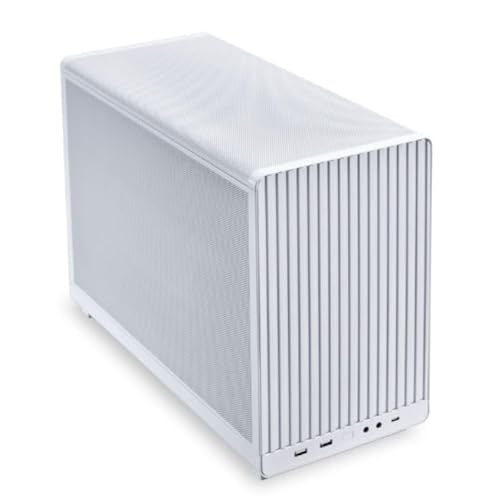
With its powerful 15th Gen Intel Core Ultra 7 processor boasting 20 cores and turbo speeds of up to 5.3 GHz, the CPU Solutions Mini Express Core Ultra 7 8K Editing PC stands out as an exceptional choice for professional video editors. You’ll appreciate the 64GB DDR5 RAM for tackling complex projects and the Quadro RTX 2000 Ada graphics card, delivering stunning visuals. The 2TB NVMe SSD guarantees rapid boot times and file transfers. Plus, its efficient cooling system and sleek design keep your workspace tidy. With multiple connectivity options and Windows 11 Pro, you’re ready to create without compromise.
Best For: Professionals and content creators seeking a high-performance PC for 8K video editing and complex projects.
Pros:
- Powerful performance with a 15th Gen Intel Core Ultra 7 processor and 64GB DDR5 RAM, ideal for demanding tasks.
- Stunning graphics from the Quadro RTX 2000 Ada, supporting high resolutions and multiple monitors.
- Fast storage with a 2TB NVMe SSD, ensuring rapid boot times and quick file transfers.
Cons:
- Higher price point compared to standard editing PCs, which may not fit all budgets.
- Limited upgrade options due to the mini tower design, potentially restricting future enhancements.
- Potential overkill for casual users or those not working with 8K content, making it less cost-effective.
Reatan Mini PC Gaming AI with AMD Ryzen 9 7940HS

The Reatan Mini PC Gaming AI, powered by the AMD Ryzen 9 7940HS, stands out as an ideal choice for video editors and gamers alike who demand high performance in a compact form factor. Its 124mm x 124mm design houses 8 cores and 16 threads, reaching speeds up to 5.2GHz. With 64GB DDR5 RAM and a 2TB PCIe 4.0 SSD, it handles large files effortlessly. You’ll enjoy smooth gaming at 1080p and can connect up to four 4K monitors. Plus, the dual-layer cooling system keeps it running efficiently, while lifetime tech support guarantees you’re never left in the lurch.
Best For: Professionals and gamers seeking high-performance computing in a compact mini PC.
Pros:
- Powerful Performance: Equipped with AMD Ryzen 9 7940HS, offering up to 5.2GHz and 8 cores for efficient multitasking.
- High Storage Capacity: Features a 2TB PCIe 4.0 SSD and 64GB DDR5 RAM for seamless operation with large files and applications.
- Multiple Display Support: Capable of supporting four 4K monitors, enhancing productivity and gaming experiences.
Cons:
- Limited Upgrade Options: Compact design may restrict future upgrades compared to larger systems.
- Potential Overheating in Extreme Conditions: While it has a dual-layer cooling system, intensive prolonged use could still lead to overheating.
- Price Point: May be more expensive than other mini PCs with lower specifications.
Factors to Consider When Choosing 8k Video Editing PCs
When you’re picking an 8K video editing PC, you need to focus on several key factors. Think about the processing power, graphics card, memory, storage, connectivity, and cooling solutions that fit your editing style. Each of these elements plays an essential role in ensuring smooth and efficient video editing.
Processing Power Requirements
To tackle 8K video editing effectively, you must prioritize processing power, as it plays an essential role in handling the demanding tasks of rendering and encoding large files. Look for a processor with at least 24 cores and a Turbo Boost capability of up to 5.7 GHz. This guarantees you can meet the high computational demands. Processors with Hyper-Threading technology enhance multitasking, allowing smoother performance during intensive editing sessions. Additionally, make certain your setup includes a minimum of 128GB of DDR5 RAM for fluid multitasking and efficient handling of large projects. Finally, invest in high-speed storage solutions like 2TB PCIe NVMe M.2 SSDs to achieve quick data access and reduced loading times, enabling a seamless editing experience.
Graphics Card Selection
Selecting the right graphics card is essential for efficient 8K video editing, and you’ll want to focus on a few key factors. First, prioritize models with at least 16GB of dedicated VRAM to handle the massive data from high resolutions. Look for cards featuring CUDA cores, which can dramatically speed up rendering times in compatible software. Verify your graphics card supports multiple high-resolution displays—ideally up to four—to boost your workflow. Advanced features like real-time ray tracing and hardware-accelerated encoding enhance visual fidelity and rendering speed. Finally, confirm compatibility with the latest connectivity standards, such as DisplayPort 1.4 or HDMI 2.1, to maximize output resolution and refresh rates for your 8K displays.
Memory and Storage
While a powerful graphics card lays the foundation for effective 8K video editing, memory and storage play a pivotal role in maximizing performance. For best results, you should aim for at least 128GB of DDR5 RAM. This guarantees smooth multitasking and efficient handling of large video files. High-speed storage options, like 2TB PCIe NVMe M.2 SSDs, greatly reduce load times and enhance your workflow during intensive editing tasks. Look for SSDs with read speeds of at least 5.0GB/s to manage the substantial file sizes of 8K projects. If you’re tackling complex projects involving multiple applications, expanding your memory to 192GB or more can be a game-changer, considerably boosting your editing efficiency and rendering times.
Connectivity Options
Connectivity is essential when choosing an 8K video editing PC, as it directly impacts your workflow and efficiency. Make sure your system features multiple USB 3.2 and Type-C ports to connect various peripherals and storage devices seamlessly. Look for PCs that support multiple monitor outputs, ideally allowing you to connect up to four displays for an enhanced editing workspace. Additionally, check for HDMI and DisplayPort options capable of handling high resolutions like 4K at 60Hz or 8K, ensuring superior video output quality. Integrated wireless networking, such as Wireless AX, can facilitate smooth file transfers and internet connectivity during editing sessions. Finally, robust audio connectivity options, like 7-channel HD audio support, are vital for high-quality sound monitoring.
Cooling Solutions
When you’re working on 8K video editing, keeping your system cool is just as important as having the right connectivity options. Effective cooling solutions, like all-in-one liquid coolers, are essential for maintaining peak performance during long editing sessions. Look for systems with mesh front designs, which enhance airflow and improve thermal management for high-performance components. A robust cooling system should pair with a power supply of 750W or higher to handle increased thermal loads. Additionally, dual-sided airflow ventilation can greatly boost cooling efficiency for critical components like the CPU and GPU. Finally, continuously monitor your system temperatures to prevent overheating, which can lead to throttling and potential hardware damage during intensive editing tasks.
