
Choosing among 3D scanners for content creators comes down to the kind of assets you want to capture: props, figures, products, environments, or mixed-media references.
Our roundup focuses on scanners that balance accuracy, speed, ease of use, and post-processing workflow so you can spend less time fighting scans and more time creating.
Best 10 3D Scanners for Content Creators Picks for 2026
Precision Blue Laser Scanner

- 0.01 mm single-frame precision
- Scan shiny or dark surfaces without spray
- Auto turntable and live streaming workflow
Best For: Detail-focused creators and designers
Entry-Level Creator Scanner

- 0.07 mm accuracy and 0.10 mm resolution
- Markerless AI visual tracking
- JMStudio handles scan, edit, and optimization
Best For: Beginners and hobbyists
Wireless High-Speed Scanner

- 0.02 mm accuracy in lab conditions
- Up to 60 FPS and 660,000 points/sec
- Wireless scanning and full-color capture
Best For: Fast, color-capable creator workflows
Metrology Creator Kit

- 0.01 mm precision with verification plate
- Five scan modes plus Wi-Fi 6 support
- Includes Revo Measure for reporting
Best For: Precision inspection and certified reporting
Wireless Precision
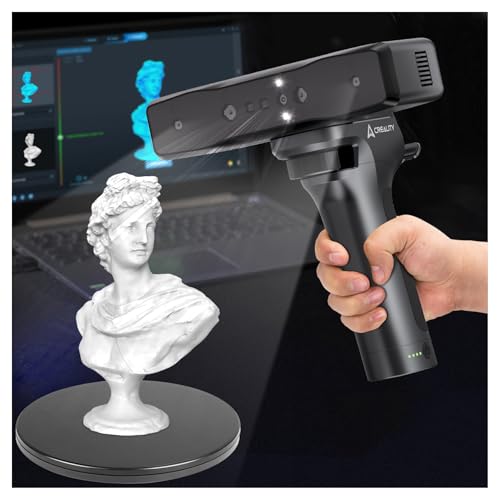
- 0.05mm accuracy for detailed scans
- Wi-Fi and mobile control for cable-free use
- Handles objects from tiny parts to large items
Best For: Creators who want portable, high-detail scanning with flexible setup
Portable Full-Color Workflow
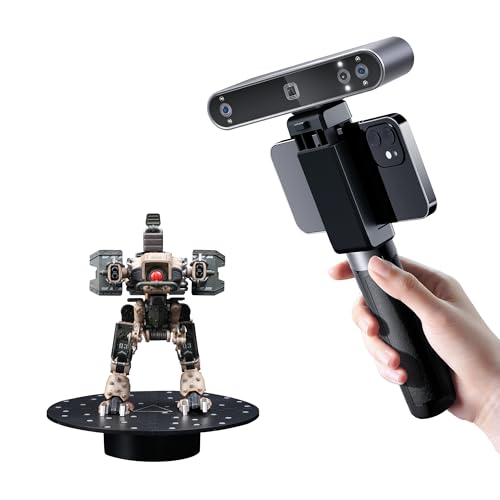
- Full-color scanning with HD RGB camera
- Lightweight 190g design with Wi-Fi 6 or USB-C
- Exports to many common 3D file formats
Best For: Creators who want portable color scans and straightforward editing tools
High-Speed Multi-Mode Detail Capture
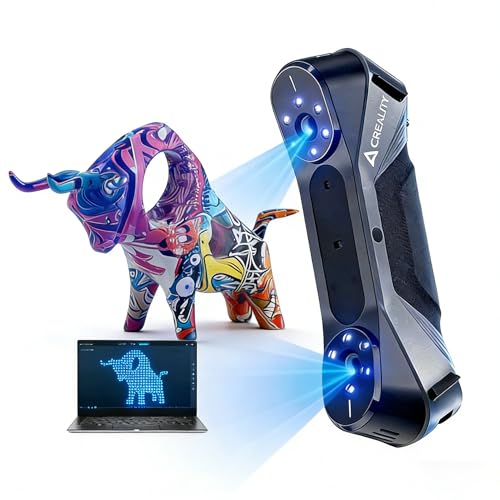
- Up to 0.02mm accuracy for fine detail
- 60fps scanning with anti-shake performance
- Blue laser and infrared modes for different subjects
Best For: Creators who need fast, high-detail scanning across multiple object types
Portable dual-mode scanner
Revopoint INSPIRE 2 for Outdoor Capture

- WiFi 6 wireless scanning and PC-to-mobile streaming
- Dual structured light and multi-line laser modes
- Up to 20,000 lux outdoor scanning with 190g body
Best For: Portable creators who need outdoor scanning and detailed color models
Fast handheld color scanner
Creality CR-Scan Ferret for Mobile Use

- Up to 30 FPS scanning with ASIC-powered processing
- Dual modes for wide coverage and finer detail
- Full-color RGB capture with portable power-bank support
Best For: Creators scanning larger objects quickly with portable full-color output
Beginner wireless scanner

- WiFi6 wireless scanning with cross-platform support
- 105g lightweight body with full-color 24-bit capture
- Up to 0.1mm accuracy for objects from 50mm to 2000mm
Best For: Beginners who want a portable wireless scanner for medium-to-large objects
Precision Blue Laser Scanner – Revopoint MetroX Pro
If you need a 3D scanner for content creators who also care about high-detail modeling, the MetroX Pro is built for serious capture work. Its blue-laser and structured-light modes are designed to handle everything from shiny or dark surfaces to feature-rich objects, while the turntable and live streaming tools help speed up the workflow.
Best For: Creators, designers, and makers who want industrial-grade detail for modeling, 3D printing, and prototyping.
Pros:
- Up to 0.01 mm single-frame precision and 0.02 mm single-frame accuracy for highly detailed scans.
- Multiple scan modes, including cross-line lasers, parallel lines, and full-field blue structured light.
- Can scan shiny or dark surfaces without spray in laser modes.
- Auto turntable scanning and PC-to-mobile real-time streaming improve workflow efficiency.
Cons:
- Paid Revo Design and Revo Measure software are sold separately.
- Some advanced workflows are Windows-only.
MetroX Pro is the most specialized option here for users who want precision-first results and a more automated capture setup. It makes the most sense when detail, surface handling, and measurement-grade output matter more than simple casual scanning.
Entry-Level Creator Scanner – 3DMakerpro Fox
The 3DMakerpro Fox is a practical starting point if you’re looking for 3D scanners for content creators without jumping straight into a more complex pro setup. It targets beginners and hobbyists with medium-format scanning, markerless AI tracking, and software that handles scanning, editing, and optimization in one place.
Best For: Beginners, hobbyists, and creators who want an approachable scanner for 3D printing and modeling.
Pros:
- Accessible entry-level design aimed at beginners and hobbyists.
- 0.07 mm accuracy and 0.10 mm resolution for useful detail.
- Markerless AI visual tracking can relock onto the object after movement.
- JMStudio combines scanning, editing, and optimizing in one workflow.
Cons:
- Less specialized than the higher-end laser-focused options in this roundup.
- Medium-format positioning may not suit every very small-detail use case.
Fox stands out as the easiest on-ramp for creators who want better-than-basic scan quality without a steep learning curve. If you value simplicity and a guided software experience, it’s a smart place to start.
Wireless High-Speed Scanner – Creality Raptor Pro
If speed and flexibility matter in your 3D scanners for content creators shortlist, the Creality Raptor Pro brings both through wired and wireless scanning support. It combines high-precision laser capture with full-color scanning, making it a strong fit for users who want fast turnaround and realistic surface reproduction.
Best For: Creators who want a fast, wireless-capable scanner for detailed 3D printing and color scans.
Pros:
- Wireless scanning support adds convenience during capture sessions.
- 0.02 mm accuracy in laboratory conditions for fine detail.
- Up to 60 FPS and 660,000 points per second for quick scanning.
- Supports full-color 3D scanning and marker-based alignment.
Cons:
- Wireless use depends on compatible accessories.
- Marker-based alignment may be less convenient than markerless workflows.
Raptor Pro is a good pick for creators who want to move quickly without giving up detail. Its wireless option and high frame rate make it especially appealing for efficient scanning sessions with realistic color output.
Metrology Creator Kit – Revopoint MetroY Ultra CMM
For creators who need 3D scanners for content creators with measurement-grade ambition, the MetroY Ultra CMM edition goes well beyond casual scanning. It combines a professional scanner, verification plate, and Revo Measure software into a closed-loop workflow geared toward industrial inspection and certified reporting.
Best For: Advanced users who need scanning, verification, and reporting for precision measurement tasks.
Pros:
- 0.01 mm single-frame precision and 0.015 mm + 0.04 mm/m volumetric accuracy.
- Includes a metrology-grade carbon fiber ball plate for on-site verification.
- Five scanning modes cover everything from small parts to medium objects.
- Supports outdoor scanning, Wi-Fi 6 control, and no-spray capture of dark or shiny surfaces.
Cons:
- Revo Measure supports Windows 10/11 only.
- System requirements are demanding, especially for peak performance.
MetroY Ultra CMM is the most workflow-complete option in this group, especially if you care about verified accuracy and reporting. It makes the most sense when scanning is part of a broader precision or inspection process rather than just content creation.
Wireless Precision – Creality Otter Lite
If you want a handheld option among 3D scanners for content creators, the Creality Otter Lite focuses on portability without giving up detail. It combines 0.05mm precision, Wi-Fi control, and mobile viewing so you can scan in tighter workspaces or move around larger scenes more freely.
Best For: Creators who need a wireless, high-precision scanner for detailed models, mixed-size objects, and flexible shooting setups.
Pros:
- 0.05mm accuracy with infrared structured light for fine-detail capture.
- Wi-Fi and Lite Bridge battery handle support cable-free scanning.
- Works in low light or outdoor conditions up to 30,000 lux.
- Supports OBJ, STL, and PLY exports on Windows and macOS.
Cons:
- Best system support is limited to Windows and macOS.
- Recommended specs matter for smooth use, so older computers may struggle.
The Otter Lite stands out if your workflow values mobility and dependable scan quality. It is especially practical when you need a scanner that can move from bench work to outdoor capture without constant cable management.
Portable Full-Color Workflow – Revopoint POP3 Plus
The Revopoint POP3 Plus is a strong fit for 3D scanners for content creators who want a lightweight tool that slots into a fast workflow. It delivers full-color scanning, Wi-Fi 6 or USB-C connectivity, and software tools aimed at turning scans into usable models.
Best For: Content creators who want a portable, full-color scanner for medium-sized objects and easy scan-to-edit workflows.
Pros:
- Full-color scanning with HD RGB camera and Flash LED lighting.
- Up to 20 microns of accuracy with updated calibration hardware.
- Lightweight 190g body with Wi-Fi 6 and USB-C connection options.
- Wide file support includes PLY, OBJ, STL, 3MF, GLTF, and FBX.
Cons:
- Revo Scan software is only compatible with x86_64 architecture.
- Less suited to users who need the highest-end industrial accuracy.
For creators who prioritize portability, color capture, and a guided software experience, the POP3 Plus is easy to recommend. Its broader format support and scan-to-CAD tools make it especially useful when scans need to move directly into editing or production.
High-Speed Multi-Mode Detail Capture – Creality CR-Scan Raptor
Among 3D scanners for content creators, the Creality CR-Scan Raptor is built for users who want fast capture and more advanced detail recovery. Its multi-mode system combines blue laser scanning and infrared structured light, giving you options for different object types and surfaces.
Best For: Creators who need a fast, detail-focused scanner for everything from small parts to people and larger objects.
Pros:
- Up to 0.02mm accuracy for metrology-level precision.
- 60fps scanning with anti-shake performance for smoother capture.
- Blue laser and infrared structured light support multiple scan modes.
- 24-bit RGB color capture and outdoor use up to 30,000 lux.
Cons:
- Requires stronger Windows or macOS hardware for best results.
- May be more scanner than casual users need for basic model capture.
If speed and precision are top priorities, the Raptor is the most performance-oriented option here. It is a good match for creators who scan frequently and need a tool that can handle varied subjects with minimal compromise.
Portable dual-mode scanner – Revopoint INSPIRE 2 for Outdoor Capture
If you’re comparing 3D scanners for content creators, the Revopoint INSPIRE 2 stands out for its mix of portability, outdoor usability, and flexible scanning modes. It combines infrared structured light with multi-line laser scanning, so you can switch between materials and object sizes without needing scanning spray on reflective or dark surfaces.
Best For: Creators who want a lightweight scanner for portable work, outdoor capture, and detailed 3D models for printing or digital archiving.
Pros:
- Built-in WiFi 6.0 supports wireless scanning and PC-to-mobile interactive streaming.
- Can scan in up to 20,000 lux lighting and weighs only 190g for easy travel.
- Claims up to 0.05 mm accuracy and 0.03 mm precision for detailed models.
- RGB camera captures full-color textures and synchronized color data.
Cons:
- Revo Design scan-to-CAD workflow requires separate paid software on Windows.
- Advanced features may be more than casual users need.
- Best results still depend on proper calibration and scan setup.
Overall, INSPIRE 2 is a strong pick if you need a flexible scanner that can handle field work and detailed content creation. Its portability and dual scanning modes make it especially practical for creators who move between studio and on-location scanning.
Fast handheld color scanner – Creality CR-Scan Ferret for Mobile Use
The Creality CR-Scan Ferret is a practical option in the world of 3D scanners for content creators who want speed, portability, and full-color capture. It uses a dual-mode approach for both wide-range and high-accuracy scanning, while the RGB camera helps preserve realistic textures on the finished model.
Best For: Creators who need a lightweight handheld scanner for larger objects, fast scanning, and color-textured 3D captures.
Pros:
- Up to 30 FPS scanning and 60 FPS image processing with the ASIC chipset.
- Dual-mode scanning supports both broad coverage and finer-detail capture.
- Built-in color camera captures full-color textures for more realistic models.
- Can be powered by a 5V power bank or compatible Android devices for flexible use.
Cons:
- Requires compatible hardware and software across Windows, macOS, Android, or iOS use cases.
- High-accuracy mode is still best suited to general objects rather than tiny precision items.
- Mobile scanning support depends on device compatibility.
For creators who value speed and convenience, the Ferret offers a good balance of performance and portability. It makes sense when you want to scan on the go without giving up full-color output or broad object coverage.
Beginner wireless scanner – Creality CR-Scan Ferret Pro
For content creators who want an easier entry into 3D scanners, the Creality CR-Scan Ferret Pro focuses on wireless convenience and simple operation. Its WiFi6 connection, cross-platform support, and anti-shake tracking make it a flexible choice for users who want to create full-color scans without a complicated setup.
Best For: Beginners, DIY creators, and 3D printing enthusiasts who want a lightweight wireless scanner for medium-to-large objects.
Pros:
- WiFi6-powered wireless scanning works across Windows, macOS, Android, and iOS.
- Weighs just 105g, making it easy to carry for home, studio, or travel.
- Offers up to 0.1mm accuracy with full-color 24-bit scanning.
- Includes a complete kit with WiFi box, tripod, power bank, phone holder, and case.
Cons:
- Not suitable for very small or highly detailed objects like jewelry or precision parts.
- Reflective, transparent, or very dark surfaces may be harder to scan well.
- Performance depends on a compatible device and software setup.
The Ferret Pro is a solid fit if you want a beginner-friendly scanner that stays portable and wireless. It is especially appealing for creators who need straightforward scanning for objects in the 50mm to 2000mm range.
How We Picked These 3D Scanners for Content Creators
We prioritized real-world usability over spec-sheet hype. The best options in this roundup offer a practical mix of accuracy, capture speed, tracking stability, color support, and workflow flexibility. For content creators, that usually matters more than chasing the highest theoretical resolution.
We also looked at whether each scanner suits common creator workflows such as product mockups, character reference capture, 3D printing prep, and on-location scanning. Wireless support, handheld comfort, and software maturity were important because they can make or break a scan-heavy workflow.
Quick Comparison
For maximum detail and professional-grade capture, look at the higher-end laser and precision models. If you want a simpler setup for props, collectibles, or social content, entry-level handheld scanners are easier to learn and usually more forgiving. If portability matters most, choose a lightweight wireless model with stable tracking and fast frame rates.
Key Buying Factors for 3D Scanners for Content Creators
Accuracy and Surface Detail
Higher accuracy helps preserve sharp edges, small text, and fine geometry. That matters for product visualization, miniature props, and anything you may later retopologize or 3D print.
Color Capture and Texture Quality
If your content depends on realistic previews, choose a scanner with dependable full-color capture. Good texture output is especially useful for portfolio work, virtual props, and reference models.
Tracking and Ease of Use
Stable tracking reduces holes, drift, and repeated rescans. For solo creators, that can save a lot of time. Wireless scanning and anti-shake features can also improve consistency when working quickly.
Speed and Portability
Fast scanning is valuable when you are shooting on set or capturing multiple objects in one session. A compact handheld design is usually the better fit for creators who move between studio, home, and location work.
Software and Export Workflow
Make sure the scanner supports the file types and cleanup tools you actually need. Smooth export into modeling, animation, or 3D printing software is often more important than a small difference in raw scan specs.
Who Should Buy Which 3D Scanners for Content Creators?
If you need the highest-end option for precision assets, choose a premium scanner with stronger detail capture and better edge definition. If you are a beginner or mainly scan casual props and reference objects, an affordable handheld model is easier to start with.
If your priority is outdoor or fast-moving capture, go with a scanner built for stable tracking and quick frame rates. For creators making content around products, collectibles, or cosplay, a full-color scanner often delivers the most useful results with the least post-work.
For most buyers, the best choice is the scanner that matches your subjects, your editing workflow, and how much time you want to spend cleaning up scans afterward.
