
When it comes to maximizing your workspace, a 38-inch ultrawide monitor can make a significant difference. These displays offer expansive screen real estate, perfect for multitasking and creative projects. With options that boast impressive resolutions and vibrant color accuracy, they cater specifically to Mac users looking to enhance their productivity. But how do you choose the right one for your needs? Let’s explore some of the best options available.
LG 38WR85QC-W 38 inch Curved UltraWide Monitor

If you’re a Mac user looking for an immersive visual experience, the LG 38WR85QC-W 38 inch Curved UltraWide Monitor is an outstanding choice. With its WQHD+ resolution and a stunning 21:9 aspect ratio, it brings your content to life. The Nano IPS technology delivers vibrant colors, covering up to 98% of the DCI-P3 gamut, while the 144Hz refresh rate and 1ms response time guarantee smooth gaming and media playback. Plus, it’s NVIDIA G-SYNC and AMD FreeSync Premium Pro compatible, eliminating screen tearing. With USB Type-C connectivity and an ergonomic design, this monitor enhances both productivity and comfort.
Best For: Creative professionals and gamers seeking an immersive, high-performance monitor for productivity and entertainment.
Pros:
- Exceptional Color Accuracy: Nano IPS technology with up to 98% DCI-P3 color gamut ensures vibrant and true-to-life colors.
- Smooth Gaming Experience: 144Hz refresh rate and 1ms response time provide fluid gameplay while reducing motion blur.
- Versatile Connectivity: USB Type-C port offers data transfer and power delivery, making it ideal for Mac users and versatile setups.
Cons:
- Size and Weight: The large dimensions and weight may require a sturdy desk and ample space.
- Price Point: It may be considered expensive compared to standard monitors, which could deter budget-conscious buyers.
- Limited Built-in Audio: While it features built-in speakers, the audio quality may not satisfy audiophiles or users seeking high-fidelity sound.
38 Inch Ultrawide Curved Monitor, WQHD 3840 x 1600p 144Hz

The 38-inch ultrawide curved monitor stands out as an exceptional choice for creative professionals and gamers alike, thanks to its stunning WQHD 3840 x 1600 resolution and impressive 144Hz refresh rate. Its 2500R curvature minimizes eye fatigue, while HDR technology guarantees vibrant colors and excellent contrast. You’ll appreciate the ergonomic stand, allowing for height, tilt, and swivel adjustments to suit your workspace. With a 135% sRGB and 100% DCI-P3 color gamut, your visuals will be breathtaking. Connectivity options like USB-C and multiple display ports make it compatible with various devices, enhancing your productivity and gaming experience effortlessly.
Best For: Creative professionals and gamers seeking an immersive and vibrant visual experience with superior multitasking capabilities.
Pros:
- Exceptional WQHD resolution and 144Hz refresh rate for smooth visuals.
- Ergonomic stand with multiple adjustments for personalized comfort.
- Extensive color gamut and HDR technology for stunning image quality.
Cons:
- May require a powerful graphics card to fully utilize the 144Hz refresh rate.
- Larger footprint may not suit smaller desk setups.
- Higher price point compared to standard monitors in similar size categories.
INNOCN 40 Inch 5K Ultrawide Monitor (40C1U)

For creative professionals and multitaskers seeking a high-resolution display, the INNOCN 40 Inch 5K Ultrawide Monitor (40C1U) stands out with its impressive 5120 x 2160 pixel resolution and vibrant color reproduction, covering 135% of the sRGB color gamut. With a 21:9 aspect ratio and a 100Hz refresh rate, it enhances your workflow and gaming experience. The frameless design and adjustable stand guarantee comfort and flexibility, while multiple connectivity options—including USB-C and HDMI—make it perfect for various devices. Plus, built-in speakers elevate your audio experience, making this monitor an excellent choice for any Mac user.
Best For: Creative professionals and multitaskers looking for a high-resolution display that enhances workflow and offers vibrant color reproduction.
Pros:
- Excellent price-to-performance ratio with impressive color accuracy.
- Versatile connectivity options including USB-C, HDMI, and DisplayPort.
- Ergonomic design with height, swivel, and tilt adjustability for user comfort.
Cons:
- Some users report packaging issues and stains on the screen upon arrival.
- Occasional complaints about dead pixels and poor HDR performance.
- Limited support and documentation from the manufacturer.
Gawfolk 38 Inch Ultrawide Curved Gaming Monitor

Designed specifically for gamers and creative professionals, the Gawfolk 38 Inch Ultrawide Curved Gaming Monitor boasts a stunning UWQHD resolution of 3840 x 1600, delivering sharp visuals and vibrant colors. With a 21:9 aspect ratio and a 2500R curvature, it immerses you in your favorite games and creative projects. Enjoy smooth gameplay with a 144Hz refresh rate and 1ms response time, supported by FreeSync and G-Sync technology to eliminate tearing. Plus, its adjustable stand and low blue light technology guarantee comfort during long hours. With a customer rating of 4.4 stars, it’s a solid choice for enhancing your workspace.
Best For: Gamers and creative professionals seeking an immersive and high-performance display experience.
Pros:
- High UWQHD resolution of 3840 x 1600 for sharp visuals and vibrant colors.
- Fast 144Hz refresh rate and 1ms response time for smooth gameplay.
- Adjustable stand and low blue light technology for enhanced comfort during extended use.
Cons:
- Heavier than some standard monitors at 24.2 pounds, which may affect portability.
- Limited wall mount compatibility with a specific 100 x 100mm pattern.
- Default refresh rate is 60Hz; requires specific connections to fully utilize 144Hz capabilities.
INNOCN Ultrawide Monitor 43.8″ WFHD 3840 x 1080p

With its impressive 43.8-inch size and WFHD 3840 x 1080p resolution, the INNOCN Ultrawide Monitor 44C1G stands out as an exceptional choice for Mac users seeking expansive screen real estate. The 120Hz refresh rate guarantees smooth visuals, perfect for gaming and content creation. With a 32:9 aspect ratio, you gain 29% more viewable area compared to standard monitors. Connect effortlessly using USB Type-C, HDMI, or DisplayPort. Its ergonomic design allows for tilting and height adjustments, while low blue light technology minimizes eye strain. Enhance your productivity with split-screen capabilities and enjoy accurate color reproduction with a ΔE < 2.
Best For: Mac users and gamers looking for an expansive, high-performance monitor with advanced features for productivity and entertainment.
Pros:
- Ultra-wide 32:9 aspect ratio provides significantly more screen space for multitasking.
- 120Hz refresh rate ensures smooth visuals, enhancing the gaming and content creation experience.
- Ergonomic stand with tilt and height adjustments for comfortable viewing over extended periods.
Cons:
- Heavy weight of 37.8 pounds may make it difficult to move or mount.
- Limited native resolution (WFHD 3840 x 1080p) may not appeal to users seeking 4K quality.
- Customer rating of 4.1 out of 5 indicates some users may have experienced issues.
INNOCN 40C1R Ultrawide Monitor (40″ WQHD 3440 x 1440p)
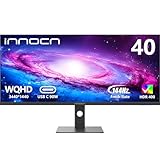
The INNOCN 40C1R Ultrawide Monitor stands out for its impressive 40-inch WQHD resolution of 3440 x 1440 pixels, making it an ideal choice for Mac users who crave expansive screen real estate for multitasking and creative work. With a 144Hz refresh rate, vibrant 95% DCI-P3 color gamut, and HDR support, your visuals will be stunning. The multiple connectivity options—including USB Type-C—ensure compatibility with various devices. You’ll appreciate the ergonomic adjustments and split-screen capabilities for enhanced productivity. Weighing 34.6 pounds, it’s a solid investment, backed by a good customer rating of 4.2 out of 5 stars.
Best For: Creative professionals and gamers seeking a high-quality, expansive display for multitasking and immersive experiences.
Pros:
- High refresh rate (144Hz) for smooth gaming and fluid visuals.
- 95% DCI-P3 color gamut and HDR support for vibrant and accurate color representation.
- Ergonomic adjustments and split-screen technology enhance productivity and comfort during prolonged use.
Cons:
- Heavy weight (34.6 pounds) may make it less portable and challenging to mount.
- Limited HDR performance (Display HDR 400) compared to higher HDR standards.
- Price point may be higher compared to standard monitors, making it a significant investment.
LG Ultragear 39-inch Curved Gaming Monitor (39GX90SA-W)
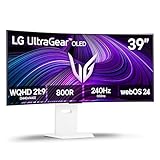
For gamers seeking an immersive experience, the LG Ultragear 39-inch Curved Gaming Monitor (39GX90SA-W) stands out with its stunning 800R curvature and vibrant WQHD OLED display. With a blazing 240Hz refresh rate and an incredibly fast 0.03ms response time, you’ll enjoy smooth, responsive gameplay. Plus, its peak brightness of 1300 nits and 1.5M:1 contrast ratio deliver vivid visuals. Compatible with NVIDIA G-Sync and AMD FreeSync Premium, it guarantees tear-free gaming. Integrated webOS allows easy access to streaming services and cloud gaming, making it perfect for both gaming and entertainment without needing a separate device.
Best For: Gamers who prioritize immersive visuals and fast performance in their gaming setup.
Pros:
- Stunning 800R curvature enhances immersion and peripheral vision for a more engaging gaming experience.
- Blazing fast 240Hz refresh rate and 0.03ms response time ensure smooth and responsive gameplay without lag.
- Integrated webOS provides direct access to popular streaming services and cloud gaming platforms, eliminating the need for additional devices.
Cons:
- Large size may not fit well in smaller gaming setups or rooms.
- High peak brightness could be too intense for some users, depending on ambient lighting conditions.
- Price point may be higher compared to traditional monitors, making it less accessible for budget-conscious gamers.
LG 34-inch UltraWide Curved Computer Monitor (34WR55QK-B)

Offering a stunning 3440 x 1440 resolution, the LG 34WR55QK-B UltraWide Curved Monitor is perfect for Mac users who crave immersive multitasking capabilities. With a 21:9 aspect ratio and a 100Hz refresh rate, it delivers smooth visuals that enhance your productivity. You’ll appreciate the 99% sRGB color gamut, ensuring vibrant and accurate colors. Its sleek, 3-side virtually borderless design elevates your workspace aesthetic. Plus, the USB Type-C port provides up to 65W power delivery for charging your laptop. With adjustable tilt and height, you can find your ideal viewing position easily. This monitor truly transforms your computing experience.
Best For: This monitor is best for Mac users and professionals seeking an immersive multitasking experience with vibrant visuals.
Pros:
- High Resolution: Stunning 3440 x 1440 resolution for clear and detailed visuals.
- Smooth Performance: 100Hz refresh rate ensures fluid motion for gaming and video playback.
- Versatile Connectivity: USB Type-C port with 65W power delivery allows for easy laptop charging.
Cons:
- Weight: At 15.2 pounds, it may be heavier than some users prefer for mounting or portability.
- Limited HDR Performance: While it supports HDR10, the overall HDR experience may not match higher-end models.
- Price Point: It may be considered pricey compared to standard monitors with lower specifications.
LG 40WP95C-W 40” UltraWide Curved Computer Monitor
With its stunning 5120 x 2160 resolution and vibrant Nano IPS display, the LG 40WP95C-W 40” UltraWide Curved Monitor is a game-changer for creative professionals and Mac users. This monitor’s 21:9 screen ratio provides ample workspace for multitasking, while HDR10 support enhances your viewing experience. You’ll appreciate the Thunderbolt 4 connectivity, offering 96W power delivery, and the built-in speakers deliver rich bass for an immersive experience. Its 3-side virtually borderless design minimizes distractions, and you’ll love the adjustable stand for ideal comfort. Perfect for content creation, video editing, or gaming, this monitor elevates your productivity and style.
Best For: Creative professionals, video editors, and multitaskers who require high-resolution displays for enhanced productivity.
Pros:
- Stunning 5120 x 2160 resolution provides exceptional clarity and detail for design and editing work.
- Thunderbolt 4 connectivity with 96W power delivery simplifies connections and reduces cable clutter.
- Adjustable stand offers tilt, height, and swivel options for personalized comfort during use.
Cons:
- Weight of 26.6 pounds may make it less portable and challenging to move.
- Customer rating of 3.8 out of 5 stars indicates mixed feedback, suggesting potential quality concerns.
- Price point may be higher compared to standard monitors, which could deter budget-conscious buyers.
INNOCN 49″ Curved Ultrawide Gaming Monitor (49C1R)

The INNOCN 49″ Curved Ultrawide Gaming Monitor (49C1R) stands out as an exceptional choice for gamers and creative professionals seeking an immersive experience. With its 32:9 aspect ratio and stunning 5120 x 1440P resolution, you’ll enjoy breathtaking visuals. The 120Hz refresh rate guarantees smooth gameplay, while HDR400 technology enhances color depth. Its ergonomic design, featuring adjustable height and tilt, lets you customize your viewing angle for comfort. Plus, with PIP and PBP technology, multitasking becomes effortless. The monitor’s connectivity options, including USB-C and HDMI 2.1, make it compatible with various devices, enhancing your productivity and entertainment.
Best For: Gamers and creative professionals looking for an immersive and versatile ultrawide monitor experience.
Pros:
- Exceptional 5120 x 1440P resolution with a 32:9 aspect ratio for stunning visuals.
- Ergonomic design with adjustable height, tilt, and swivel for personalized comfort.
- Versatile connectivity options including USB-C, HDMI 2.1, and support for multiple devices.
Cons:
- Large footprint may require ample desk space for setup.
- The price point may be higher compared to standard monitors.
- Limited HDR performance at HDR400 compared to higher HDR standards.
Factors to Consider When Choosing 38 Inch Ultrawide Monitors for Mac
When choosing a 38-inch ultrawide monitor for your Mac, you need to contemplate several key factors. Think about compatibility with macOS, as well as the color accuracy you require for your work. Additionally, explore connectivity options, panel technology, and ergonomic design features to find the best fit for your setup.
Compatibility With Macos
Choosing the right 38-inch ultrawide monitor for your Mac involves several key factors to guarantee a seamless experience. First, make sure the monitor supports USB Type-C connectivity, allowing for easy data transfer and power delivery with a single cable setup. Check for compatibility with macOS’s native resolution settings; monitors supporting WQHD (3840×1600) provide ideal visual clarity. Look for HDR technology, as macOS supports HDR content, enhancing your media and creative work. Verify that the monitor supports DisplayPort or HDMI standards compatible with your Mac devices for smooth connectivity and high refresh rates. Finally, consider monitors with built-in calibration reports for color accuracy, which is essential for those in design and video editing.
Color Accuracy Requirements
For Mac users, prioritizing color accuracy is essential when selecting a 38-inch ultrawide monitor, especially for tasks like graphic design or video editing. Look for models that cover a wide color gamut, ideally 98% DCI-P3 or higher, to guarantee vibrant color representation. Monitors with DeltaE values less than 2 are preferable, indicating minimal color deviation for professional work. Additionally, HDR technology, such as HDR10 or DisplayHDR 600, enhances color depth and dynamic range, significant for media editing. Opt for monitors with 10-bit color depth, providing over a billion colors for smoother gradients. Finally, calibration capabilities are crucial; choose a monitor that’s factory-calibrated or allows for user calibration to maintain consistent color accuracy over time.
Connectivity Options Available
Color accuracy is just one piece of the puzzle; connectivity options play a significant role in maximizing your 38-inch ultrawide monitor’s potential with a Mac. You’ll want to check for USB Type-C support, as it allows for data transfer and power delivery for compatible devices. HDMI and DisplayPort inputs are also essential, providing versatile connections to various Macs while handling high resolutions and refresh rates. Some monitors include RJ45 ports for wired Ethernet, boosting your internet stability and speed. Additionally, having multiple USB ports is invaluable for connecting peripherals like keyboards and external drives directly to the monitor. Finally, compatibility with Adaptive-Sync technologies, like AMD FreeSync or NVIDIA G-SYNC, enhances your gaming experience by reducing screen tearing.
Panel Technology Type
When it comes to panel technology type, three primary options stand out: IPS, VA, and TN. IPS panels excel in color accuracy and viewing angles, making them perfect for creative tasks like color grading. If you’re a professional needing precise colors, look for monitors with Nano IPS technology, which offers up to 98% DCI-P3 coverage. On the other hand, VA panels provide superior contrast ratios, enhancing black depth, which is great for watching movies or playing games in darker environments. While TN panels can be fast, they lag behind in color reproduction and viewing angles. Remember, if HDR compatibility matters to you, choose IPS panels that support higher HDR standards for a more immersive experience.
Ergonomic Design Features
Choosing the right monitor goes beyond just panel technology; ergonomic design features play a significant role in enhancing your overall experience. Look for monitors with adjustable height, tilt, and swivel capabilities to promote ideal viewing angles and reduce neck strain during long sessions. VESA compatibility is a bonus, letting you wall mount the monitor to save desk space and maintain good posture.
Consider models with low blue light technology, which helps minimize eye fatigue, making them more comfortable for extended use. Anti-glare surfaces will also reduce reflections and distractions, enhancing your focus. Additionally, integrated features like built-in speakers and efficient cable management can contribute to a clutter-free workspace, ensuring you work comfortably and efficiently.
Refresh Rate Importance
While many factors contribute to a great viewing experience, refresh rate stands out as a key consideration for Mac users selecting a 38-inch ultrawide monitor. A higher refresh rate, like 144Hz, delivers smoother motion and reduces motion blur, making it vital for gaming and video editing. If you engage in dynamic content creation, look for monitors with refresh rates of 100Hz or above to enhance your overall experience. A minimum of 120Hz is recommended for gaming and high-resolution video playback to prevent screen tearing. Pairing a high refresh rate with a low response time, such as 1ms, is essential for achieving smooth visuals and a responsive feel, especially during fast-action scenarios.
Price vs. Performance Ratio
Evaluating the price versus performance ratio of 38-inch ultrawide monitors is essential for getting the best value out of your investment. Start by considering key specifications like resolution, refresh rate, and color accuracy. Higher resolutions, such as WQHD or 5K, often come with a premium but deliver superior detail, vital for creatives. If you’re a gamer, look for monitors with a refresh rate of 144Hz or higher to enjoy smoother gameplay. Advanced features like HDR support and wide color gamut coverage can also elevate your experience, justifying a higher cost. Don’t forget to assess warranty and customer support; strong after-sales service can enhance long-term reliability and satisfaction, balancing out initial price concerns.
