
In 2025, the demand for 2.5GbE PCIe adapters is on the rise, offering you several high-performance options to enhance your network speeds. Whether you’re a gamer, a professional, or just someone who values a fast connection, there’s an adapter tailored for your needs. From plug-and-play installations to robust compatibility, these devices promise seamless data transfer. But which one should you choose to maximize your setup? Let’s explore the top contenders.
TP-Link 2.5GB PCIe Network Card (TX201)

If you’re looking for a reliable and high-speed network solution, the TP-Link 2.5GB PCIe Network Card (TX201) is an excellent choice for gamers and streamers alike. With speeds up to 2.5 Gbps, it’s 2.5 times faster than standard Gigabit Ethernet. This card is compatible with multiple Windows versions and Linux, ensuring a versatile fit for your system. Its Quality of Service (QoS) feature optimizes performance, while Wake on LAN (WOL) lets you power on/off your computer remotely. Plus, the included brackets cater to different case sizes, making installation a breeze. Enjoy seamless connectivity and impressive speed improvements!
Best For: Gamers and streamers seeking a high-speed network solution that enhances performance and reduces latency.
Pros:
- Easy installation with automatic recognition by Windows.
- Achieves impressive speeds exceeding 2 Gbps in tests.
- Versatile compatibility with various Windows versions and Linux.
Cons:
- Some users experience connectivity issues when waking from sleep mode.
- Driver updates may be necessary to resolve connectivity problems.
- Limited to PCIe slots, which may not be available in all systems.
TRENDnet 2.5GBase-T PCIe Network Adapter (TEG-25GECTX)

The TRENDnet 2.5GBase-T PCIe Network Adapter (TEG-25GECTX) is an ideal choice for anyone looking to upgrade their network performance without breaking the bank. This adapter easily converts a PCIe 2.0 or later slot into a 2.5G Ethernet port, supporting speeds of 2.5Gbps, 1Gbps, and 100Mbps over standard Cat5e cables. With dimensions of 3.3 x 2.5 x 0.7 inches, it’s lightweight at just 1.48 ounces. It’s compatible with Windows and Windows Server, includes jumbo frame support, and comes with both standard and low-profile brackets. Plus, you’ll benefit from a three-year warranty and dedicated technical support.
Best For: Users looking to enhance their network speed and reliability in a cost-effective manner, particularly those using Windows systems.
Pros:
- High Performance: Supports speeds of up to 2.5Gbps, providing significant improvements over standard 1Gbps connections.
- Easy Installation: Plug-and-play functionality simplifies setup, making it accessible for users with various technical skills.
- Versatile Compatibility: Works with both standard and low-profile brackets, allowing for flexible installation in different PC cases.
Cons:
- Limited Operating System Support: Primarily compatible with Windows and Windows Server, which may exclude some Linux users.
- Potential Firmware Updates Needed: Some users recommend firmware updates for optimal performance, which might require additional effort.
- Reliance on Cat5e Cables: Maximum performance is contingent upon using Cat5e cables or better, which may necessitate upgrades for some users.
Vogzone 2.5Gb PCI-E NIC Network Card

For users seeking a reliable and high-performance network solution, the Vogzone 2.5Gb PCI-E NIC Network Card stands out due to its versatile compatibility with various operating systems, including Windows, Linux, and macOS. Featuring the Realtek RTL8125BG chip, this adapter supports data rates of 100MbE, 1GbE, and 2.5GbE, making it ideal for demanding tasks. Its single RJ45 port accommodates various network speeds, and it offers additional features like Jumbo Frames and Wake on LAN. Weighing just 2.39 ounces and measuring 5.5 x 3.5 x 1.1 inches, it’s a compact yet powerful addition to your setup.
Best For: Users looking for a high-performance network card that supports multiple operating systems and data rates for demanding networking tasks.
Pros:
- Supports multiple data rates (100MbE, 1GbE, 2.5GbE) for versatile networking options.
- Compatible with a wide range of operating systems, including Windows, Linux, and macOS.
- Compact design and lightweight, making it easy to install in various setups.
Cons:
- Not compatible with ESXI 7.0 or ESXI 6.5, limiting options for certain virtual environments.
- Only a single RJ45 port may be restrictive for users needing multiple connections.
- Warranty information is not readily available, which may concern some buyers.
2.5GBase-T PCIe Network Adapter RTL8125B
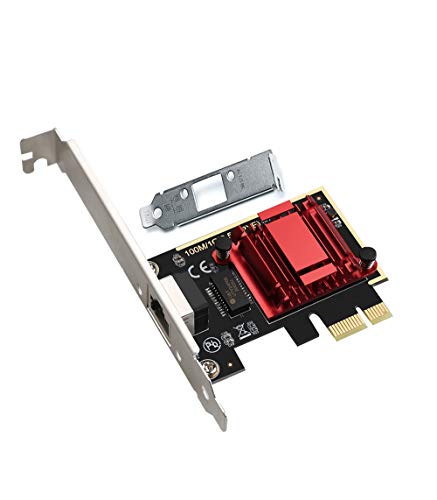
Looking for a robust network upgrade? The 2.5GBase-T PCIe Network Adapter RTL8125B is your answer. With speeds of 2500 Mbps, it’s perfect for seamless file transfers, online gaming, and 4K streaming. This low-profile adapter easily fits into various PCIe slots and supports multiple operating systems, including Windows and Linux. Installation is a breeze—most users find it plug and play. It boasts excellent stability and efficient power management. With a solid 4.5-star rating from over 1,500 users, it’s a top choice for home networks and small businesses alike. Don’t miss out on this speed upgrade!
Best For: The 2.5GBase-T PCIe Network Adapter RTL8125B is best for home users and small businesses looking to enhance their network speed for activities like file transfers, gaming, and streaming.
Pros:
- High speed: Offers up to 2500 Mbps for faster data transfers and improved online experiences.
- Easy installation: Plug and play setup with automatic recognition by most systems, including Windows 11.
- Wide compatibility: Works with various operating systems and fits into multiple PCIe slots.
Cons:
- Limited support for ESXI: Not compatible with ESXI 7.0, which may limit options for some users.
- Low-profile bracket may not fit all cases: Depending on your case design, some users might find installation challenging.
- Returns not accepted after 30 days: Short return window can be a concern if issues arise after purchase.
SABRENT 10 Gigabit Ethernet PCIe Network Adapter
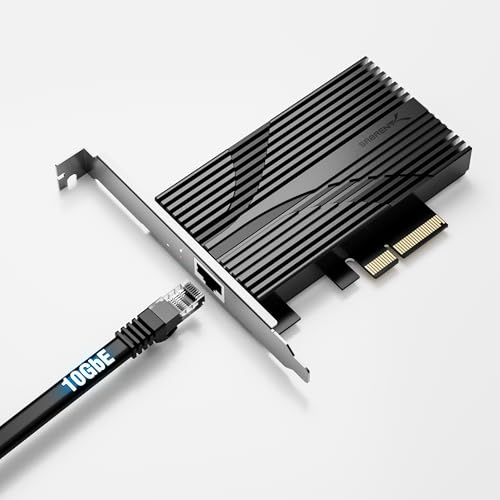
Upgrade your network with the SABRENT 10 Gigabit Ethernet PCIe Network Adapter, designed for those demanding high-speed connectivity. This PCIe 3.0 x4 card, released in August 2025, offers a blazing 10GbE connection for rapid file transfers and robust networking. It supports various speeds—5GbE, 2.5GbE, 1GbE, and more—ensuring versatility. Its aluminum alloy heatsink guarantees durability and effective heat dissipation, maintaining stability during extended use. With built-in status LEDs, you can easily monitor connection activity. Rated 4.3 out of 5 stars by customers, it’s a top choice for enhancing your internal networking capabilities.
Best For: Those seeking to enhance their internal networking capabilities with high-speed connectivity and versatile performance.
Pros:
- High-speed performance with 10GbE capability for rapid file transfers.
- Backward compatibility with various network speeds, ensuring flexibility in connection options.
- Durable design featuring an aluminum alloy heatsink for effective heat dissipation and stability.
Cons:
- Requires PCIe x4 slot, limiting compatibility with certain motherboards.
- May be overkill for users with basic networking needs who do not require 10GbE speeds.
- Potentially higher cost compared to standard networking cards with lower speeds.
PCI Express X1 to 2.5GbE RJ45 Network Adapter (PCIE-I225)

The PCI Express X1 to 2.5GbE RJ45 Network Adapter (PCIE-I225) stands out for gamers and streamers seeking a reliable and fast internet connection. With its Intel I225V Ethernet controller, you’ll enjoy a stable 2.5Gbps connection ideal for online gaming, HD streaming, and live broadcasts. It supports various Ethernet standards, including 2500BASE-T and 1000BASE-T, and can handle Jumbo Frames for efficient data transfer. The adapter is compatible with Windows 10, 11, and Windows Server 2019 or 2022, making installation straightforward. Plus, it fits a range of motherboard slots, ensuring versatility for your PC setup.
Best For: Gamers and streamers looking for a reliable and high-speed internet connection for optimal performance.
Pros:
- Stable 2.5Gbps connection enhances online gaming, HD streaming, and live broadcasts.
- Supports Jumbo Frames for efficient data transfer, making it ideal for high-bandwidth applications.
- Compatible with multiple Windows versions (10, 11, Server 2019, 2022) for easy installation.
Cons:
- Driver installation required for Windows, limiting compatibility with Linux systems.
- No technical support for Linux systems, which may deter users on that platform.
- Full height bracket may not fit in all slim PC cases without the provided low-profile bracket.
NICGIGA 2.5G Base-T PCIe Network Adapter
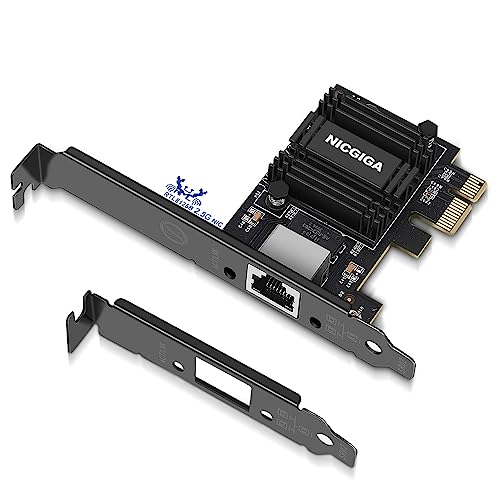
For gamers and content creators seeking to enhance their online experience, the NICGIGA 2.5G Base-T PCIe Network Adapter stands out with its ability to deliver speeds up to 2.5Gbps through the Realtek RTL8125B chip. This adapter converts your PCIe slot into a 2.5G RJ45 Ethernet port, greatly boosting your data transfer speeds. With excellent heat dissipation and backward compatibility, it supports various operating systems, including Windows and MAC OS. Installation is a breeze, thanks to the included brackets for different case types. Plus, you’ll benefit from lifetime technical support for any issues you encounter.
Best For: Gamers and content creators looking to enhance their online experience with high-speed internet connectivity.
Pros:
- 2.5x-speed increase allows for faster data transfer, ideal for bandwidth-demanding tasks.
- Excellent heat dissipation ensures stable network transmission during intensive use.
- Lifetime technical support provides peace of mind for users encountering issues.
Cons:
- Only compatible with PCIe slots, limiting installation options for older systems.
- Drivers may be required for non-Windows 10 systems, adding a step for installation.
- Performance dependent on the quality of the network and existing infrastructure.
NETELY 2.5Gbps Ethernet Adapter for Desktop PCs

Looking to enhance your desktop PC’s network capabilities? The NETELY PCIe 2.5Gbps Ethernet Adapter (I225-T1) is a fantastic choice. With speeds up to 2.5Gbps via its RJ45 interface, it’s perfect for online gaming, video streaming, and smooth internet surfing. Compatible with Windows 10, 11, and various platforms, this adapter also supports advanced features like time-sensitive networking and wake-on-LAN. It’s compact, measuring just 2.68 x 4.72 inches, and comes with both full-height and low-profile brackets for easy installation. With a solid rating of 3.9 stars, it’s a reliable upgrade for your network needs.
Best For: Users looking to enhance their desktop PC’s network speed for gaming, streaming, and online activities.
Pros:
- High Speed: Offers up to 2.5Gbps connection for faster data transfer.
- Versatile Compatibility: Works with multiple operating systems including Windows 10, 11, and various platforms.
- Compact Design: Includes both full-height and low-profile brackets for flexible installation options.
Cons:
- Moderate Rating: Currently holds a 3.9 out of 5-star rating, indicating mixed customer experiences.
- Limited Warranty Information: Details on warranty coverage are not explicitly stated.
- Specific Use Cases: Primarily designed for desktop PCs, limiting portability for other devices.
BrosTrend 2.5Gb Network Card PCIe Network Adapter

Experience lightning-fast connectivity with the BrosTrend 2.5Gb Network Card PCIe Network Adapter, perfect for gamers and streamers seeking enhanced performance. This adapter delivers speeds 2.5 times faster than standard Gigabit options, greatly boosting your gaming and streaming experience with reduced latency. Its durable metal shielding minimizes electromagnetic interference, ensuring stable connections and improved reliability. Installation is a breeze with plug-and-play support for Windows 10, while other Windows versions require a simple driver install. Compatible with various systems, the BrosTrend adapter enhances local network transfers, making it ideal for both client computers and host servers. Get ready for superior performance!
Best For: Gamers and streamers looking for high-speed connectivity and reduced latency for an enhanced online experience.
Pros:
- Delivers speeds 2.5 times faster than standard Gigabit PCIe network adapters, improving gaming and streaming performance.
- Durable metal shielding minimizes electromagnetic interference, ensuring stable and reliable connections.
- Plug-and-play installation for Windows 10 simplifies setup, while compatibility with various systems enhances versatility.
Cons:
- Installation may require driver installation for non-Windows 10 systems, which could be a hassle for some users.
- Limited to PCIe slots, which may not be available on all older computers.
- Higher price point compared to standard Gigabit network adapters, which may deter budget-conscious buyers.
Dual PCIe 3.1 2.5GBase-T Network Adapter with Intel I225-V/I226-V

The Dual PCIe 3.1 2.5GBase-T Network Adapter with Intel I225-V/I226-V stands out as an ideal choice for gamers and professionals who demand high-speed connectivity and reliable performance. It features PCI Express 3.1, supporting multiple lanes for seamless data flow. The I226-V model enhances stability and reduces power consumption compared to its predecessor. Compatible with Windows 10/11 and various Linux distributions, it guarantees versatile use across systems. Plus, with a 180-day warranty and friendly customer support, you can trust your investment. Enjoy blazing fast network speeds and improved data accuracy with this robust adapter in your setup.
Best For: Gamers and professionals seeking high-speed connectivity and reliable performance in their network setup.
Pros:
- High-speed connectivity with support for 2.5GBase-T, ensuring smooth data transmission.
- Enhanced stability and improved error rates with the I226-V model compared to its predecessor.
- Wide compatibility with various operating systems including Windows, Linux, and VMware, making it versatile for different setups.
Cons:
- Discontinued model: The I225-V is no longer available, limiting options for users who prefer it.
- Potential driver issues: Users may experience challenges with driver compatibility on certain Linux distributions.
- Limited technical support: While customer service is friendly, response times may vary during high-demand periods.
Factors to Consider When Choosing 2.5gbe Pcie Adapters
When choosing a 2.5GbE PCIe adapter, you should keep several key factors in mind. Compatibility with your operating system, the installation process, and performance features can make a big difference in your experience. Don’t forget to reflect on heat management solutions and warranty options to guarantee you’re making a smart investment.
Compatibility With Operating Systems
Choosing the right 2.5GbE PCIe adapter requires careful consideration of its compatibility with your operating system. Many models support a range of Windows versions, including 10 and 11, as well as various Windows Server editions. If you’re using Linux, verify the adapter is compatible with your specific distribution and kernel version to prevent installation issues. For those with older systems, check compatibility with Windows 7 or even DOS, if necessary. It’s also wise to look for adapters that provide driver support for multiple operating systems, enhancing functionality and user experience. Finally, if you’re part of the Apple ecosystem, verify that the adapter explicitly lists compatibility with macOS. This guarantees a smooth integration into your setup.
Installation Process and Ease
Installing a 2.5GbE PCIe adapter can be a straightforward process that enhances your network capabilities. Most adapters feature a plug-and-play installation, allowing Windows to recognize them without complex setups. You’ll find that many come with both standard and low-profile brackets, making them versatile for different desktop cases. Users often report easy installations, with the adapter being recognized automatically once inserted into the PCIe slot. While some may need driver installation for peak performance, many are designed to work seamlessly with both Windows and Linux. Plus, compatibility with various PCIe slots (X1, X4, X8, X16) guarantees that most motherboards can support these adapters, enhancing accessibility for you.
Speed and Performance Features
As you evaluate 2.5GbE PCIe adapters, speed and performance features are crucial for maximizing your network’s efficiency. Look for adapters that support speeds up to 2.5 Gbps, which is 2.5 times faster than standard Gigabit Ethernet. This guarantees enhanced data transfer rates for demanding applications. Compatibility is important, so choose adapters that handle 2.5Gbps, 1Gbps, and 100Mbps for flexibility and backward compatibility. Advanced features like Jumbo Frame support allow for larger packets, boosting efficiency in data transmission. Additionally, consider adapters with Wake on LAN (WOL) and Quality of Service (QoS) to prioritize network traffic, especially for gaming and streaming. Finally, assess user feedback on stability during high-demand tasks to guarantee consistent performance.
Heat Management Solutions
When considering a 2.5GbE PCIe adapter, effective heat management solutions play an essential role in ensuring peak performance and stability during high data transfers. Excessive heat can lead to throttling and connectivity issues, so look for adapters with integrated heatsinks or aluminum alloy materials for better heat dissipation. Utilizing Jumbo Frame support, which allows for frames up to 9KB, can reduce CPU utilization and improve performance, indirectly aiding heat management. Additionally, advanced power management technologies enhance energy consumption, lowering heat generation and extending your adapter’s lifespan. Don’t forget to keep firmware updated; it can enhance thermal performance, enabling your adapter to handle increased data loads without overheating. Prioritize these features for best performance.
Warranty and Support Options
Warranty and support options are essential factors to contemplate when choosing a 2.5GbE PCIe adapter. A longer warranty period, like three years or more, often signals the manufacturer’s confidence in the product’s durability. Access to 24/7 technical support is important, especially if you’re in a business or gaming environment where quick issue resolution is key. Some brands even offer lifetime technical support, providing peace of mind for long-term use. It’s also significant to review warranty conditions, as they can vary in coverage for defects and return processes. Look for a straightforward return policy, allowing refunds or exchanges within a specified timeframe, enhancing your consumer protection and satisfaction.
Price and Value Comparison
Choosing the right 2.5GbE PCIe adapter goes beyond just warranty and support options; price and value play a significant role too. You’ll typically find prices ranging from $30 to $70, depending on features and performance. Don’t forget to check customer ratings—adapters with ratings of 4.4 stars or above usually provide better value for your money. Longer warranties, like three years, suggest a manufacturer’s commitment to quality. Features such as Jumbo Frame support and Wake-on-LAN can justify a higher price by boosting network performance. Additionally, consider best seller rankings; adapters in the top 5% are often regarded as smarter investments based on consumer feedback and sales data. Make informed choices to maximize your purchase.
Chipset and Technology Standards
Selecting the right chipset and adhering to technology standards are vital for guaranteeing your 2.5GbE PCIe adapter performs at its best in your network setup. Popular chipsets like the Realtek RTL8125B and Intel I225-V/I226-V deliver reliable speeds and robust features. It’s essential to take into account technology standards such as IEEE 802.3, which dictate how your adapter communicates within various networks. Advanced features like Jumbo Frames, Wake-on-LAN, and VLAN tagging can enhance performance, especially for gaming or streaming. Additionally, the PCI Express version impacts data throughput, with newer versions offering better bandwidth. Finally, make sure your adapter supports backward compatibility with lower-speed Ethernet standards to maintain seamless integration into your existing infrastructure.
