
Art students often move between a desk, studio, and classroom. These gifts cover digital drawing, traditional materials, organization, and useful tech for creative work.
20 Christmas Gift Ideas for Art Students
1. Liene M100 4×6 Photo Printer
For Sketchbook Memories

- Prints 4x6-inch color photos from phones, computers, and other compatible devices.
- Includes 100 sheets of photo paper and three color cartridges.
- The app offers filters, borders, and brightness and contrast adjustments.
Best For: Students making photo references, keepsakes, or mood boards.
2. Primy Adjustable Drafting Chair
For Taller Drawing Desks
Primy Adjustable Drafting Chair

- Adjustable footrest ring and lumbar support suit varied desk heights.
- Flip-up armrests can make it easier to move close to a desk.
- Mesh back and padded seat are designed for comfort during long work sessions.
Best For: Art students using a standing desk or tall drafting table.
3. XPPen Artist 12 3rd Drawing Display
For First Digital Drawing Setups
XPPen Artist 12 3rd Drawing Display

- 11.9-inch display and included stylus support drawing directly on screen.
- Eight customizable shortcut keys provide quick access to functions such as undo and zoom.
- Connects to compatible Windows, Mac, and Android devices by USB-C.
Best For: Beginners learning digital illustration on a compatible device.
4. JLab JBuds Lux ANC Headphones
For Quiet Study Sessions

- Over-ear headphones have hybrid active noise cancellation and Be Aware Mode.
- Bluetooth Multipoint can connect to two devices for switching between them.
- The included USB-C cable supports wired listening.
Best For: Students studying or working in busy shared spaces.
5. Tonfarb Digital Voice Recorder
For Capturing Spoken Ideas
Tonfarb Digital Voice Recorder

- One-touch recording can start even when the recorder is powered off.
- USB-C connection transfers recordings to a computer.
- Voice activation and A-B repeat support hands-free capture and replay.
Best For: Students recording lectures, critique notes, or project ideas.
6. Yodoit 15.6-Inch Portable Monitor
For a Roomier Laptop Workspace
Yodoit 15.6-Inch Portable Monitor

- 15.6-inch 1080p display adds a second screen to compatible setups.
- Connects through USB-C or Mini HDMI, depending on the device.
- Built-in speakers and a smart cover are included.
Best For: Students who want more screen space for references and coursework.
7. OPTIXCELL Book Stand with Light
For Hands-Free References
OPTIXCELL Book Stand with Light

- Adjustable height and viewing angle position books or tablets for study.
- Built-in light offers warm, neutral, and cool settings.
- Storage tray holds small items such as pens and sticky notes.
Best For: Students reading or viewing references while drawing at a desk.
8. JJRING 25 x 37-Inch Art Portfolio Tote
For Carrying Large Projects
JJRING 25 x 37-Inch Art Portfolio Tote

- Sized for many artworks up to 24 x 36 inches; check project dimensions first.
- Water-resistant interior and zip closure help protect carried work.
- Front pocket holds smaller art supplies, and the tote folds for storage.
Best For: Students transporting large drawings, prints, or boards.
9. XPPen Magic Drawing Pad
For Drawing Away from a Computer

- Standalone tablet runs Android 14 and does not require a computer to draw.
- Includes a stylus with pressure sensitivity and tilt support.
- 12.2-inch screen and expandable storage support mobile creative work.
Best For: Students who want a portable, self-contained digital art device.
10. ASUS ProArt PA279CRV 27-Inch 4K Monitor
For Color-Focused Design Work
ASUS ProArt PA279CRV 27-Inch 4K Monitor

- 27-inch 4K display has wide color gamut coverage including Adobe RGB and DCI-P3.
- USB-C, DisplayPort, HDMI, and a USB hub offer several connection options.
- Stand adjusts for height, tilt, swivel, and pivot.
Best For: Students working on digital art, photo, or video projects at a desk.
11. Datacolor Spyder Monitor Calibrator
12. Samsung Chromebook Plus V2 2-in-1
For Flexible Campus Computing
Samsung Chromebook Plus V2 2-in-1

- Convertible design supports laptop, tablet, and other viewing positions.
- Touchscreen and stylus support suit notes and simple sketching tasks.
- Chrome OS device includes a 64GB SD card alongside 64GB eMMC storage.
Best For: Students who want a portable computer for coursework and light creative tasks.
13. SanDisk 2TB Extreme Portable SSD
For Backing Up Creative Files
SanDisk 2TB Extreme Portable SSD

- 2TB portable storage offers room for project files, photos, and coursework.
- USB-C connectivity and a carabiner loop support portable use.
- Includes password protection with hardware encryption.
Best For: Students who need portable space for large creative projects.
14. Daylight Artist Studio Floor Lamp
For Detail Work After Class
Daylight Artist Studio Floor Lamp

- LED lamp provides bright, high-CRI light for color-conscious art activities.
- Flexible arm and adjustable shade direct light where it is needed.
- Continuous dimmer lets users adjust brightness.
Best For: Students painting, sketching, or crafting at home.
15. Yaheetech Adjustable Drafting Table
For an Adaptable Art Workspace
Yaheetech Adjustable Drafting Table
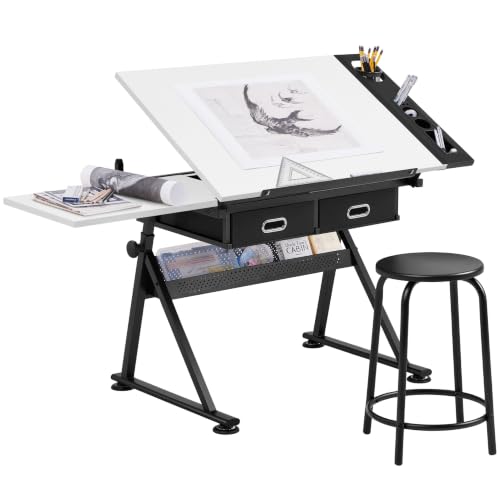
- Tabletop tilts from flat to 60 degrees for drawing or drafting.
- Side surface pulls out for a laptop, tablet, or supplies.
- Includes two fabric drawers, an open shelf, and a matching stool.
Best For: Students setting up a dedicated home art workspace.
16. Sony Alpha a6400 Mirrorless Camera
For Photo Reference and Documentation
Sony Alpha a6400 Mirrorless Camera
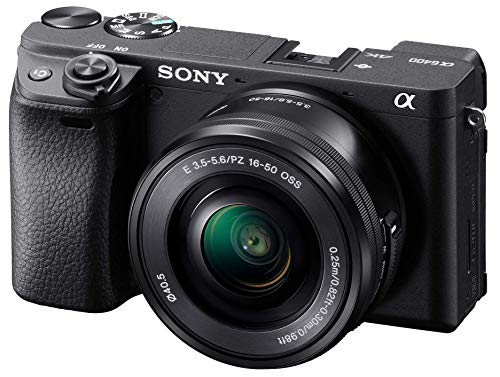
- Interchangeable-lens camera kit includes a 16–50mm lens.
- Records 4K video and has a tilting LCD screen.
- Supports still photography, video, and time-lapse projects.
Best For: Students taking reference photos or studying photography and video.
17. VIISAN 3120 A3 Flatbed Scanner
For Digitizing Large Artwork
VIISAN 3120 A3 Flatbed Scanner
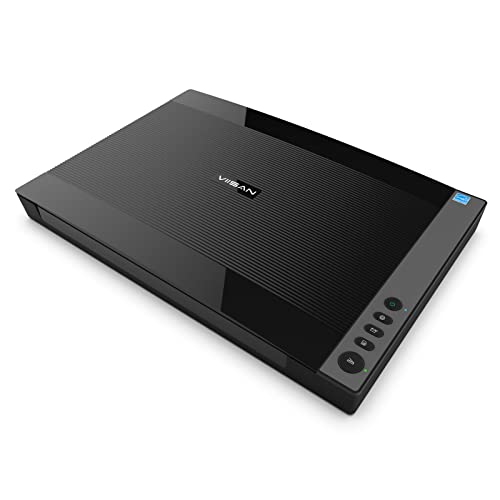
- Scans artwork and documents up to approximately A3 size.
- Optical resolution reaches 1200 x 1200 dpi using the supplied software.
- Compatible scanning software is listed for Windows and Mac.
Best For: Students digitizing drawings, paintings, or printed project materials.
18. Lenovo IdeaPad Pro 5 16-Inch Laptop
For a Portable Creative Workstation
Lenovo IdeaPad Pro 5 16-Inch Laptop
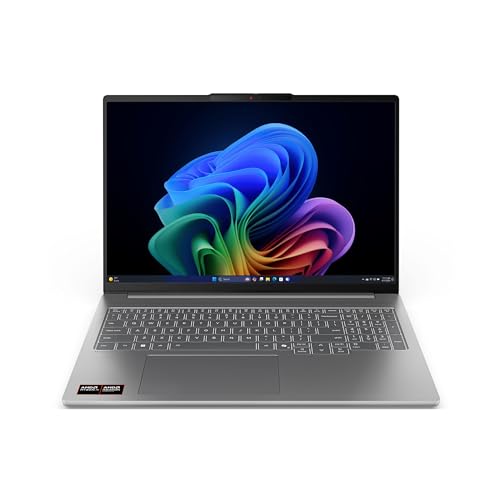
- 16-inch OLED display has 2880 x 1800 resolution and a 120Hz refresh rate.
- Includes a Ryzen AI 7 processor, NVIDIA GeForce RTX 5050 graphics, and 1TB storage.
- USB-C, USB-A, HDMI, and an SD card reader support common peripherals.
Best For: Students needing a Windows laptop for design, illustration, or editing.
19. VISWIN Adjustable Tabletop Easel
For Compact Painting Spaces
VISWIN Adjustable Tabletop Easel
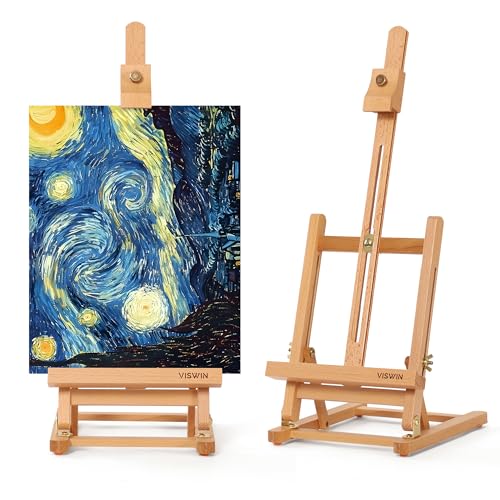
- Adjusts from 0 to 90 degrees and holds canvases up to 15 inches.
- Beechwood frame has non-slip rubber feet.
- Folds flat for storage and can display finished artwork.
Best For: Students painting or displaying work at a small desk.
20. Rechargeable A4 Light Box with Case
For Tracing and Layered Drawing
Rechargeable A4 Light Box with Case

- A4 light pad has six brightness levels and stepless dimming.
- Rechargeable battery supports portable use, and a padded carry case is included.
- Top clip holds paper or a diamond-painting canvas in place.
Best For: Students tracing, sketching, or working with layered drawings.
Choosing Christmas Tech Gifts for Art Students
Start with the student’s main way of working. A digital illustrator may get more use from a drawing display or a standalone drawing tablet, while someone focused on painting may appreciate an adjustable desk, tabletop easel, or bright studio lamp. A photo or design student could benefit from a camera, a scanner for digitizing artwork, or a color-focused monitor. If you are unsure what software they use, favor tools that work alongside their current setup, such as a portfolio tote, light box, or portable storage drive.
Think about where the gift will be used. Dorm rooms and shared apartments often have limited desk space, so folding equipment and portable screens can be practical. Students who carry work between campus and home may value a portfolio sized to their projects or a compact storage drive. For longer studio sessions, seating and lighting can improve the everyday workspace without requiring a change to the student’s creative workflow.
Match the Gift to Your Budget
For smaller purchases, consider accessories that solve a recurring task: a light box for tracing, a tabletop easel for painting, a book stand for references, or headphones for focused study. A portable SSD is another useful choice when class files, photographs, and design projects accumulate. Check the student’s current equipment before choosing a device that depends on a specific computer, operating system, or connection.
Mid-range gifts can support a larger change in the workspace. A portable monitor can extend a laptop display, while a drawing display provides an on-screen pen workflow for a compatible computer. A drafting chair or table is most suitable when the student has room for it and will use a dedicated art area. Larger gifts such as a monitor, laptop, or camera call for more planning: choose them around a clear need rather than assuming that higher specifications will suit every course or creative practice.
Check Compatibility and Personalization
For digital tools, check the student’s device and software before buying. Confirm the operating system and available ports for a drawing display or scanner. A USB-C connector alone does not guarantee that every computer supports video through that port; check the host device’s capabilities. For a standalone tablet, consider whether its apps match the student’s preferred programs. For a monitor, check desk space, connection options, and whether the computer can drive the desired display.
Personalize practical gifts around the work they already make. Measure the largest boards or prints before choosing a portfolio. Compare a drawing table’s footprint with the available room, and check whether a chair suits the desk height. For scanning, match the scanner bed size to the artwork, and remember that flatbed scanners work with flat materials. A color calibrator is most useful to someone who edits images on a screen and cares about consistent display color. These checks help make a Christmas gift feel considered without relying on novelty features.
Plan Timing and Last-Minute Choices
Bulky furniture, computers, and specialist devices benefit from early research because the recipient may need to compare them with existing equipment or workspace. Ask a family member or classmate to confirm a laptop model, software requirement, or desk measurement if needed. For a simpler last-minute decision, choose a use case you already know: portable storage for project files, a stand for references, or a portfolio for transporting artwork. Check current delivery estimates and return terms with the seller before ordering, since availability and arrival dates can change.
A good gift for an art student supports the work they want to do, whether that means drawing digitally, organizing a studio, capturing visual references, or preserving finished projects. Match the tool to their habits, space, and devices, and ordinary creative equipment can make a thoughtful Christmas present.
