
Roblox fans may enjoy more than in-game adventures: a comfortable setup, tools for creating, and hands-on projects can all make thoughtful Christmas gifts. The right pick depends on how they play and what they like doing beyond the screen.
14 Christmas Gifts for Roblox Fans
1. KOTIN Gaming PC Desktop
A Bigger Gaming Setup

- Prebuilt desktop with an Intel Core i5-14400F and GeForce RTX 5060 Ti 8GB.
- Includes 16GB DDR4 memory and a 1TB NVMe SSD.
- Windows 11 Home is pre-installed; memory and storage have room for upgrades.
Best For: A Roblox player ready for a more powerful, upgradeable home gaming setup.
2. KTC H27S5C 27-Inch Curved QHD Monitor
A More Immersive View
KTC H27S5C 27-Inch Curved QHD Monitor
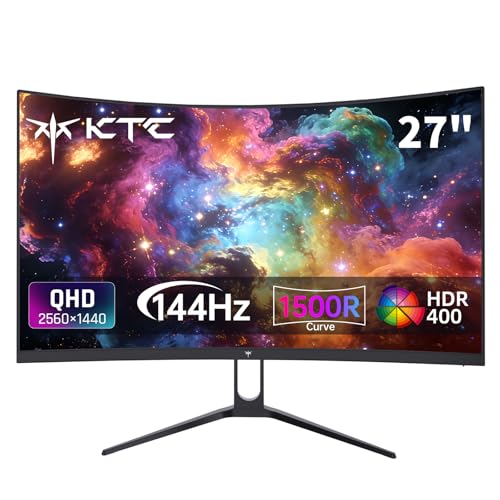
- 27-inch curved display with 2560 × 1440 resolution and a 144Hz refresh rate.
- Two HDMI 2.0 ports and one DisplayPort 1.4 connect compatible devices.
- Tilt-adjustable stand and 100 × 100 mm VESA mounting compatibility.
Best For: A desktop player who wants a larger screen for gaming and other activities.
3. fifine D6 RGB Macro Keypad
Quick Controls for Creators
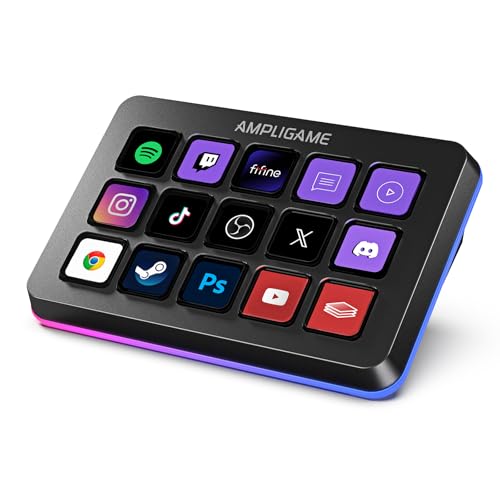
- 15 customizable LCD macro keys can launch apps and trigger assigned actions.
- Compatible with PC software including OBS Studio, Streamlabs, Twitch, and YouTube.
- Customizable RGB lighting offers nine modes.
Best For: A Roblox creator who streams or records and wants shortcuts at hand.
4. GAOMON M10K Drawing Tablet
A Canvas for Digital Ideas

- 10 × 6.25-inch drawing area pairs with a battery-free stylus.
- The pen supports 8192 pressure levels; the tablet has 10 customizable keys and a touch ring.
- Works with Windows 7 or later, macOS 10.12 or later, and certain Android versions.
Best For: A fan interested in drawing avatars, game concepts, or digital art.
5. Redragon K668 Hot-Swap RGB Keyboard
A Customizable Keyboard
Redragon K668 Hot-Swap RGB Keyboard

- Full-size wired keyboard with 108 keys and hot-swappable switches.
- Includes two sets of keycaps and up to 19 preset RGB lighting modes.
- Four shortcut keys can be reassigned using the software.
Best For: A PC player who enjoys a tactile keyboard and personalizing their setup.
6. EasySMX X05Pro Wireless Controller
A Controller for Flexible Play
EasySMX X05Pro Wireless Controller

- Connects to compatible PC, Switch, Android, and iOS devices by USB-C, 2.4G wireless, or Bluetooth.
- Features Hall Effect joysticks, adjustable triggers, and two programmable top buttons.
- Rechargeable 1000mAh battery and silicone-damped buttons.
Best For: A fan who prefers a controller for compatible games or plays across supported devices.
7. Redragon M810 PRO Wireless Gaming Mouse
Wireless Desk Control
Redragon M810 PRO Wireless Gaming Mouse

- Connects wirelessly through a 2.4GHz receiver and also supports USB-C.
- Eight programmable buttons and five adjustable DPI levels.
- Rechargeable battery and customizable RGB lighting.
Best For: A Roblox player who uses a mouse for building and navigating games.
8. Dimmable LED Desk Lamp with USB Ports
A Brighter Study Space
Dimmable LED Desk Lamp with USB Ports

- Offers three color temperatures, five brightness levels, and a flexible gooseneck.
- Timer settings include 30, 60, 90, and 120 minutes, plus a low-brightness night-light mode.
- Two output-only USB ports can power compatible devices; the included adapter powers the lamp.
Best For: A fan who uses one desk for gaming, homework, or creative projects.
9. Guermok USB Video Capture Card
For Recording Gameplay
Guermok USB Video Capture Card
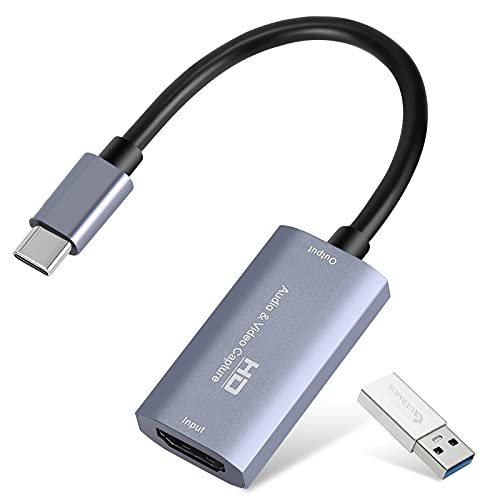
- Captures HDMI input to a computer over USB; capture software is required.
- Supports output up to 1080p at 60 frames per second or 2K at 30 frames per second.
- Includes a USB 3.0 to USB-C adapter; USB 3.0 is recommended for bandwidth.
Best For: A player who wants to record or stream gameplay from a console or second computer.
10. GTPLAYER Big and Tall Gaming Chair
A Supportive Place to Play
GTPLAYER Big and Tall Gaming Chair

- Designed for big-and-tall seating, with a stated 400-pound capacity.
- Features a spring lumbar support cushion, adjustable headrest, and reclining backrest.
- Faux leather upholstery and a metal frame; includes a throw pillow.
Best For: An adult who spends long sessions playing, building, or chatting in Roblox.
11. Bambu Lab P1S Enclosed 3D Printer
Make Digital Designs Physical
Bambu Lab P1S Enclosed 3D Printer

- Enclosed FDM printer with automatic bed leveling.
- Supports listed filaments including PLA, PETG, TPU, and PVA.
- Multi-color printing up to 16 colors requires a separately connected Bambu Lab AMS.
Best For: A creative fan interested in making physical models from their ideas.
12. HP Victus 15.6-Inch Gaming Laptop
Gaming That Travels
HP Victus 15.6-Inch Gaming Laptop

- 15.6-inch FHD IPS display with a 144Hz refresh rate.
- Includes an Intel Core i5-13420H, RTX 4050 graphics, and 16GB DDR4 memory.
- 512GB SSD and Windows 11 Home are included.
Best For: A Roblox fan who wants a gaming laptop for school and other PC games.
13. Samsung T7 Portable SSD 1TB
Room for Projects and Clips

- Portable 1TB SSD connects over USB 3.2 Gen 2.
- Manufacturer lists read speeds up to 1,050 MB/s and write speeds up to 1,000 MB/s.
- Aluminum body and shock resistance with fall protection up to six feet.
Best For: A fan who saves recordings, creative projects, or other game-related files.
14. Makeblock mBot Coding Robot Kit
A Hands-On Coding Project
Makeblock mBot Coding Robot Kit

- Robot kit for ages 8 and up introduces electronics, robotics, and programming.
- Can be built using the included instructions and used for line-following or obstacle avoidance.
- Uses Makeblock apps and mBlock software; four AA batteries and a CR2025 remote battery are not included.
Best For: A younger or curious Roblox fan interested in coding and interactive creations.
Choosing a Christmas Gift for a Roblox Fan
Start with the way the recipient enjoys Roblox. Someone who mostly plays on a desktop may appreciate a keyboard, mouse, monitor, or chair that supports the hours they spend at their desk. A complete computer or laptop is a larger step: consider it when their current device is due for an upgrade or they want a computer for school and other games too. For a player who makes videos, the capture card and macro keypad are more relevant than general gaming gear. The capture card needs HDMI video input and capture software, while the keypad is designed for programmable shortcuts.
Roblox creativity can also point toward gifts outside the usual gaming setup. A drawing tablet suits someone who sketches characters, environments, or interface ideas. The 3D printer is for a recipient who already enjoys making things and has a suitable place to use it. For a younger fan curious about how interactive projects work, the mBot kit offers a hands-on route into coding and robotics. These gifts connect with different interests, so a quick conversation with family can help identify whether the recipient prefers art, streaming, building, or playing.
Set a Budget That Fits the Gift
Small desk additions and peripherals can make useful gifts without replacing a computer. A lamp can improve a shared homework and gaming space; a mouse, keyboard, or controller can refresh how someone interacts with games. Storage is a practical choice for a player who keeps recordings and projects. Larger purchases such as a monitor, chair, laptop, desktop, or 3D printer make sense when you know the recipient has room for them and will use their specific features.
For a bigger gift, decide whether the recipient needs one component or a whole setup. A monitor is only useful with a compatible device and available desk space. A PC or laptop involves more cost, but can support uses beyond Roblox. A 3D printer is a substantial creative tool, so it is best suited to an existing interest in designing or making physical objects. Match the scale of the gift to the recipient’s habits, rather than choosing the most elaborate item by default.
Check Compatibility and Personalization
Before choosing computer gear, find out what device they use. The monitor offers HDMI and DisplayPort connections; the capture card takes HDMI input and transfers it to a computer over USB. The controller lists compatibility with PC, Switch, Android, and iOS, with several connection options, but it does not support every gaming platform. The drawing tablet supports specified Windows, macOS, and Android versions. These details can prevent a well-meant gift from being difficult to use.
Personal preferences matter too. A curved 27-inch display needs suitable desk space, and a large chair should fit the room and the recipient. Keyboards and mice can be highly personal because of layout, feel, and hand use. For the robot kit, note the recipient’s age and that batteries are not included. For the printer, multi-color printing requires a Bambu Lab AMS. A little research into their setup can help make a technical gift feel thoughtful instead of complicated.
Timing and Last-Minute Decisions
For Christmas, order or purchase early enough to allow time to check fit, compatibility, and setup requirements. If time is short, choose something that works with a device the recipient already owns and whose connection needs are clear. A desk lamp or portable SSD may be easier to match than a new computer, monitor, or printer, though the recipient’s devices still matter. For larger equipment, ask someone who knows the setup or involve the recipient in choosing the model; keeping the surprise in the occasion can matter more than concealing every detail.
When a gift needs installation or configuration, plan for that as part of the present. The drawing tablet requires driver installation, the macro keypad benefits from initial software setup, and the capture card needs recording software. A shared setup session can turn that first step into part of the fun. With a clear sense of how the fan plays and creates, Christmas gift ideas for Roblox fans can be personal, practical, and suited to what they will enjoy throughout the year.
