
Choosing the right mini PC can make Kodi feel faster, quieter, and easier to use as a home theater hub. The best options balance video playback, connectivity, storage, and low noise.
Below, we focus on practical picks for streaming, local media libraries, and simple living-room setups, so you can match the hardware to how you actually watch.
Best 10 Mini PCs for Kodi Media Center Picks for 2026
Best Value for 4K Kodi
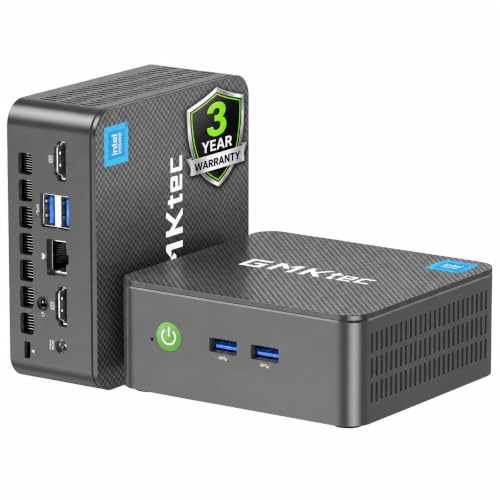
- Intel N95 keeps Kodi and streaming tasks smooth
- Dual HDMI supports 4K@60Hz on two displays
- WiFi 5, Bluetooth 5.0, and Gigabit Ethernet included
Best For: Budget shoppers building a compact Kodi media center for 4K streaming and basic everyday use.
Best for Air-Mouse Control
Rii MX3 Air Mouse Keyboard Remote

- 3-in-1 remote, keyboard, and air mouse
- Good for Kodi navigation and text input
- Works across Android, Windows, Linux, and more
Best For: Couch-friendly control of a mini PC or Kodi media setup with one compact remote.
Best for Dual-Display Kodi Streaming

- 4K dual HDMI works well for Kodi on TV plus monitor
- 16GB DDR4 dual-channel RAM keeps menus and streaming responsive
- WiFi 6, BT 5.2, and 2.5GbE offer flexible connectivity
Best For: Users who want an affordable mini PC for Kodi, 4K streaming, and a tidy dual-screen media setup.
Best for NAS-Ready Kodi

- 6 M.2 slots for large media libraries and storage expansion
- Dual 2.5GbE plus Wi‑Fi 6 for flexible home networking
- Quiet cooling and built-in power suit 24/7 media use
Best For: Kodi users who want a compact media center with serious storage and network flexibility.
Best Fanless Option

- Silent fanless design for quiet Kodi playback
- Supports up to three 4K displays
- Expandable storage with M.2 SSD and microSD
Best For: Silent, space-saving Kodi and streaming setups in the living room or bedroom.
Best for Powerful Kodi & 4K Streaming

- Ryzen 9 7940HS + Radeon 780M for smooth Kodi and 4K playback
- 16GB DDR5 and 1TB Gen4 SSD with upgrade headroom
- USB4, dual HDMI, and quiet cooling for flexible media setups
Best For: Kodi users who also want a fast, quiet mini PC for streaming, multitasking, and light creative work.
Best for 4K Dual-Monitor Kodi Setups

- Quad-core i5 handles Kodi and everyday media tasks well
- 256GB SSD keeps boot and app loading snappy
- USB-C, Wi‑Fi, Bluetooth, and dual DisplayPort add flexibility
Best For: Home theater users wanting a compact refurbished Kodi media PC with 4K support.
Best for Triple-Display Kodi Setups
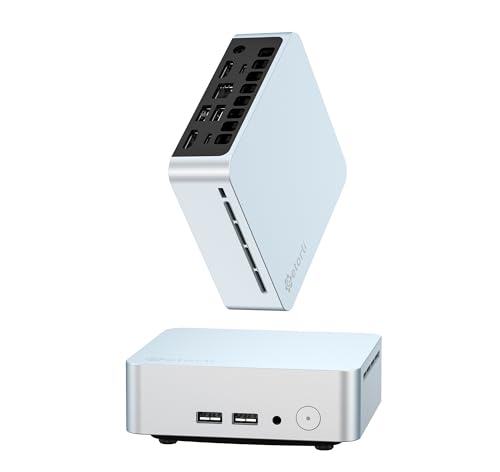
- Ryzen 5 3550H for smooth streaming and everyday use
- 16GB RAM + 512GB NVMe SSD for fast loading
- Triple 4K output with WiFi 6 and Bluetooth 5.3
Best For: Kodi users who want a compact media center PC with strong multitasking and multi-display support.
Best for Connectivity
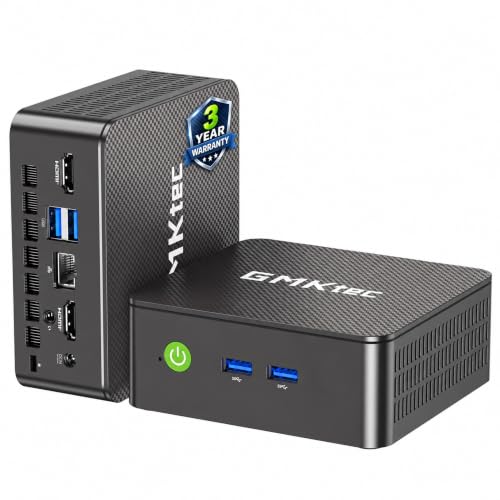
- Dual HDMI 2.0 for simple 4K media-center setups
- WiFi 6, Bluetooth 5.2, and 2.5GbE for flexible connectivity
- 16GB RAM + 512GB SSD for quick, responsive use
Best For: Kodi users who want a compact, well-connected media box with light desktop capability.
Best Simple Pick
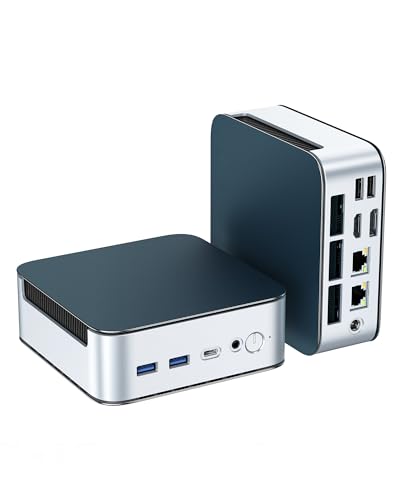
- Ryzen 3 5300U with 16GB RAM for smooth media use
- Triple 4K output via HDMI, DP, and USB-C
- Dual 2.5G LAN plus WiFi 6 for flexible networking
Best For: People who want a compact Kodi media center with strong display and connectivity options.
Best Value for 4K Kodi – GMKtec Nucbox G3S Mini PC
If you want one of the more affordable mini pcs for kodi media center use, the GMKtec Nucbox G3S is a simple pick with enough power for everyday streaming, light multitasking, and dual-display setups. Its Intel N95 chip, 8GB RAM, and 256GB SSD make it a practical entry-level box for a living room media center or compact desk setup.
Best For: Budget-minded buyers who want a small 4K-capable media PC for Kodi, streaming, and basic home entertainment.
Pros:
- Intel N95 is a solid step up from older low-end mini PC chips for media tasks
- 4K dual HDMI output makes it easy to connect to a TV and second display
- WiFi 5, Bluetooth 5.0, and Gigabit Ethernet cover flexible home networking
- Compact size and low-power design suit a quiet entertainment center
Cons:
- 8GB RAM is fine for Kodi, but not ideal for heavier multitasking
- WiFi 5 is workable, though newer WiFi 6 systems are faster and more future-proof
- Storage is modest if you plan to keep a large local media library on the device
For shoppers comparing mini pcs for kodi media center use, this model stands out more for value and simplicity than raw performance. It should handle streaming and playback well, but buyers who want more headroom for plugins, background apps, or large media collections may want to step up to a stronger configuration.
Best for Air-Mouse Control – Rii MX3 Air Mouse Keyboard Remote
If you want a simple handheld controller for mini pcs for kodi media center setups, the Rii MX3 is a practical pick. It combines a wireless keyboard, air mouse, and IR remote in one compact device, making it easier to navigate Kodi menus, type searches, and control playback without a full-size keyboard.
Best For: Users who want one lightweight remote for Kodi navigation, basic typing, and general mini PC control from the couch.
Pros:
- 3-in-1 design with wireless keyboard, air mouse, and IR learning remote
- Works well for Kodi-style browsing, couch control, and quick text entry
- Compact, easy to hold, and suitable for Android, Windows, Linux, and more
- 10m wireless range is convenient for living-room setups
Cons:
- Some keys may not map cleanly across every device or app
- Battery-powered and uses AAA cells, so upkeep is required
- IR learning depends on compatible TV remote protocols
For mini pcs for kodi media center use, this is less about raw performance and more about convenience: it gives you a fast, couch-friendly way to steer a media box, enter logins, and handle everyday navigation without extra peripherals.
Best for Dual-Display Kodi Streaming – GMKtec G3 Pro Mini PC
The GMKtec G3 Pro is a practical pick if you want mini pcs for kodi media center use with enough ports and memory to handle 4K playback, dual monitors, and everyday streaming tasks. Its Core i3-10110U chip, 16GB dual-channel RAM, and 512GB SSD make it feel snappy for browsing, library management, and light multitasking.
Best For: Users who want an affordable mini PC for Kodi, 4K streaming, and a tidy dual-screen media setup.
Pros:
- 4K dual HDMI output is ideal for Kodi on a TV plus a second display
- 16GB dual-channel RAM and 512GB SSD help keep streaming and navigation responsive
- WiFi 6, Bluetooth 5.2, and 2.5GbE give you flexible network and accessory support
- Compact design fits easily into a living room, desk, or media cabinet
Cons:
- The Core i3-10110U is capable, but it is not a modern high-end media powerhouse
- Built-in storage is a 2242 SATA drive, so expansion may be needed for larger libraries
- Best suited to streaming and light use rather than heavy gaming or advanced transcoding
For mini pcs for kodi media center builds, this model stands out more for balanced connectivity and smooth everyday performance than raw speed. It is a sensible choice if you want a compact box that can run Kodi, handle 4K output, and stay connected reliably without taking up much space.
Best for NAS-Ready Kodi – Beelink ME Mini N95 12GB/1TB
If you want one of the more flexible mini pcs for kodi media center use, the Beelink ME Mini stands out for storage expansion, quiet cooling, and dual 2.5GbE networking. It has enough everyday performance for 4K playback and home streaming, while also doubling as a compact box for NAS, virtualization, or a soft router.
Best For: Kodi users who also want lots of internal storage and fast wired networking in a compact media-center PC.
Pros:
- 6 M.2 slots make it unusually strong for media libraries, backups, and NAS-style storage.
- Dual 2.5GbE and Wi‑Fi 6 add useful networking flexibility for home streaming setups.
- Quiet vertical airflow design helps keep temperatures down during long playback sessions.
- Includes 12GB LPDDR5 and a 1TB SSD, so it’s ready to use out of the box.
Cons:
- The Intel N95 is fine for Kodi, but it is not a powerhouse for heavier multitasking.
- Its storage-focused design may be more than you need if you only want a simple streamer.
For buyers comparing mini pcs for kodi media center duty, this model makes sense when storage and network speed matter as much as playback. It is a smart choice if you want your Kodi box to pull double duty as a small home server.
Best Fanless Option – MeLE Quieter 4C Mini PC
If you want one of the quieter mini pcs for kodi media center use, the MeLE Quieter 4C is built around a fanless Intel N150 chip, 8GB of RAM, and expandable storage in a compact, low-power chassis. It is a practical pick for living rooms, bedrooms, or any setup where silent operation matters more than raw gaming performance.
Best For: Buyers who want a silent, space-saving mini PC for Kodi, streaming, and light everyday computing.
Pros:
- Fanless design keeps noise to an absolute minimum for media playback
- Supports up to three 4K displays for flexible TV or desktop setups
- 8GB RAM plus expandable M.2 and microSD storage help with Kodi libraries and apps
- Dual-band Wi-Fi and full-function USB-C add useful connectivity options
Cons:
- Not intended for heavy gaming or demanding creative workloads
- Storage and RAM are modest compared with higher-end mini PCs
- Some display features depend on the cable or dock you use
For mini pcs for kodi media center setups, this MeLE stands out when quiet operation, small size, and simple 4K playback support matter more than maximum speed. It is a sensible living-room choice if you want a discreet box that can sit behind a TV without adding fan noise.
Best for Powerful Kodi & 4K Streaming – GEEKOM A7 MAX Ryzen 9 Mini PC
If you want a fast, quiet box for mini pcs for kodi media center setups, the GEEKOM A7 MAX is aimed at users who want more than basic playback. Its Ryzen 9 7940HS, Radeon 780M graphics, and DDR5 memory make it a strong choice for smooth navigation, 4K media handling, and light multitasking alongside your Kodi library.
Best For: Kodi users who also want a capable all-around mini PC for streaming, light creation, and multi-monitor home office use.
Pros:
- Ryzen 9 7940HS and Radeon 780M deliver plenty of headroom for Kodi, streaming, and general multitasking.
- 16GB DDR5 and 1TB Gen4 SSD offer fast startup and responsive library browsing, with room to upgrade.
- USB4, dual HDMI, and 4-display support make it easy to build a flexible media or desk setup.
- Quiet cooling and 3-year coverage add peace of mind for long viewing sessions and daily use.
Cons:
- More power than many Kodi-only buyers need, so it may be overkill for a simple streaming box.
- Premium specs can push the price above entry-level mini PCs.
- No dedicated home-theater features like a remote or preconfigured media interface.
For shoppers comparing mini pcs for kodi media center builds, this model stands out if you want a compact PC that can do Kodi duties comfortably while still acting like a full desktop replacement. It is a better fit for users who value speed, expandability, and quiet performance over bare-minimum streaming hardware.
Best for 4K Dual-Monitor Kodi Setups – HP ProDesk 600 G3 Mini PC
If you want a compact box that can handle streaming, light multitasking, and everyday media playback, this HP ProDesk is a practical pick among mini pcs for kodi media center builds. Its quad-core i5, 8GB RAM, and SSD help Kodi launch quickly and stay responsive, while the small footprint makes it easy to tuck behind a TV or media cabinet.
Best For: Home theater users who want a refurbished mini PC for Kodi, 4K output, and simple dual-display setups.
Pros:
- Quad-core Intel i5 and 8GB RAM are enough for smooth Kodi navigation and general streaming use.
- 256GB SSD delivers fast boot times and quick app loading.
- USB-C, dual DisplayPort, Wi‑Fi, and Bluetooth make setup flexible.
- Supports 4K dual-monitor output for a versatile media center layout.
Cons:
- Older i5-6500 platform is fine for media use, but not ideal for heavy gaming or demanding apps.
- Refurbished unit quality can vary compared with buying new.
- Integrated graphics are basic, so it’s best suited to playback rather than advanced video work.
Overall, this is a sensible value option if you need one of the more affordable mini pcs for kodi media center setups with reliable hardware and easy connectivity. It’s not the newest platform, but for a straightforward living-room media PC, it covers the essentials well.
Best for Triple-Display Kodi Setups – Getorli Ryzen 5 Mini PC
If you want one of the more capable mini pcs for kodi media center use, this Getorli model is a smart pick thanks to its Ryzen 5 3550H chip, 16GB of RAM, and triple 4K display support. It has enough speed for smooth streaming, quick navigation, and light multitasking, while the compact size keeps it easy to tuck behind a TV or media cabinet.
Best For: Kodi users who want a compact media center PC with strong multitasking, 4K output, and flexible monitor support.
Pros:
- Ryzen 5 3550H offers solid everyday performance for streaming and media tasks
- 16GB RAM and 512GB NVMe SSD help keep apps and libraries responsive
- Triple 4K display output is useful for TV plus monitor or dashboard setups
- WiFi 6 and Bluetooth 5.3 improve wireless connectivity and accessory pairing
Cons:
- Not ideal for demanding gaming or heavy video editing
- Dual M.2 expansion is nice, but the base 512GB drive may fill up quickly for large media libraries
For buyers comparing mini pcs for kodi media center setups, this one stands out more for versatility than raw power. It makes sense if you want a small, well-connected box that can handle Kodi smoothly while also serving as a general-use home PC.
Best for Connectivity – GMKtec G3 Pro i3 Mini PC
If you want one of the more versatile mini pcs for kodi media center use, the GMKtec G3 Pro is a practical pick thanks to its 4K dual HDMI output, WiFi 6, Bluetooth 5.2, and 2.5GbE networking. It also has enough everyday performance from the Core i3-10110U, 16GB dual-channel RAM, and 512GB SSD to handle streaming, browsing, and light multitasking smoothly.
Best For: Kodi users who want a compact media box with strong wired and wireless connectivity, plus room for light desktop use.
Pros:
- Dual HDMI 2.0 ports make 4K dual-display setups easy
- WiFi 6, Bluetooth 5.2, and 2.5GbE cover both wireless and wired streaming needs
- 16GB RAM and 512GB SSD provide fast boot times and responsive app switching
- AV1 decoding and upgraded cooling help with smoother media playback
Cons:
- Older i3-10110U platform is not as efficient as newer N-series mini PCs
- Not the best choice if you want a very high-end emulation or gaming box
For mini pcs for kodi media center setups, this model stands out more for connectivity and balanced everyday performance than raw power. If your priority is reliable 4K playback, dual-screen support, and flexible networking in a small chassis, it fits the job well.
Best Simple Pick – Glorlin Ryzen 5300U Mini PC
If you want mini pcs for kodi media center use with extra flexibility, the Glorlin Ryzen 5300U mini PC is a strong all-around pick. It combines a capable 4-core Ryzen processor, 16GB of RAM, fast NVMe storage, and triple 4K display support, so it can handle Kodi playback plus browsing, light multitasking, and a tidy living-room or office setup.
Best For: Users who want a compact Kodi box with triple-display output, solid networking, and easy upgrade headroom.
Pros:
- Ryzen 3 5300U and 16GB RAM provide smooth everyday media and multitasking performance
- Triple 4K output over HDMI, DisplayPort, and USB-C is great for multi-screen setups
- Dual 2.5G LAN, WiFi 6, and Bluetooth 5.3 offer versatile connectivity
- Upgradeable to 64GB RAM and 4TB storage for long-term use
Cons:
- Not ideal for heavy AAA gaming or demanding creative workloads
- Overkill if you only need a basic single-display Kodi player
- Requires external peripherals and setup, as with most mini PCs
For buyers comparing mini pcs for kodi media center duty, this model stands out more for connectivity and expandability than raw home-theater simplicity. It’s a practical choice if you want a small system that can also serve as a desk PC, media box, or light home-lab machine.
How We Picked These Mini PCs for Kodi Media Center Use
We focused on models that make sense for Mini PCs for Kodi Media Center setups: reliable 4K output, enough memory for smooth navigation, SSD storage for fast library access, and ports that work well with TVs, receivers, and external drives. Quiet operation and power efficiency also matter in a living-room environment.
We also considered practical extras such as dual display support, Wi-Fi quality, Ethernet options, USB-C, and expandability. For Kodi, raw benchmark numbers are less important than stable playback and a hassle-free setup.
Quick Comparison
If you want a simple streaming box, lower-power N95 and N150 systems are usually the easiest fit. They are well suited to Kodi playback, light add-ons, and smaller media libraries. If you plan to multitask, run heavier skins, or keep lots of background apps open, step up to a Core i3 or Ryzen 5/7 model for more headroom.
For users with large local collections, SSD size and expansion options can matter as much as the processor. Models with extra M.2 slots, 1TB storage, or room for upgrades are better choices if your library grows over time.
Key Buying Factors for Mini PCs for Kodi Media Center
Video Output and Display Support
Look for 4K-capable output and preferably HDMI 2.0 or better if you plan to watch high-resolution content on a modern TV. Dual display support is helpful if the same mini PC may also serve as a desktop or media-management station.
Processor and Everyday Responsiveness
Kodi itself is not especially demanding, but menus, thumbnails, add-ons, and background tasks can expose weak hardware. Intel N95/N150 systems are fine for basic playback, while Intel Core i3 and Ryzen options offer smoother performance if you want more flexibility.
Memory and Storage
8GB RAM is a workable starting point for lightweight use, but 16GB gives more breathing room for multitasking and heavy skins. SSD capacity matters too: 256GB is enough for app storage, but 512GB or 1TB is more comfortable for cached media and local files.
Noise, Cooling, and Placement
A quiet or fanless design is a major advantage in a media room. If the mini PC will sit near your TV, low noise and compact size can improve the overall experience more than a small performance boost.
Connectivity and Expansion
Ethernet is still ideal for stable streaming, especially for local files or high-bitrate content. Wi-Fi 6, USB-C, extra USB ports, and optional storage expansion can make setup and future upgrades much easier.
Who Should Buy Which Mini PCs for Kodi Media Center?
If you want a straightforward living-room streamer, choose an affordable N95 or N150 mini PC with 8GB to 12GB of RAM and an SSD. If your Kodi setup also doubles as a light desktop or media server, a Core i3 or Ryzen-based machine is the smarter long-term choice.
If your priority is a silent setup, look closely at fanless or ultra-quiet models. If you store a large local library or expect to expand later, prioritize the systems with bigger SSDs, additional M.2 slots, or stronger upgrade paths.
In short, the best choice depends on whether you want a simple playback box, a flexible home theater computer, or a more powerful all-in-one media hub.
